# SERP
SERP is a tool used to get search results from major vendors. For now only supported vendor is Google. This tool can get top Google search results for formulas and queries. Both formula and queries are available in single and batch mode. Single mode provides you with just one result while batch accepts a CSV file with multiple formulas or queries. Every result is saved in the database so it can be later retrieved for free. SERP vendor that is used is [ScaleSERP](https://www.scaleserp.com/).
## Scale SERP
ScaleSERP is the vendor that is used to scrape Google results. This vendor was choosen because it provides cheapest results per page and most elaborated response object. One search costs 1 credit. Credit payment plan can be viewed [here](https://www.scaleserp.com/pricing).
Configuration that can be modified for requests is shown below:
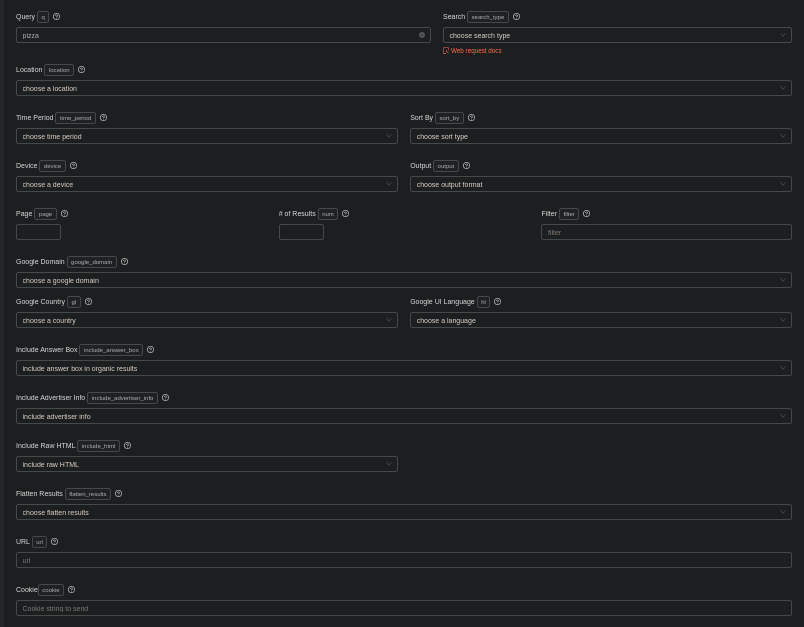
Name | Description | Is Currently USed
---------|----------|---------
Query | Google Search Query | Only on single and batch query search
Search Type | Defined the search type (Results, maps, news) | Only search results are used
Location | Determins the Geographic Location of search request | Currently set to San Francisco Bay Area, USA
Time Period | Date period for the result search | Used as part of formula
Sort By | Determins if the sort is by relevance or date | Default is relevance
Device | Type of device that will run search | Not used
Output | Response format for the searches | JSON
Page | Page number | Can be passed as parameter
\# of Results | Number of results | Can be passed as parameter. Maximum is 100
Filter | Determines if the filters for Similar Results and Omitted Results are on or off. | Not used
Google Domain | Google domain that is used for searches | Currently set to United States
Google Country | Country for the Google searches | Currently set to United States
Google UI Language | Language for the Google searches | Currently set to English - en
Include Answer Box | Determines whether to include the answer box | Not used
Include Advertiser Info | Determins wether to include advertisements | Not used
Include RAW HTML | Determines whether raw HTML is included in the response | Not used
Flatten Results | Determins if the results should be flattened | Not used
URL | Direct Google Search URL | Used as formula
Cookie | Cookie that is sent with request | Not used
## SERP Search Result Format
SERP result has the following format:
```json
"organicResults": [ <- Organic, Google search results,
{
"position": 1, <- Position on the page, higher means more relevant
"title": "Pizza Hut: Pizza Delivery | Pizza Carryout | Coupons ...", <- Title
"link": "https://www.pizzahut.com/", <- Link
"domnain": "www.pizzahut.com", <- Domain
"displayedLink": "https://www.pizzahut.com" <- Displayed link,
"snippet": "DELIVERY & CARRYOUT LOCATIONS ARE OPEN! Order pizza online from a store near you. View our full menu, nutritional information, store locations, and more." <- Summary
"sitelinks": [ <- Groupe of links under summary (can be empty or can have multiple)
{
"title": "Find a Pizza Hut", <- Titlt of the link
"link": "https://www.pizzahut.com/link.php?locator" <- Link
},
...
]
},
...
],
}
```
This response visualized:
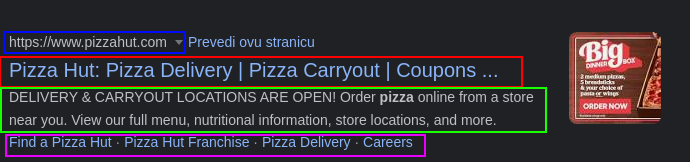
- Blue: **link**
- Red: **title**
- Green: **snippet**
- Purple: **sitelinks**
## How Does Everything Work
The system was designed in a way to minimize errors and money wasting. For that reason every successfull Google result will be saved to database to prevent double searching. You have an option to search only once by query/formula or to upload a CSV file and get all rows searched. When the process finishes, you can get the results for a single search (by query/formula) or by file name. File names must be unique because there can't be multiple files associated with single Google search.
When you request a single query/formula search, the program makes request request to the vendor, waits for it, and then saves it to the database. If there were any errors before the program requested vendor data, or if there was an error on the vendors side, you won't be charged. After the process completes, you will be able to view/download the data right away.
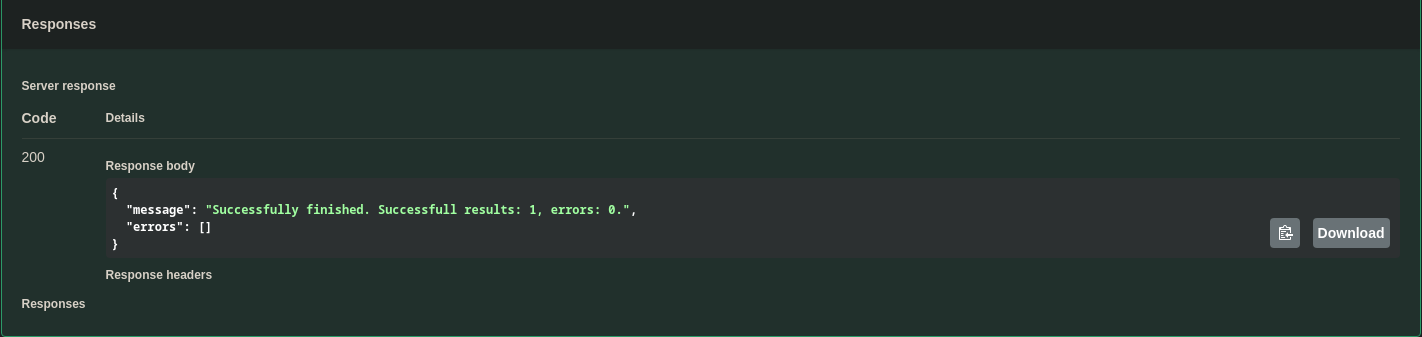
When you send a CSV file, the program tries to parse the data, then tries to find the column and then validate the column content. After this step, the program requests data from vendor for every row in the column and saves it to database. At the end, it gathers results and sends the REPORT to you. After this, you have to go to the file search tool to see result. This was done in this way to prevent timeout errors. Errors are collected but they don't brake the process. If any error occurr before the program request data from vendor, you wont be charged.
## Search Once By Formula
If you want to search by formula and get only one results go to [this link](https://crawley-api.herokuapp.com/api/#/SERP%20(Search%20Engine%20Results%20Pages)/SERPController_searchGoogleByFormula).
You need to click on the *"Try it now"* button in the top right corner and enter the desired URL. Then click *"Execute"*.
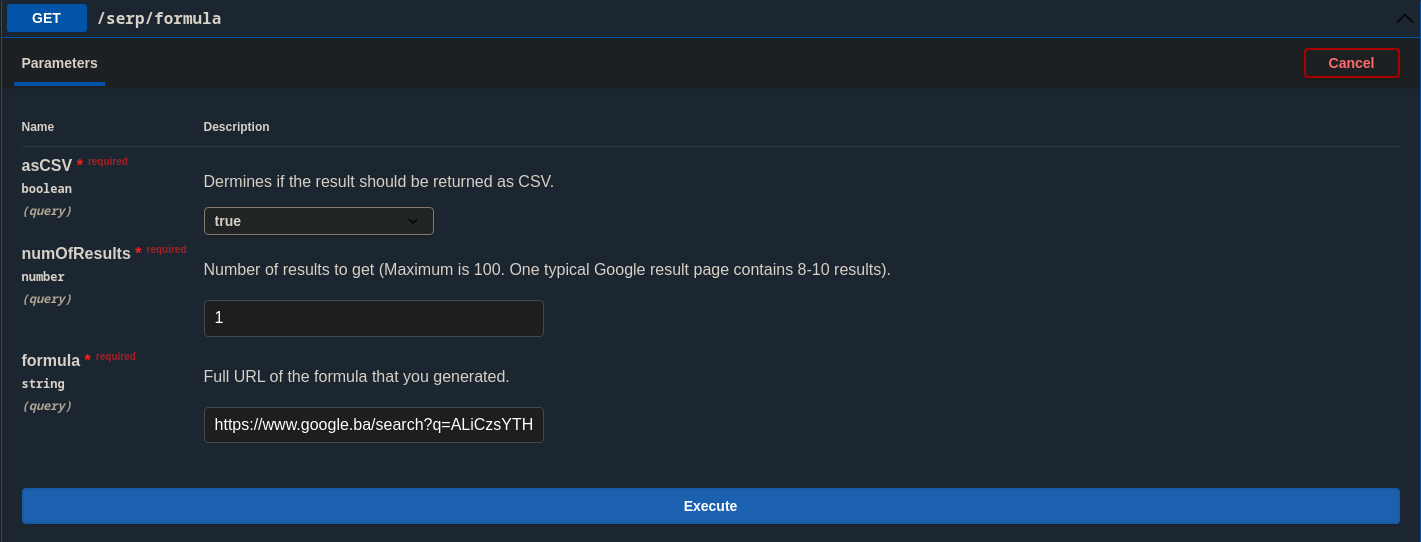
- **asCSV** - Exports as CSV.
- **numOfResults** - number of results to get. Maximum is 100.
- **formula** - Full, valid, formula URL
After the loading, you will see the result of the Google search
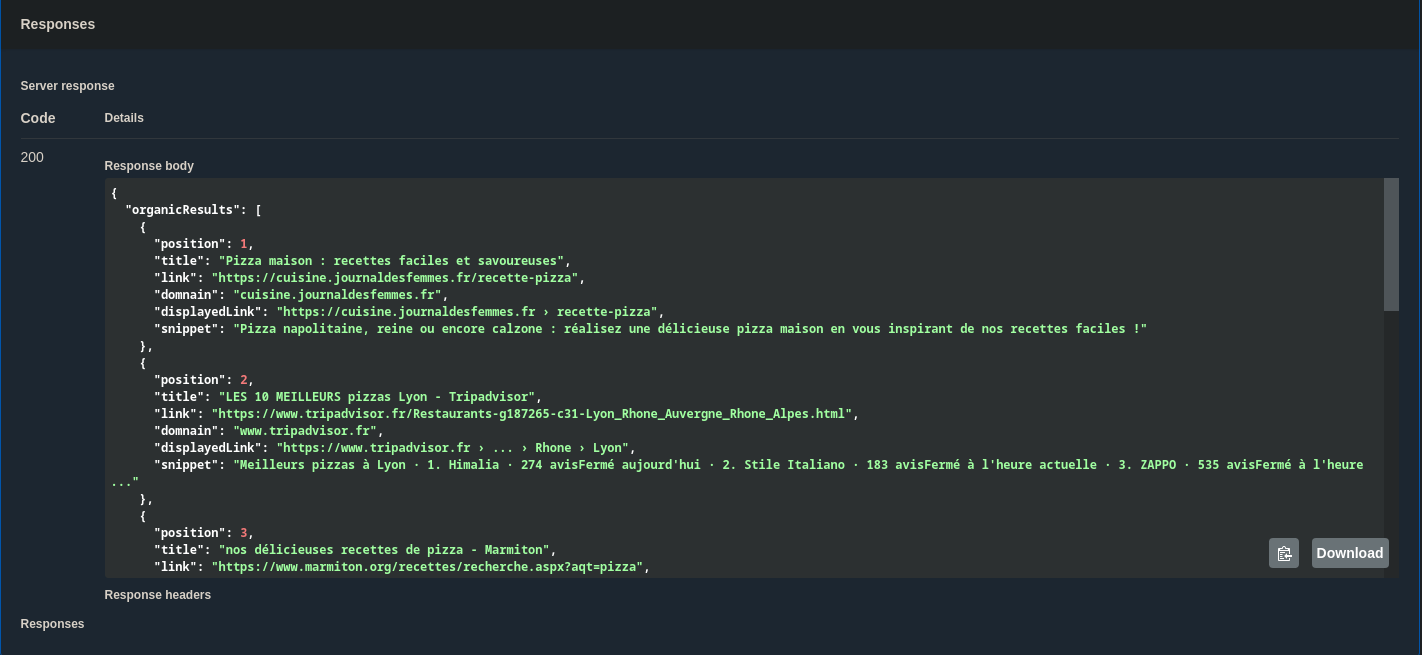
or the download link if you have chosen as CSV:

## Batch Search By Formula
If you want to search by formula, but with a CSV file, go to [this link](https://crawley-api.herokuapp.com/api/#/SERP%20(Search%20Engine%20Results%20Pages)/SERPController_batchSearchGoogleByFormula). You can upload a file with infinite number of lines but it would be best to split the file in 10 or 100 row versions. There are tens of reasons why the server can fail and it would be bad to lose all data. Every row will use 1 credit.
Requirements for the CSV:
- Must have only one header
- Must have one column with formula
- Formula must be a valid, google, link
- All formulas must be in one column
Take note that if you upload a file and then change it before you click Execute you will need to reupload it again.
You need to click on the *"Try it now"* button in the top right corner and enter the desired URL. Then click *"Execute"*.
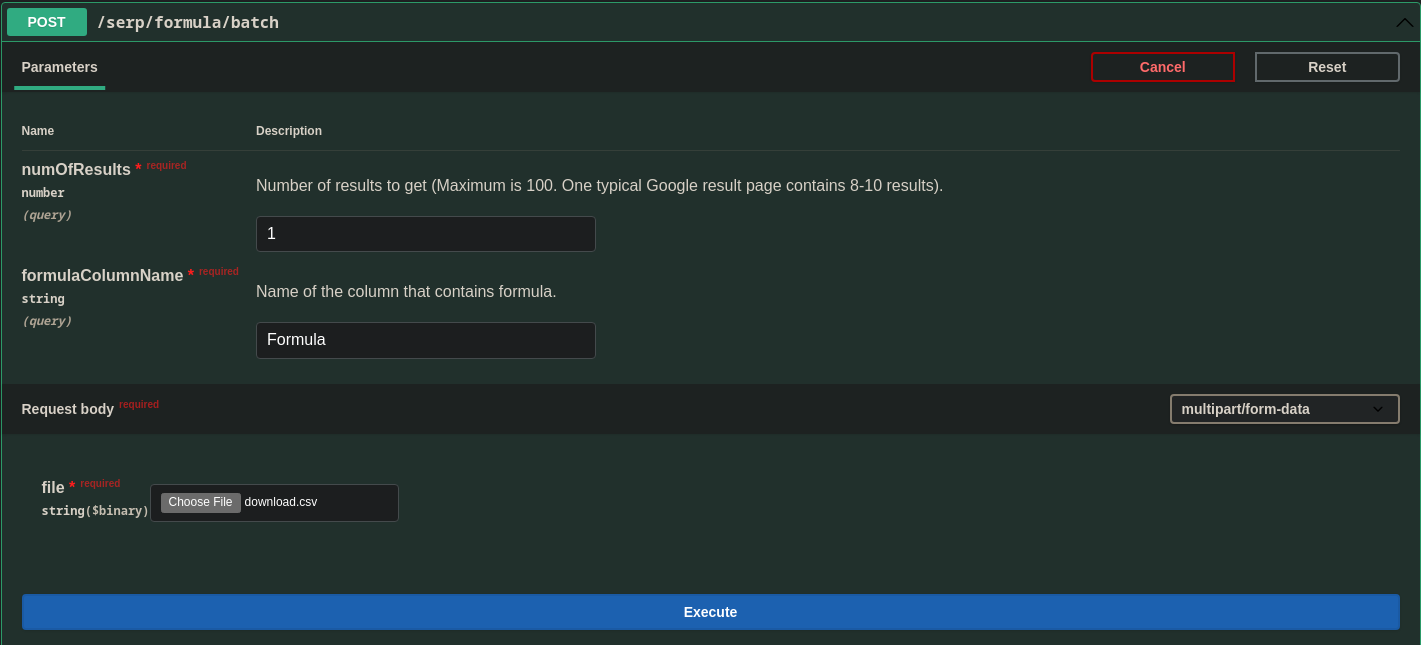
- **numOfResults** - number of results to get. Maximum is 100.
- **formulaColumnName** - Name of the column that contains formula, this field is case sensitive. Make sure that you don't have any extra whitespaces or brakes.
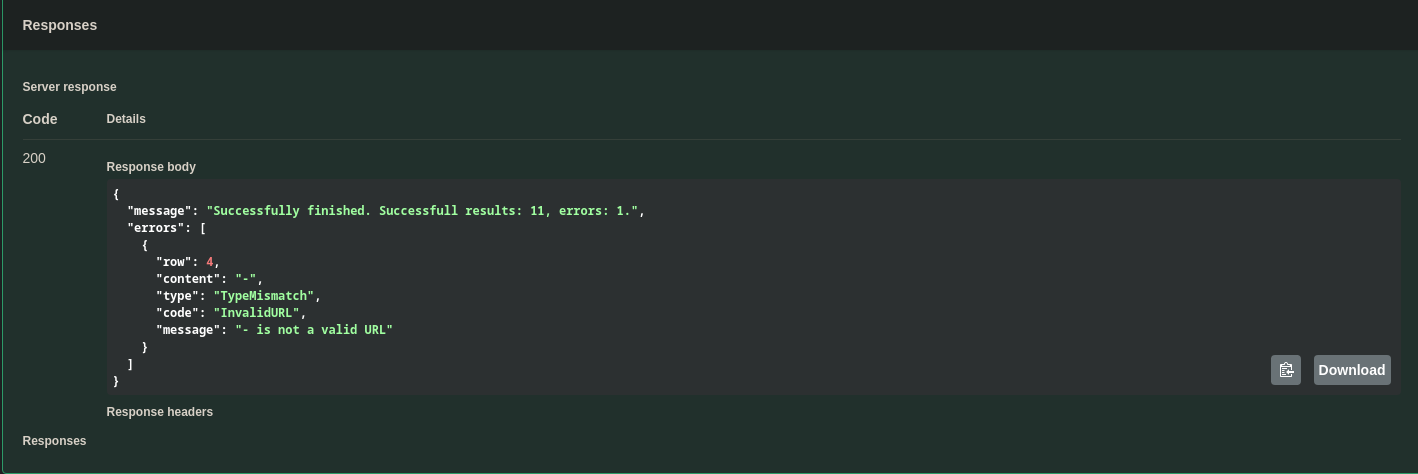
After the loading, you will see the REPORT of the formula upload
## Search Once By Query
If you want to search by query and get only one results go to [this link](https://crawley-api.herokuapp.com/api/#/SERP%20(Search%20Engine%20Results%20Pages)/SERPController_searchGoogleByQuery).
You need to click on the *"Try it now"* button in the top right corner and enter the desired URL. Then click *"Execute"*.
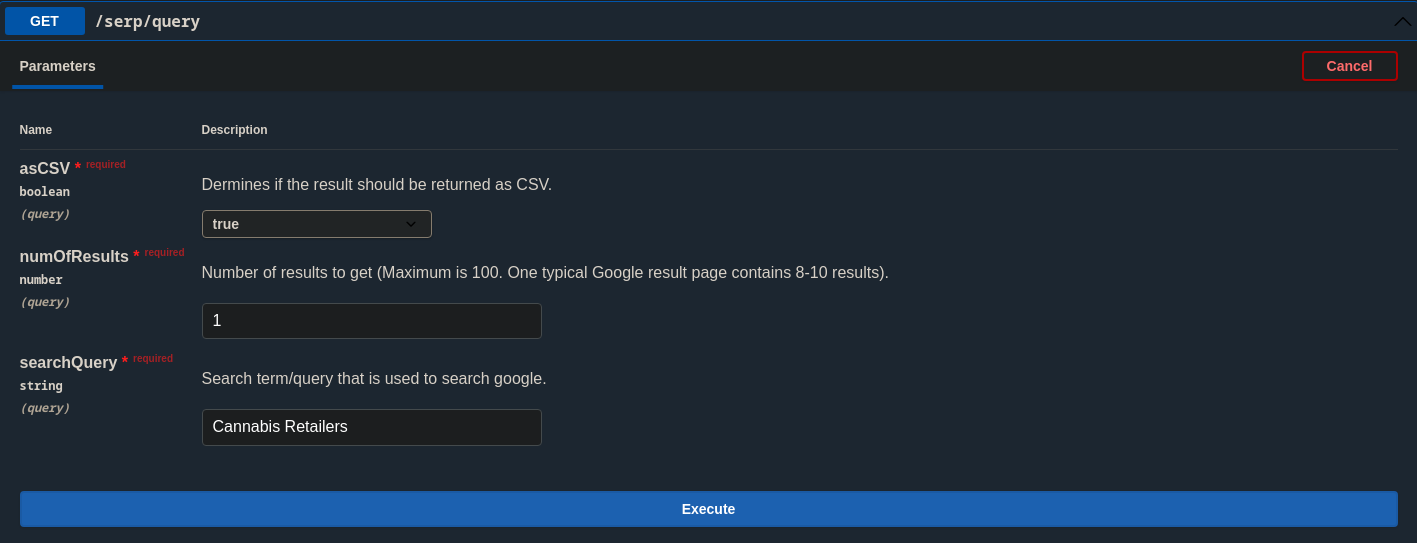
- **asCSV** - Exports as CSV.
- **numOfResults** - number of results to get. Maximum is 100.
- **query** - Search term/query that is used to search google.
After the loading, you will see the result of the Google search

or the download link if you have chosen as CSV:

## Batch Search By Query
If you want to search by query, but with a CSV file, go to [this link](https://crawley-api.herokuapp.com/api/#/SERP%20(Search%20Engine%20Results%20Pages)/SERPController_batchSearchGoogleByQuery). You can upload a file with infinite number of lines but it would be best to split the file in 10 or 100 row versions. There are tens of reasons why the server can fail and it would be bad to lose all data. Every row will use 1 credit.
Requirements for the CSV:
- Must have only one header
- Must have one column with formula
- Formula must be a valid, google, link
- All formulas must be in one column
Take note that if you upload a file and then change it before you click Execute you will need to reupload it again.
You need to click on the *"Try it now"* button in the top right corner and enter the desired URL. Then click *"Execute"*.
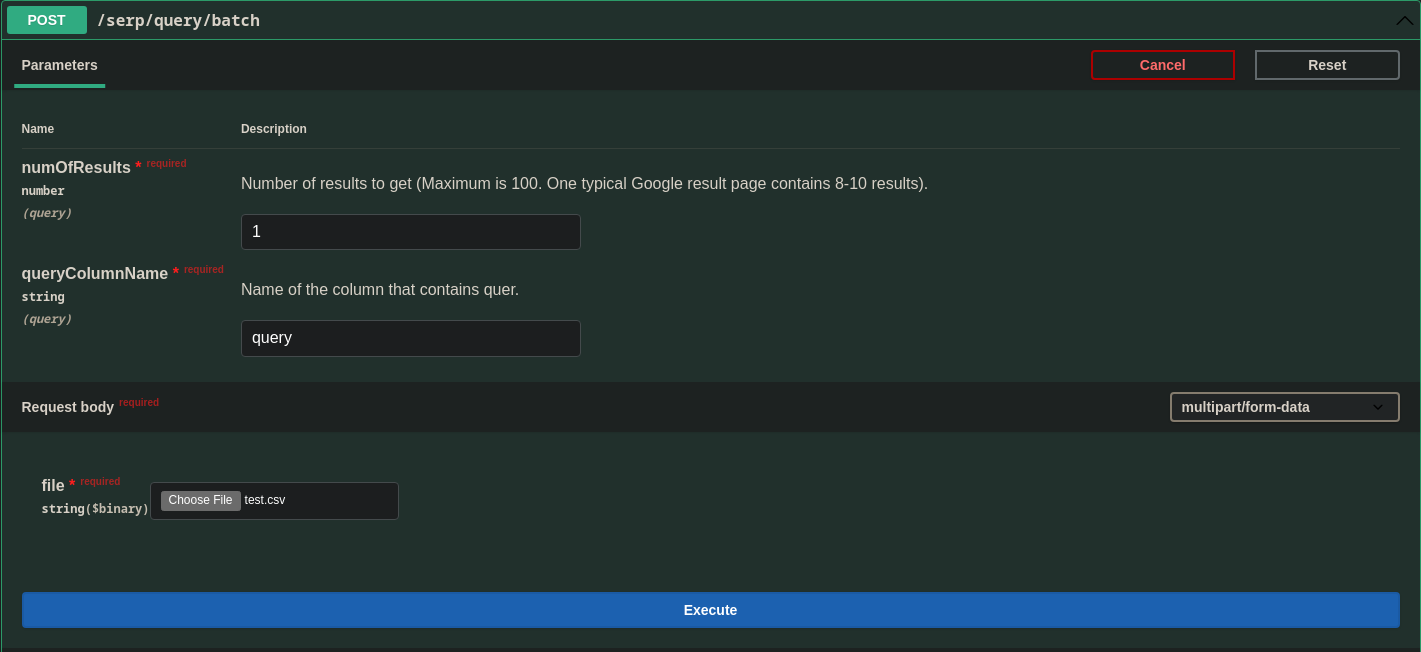
- **numOfResults** - number of results to get. Maximum is 100.
- **queryColumnName** - Name of the column that contains query, this field is case sensitive. Make sure that you don't have any extra whitespaces or brakes.
After the loading, you will see the REPORT of the query upload
## Get Cached Search
If you didn't get the response first time or if you lose it you can always retrieve it for free from this route. Every unique search will be saved to database and will be available for you to view. It is called Cache because the cache is used to store data that can be frequently used but too expensive to query again.
### By Query/Formula
If you want to find a search result for single query/formula go to this [link](https://crawley-api.herokuapp.com/api/#/SERP%20(Search%20Engine%20Results%20Pages)/SERPController_getCached).
You need to click on the *"Try it now"* button in the top right corner and enter the desired URL. Then click *"Execute"*.
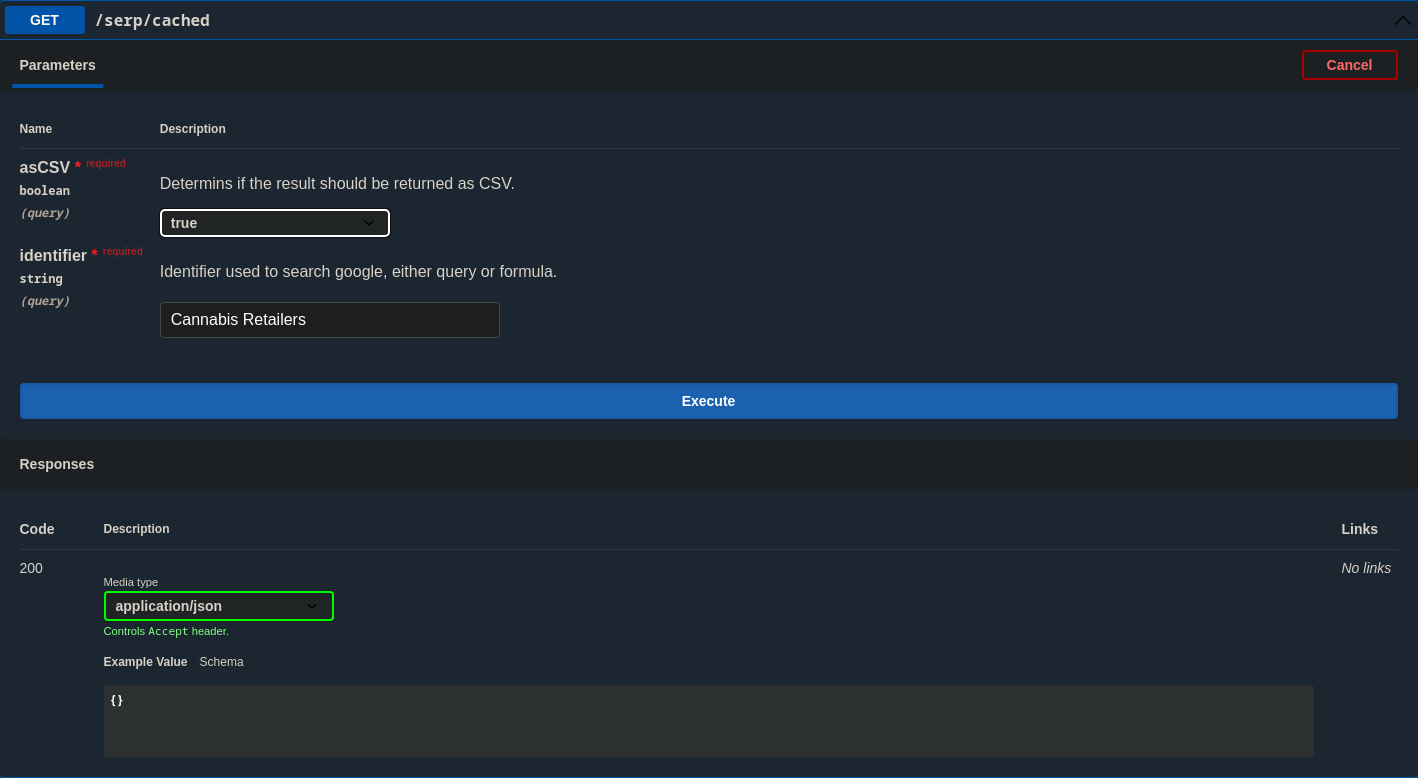
- **asCSV** - Exports as CSV.
- **identifier** - Identifier used to search google, either query or formula. If you used a query to search for the result enter the query or if you used a formula enter the formula. It must be an exact match.
After the loading, you will see the result of the Google search

or the download link if you have chosen as CSV:

## By File Name
If you want to find a search results for uploaded files go to this [link](https://crawley-api.herokuapp.com/api/#/SERP%20(Search%20Engine%20Results%20Pages)/SERPController_getFile).
You need to click on the *"Try it now"* button in the top right corner and enter the desired URL. Then click *"Execute"*.
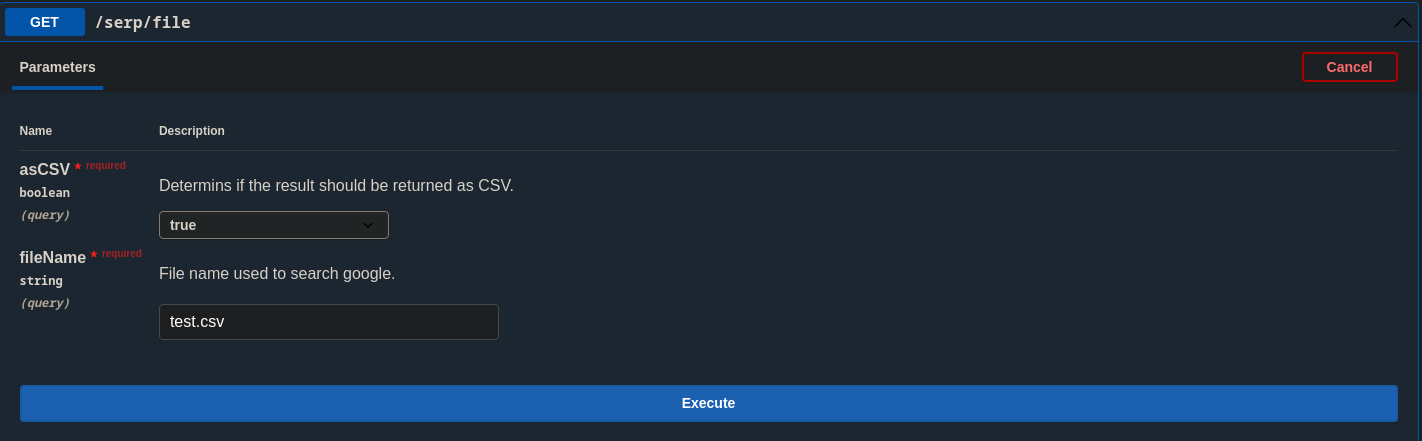
- **asCSV** - Exports as CSV.
- **fileName** - Exact file name that was used for searching on the other routes.
After the loading, you will see the result of the Google search

or the download link if you have chosen as CSV:

 Sign in with Wallet
Connect another wallet
Sign in with Wallet
Connect another wallet