Git private
===
### Git / Git Server / Git flow

----
<img src="https://i.imgur.com/7px5IND.png" style="width:200px;height:200px;border-radius:50%"/>
### [李家安](https://www.facebook.com/calee0219)
##### 交大資工 大二
- hackmd 擁護者
- 不會寫 golang 的推坑者
- 網站開發社 規劃
- [fb 粉專](https://www.facebook.com/不專業阿宅的科技小識-1564897363824637/)
---
軟體開發
---
- 版本控制
- 團隊開發
----
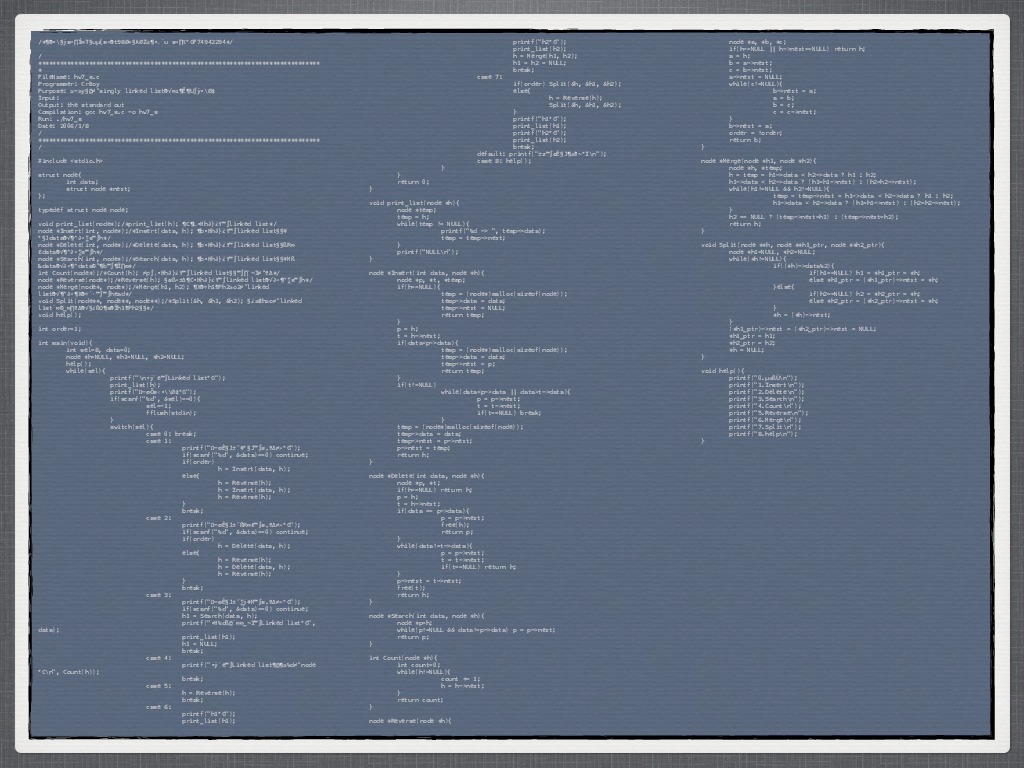
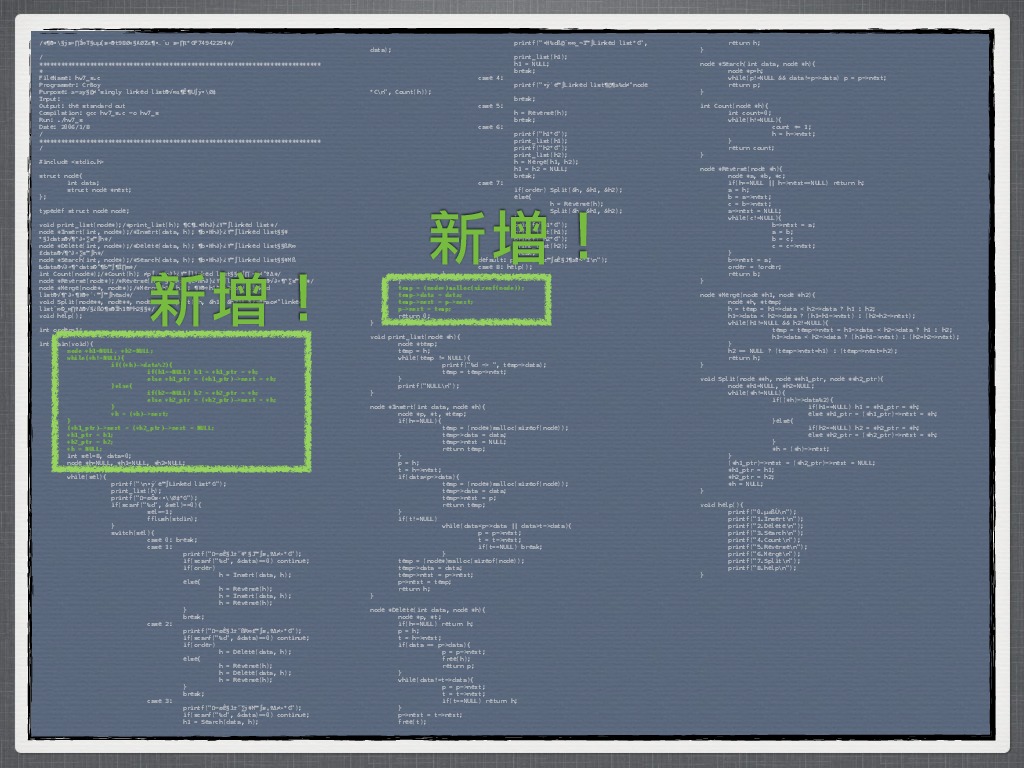
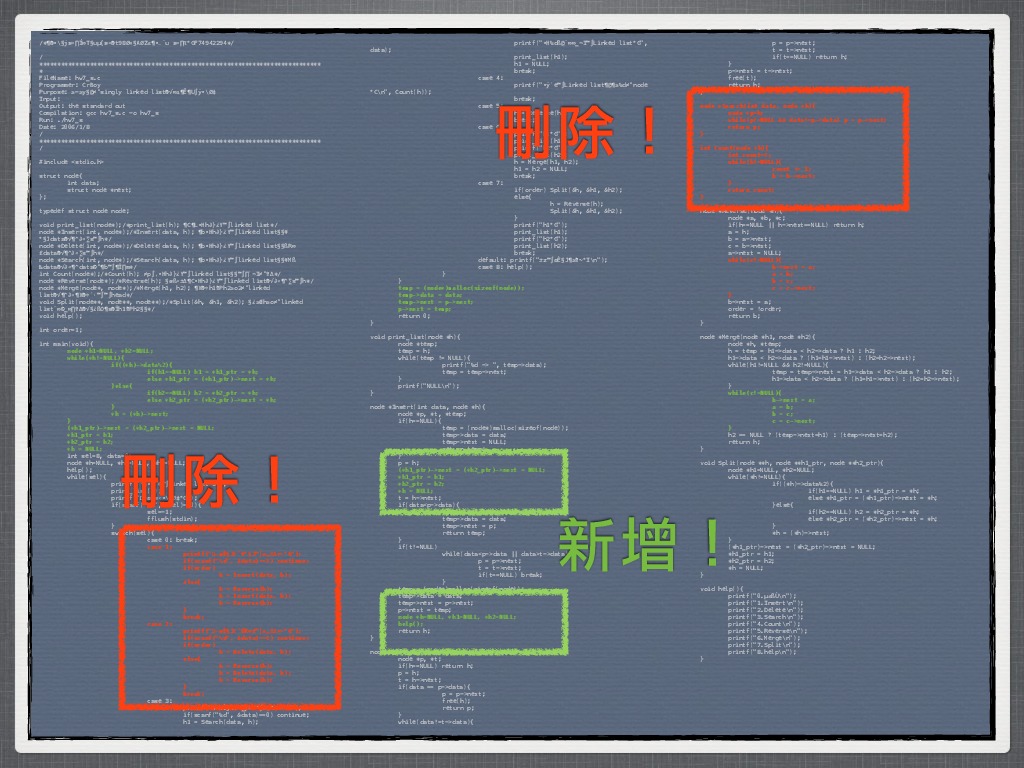
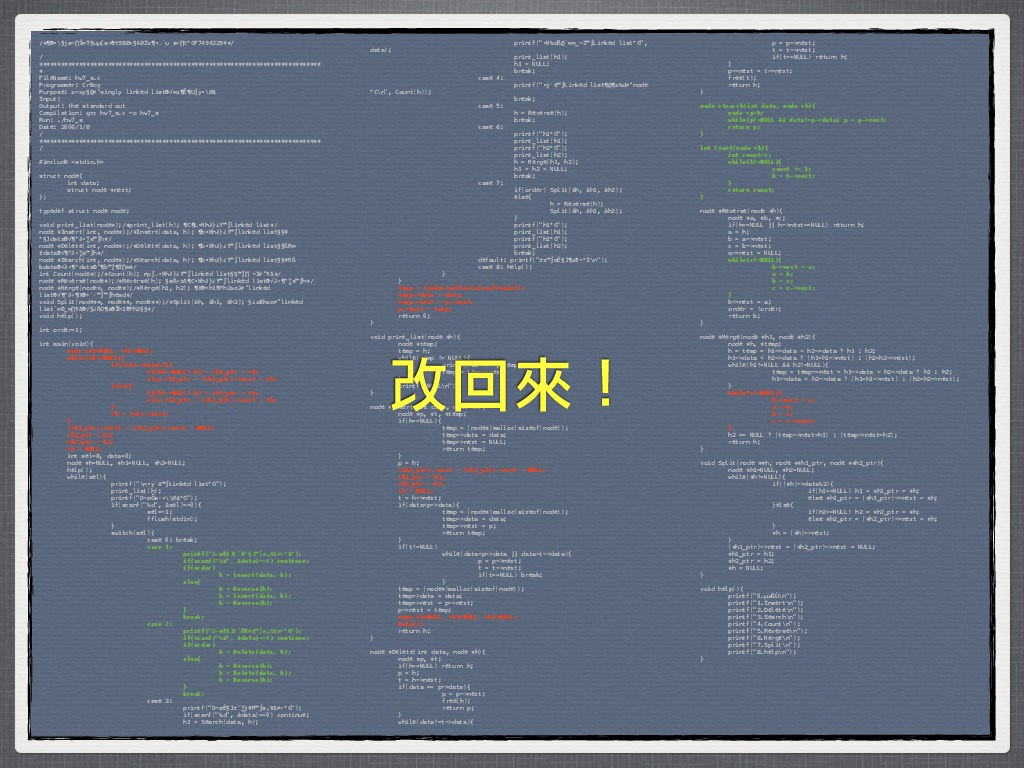
### 教授表示:刻一顆 CPU
有 Cache 功能加十分...
----
<!-- .slide: data-transition="fade-in" -->
----
<!-- .slide: data-transition="fade-in" -->
----
<!-- .slide: data-transition="fade-in" -->
----
<!-- .slide: data-transition="fade-in" -->
----
<!-- .slide: data-transition="fade-in" -->
----
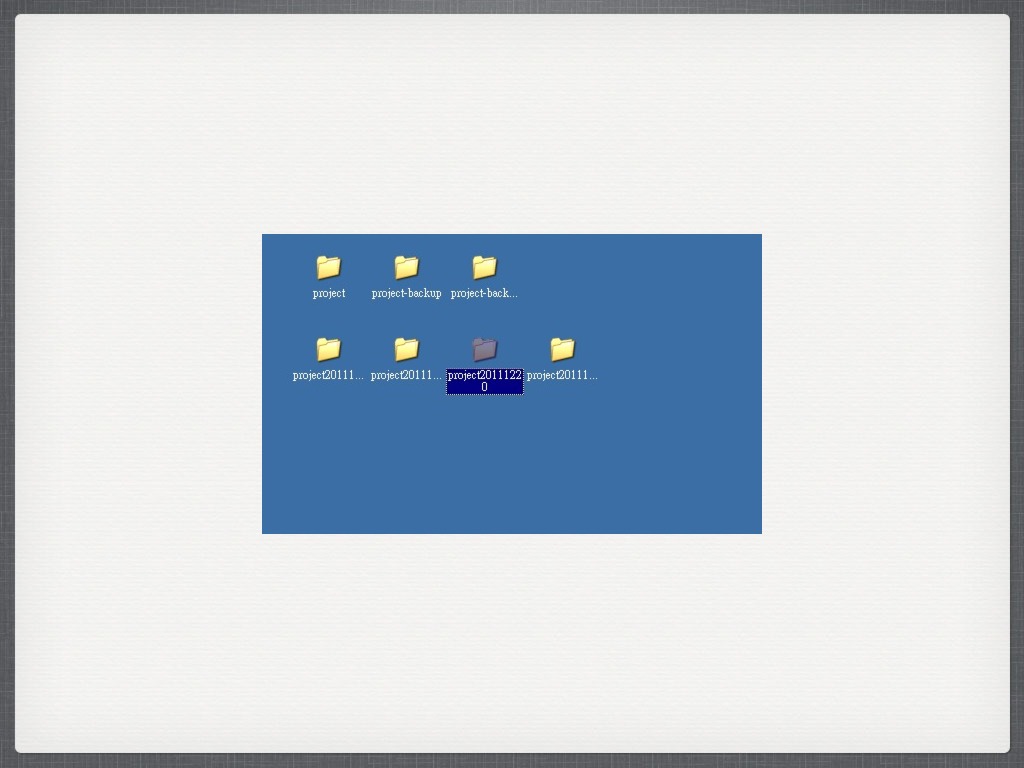<!-- .slide: data-transition="fade-in" -->
----
<!-- .slide: data-transition="fade-in" -->
----
<!-- .slide: data-transition="fade-in" -->
----
<!-- .slide: data-transition="fade-in" -->
---
## 攻城屍的救星
版本控制
----
## 安裝 Git
- `apt install git`
- [windows 下載](https://git-scm.com/download/win)
- [macOS 下載](https://git-scm.com/download/mac)
- [GitHub Desktop](https://desktop.github.com)
----
## 環境設定
- git config --global user.email "you@example.com"
- git config --global user.name "Your Name"
- git config --global color.ui true
- git config --global core.editor vim
----
## 環境設定2
- git config --global alias.co commit
- git config --global alias.lg "log --color --graph --all --pretty=format:'%Cred%h%Creset -%C(yellow)%d%Creset %s %Cgreen(%cr) %C(bold blue)<%an>%Creset' --abbrev-commit --"
----
## .gitconfig
- [config file](https://github.com/github/gitignore)
- [large storage](https://git-lfs.github.com)
- [我的設定](https://github.com/calee0219/.dotfiles/blob/master/gitconfig)
----
- man git
- git help <command>
---
## 開新專案
git init
----
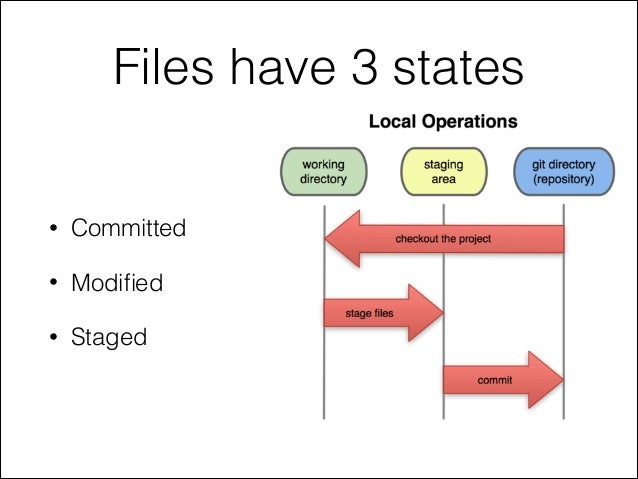
[reference](https://git-scm.com/about/staging-area)
----
## 新改變後...
- git status
- git add
- git commit (-m)
----
### 何時 commit?
### 如何 commit?
commit --amend
---
# X,東西寫炸了!!
git clone https://github.com/calee0219/Frontier
----
## 找戰犯囉~
- git log ( --author / --since= / --until= / regex)
- git show
- git blame
----
## 尋找錯誤
- git diff
- git difftool
- git checkout
----
## 暫存
- git stash
- git stash save "msg"
- git stash list / show / apply / drop / pop
- [參考](https://git-scm.com/book/zh-tw/v1/Git-工具-儲藏-Stashing)
---
## 復原
- git reset
- git revert
- [參考差別](https://github.com/geeeeeeeeek/git-recipes/wiki/5.2-代码回滚:Reset、Checkout、Revert的选择)
----
## 刪除 untrack
git clean (-f -d)
---
# Git Server
[GitHub](https://github.com) / [GitLab](https://about.gitlab.com) / [Gogs](https://gogs.io) / [Gitea](https://gitea.io/zh-TW/) / [BitBucket](https://bitbucket.org)
----
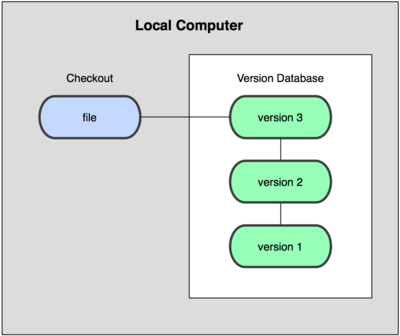
## 本地端版控
----
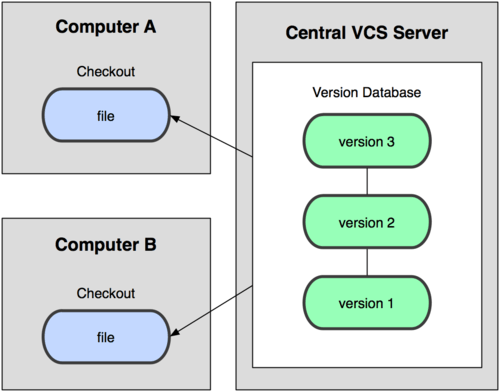
## 集中式
----
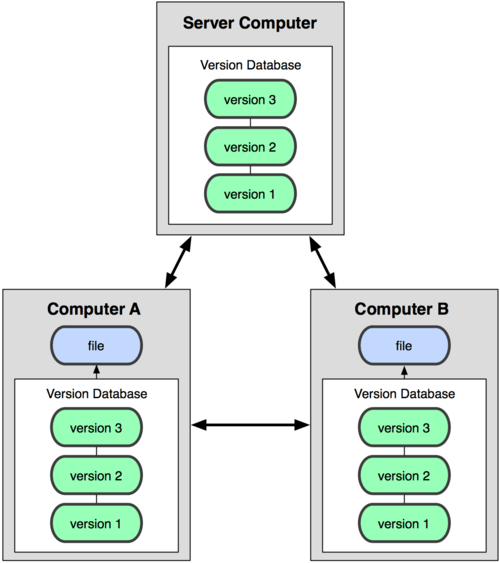
## 分散式
----
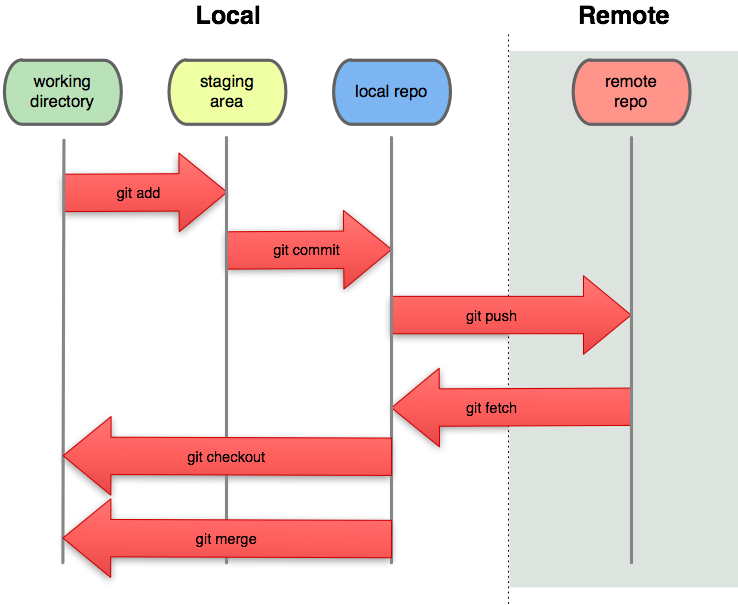
[Git Cheatsheet Cht](http://scars377.github.io/git-cheatsheet-cht/#loc=remote_repo)
----
## 以 GitHub 為例
申請 [GitHub](https://github.com) 帳號
新增 repo
- README.md ([Markdown](https://github.com/adam-p/markdown-here/wiki/Markdown-Cheatsheet))
- [License](https://www.openfoundry.org/tw/licenses)
- [.gitignore](https://github.com/github/gitignore) ([Large file sortage](https://git-lfs.github.com))
- Public / Private
----
## Git Clone
- git clone (downstream / upstream)
- git remote (add / show / -v)
- git fatch
- git pull (fatch + merge)
- git push (-u)
----
## Branch
- git branch
- git checkout -b
----
## Merge
- git merge (--no-ff)
- git rebase
- git cherry-pick
---
## Others
- fork
- submodule
- issue
- pull request / merge request
- CI (Continuous Integration)
- downstream / upstream
---
# Git Flow
- [git flow](http://nvie.com/posts/a-successful-git-branching-model/)
- [github flow](https://guides.github.com/introduction/flow/)
- [gitlab flow](https://about.gitlab.com/2014/09/29/gitlab-flow/)
----
### Git Flow

----
### GitHub Flow

----
### GitLab Flow

---
## 參考資料
- [Git](https://git-scm.com)
- [完整學會Git GitHub Git Server的24堂課](http://www.books.com.tw/products/0010690010)
- [Danny git 介紹](https://denny.one/git-slide)
- [moztw 貢獻 快速指南](https://hackmd.io/EYRgnADAZgpgHAEwLRQEwgMZICxjMuYKOJAZlQRgQFZS4A2CU4IA?view)
- [Code Smart, Don't Code Hard](https://speakerdeck.com/crboy/code-smart-dont-code-hard)
{"metaMigratedAt":"2023-06-14T12:48:50.371Z","metaMigratedFrom":"YAML","title":"Git private","breaks":true,"description":"WDC Git 入門","lang":"zh-tw","dir":"ltr","robots":"index, follow","GA":"UA-100433652-1","disqus":"hackmd","contributors":"[]"}