---
title: Instructions
tags: virology, presentation
slideOptions:
theme: solarized
transition: 'fade'
previewLinks: true
viewDistance: 3
---
*by Alper Yılmaz, May 28th, 2021*
# Aim
**Prepare slides for full lecture.**
As you have noticed the slides for our lecture are old and dull. By the help of our students we can update the course materials.
---
:::danger
Remember, aim is not *"just pick a textbook"*, our aim is to modernize and update our course materials. So,
* Search and find a textbook and go over its contents. Then decide if it has **better** content than our own lecture materials. If not, then try another text book.
* **PLEASE DO NOT USE OLD TEXTBOOKS**
* If you pick an old book you **have to** support it with new materials (review articles or online resources)
* **PLEASE DO NOT USE OUR OWN TEXT BOOK** which is *Virology: Principles and Applications* by *John Carter and Venetia Saunders (2007)*
:::
---
:::info
A lame and a standard work will be;
* *just transfering slides*
:::
---
# Instructions
* find a virology resource
* select a virus (family) / topic
* prepare slides for that virus from the selected resource
* while preparing slides, please focus on nice visuals and **do not copy/paste large amount of text from the book/resource** Remember we are preparing slides which contain more visual than text.
* in the beginning of the slideshow please indicate the resource, and whenever you use a visual from an online source please include the reference to source site/page
---
## Resources
* text book (please prefer newly published books!)
* review article (might need to extend)
* compile your own
---
please visit "[making slides with HackMD](https://hackmd.io/s/how-to-create-slide-deck)" page for more details
----
# Markdown
We'll be using markdown format. If you click <i class="fa fa-question"></i> in top menu, you'll see that Markdown is pretty easy to grasp.
---
First of all we're preparing HTML slides meaning that we can share multimedia (image, recording, video, interactive visualization)
---
To share videos from YouTube, you can click on share <i class="fa fa-share-alt"></i> button and choose *Embed* and copy paste the `iframe` link.
OR
use the syntax like this:
```
{%youtube u3We3ItXjOY %}
```
---
<iframe width="800" height="600" src="https://www.youtube.com/embed/u3We3ItXjOY" title="YouTube video player" frameborder="0" allow="accelerometer; autoplay; clipboard-write; encrypted-media; gyroscope; picture-in-picture" allowfullscreen></iframe>
----
{%youtube u3We3ItXjOY %}
----
:::info
:bulb: **Trivia**: You can share important or interesting bits in separate boxes.
:::
---
# Adding images
For images use links OR copy-paste. please tell use the source (page link or figure number from book )
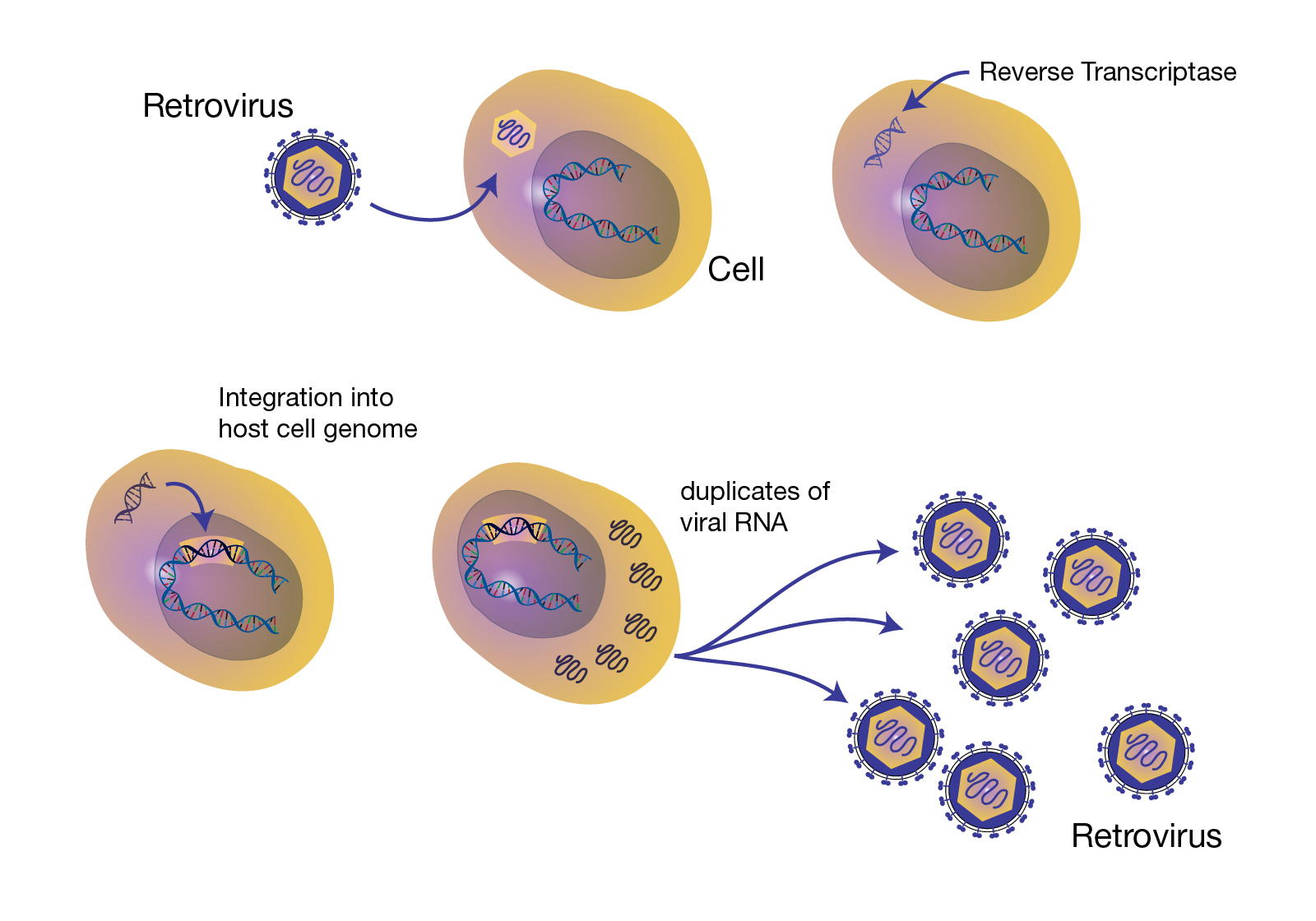
Image source: [genome.gov Retrovirus page](https://www.genome.gov/genetics-glossary/Retrovirus)
 Sign in with Wallet
Connect another wallet
Sign in with Wallet
Connect another wallet