# Importing Media into Logic Pro/GarageBand
As any project involving media goes, it is first important to figure out where your media will reside in your computer before doing any editing.
- **Create a new folder on your desktop**, and give it a name.
Now, **open Logic Pro/GarageBand and create a new empty project.**
---
## AirDrop
If you are importing media from an iPhone, the easiest way to accomplish this is through **AirDrop**.
- In Finder, **open *AirDrop.***
- Locate the media you are choosing to share in your iPhone (whether it be in Voice Memos, Files etc.).
- **Select *Share*, then *AirDrop*.**
- Find the name of the laptop you are using. **Select it** to begin sharing.
- Be sure that your laptop is discoverable!
- **Accept the file** being shared on your laptop.
- It will now be in your *Downloads* folder.
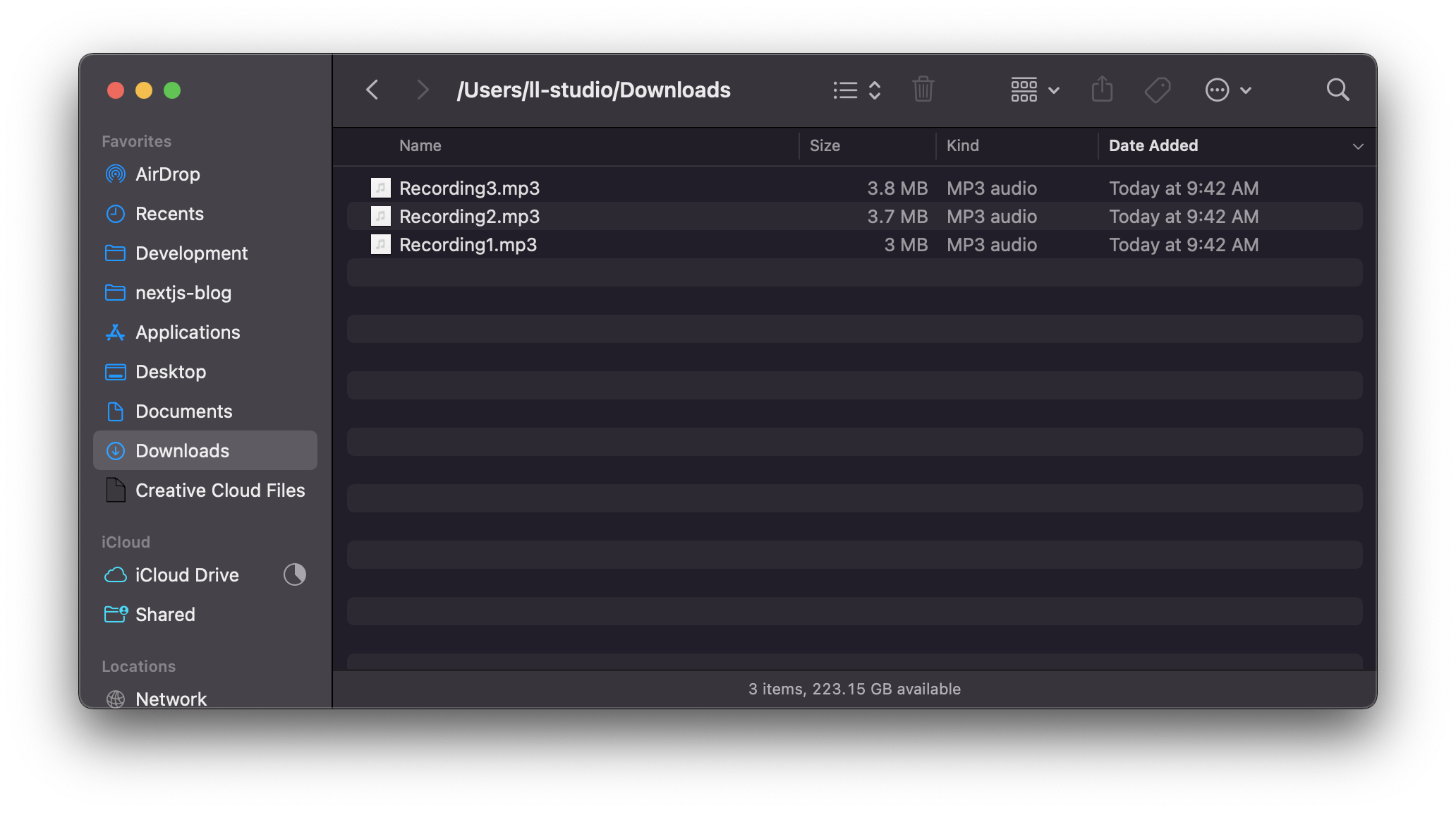
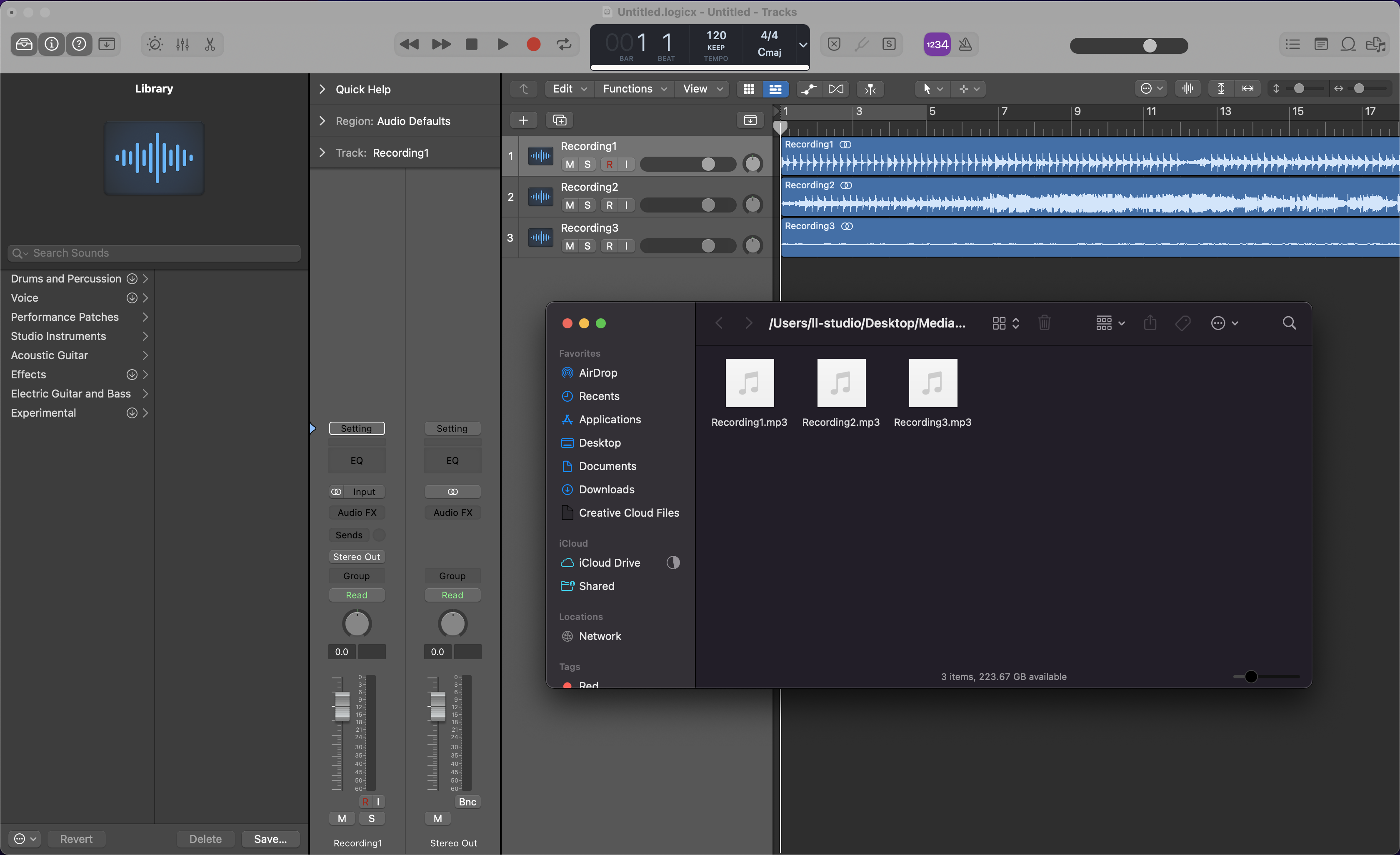
Go ahead and **move your media into the folder you created** earlier for safekeeping. From there, you can drag and drop it onto the project timeline.
---
## SD Cards & Hard Drives
If you are looking to import media from an SD card, you will first want to grab an *SD card reader*.
- Ensure you have one with the right connector for your computer!
With the SD card reader connected, insert the SD card into the reader.
- An SD card icon will appear on the Desktop. Select it, and you will find all the media that is stored in it.
Find the media you are looking for, and place it inside the folder you created earlier. From there, you can drag and drop in onto the project timeline.
*Note: This process is similar for importing media from an external hard drive as well.*
---
## Package vs. Folder
A cool feature in Logic Pro is that you can save your entire project as either a *Package* or a *Folder*.
- A Package will have all your project content contained into a single *.logicx* file (similar to a *.zip* file).
- A Folder will also contain a *.logicx* file, as well as seperate folders for audio clips, bounces etc.
In short, I recommend to **organize your project as a Folder** rather than a package. Doing so will allow you to better navigate through all your project assets.
- When importing any audio content, be sure to check off "Audio files".

**Easy peasy lemon squeazy :)**
 Sign in with Wallet
Connect another wallet
Sign in with Wallet
Connect another wallet