---
tags: report, lluf, jk, sophie-w
---
# Sophie Webster 21-22

| [codeLab](/2N8nokvuS9S5po5VxFc3BQ) | [essentialsLab](/22tIjqJwR-mBpRn7iYgpXw) | [storyLab](/mvbV_y05Ru2JnyYig2ryqw) |
| -------- | -------- | -------- |
Sophie graduated this year after a long tenure as a LLUF. She exemplifies the creative and joyful energy that permeates our community, and brought that energy to every project she worked on.
> "To me, learning is the energizing feeling when something just 'clicks.' This feeling is often hard-won, after asking numerous questions, talking with friends and teachers, and poring over resources. Making new connections and integrating new concepts into a larger worldview or schema is always my end goal. I find that this contributes to the best understanding. While studying often happens solo, I find I do my best learning in a communal setting. I've learned so much both from fellow students and instructors who have spent years on topics I'm studying for the first time."
## Tools
* Atem AMX
* Cameras
* Airtable
* Python
## Works
### Intro Mission Sequence
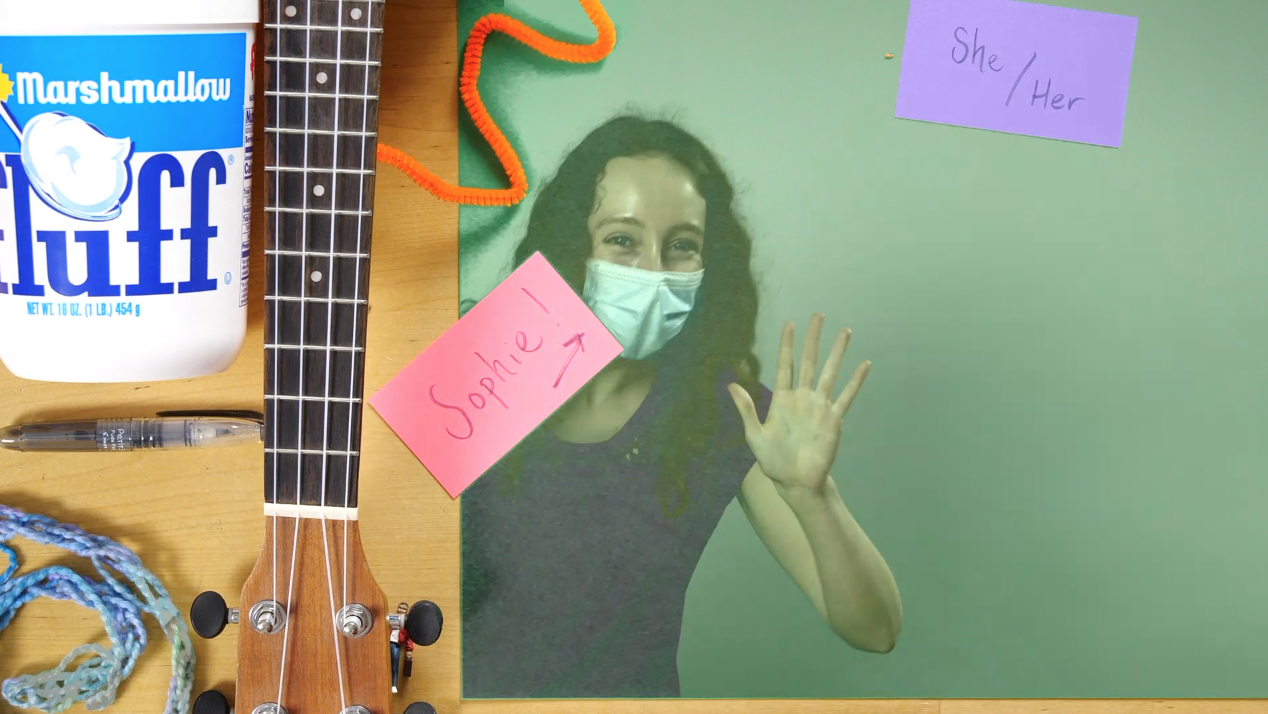
In my intro mission sequence, I emphasized my goals for this year as a LLUF. I created a 'charcuterie plate' displaying a few facets of my identity and revealed it from under the blue velvety cloche! After introducing myself, I discussed a tool I wanted to employ in the LL: mapping. I touched on tthe advantages of using mapping as a tool for visualizing data, as it leverages our intuition for geographies we know and allows us to quickly understand spatial or temporal patterns. In order to record and edit the video, I learned to use the video camera set-up in the small studio. I set a key to create a green screen effect. I walked away from the activity feeling a lot more confident and knowledgeable about the LL tech set-up. Next time, I look forward to experimenting with a multi-camera set-up or doing a more complex green-screen effect, like projecting external media. Also, while I did create a summary GIF from my intro sequence, I didn't have enough space on my computer to export it; I look forward to doing so next time I visit the LL!
### Exif Scraper
Shell Script:
```
# Isolate GPS lat and long (decimal) from each image
exiftool -c '%.6f' -GPSPosition * | awk {'print $4, $6'} | tail -r | tail -n +2 | tail -r > latlon.txt
# Store image names - this eventually needs to be full paths
ls *HEIC > img_names.txt
python3.9 ~/Development/exif/parse-lat-long.py
```
Python Script:
```
import pandas as pd
from airtable import Airtable
# Initialize lat and long lists
lat=[]
long=[]
# Save image names
names = []
with open("img_names.txt", mode='r') as f:
for line in f:
names.append(line.strip("\n"))
# Save lat and long data
with open("latlon.txt", mode='r') as f:
for line in f:
if line == " \n":
continue
lat.append(float(line.split()[0]))
long.append(float(line.split()[1]))
# Add them to a dataframe (actually not necessary in this iteration)
df = pd.DataFrame(
{'IMG': names,
'Lat': lat,
'Long': long
})
# Write to AirTable database
airtable = Airtable('app5YMJC2ybK6eJlg', 'GPS', 'keyszVXGlOLIolPG6')
print(airtable.get_all())
# Iterate through the names and write them to the Table
for i in range(len(names)):
airtable.batch_insert([{'Name': str(names[i]), 'Latitude': str(lat[i]), 'Longitude': str(long[i])}])
```
This project was born of the balmy October day spent walking around Cambridge with Story Lab, which we coined 'the SpaceWalk'. We were tasked with taking photos of our journey and uploading them upon our return. I started working with the images' "exif" data, which stands for Exchangeable Image File; this specification includes metadata tags along with the image file itself (be it a JPEG or a TIFF), sharing the camera's and image's properties. Along with shutter speed, ISO, date, and time, exif often includes GPS data as well. This can help us pinpoint exactly where an image was taken, which we can use to map such storywalks.
I embarked on this project by harnessing the power of `exiftool`, an amazing Perl library for extracting this metadata from images. Using `exiftool`, I pulled decimal latitude and longitude from each photograph, saving it to a text file. I pulled the text file into Python code as a dataframe, where I could more easily manipulate it. I worked with `airtable-python-wrapper`, a Python client for AirTable's API, to write the data into a database.
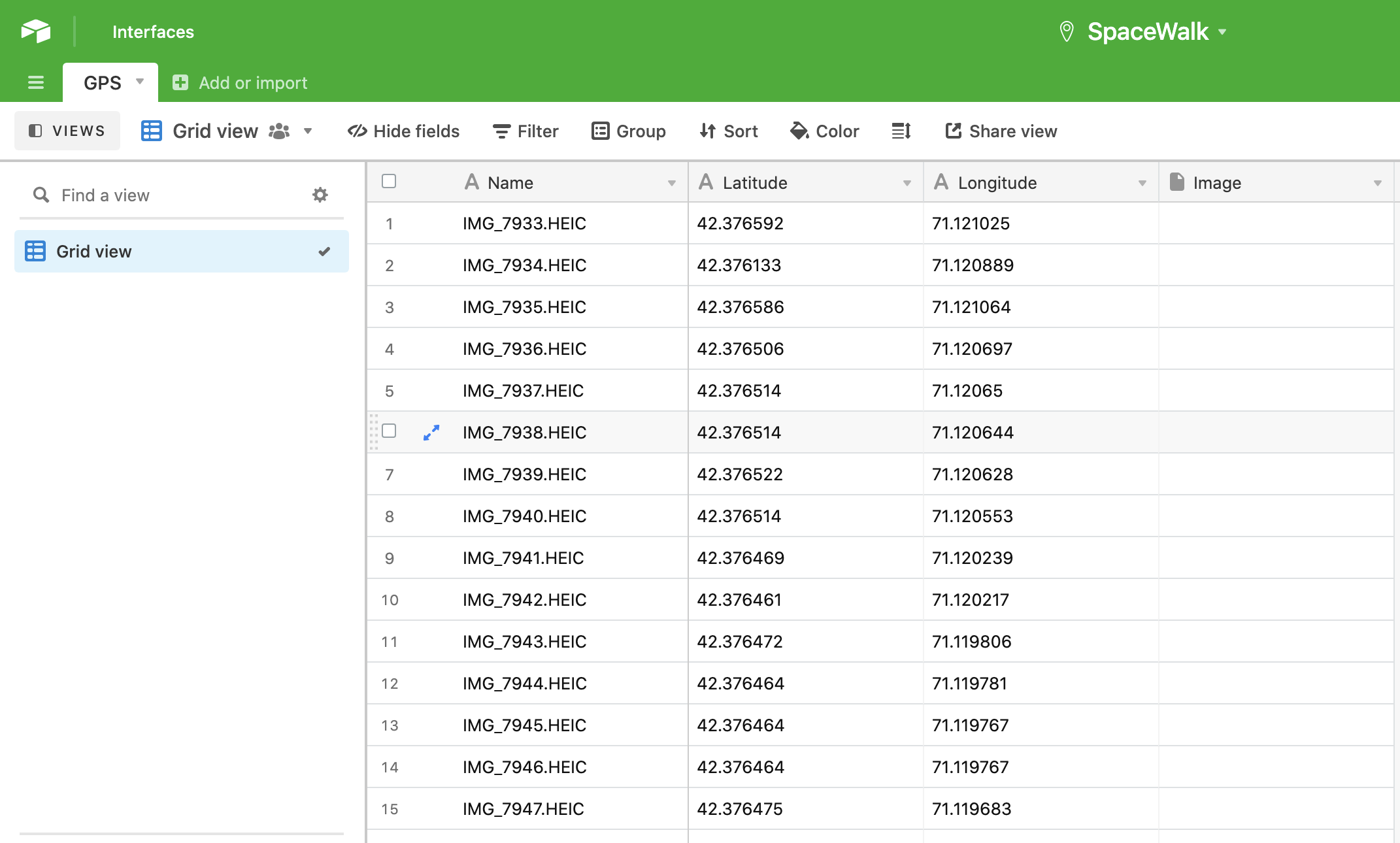
Here's a brief walkthrough of the code:
1. Isolate GPS latitude and longitude in decimal format from the `exiftool` data by pulling the proper columns and storing all but the ultimate line in a text file.
2. Store all the images names (this should eventually become full file paths or photo uploads)
3. Call and run the python script
4. This script parses the latitude, longitude, and image names we've saved in that text file, storing these variables in lists.
5. Next, using the `airtable-python-wrapper`, we summon SpaceWalk's GPS table with its API key.
6. Finally, it loops through all of our images and their corresponding GPS data, writing it all to the GPS table.
Next steps:
* Post the actual image as an attachment in the base
* Or just include the shareable link to that image
* To wit, I hope to rig this up with Marlon's image hosting Slack bot (which spits out a given image's public link)
* Additionally, I'll include all of `exiftool`'s output in one column
* I'll especially make sure to include the timestamp
Here are some helpful resources I used:
* ["Towards Data Science" article showing how to upload data into AirTable](https://towardsdatascience.com/airtable-python-made-possible-ii-uploading-data-into-airtable-from-python-using-airtables-api-3075009abf98#08b3)
* [airtable-python-wrapper documentation](https://airtable-python-wrapper.readthedocs.io/en/airtable-python-wrapper/)
### Covering LPCE 101's Video Workshop
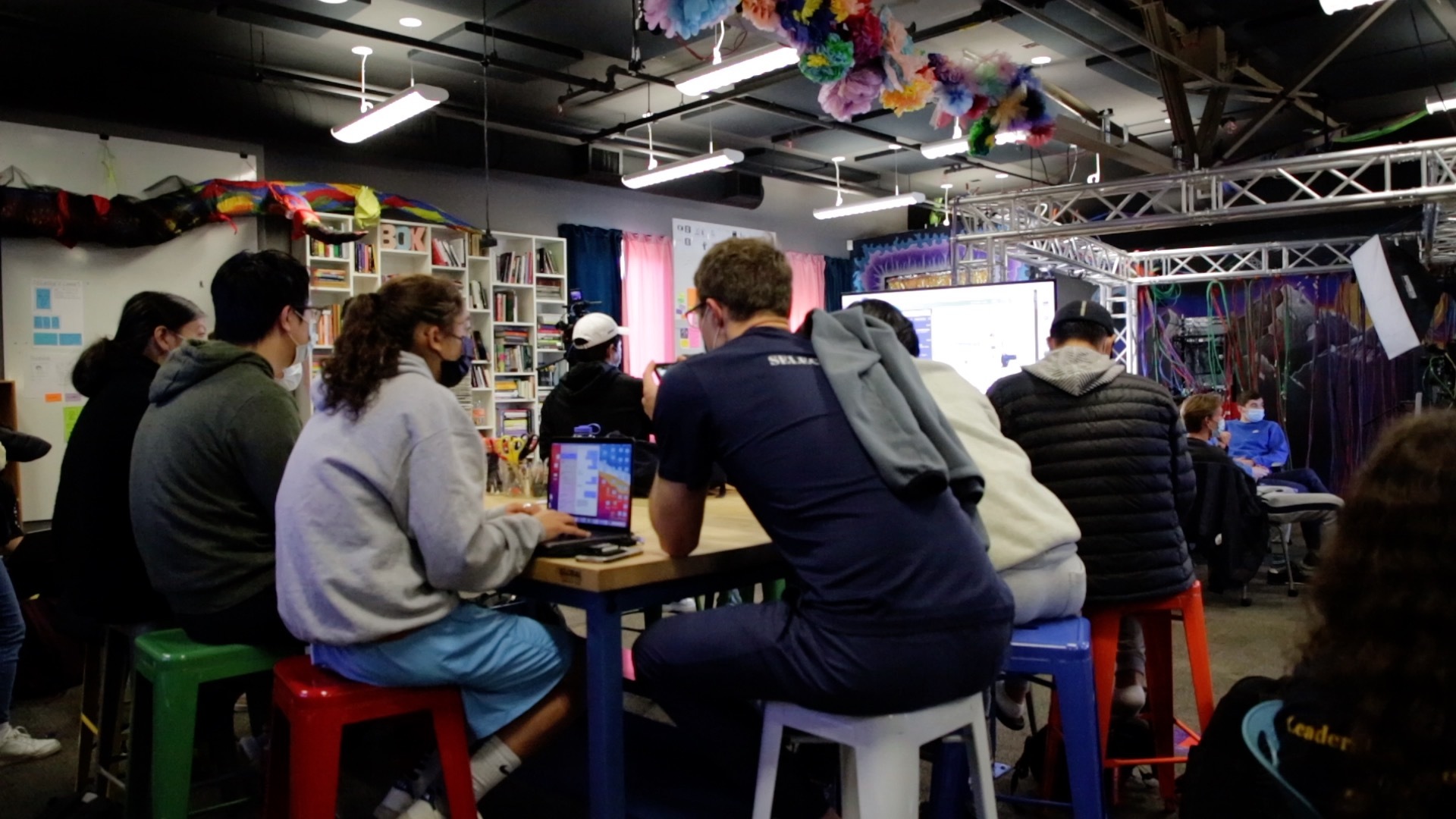
I had the opportunity to cover a workshop for LPCE 101, a course on entrepreneurship. Students were devising brief 'pitch' videos advertising their start-up ideas to investors. Jordan and Marlon helped them think about cinematographic moves they could make to appeal to their audience and tell a compelling story about their product. I served as the strenographer for the event, eventually synthesizing what went down into a story for the AirTable! I jotted notes down in HackMD, which I consolidated in StoryLab that following Friday. I scanned footage I got from Casey to find and save stills that encapsulated the event. I became more comfortable with working in Final Cut Pro, in particular, as well as navigating the AirTable story database. I really had a blast coming to the LPCE event, and I look forward to covering more stories next semester!
## notes, materials, etc.
[Sophie-W](/R6tybAiQRnCnQalXSr2ckw)
### image.png]
 Sign in with Wallet
Connect another wallet
Sign in with Wallet
Connect another wallet