---
tags: report, lluf, jk, matilda-m
---
# Matilda Marcus 21-22

| [realityLab](/bA86p68MToWpzQqz9_bF8Q) | [graphicsLab](/8CstaZbWTL6-3j7tnYo6Fw) | [cineLab](/6t8nQNOJRnG4kaNfJ9hXDA) |
| -------- | -------- | -------- |
LLUFs have many roles in their support of our work, from participating in initial designLabs and testing out first iterations of assignments all the way through our full stack of support to staffing workshops, hackathons, and tool-based studio-office hours. One incredibly valuable responsibility within that stack of support is helping to create resources and guides for students learning a tool for the first time. Our LL method for this is to encourage our LLUFs to learn something new themselves, and to create rich documentation that can be used as student-facing resources.
Matilda took this role on splendidly. She repeatedly forged ahead into skill-building projects, connected many of them to her own academic goals, and best of all she created a set of guides for future students aiming to create similar projects.
## Tools
* blender
* final cut pro
* adobe illustrator
* adobe indesign
* shorthand
---
## Projects
### shorthand guide
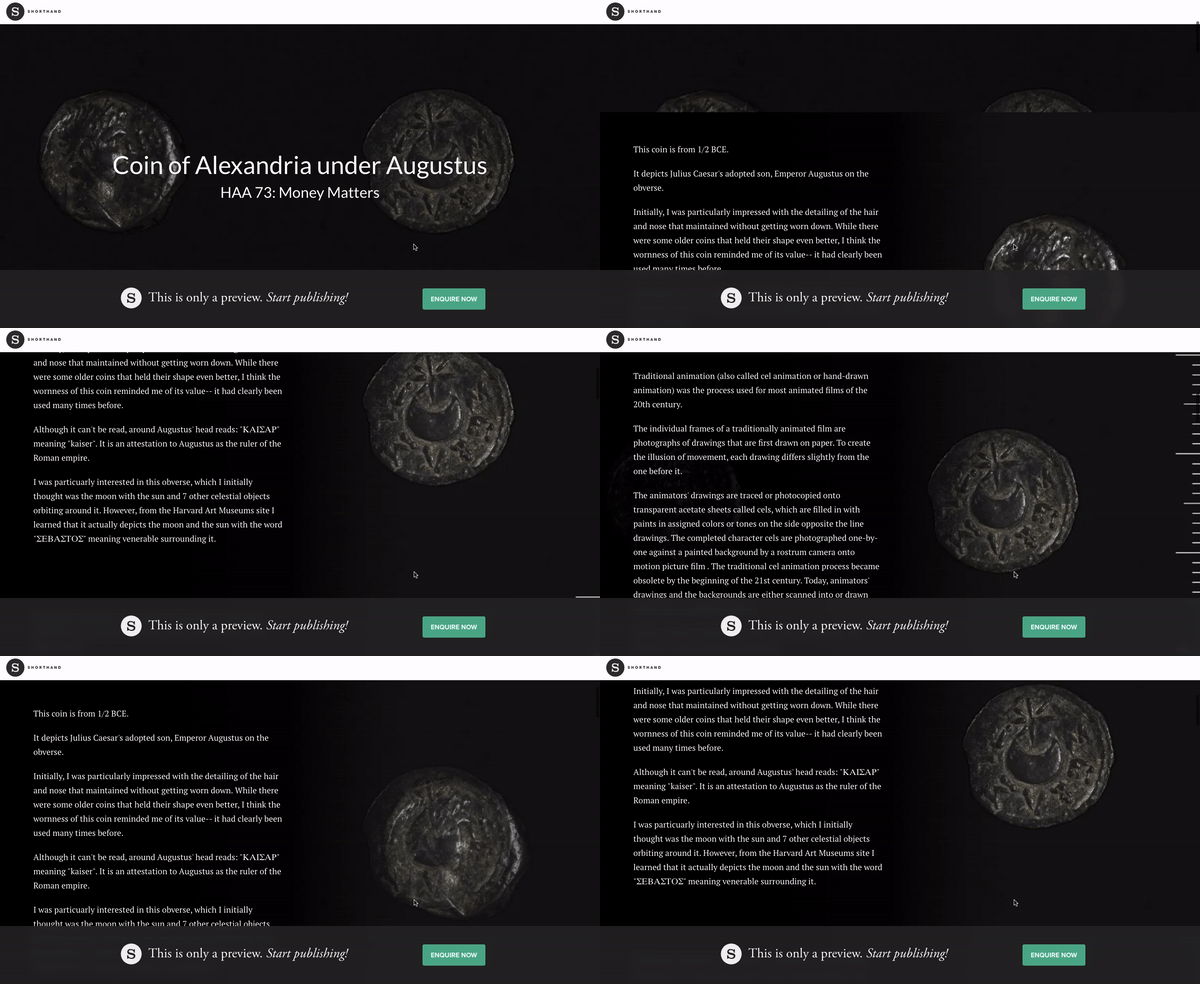
For Matilda's first project, we connected her to an MDF project in support of EASTD 170: Medicine and the Self in China and in the West. One of the learning objective for the course was to leverage visual analysis techniques, specifically in the tool Shorthand, to investigate and make claims about historical anatomical illustrations and prints. Thus, the goal for our LLUFs was to develop a prototype in Shorthand that used both image and text to support a claim. Matilda used content she was studying in one of her own courses, HAA Money Matters. She [documented her process](https://hackmd.io/RncA4lpYTfOonLEyFRYAVg) and refined [a student-facing guide](https://hackmd.io/c3I-AF4yReaS4gw_Gmi_vA) made originally by [Charlie](/GPi4PNCGRz-oDsmsr5i90g).
### card templates and guide

Matilda quickly identifed an internal need for the LL: a systematic method to make business cards in the Learning Lab style. She leveraged this discovery as an opportunity to learn adobe illustrator. By going through the process of making a template with standardised positioning and the learning lab's color scheme, she developed basic skills in Ai, and discoverd something new about herself as a learner:
> "I got to grips with adobe illustrator and worked out the best ways for me to learn -- by doing!"
And of course she made a [how to](https://hackmd.io/y3EfA5t7S_Kf79D2kRDIrg) so that other people can use the template for whatever business cards they want to print!
### graphicsLab essentials: project proposal layout
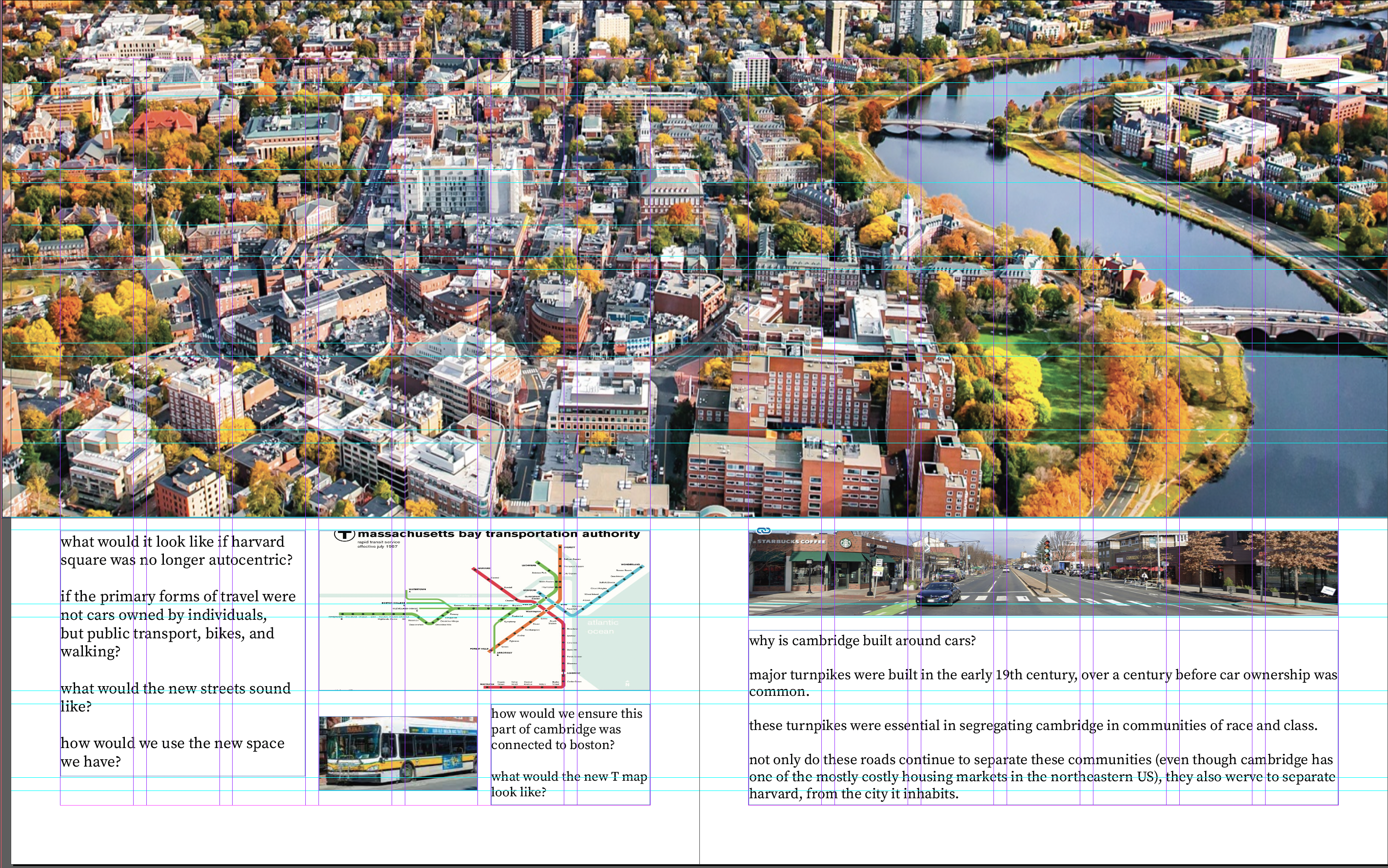
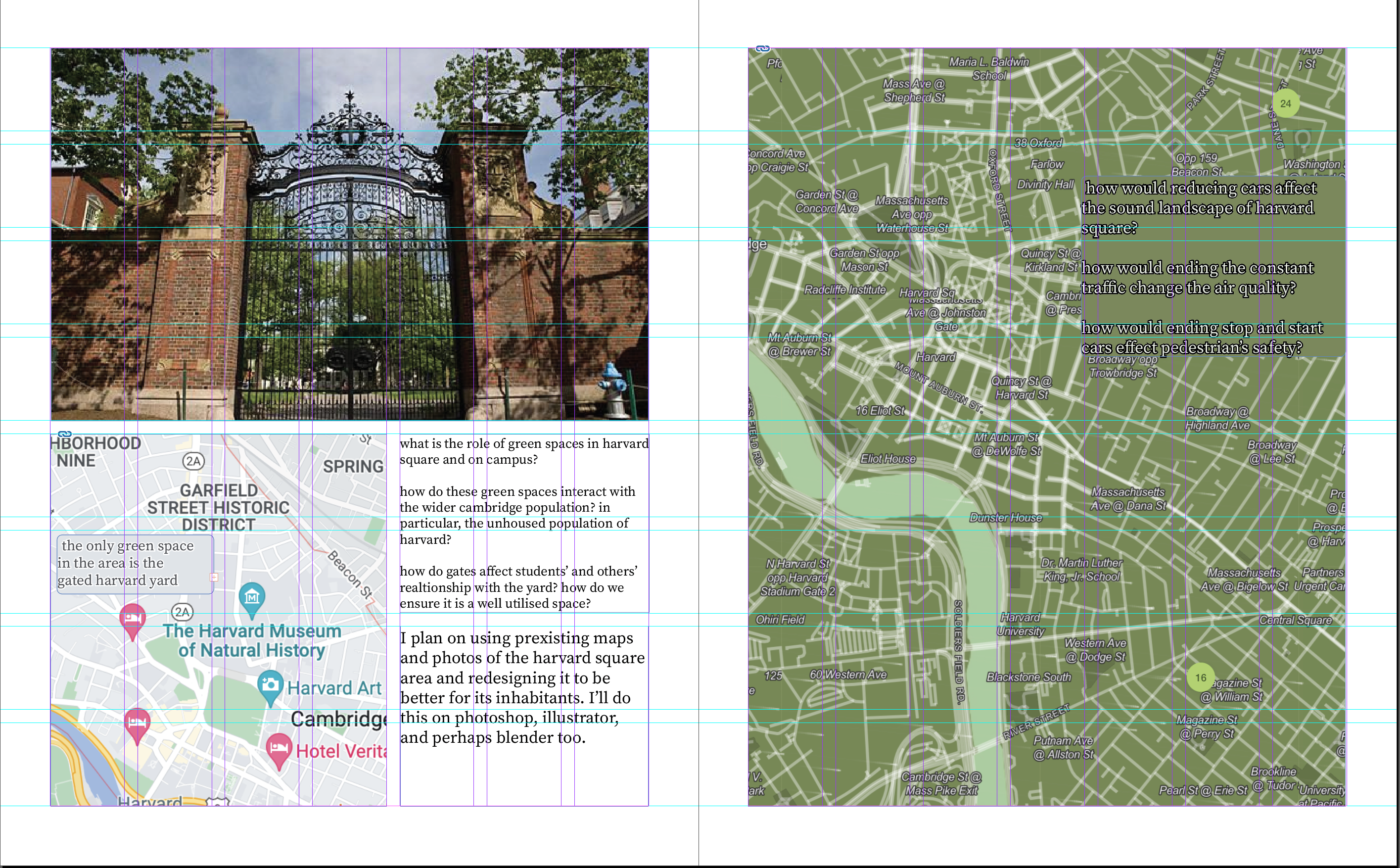
> "I made a magazine-style layout for the proposal for my hypothetical capstone project. I altered a furniture advertisment to allow for sufficient writing space alongside images, exploring how urban spaces in harvard square are inaccessible to homeless populations and how the autocentric nature of harvard's campus serves tourists more than students. I had never used adobe indesign before, so this activity really helped me understand how indesign could be used as tool with built in explaining as opposed to only the graphics of illustrator.
>
> My magazine spread is about what harvard square would look like were it redesigned for its inhabitants. how would the roads and crossings change? how would green space be reimagined? i tried my best to create a layout that was clear and simple in boxes, but that allowed lots of space for images, because ultimately they will be the centre of my project! i colour matched the background of textboxes to the image they are on top of to blend them in while the text is still readable, and used consistent sizing and boxes on my grid to ensure the spacing felt right."
### cineLab essentials: montage

> "While I used to play around with video edits in middle school, this was the first time I had used anything other than imovie and found it quite a step up. Using final cut pro was pretty intuitive, however, and I managed to splice together some really tiny clips (literally less than 2 seconds) from a massive original file, which gave a pretty cool choppy feel to my montage. On a personal level, this project taught me tons about my ability to enter a rabbit hole and I had to remind myself to look at the bigger picture"
### realityLab 3D modeling
Step one was to get familiar with the complex interface of blender. For this super quick "tool taster" activity, Matilda balanced the technical intensity with some content that was purely joyful: an animated pink cat house!

She then got to work on a prototype project connected to her hypothetical capstone project proposal. This time, instead of a cat house, she imported trees and overlayed them onto a reference image of Harvard yard. While she found it frusterating and difficult at times to learn how to use this tool, she reflected:
> "all in all, however, I think this project taught me so so much about resilliance and finshing what I started! practically, I learned so much about blender and ultimately became really comfortable with using what is actually quite a complex software."
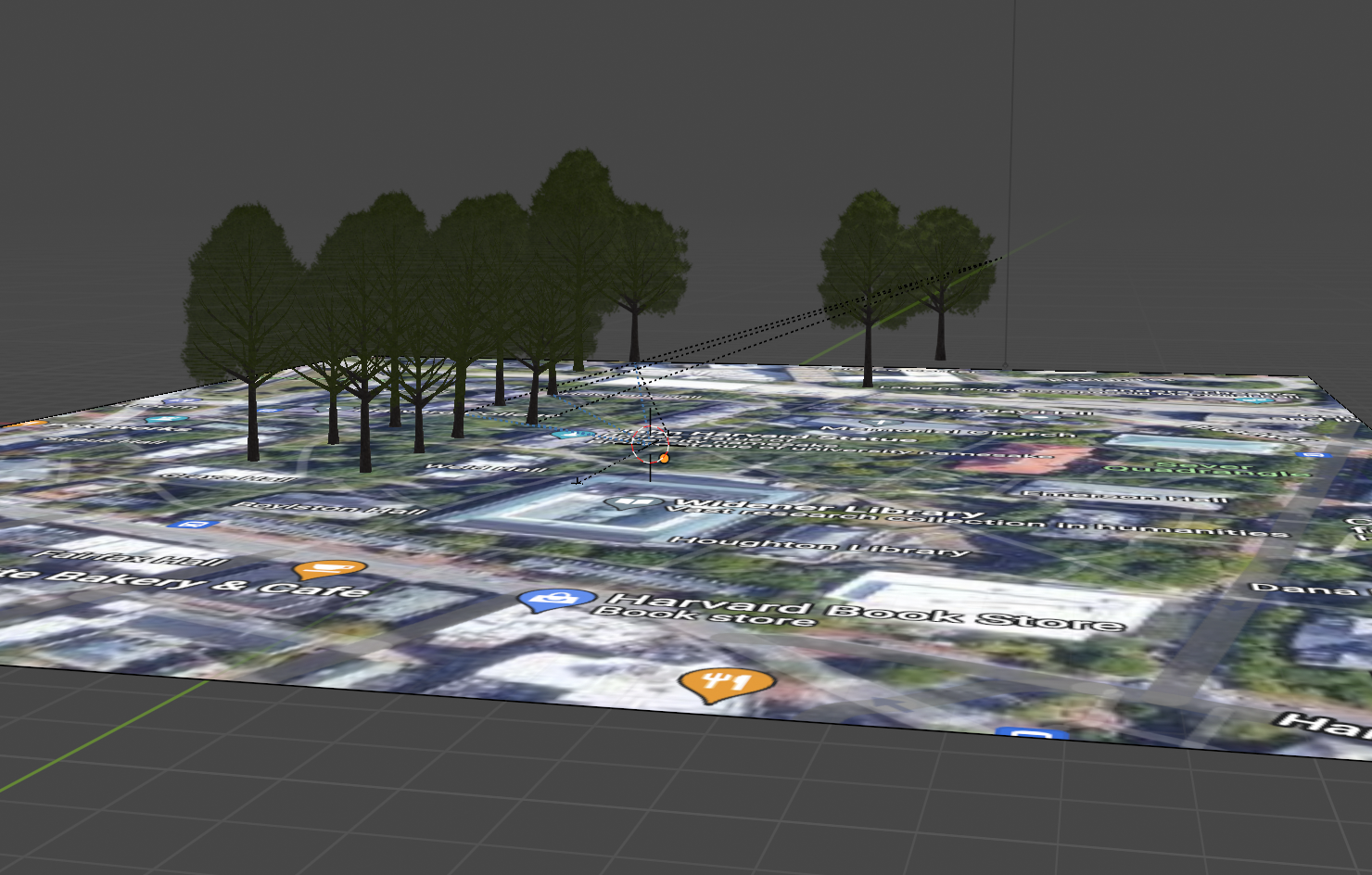

She even connected these skills to an actual capstone project for her Money Matters course!
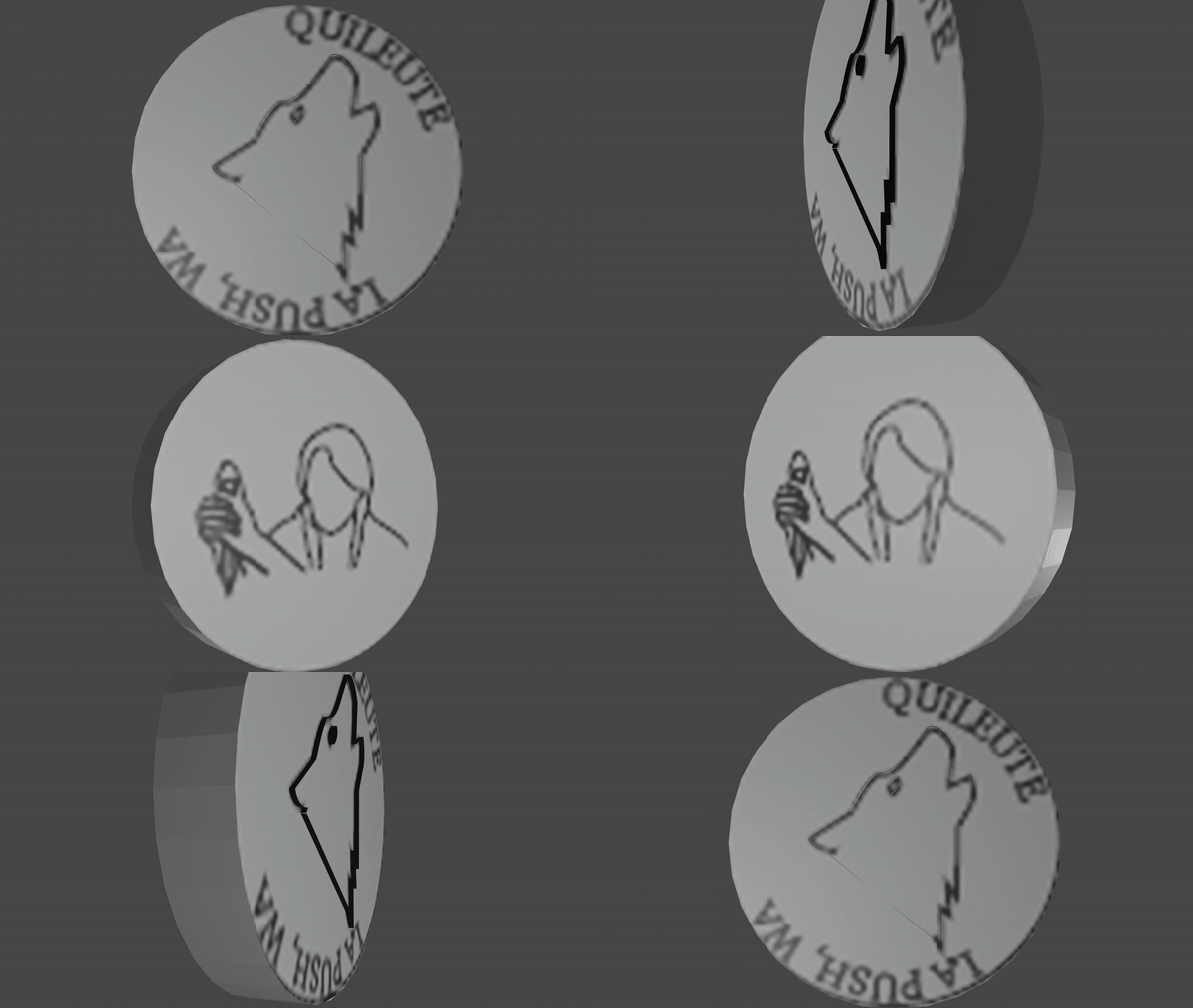
> "The learning lab did a workshop in my class and I decided that for my final project I was going to use the skills I had learned at the learning lab this semester and design and create a 3D coin on illustrator and blender. This project took a lot of troubleshooting but ultimately I came out with a project I was really proud of. Before January I had never even heard of illustrator or blender and so upon reflection it seems amazing how much more comfortable I've become with both of these. I found myself experimenting with blender, in particular, the second time around and look at my final version with pride that I was able to work so much of it out from knowledge and intuition without having to look it up!"
---
## notes, materials, etc:
[matilda's spring semester luffing!](/JiyOPPCpTzK7fMu5cibGmg)
 Sign in with Wallet
Connect another wallet
Sign in with Wallet
Connect another wallet