---
tags: jk
---
# codeLab
## Exif Scraper
by: [Sophie-W](/R6tybAiQRnCnQalXSr2ckw)
Shell Script:
```
# Isolate GPS lat and long (decimal) from each image
exiftool -c '%.6f' -GPSPosition * | awk {'print $4, $6'} | tail -r | tail -n +2 | tail -r > latlon.txt
# Store image names - this eventually needs to be full paths
ls *HEIC > img_names.txt
python3.9 ~/Development/exif/parse-lat-long.py
```
Python Script:
```
import pandas as pd
from airtable import Airtable
# Initialize lat and long lists
lat=[]
long=[]
# Save image names
names = []
with open("img_names.txt", mode='r') as f:
for line in f:
names.append(line.strip("\n"))
# Save lat and long data
with open("latlon.txt", mode='r') as f:
for line in f:
if line == " \n":
continue
lat.append(float(line.split()[0]))
long.append(float(line.split()[1]))
# Add them to a dataframe (actually not necessary in this iteration)
df = pd.DataFrame(
{'IMG': names,
'Lat': lat,
'Long': long
})
# Write to AirTable database
airtable = Airtable('app5YMJC2ybK6eJlg', 'GPS', 'keyszVXGlOLIolPG6')
print(airtable.get_all())
# Iterate through the names and write them to the Table
for i in range(len(names)):
airtable.batch_insert([{'Name': str(names[i]), 'Latitude': str(lat[i]), 'Longitude': str(long[i])}])
```
This project was born of the balmy October day spent walking around Cambridge with Story Lab, which we coined 'the SpaceWalk'. We were tasked with taking photos of our journey and uploading them upon our return. I started working with the images' "exif" data, which stands for Exchangeable Image File; this specification includes metadata tags along with the image file itself (be it a JPEG or a TIFF), sharing the camera's and image's properties. Along with shutter speed, ISO, date, and time, exif often includes GPS data as well. This can help us pinpoint exactly where an image was taken, which we can use to map such storywalks.
I embarked on this project by harnessing the power of `exiftool`, an amazing Perl library for extracting this metadata from images. Using `exiftool`, I pulled decimal latitude and longitude from each photograph, saving it to a text file. I pulled the text file into Python code as a dataframe, where I could more easily manipulate it. I worked with `airtable-python-wrapper`, a Python client for AirTable's API, to write the data into a database.
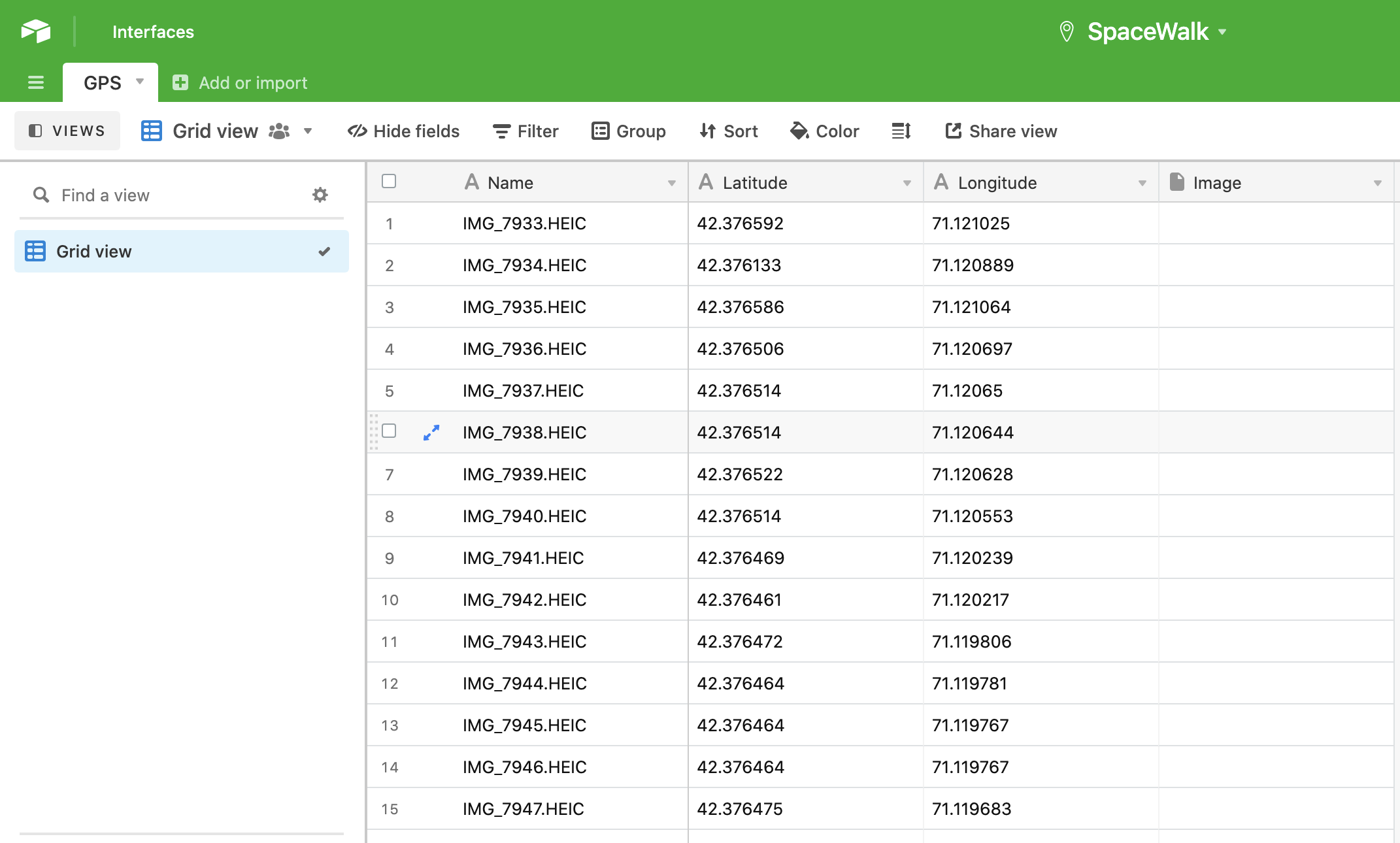
Here's a brief walkthrough of the code:
1. Isolate GPS latitude and longitude in decimal format from the `exiftool` data by pulling the proper columns and storing all but the ultimate line in a text file.
2. Store all the images names (this should eventually become full file paths or photo uploads)
3. Call and run the python script
4. This script parses the latitude, longitude, and image names we've saved in that text file, storing these variables in lists.
5. Next, using the `airtable-python-wrapper`, we summon SpaceWalk's GPS table with its API key.
6. Finally, it loops through all of our images and their corresponding GPS data, writing it all to the GPS table.
Next steps:
* Post the actual image as an attachment in the base
* Or just include the shareable link to that image
* To wit, I hope to rig this up with Marlon's image hosting Slack bot (which spits out a given image's public link)
* Additionally, I'll include all of `exiftool`'s output in one column
* I'll especially make sure to include the timestamp
Here are some helpful resources I used:
* ["Towards Data Science" article showing how to upload data into AirTable](https://towardsdatascience.com/airtable-python-made-possible-ii-uploading-data-into-airtable-from-python-using-airtables-api-3075009abf98#08b3)
* [airtable-python-wrapper documentation](https://airtable-python-wrapper.readthedocs.io/en/airtable-python-wrapper/)
 Sign in with Wallet
Connect another wallet
Sign in with Wallet
Connect another wallet