# Ailurus CTF Attack and Defense Platform Documentation
by [absolutepraya 🌪️](https://abhipraya.dev)
> Notes:
>
> - Some parts of this docs are made by combining several docs inside the [backend](https://github.com/ctf-compfest-17/ailurus-backend) repo.
> - There might be some parts that are not complete or clear, in that case contact the author.
## Table of Contents
1. [Overview](#overview)
2. [Quick Start](#quick-start)
3. [Architecture Overview](#architecture-overview)
4. [Competition Flow](#competition-flow)
5. [Tech Stack Explained](#tech-stack-explained)
6. [Component Details](#component-details)
7. [Deployment Guide](#deployment-guide)
8. [Infrastructure Setup](#infrastructure-setup)
9. [VPN Infrastructure and Access Control](#vpn-infrastructure-and-access-control)
10. [Platform Configuration](#platform-configuration)
11. [Environment Variables Configuration](#environment-variables-configuration)
12. [Checker Implementation](#checker-implementation)
13. [Monitoring](#monitoring)
14. [FAQ](#faq)
15. [Links](#links)
## Overview
Ailurus is a comprehensive platform for hosting Attack and Defense CTF (Capture The Flag) competitions. Unlike traditional Jeopardy-style CTFs where teams only solve static challenges, Attack and Defense CTFs are dynamic competitions where:
- Each team receives identical copies of vulnerable services
- Teams must defend their own services while attacking others
- Points are earned through successful attacks (stealing flags) and maintaining service availability (defense)
- The competition progresses through rounds and ticks (time intervals)
## Quick Start
### For Beginners: What is Attack and Defense CTF?
In an Attack and Defense CTF:
1. **Each team gets identical vulnerable services** - Think of these as web applications with security flaws
2. **Teams play dual roles**:
- **Defender**: Fix vulnerabilities in your services to prevent attacks
- **Attacker**: Find and exploit vulnerabilities in other teams' services
3. **Flags are dynamic** - New flags are generated every tick (e.g., every 5 minutes)
4. **Scoring is continuous** - Points for successful attacks and service uptime
> To see a visualized of how AnD works, see this YT video:
> [https://www.youtube.com/watch?v=RkaLyji9pNs](https://www.youtube.com/watch?v=RkaLyji9pNs) > 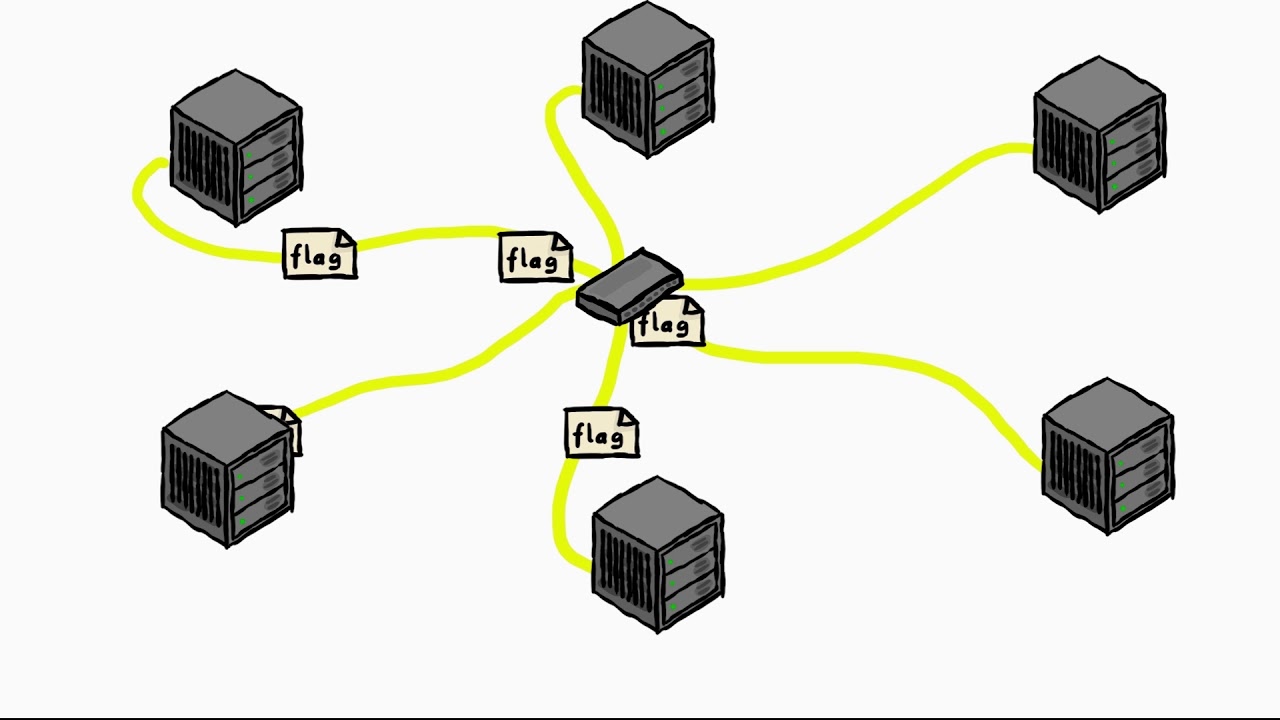
### How Team Environments Work
**Important**: Teams don't get full VMs! Instead, they get containerized services deployed on Kubernetes. Here's exactly how it works:
#### What Each Team Gets
Each team receives:
1. **Identical Docker containers** running vulnerable services (challenges)
2. **SSH access** to these containers
3. **VPN access** to reach their services and other teams' services
4. **Unique IP addresses** for their services
#### Container Structure
Each team's service includes:
- **Main application container**: The vulnerable service (e.g., a PHP web app)
- **SSH access**: Teams can SSH into their containers as root
- **Persistent storage**: File changes persist across container restarts
- **Checker agent**: Monitors service integrity
Example service specification:
```yaml
# Each challenge defines:
flag_path: /flag # Where flags are stored
ssh_port: 22 # SSH access port
expose_ports: # Service ports
- port: 80
protocol: TCP
resources: # Resource limits
cpu: 500m
memory: 64Mi
persistent_paths: # What files persist
- /var/www/html # Web application files
- /home # User files
- /etc # Configuration files
```
### How Teams Use Their Services
#### 1. **Accessing Their Services**
```bash
# Teams connect via VPN first
# Then SSH to their container
ssh root@<team-ip>:<ssh-port>
# Example addresses:
# Team 1: 10.0.16.30:20022 (SSH)
# Team 1: 10.0.16.30:20051 (HTTP service)
```
#### 2. **What Teams Do with Their Own Services**
**Defensive Actions:**
- **Analyze the code**: Find vulnerabilities in the service
- **Patch vulnerabilities**: Fix security flaws to prevent attacks
- **Monitor access**: Watch for attack attempts
- **Maintain functionality**: Ensure service keeps working (for SLA points)
Example defensive workflow:
```bash
# SSH into their service
ssh root@10.0.16.30:20022
# Examine the vulnerable code
cat /var/www/html/index.php
# Find the vulnerability (e.g., Local File Inclusion)
# Original code:
# if (ISSET($_GET['action'])) {
# include $_GET['action']; # VULNERABLE!
# }
# Patch the vulnerability
nano /var/www/html/index.php
# Add input validation, sanitization, etc.
# Restart web service if needed
service apache2 restart
```
#### 3. **What Teams Do with Other Teams' Services**
**Offensive Actions:**
- **Reconnaissance**: Scan and analyze other teams' services
- **Exploit vulnerabilities**: Attack unpatched services
- **Steal flags**: Extract current flags from compromised services
- **Submit flags**: Submit stolen flags for attack points
Example attack workflow:
```bash
# Scan other team's service
nmap 10.0.16.31:20051
# Test for vulnerabilities
curl "http://10.0.16.31:20051/?action=/flag"
# If Local File Inclusion works, steal the flag
curl "http://10.0.16.31:20051/?action=/flag" | grep "flag{"
# Submit the stolen flag via web interface or API
```
### Network Architecture
```mermaid
graph TB
subgraph "VPN Network"
T1[Team 1<br/>Laptop]
T2[Team 2<br/>Laptop]
TC[Technical Committee<br/>Admin]
end
subgraph "Kubernetes Cluster"
subgraph "Team 1 Namespace"
S1[Service Container<br/>10.0.16.30:20051]
SSH1[SSH: 10.0.16.30:20022]
A1[Agent Container]
end
subgraph "Team 2 Namespace"
S2[Service Container<br/>10.0.16.31:20051]
SSH2[SSH: 10.0.16.31:20022]
A2[Agent Container]
end
end
T1 -->|VPN| SSH1
T1 -->|Attack| S2
T2 -->|VPN| SSH2
T2 -->|Attack| S1
TC -->|VPN| SSH1
TC -->|VPN| SSH2
A1 -.->|Monitor| S1
A2 -.->|Monitor| S2
```
### Service Management Actions
Teams can perform these actions on their services:
1. **Reset**: Restore service to original state (removes all patches!)
2. **Restart**: Restart the service container
3. **Get Credentials**: Retrieve SSH access details
```bash
# Via API or web interface
POST /api/v2/services/manage
{
"action": "reset",
"challenge_id": 1
}
```
### Flag Lifecycle
```mermaid
sequenceDiagram
participant P as Platform
participant S1 as Team 1 Service
participant S2 as Team 2 Service
participant T2 as Team 2
Note over P: Every tick (5 minutes)
P->>S1: Deploy new flag{abc123}
P->>S2: Deploy new flag{def456}
T2->>S1: Exploit vulnerability
S1-->>T2: Return flag{abc123}
T2->>P: Submit flag{abc123}
P-->>T2: Award attack points
```
### Service Monitoring
The platform continuously monitors each service:
1. **Checker Agent**: Runs inside each container
- Verifies core functionality hasn't been broken
- Checks that critical code sections remain unchanged
- Reports service health to platform
2. **External Checker**: Runs from platform
- Tests service accessibility from outside
- Verifies expected functionality
- Calculates SLA scores
### Summary
- **No full VMs**: Teams get Docker containers, not virtual machines
- **SSH access**: Teams SSH into containers to analyze and patch code
- **Network access**: VPN provides access to their services and attack targets
- **Persistent changes**: File modifications persist across restarts
- **Monitoring**: Platform ensures services remain functional for fair play
This architecture provides isolation, security, and scalability while giving teams the full experience of defending and attacking real services.
### Basic Competition Flow
```
1. Competition starts → Teams receive VPN access and SSH credentials
2. Teams analyze services → Find vulnerabilities in the containerized services
3. Teams patch their services → Defend against attacks from other teams
4. Teams exploit other services → Attack other teams' unpatched services
5. Submit stolen flags → Earn attack points through the web interface
6. Keep services running → Earn defense points through high SLA
```
### Key Concepts
- **Tick**: A time interval (e.g., 5 minutes) when new flags are generated
- **Round**: A collection of ticks (e.g., 12 ticks = 1 round)
- **SLA (Service Level Agreement)**: Your service uptime score
- **Flag**: A unique string that proves successful exploitation
- **Checker**: Automated system that verifies service functionality
- **Container**: Isolated environment where your vulnerable service runs
- **VPN**: Secure network access to reach services and other teams
- **Challenge**: A vulnerable service that teams must defend and attack
- **Instance**: Each team's copy of a challenge running in its own container
## How Challenges Work
**Each team gets identical challenge instances.** Here's exactly how the challenge system works:
### Challenge Architecture
```mermaid
graph TB
subgraph "Challenge Definition"
CD[Challenge<br/>- Web App<br/>- SSH Service<br/>- Vulnerable Code]
end
subgraph "Team 1 Instance"
C1[Challenge Copy<br/>Container 1]
F1["Unique Flags<br/>flag{team1_abc}"]
S1[SSH Access<br/>10.0.16.30:20022]
end
subgraph "Team 2 Instance"
C2[Challenge Copy<br/>Container 2]
F2["Unique Flags<br/>flag{team2_def}"]
S2[SSH Access<br/>10.0.16.31:20022]
end
subgraph "Team N Instance"
CN[Challenge Copy<br/>Container N]
FN["Unique Flags<br/>flag{teamN_xyz}"]
SN[SSH Access<br/>10.0.16.4X:20022]
end
CD -->|Deploy| C1
CD -->|Deploy| C2
CD -->|Deploy| CN
C1 --> F1
C2 --> F2
CN --> FN
C1 --> S1
C2 --> S2
CN --> SN
```
### Key Concepts
#### 1. **Identical Base Instances**
- Every team receives the **exact same challenge code**
- Same vulnerabilities, same functionality
- Same container configuration and resources
#### 2. **Unique Elements Per Team**
- **Unique flags**: Each team gets different flags for the same challenge
- **Unique IP addresses**: Each team's service has its own IP
- **Unique SSH access**: Teams can only SSH into their own containers
- **Isolated file systems**: Changes don't affect other teams
#### 3. **Challenge Release System**
Challenges can be released in different rounds:
```mermaid
gantt
title Challenge Release Timeline
dateFormat X
axisFormat %s
section Round 1
Web Challenge : 0, 30
section Round 2
Web Challenge : 0, 60
API Challenge : 30, 60
section Round 3
Web Challenge : 0, 90
API Challenge : 30, 90
Binary Challenge : 60, 90
```
### How Multiple Challenges Work
#### Example Competition Setup
Let's say there are 3 challenges and 4 teams:
**Challenges:**
1. **WebApp** - PHP web application with LFI vulnerability
2. **API** - Python REST API with SQL injection
3. **FileShare** - File upload service with path traversal
**Teams:** Team1, Team2, Team3, Team4
#### Container Deployment Matrix
| Team/Challenge | WebApp Container | API Container | FileShare Container |
| -------------- | ------------------ | ------------------ | ------------------- |
| **Team 1** | `10.0.16.30:20051` | `10.0.16.30:20052` | `10.0.16.30:20053` |
| **Team 2** | `10.0.16.31:20051` | `10.0.16.31:20052` | `10.0.16.31:20053` |
| **Team 3** | `10.0.16.32:20051` | `10.0.16.32:20052` | `10.0.16.32:20053` |
| **Team 4** | `10.0.16.33:20051` | `10.0.16.33:20052` | `10.0.16.33:20053` |
#### SSH Access Matrix
| Team/Challenge | WebApp SSH | API SSH | FileShare SSH |
| -------------- | ------------------ | ------------------ | ------------------ |
| **Team 1** | `10.0.16.30:20022` | `10.0.16.30:20023` | `10.0.16.30:20024` |
| **Team 2** | `10.0.16.31:20022` | `10.0.16.31:20023` | `10.0.16.31:20024` |
| **Team 3** | `10.0.16.32:20022` | `10.0.16.32:20023` | `10.0.16.32:20024` |
| **Team 4** | `10.0.16.33:20022` | `10.0.16.33:20023` | `10.0.16.33:20024` |
### Flag Generation Per Challenge
Every tick (e.g., every 5 minutes), the platform generates unique flags:
```python
# Simplified flag generation logic
for team in teams:
for challenge in active_challenges:
flag = f"flag{{team{team.id}_{challenge.slug}_{current_tick}_{random_hash}}}"
deploy_flag_to_container(team.id, challenge.id, flag)
```
**Example flags for Tick 1:**
- Team1 WebApp: `flag{team1_webapp_tick1_a1b2c3}`
- Team1 API: `flag{team1_api_tick1_d4e5f6}`
- Team2 WebApp: `flag{team2_webapp_tick1_g7h8i9}`
- Team2 API: `flag{team2_api_tick1_j0k1l2}`
### Team Workflow with Multiple Challenges
#### 1. **Defensive Strategy**
Teams must defend ALL their challenge instances:
```bash
# Team1's defensive workflow
# Defend WebApp
ssh root@10.0.16.30:20022
vim /var/www/html/index.php # Patch LFI vulnerability
# Defend API
ssh root@10.0.16.30:20023
vim /app/api.py # Fix SQL injection
# Defend FileShare
ssh root@10.0.16.30:20024
vim /upload/handler.py # Prevent path traversal
```
#### 2. **Offensive Strategy**
Teams attack other teams' instances of ALL challenges:
```bash
# Attack Team2's services
# Attack WebApp
curl "http://10.0.16.31:20051/?file=/flag"
# Attack API
curl -X POST "http://10.0.16.31:20052/user" \
-d "id=1' UNION SELECT flag FROM flags--"
# Attack FileShare
curl -F "file=@../../../flag" "http://10.0.16.31:20053/upload"
```
### Scoring Across Multiple Challenges
The scoring system works across all challenges:
```mermaid
graph LR
subgraph "Team Score"
AS[Attack Score<br/>Sum of all stolen flags]
DS[Defense Score<br/>Average SLA across challenges]
TS[Total Score<br/>Attack + Defense]
end
subgraph "Per Challenge"
WA[WebApp Attacks<br/>+10 pts per flag]
AA[API Attacks<br/>+15 pts per flag]
FA[FileShare Attacks<br/>+20 pts per flag]
WD[WebApp Defense<br/>95% SLA]
AD[API Defense<br/>88% SLA]
FD[FileShare Defense<br/>92% SLA]
end
WA --> AS
AA --> AS
FA --> AS
WD --> DS
AD --> DS
FD --> DS
AS --> TS
DS --> TS
```
### Challenge Management
#### Admin Operations
- **Build Image**: Create Docker images for challenges
- **Provision**: Deploy challenge instances for all teams
- **Delete**: Remove challenge instances
- **Reset**: Restore challenges to original state (removes patches!)
#### Team Operations
- **Reset**: Restore their own challenge instance (removes their patches!)
- **Restart**: Restart their challenge container
- **Get Credentials**: Retrieve SSH access details
### Summary
- **Each team gets identical challenge instances**
- **Each team gets unique flags per challenge**
- **Teams can attack other teams' instances of the same challenges**
- **Teams must defend ALL their challenge instances**
- **Scoring combines performance across all challenges**
This creates a rich, multi-dimensional competition where teams must balance resources between defending multiple services and attacking multiple targets!
## Architecture Overview
The platform consists of multiple interconnected components working together to provide a complete CTF experience:
```mermaid
graph TB
subgraph "Users"
U[User/Team]
A[Admin]
end
subgraph "Frontend Layer"
FE[Ailurus Frontend<br/>Next.js App]
end
subgraph "Backend Layer"
subgraph "API Server"
WA[Webapp<br/>Flask API]
WS[WebSocket<br/>Socket.io]
end
subgraph "Background Services"
KP[Keeper<br/>Scheduler Daemon]
WK[Worker<br/>Task Processor]
end
end
subgraph "Message Queue"
RMQ[RabbitMQ<br/>Message Broker]
end
subgraph "Data Layer"
DB[(PostgreSQL<br/>Database)]
REDIS[(Redis<br/>Cache)]
end
subgraph "Infrastructure"
K8S[Kubernetes<br/>GKE Cluster]
VPN1[VPN Server<br/>TC Access]
VPN2[VPN Server<br/>Participant Access]
end
U -->|HTTPS| FE
A -->|HTTPS| FE
FE -->|REST API| WA
FE -->|WebSocket| WS
WA --> DB
WA --> REDIS
KP --> DB
KP -->|Publish Tasks| RMQ
RMQ -->|Consume Tasks| WK
WK --> K8S
WK --> DB
U -->|WireGuard| VPN2
A -->|WireGuard| VPN1
VPN2 --> K8S
VPN1 --> K8S
```
> For official diagram, see [https://docs.google.com/document/d/1nHLEIMgMxcAtQ-vrhfV6bnM1kFfVL9-hP_2xr9q-W8U/edit?tab=t.0](https://docs.google.com/document/d/1nHLEIMgMxcAtQ-vrhfV6bnM1kFfVL9-hP_2xr9q-W8U/edit?tab=t.0)
## Competition Flow
The competition operates in a cyclic manner with rounds and ticks:
```mermaid
sequenceDiagram
participant K as Keeper
participant DB as Database
participant RMQ as RabbitMQ
participant W as Worker
participant S as Service (K8s)
Note over K: Every minute (cron)
rect rgb(200, 230, 250)
Note over K,DB: Tick Management
K->>DB: Check contest status
K->>DB: Update tick/round
K->>K: Advance to next tick
end
rect rgb(250, 230, 200)
Note over K,RMQ: Flag Generation
K->>DB: Generate new flags
loop For each team & challenge
K->>RMQ: Publish flag_task
end
end
rect rgb(230, 250, 200)
Note over K,RMQ: Service Checking
loop For each team & challenge
K->>RMQ: Publish checker_task
end
end
rect rgb(250, 200, 250)
Note over W,S: Worker Processing
W->>RMQ: Consume flag_task
W->>S: Deploy flag to service
W->>RMQ: Consume checker_task
W->>S: Check service availability
W->>DB: Store checker result
end
```
### Competition Timeline
```mermaid
graph LR
subgraph "Round 1"
T1[Tick 1<br/>5 min]
T2[Tick 2<br/>5 min]
T3[Tick 3<br/>5 min]
TN[Tick N<br/>5 min]
end
subgraph "Round 2"
T21[Tick 1<br/>5 min]
T22[Tick 2<br/>5 min]
T23[Tick 3<br/>5 min]
T2N[Tick N<br/>5 min]
end
T1 --> T2 --> T3 --> TN --> T21 --> T22 --> T23 --> T2N
T1 -.->|Generate Flags| F1[New Flags]
T1 -.->|Check Services| C1[Service Status]
T2 -.->|Generate Flags| F2[New Flags]
T2 -.->|Check Services| C2[Service Status]
```
## Tech Stack Explained
### Frontend Technologies
| Technology | Purpose | Why It's Used |
| -------------------- | ------------------------- | -------------------------------------------------------------------------------------------------------------------------------------------------------- |
| **Next.js** | React-based web framework | - Server-side rendering for better performance<br/>- Built-in routing and optimization<br/>- Easy deployment options<br/>- SEO-friendly for public pages |
| **React** | UI library | - Component-based architecture<br/>- Large ecosystem<br/>- Efficient updates with virtual DOM |
| **TypeScript** | Type-safe JavaScript | - Catches errors at compile time<br/>- Better IDE support<br/>- Self-documenting code |
| **Socket.io Client** | WebSocket client | - Real-time updates for attack events<br/>- Live leaderboard updates<br/>- Bidirectional communication |
### Backend Technologies
| Technology | Purpose | Why It's Used |
| ------------------ | ------------------------------- | -------------------------------------------------------------------------------------------------------------------- |
| **Flask** | Python web framework | - Lightweight and flexible<br/>- Easy to extend with blueprints<br/>- Large Python ecosystem<br/>- Quick development |
| **SQLAlchemy** | ORM (Object-Relational Mapping) | - Database abstraction<br/>- Migration support<br/>- Query builder<br/>- Multiple database support |
| **Flask-SocketIO** | WebSocket server | - Real-time event broadcasting<br/>- Integration with Flask<br/>- Fallback support for older browsers |
| **Flask-Caching** | Cache management | - Redis integration<br/>- Response caching<br/>- Reduces database load<br/>- Improves API performance |
| **APScheduler** | Task scheduler | - Cron-like scheduling<br/>- Reliable background tasks<br/>- Python native |
| **Pika** | RabbitMQ client | - Reliable message delivery<br/>- Python integration<br/>- Async task processing |
### Infrastructure Technologies
| Technology | Purpose | Why It's Used |
| -------------------- | ------------------------- | ---------------------------------------------------------------------------------------------------------------- |
| **Kubernetes (GKE)** | Container orchestration | - Service isolation per team<br/>- Easy scaling<br/>- Resource management<br/>- Network policies |
| **Docker** | Containerization | - Consistent environments<br/>- Easy deployment<br/>- Version control for infrastructure |
| **WireGuard** | VPN solution | - Modern, secure VPN<br/>- High performance<br/>- Easy configuration<br/>- Cross-platform support |
| **Ansible** | Infrastructure automation | - Infrastructure as Code<br/>- Idempotent deployments<br/>- Agentless architecture<br/>- Easy to understand YAML |
### Data & Messaging
| Technology | Purpose | Why It's Used |
| -------------- | ---------------- | ------------------------------------------------------------------------------------------------------- |
| **PostgreSQL** | Primary database | - ACID compliance<br/>- Complex queries support<br/>- JSON field support<br/>- Reliable and mature |
| **Redis** | Caching layer | - In-memory performance<br/>- Session storage<br/>- Pub/sub capabilities<br/>- Simple key-value store |
| **RabbitMQ** | Message broker | - Reliable message delivery<br/>- Work queue pattern<br/>- Horizontal scaling<br/>- Message persistence |
### Additional Tools
| Technology | Purpose | Why It's Used |
| --------------- | ---------------------------- | --------------------------------------------------------------------------------------------------------- |
| **Nginx/Caddy** | Reverse proxy | - SSL termination<br/>- Load balancing<br/>- Static file serving<br/>- Security headers |
| **JWT** | Authentication | - Stateless authentication<br/>- Secure token-based auth<br/>- Cross-service compatibility |
| **Poetry** | Python dependency management | - Lock file for reproducible builds<br/>- Virtual environment management<br/>- Easy dependency resolution |
## Component Details
### Attack and Defense Flow
```mermaid
graph TB
subgraph "Team A Environment"
TA[Team A]
SA[Service A<br/>Vulnerable Web App]
FA[Flag A<br/>Rotated each tick]
end
subgraph "Team B Environment"
TB[Team B]
SB[Service B<br/>Vulnerable Web App]
FB[Flag B<br/>Rotated each tick]
end
subgraph "Platform"
SUB[Flag Submission<br/>Endpoint]
CHK[Service Checker]
LB[Leaderboard]
end
TA -->|1. Find vulnerability| SA
TA -->|2. Patch vulnerability| SA
TB -->|3. Exploit vulnerability| SA
TB -->|4. Steal flag| FA
TB -->|5. Submit flag| SUB
SUB -->|6. Award points| LB
CHK -->|Check availability| SA
CHK -->|Check availability| SB
CHK -->|Update SLA score| LB
FA -.->|Rotated by Worker| SA
FB -.->|Rotated by Worker| SB
```
### Flag Submission Flow
The flag submission process is central to the Attack and Defense competition:
```mermaid
sequenceDiagram
participant T as Team
participant FE as Frontend
participant API as Flask API
participant DB as Database
participant WS as WebSocket
participant LB as Leaderboard
T->>FE: Submit stolen flag
FE->>API: POST /api/v2/submit
API->>API: Validate JWT token
alt Valid submission
API->>DB: Check flag exists<br/>(current tick/round)
DB-->>API: Flag found
API->>DB: Check duplicate submission
DB-->>API: Not duplicate
API->>DB: Save submission
API->>DB: Award attack points
API->>API: Calculate score
API->>WS: Emit attack event
WS->>LB: Update leaderboard
API-->>FE: Success response
FE-->>T: "Flag is correct!"
else Invalid submission
API->>DB: Check flag
DB-->>API: Flag not found/expired
API->>DB: Log failed attempt
API-->>FE: Error response
FE-->>T: "Flag is wrong or expired"
end
```
### 1. Frontend (ailurus-frontend)
The frontend provides user interfaces for both participants and administrators.
**Key Features:**
- **Team Dashboard**: View challenges, service status, submit flags
- **Admin Panel**: Manage teams, challenges, monitor competition
- **Leaderboard**: Real-time score updates
- **Attack Map**: Visualization of attacks between teams
**Directory Structure:**
```
ailurus-frontend/
├── src/
│ ├── components/ # Reusable UI components
│ │ ├── admin/ # Admin panel pages
│ │ └── dashboard/ # Team dashboard pages
│ └── styles/ # CSS styles
└── public/ # Static assets
```
### 2. Backend Webapp (Flask API)
The main API server handling all HTTP requests and WebSocket connections.
**Key Responsibilities:**
- User authentication (JWT-based)
- Flag submission processing
- Challenge and team management
- Real-time event broadcasting
- API endpoints for frontend
**Main Routes:**
- `/api/v2/authenticate` - Team login
- `/api/v2/submit` - Flag submission
- `/api/v2/challenges` - Challenge information
- `/api/v2/services` - Service management
- `/api/v2/admin/*` - Admin endpoints
### 3. Keeper (Scheduler Daemon)
Background service that maintains the competition timeline.
**Three Main Components:**
1. **Tick Keeper**
- Advances competition time (ticks and rounds)
- Runs every minute via cron
- Updates `CURRENT_TICK` and `CURRENT_ROUND` in database
2. **Flag Keeper**
- Generates new flags for each tick
- Creates unique flags per team/challenge/tick
- Publishes flag rotation tasks to RabbitMQ
3. **Checker Keeper**
- Schedules service availability checks
- Creates checker tasks for each team/challenge
- Ensures SLA (Service Level Agreement) monitoring
### 4. Worker (Task Processor)
Processes asynchronous tasks from RabbitMQ queues.
**Task Types:**
1. **Checker Tasks** (`checker_task` queue)
- Verify service availability
- Test service functionality
- Update checker results in database
2. **Flag Tasks** (`flag_task` queue)
- Deploy new flags to services
- Rotate flags in vulnerable applications
- Ensure flag accessibility
3. **Service Manager Tasks** (`svcmanager_task` queue)
- Provision new services
- Reset/restart services
- Handle service management requests
### 5. Service Modes
Different strategies for deploying and managing team services:
#### a. Full K8S GCP Mode
- Deploys services on Google Kubernetes Engine
- Each team gets a Kubernetes namespace
- Network policies for isolation
- Supports multiple service types
#### b. Sample Mode
- Basic mode for testing
- Simulates service operations
- No actual infrastructure deployment
### 6. Database Schema
Key tables in the system:
- **team**: Team accounts and credentials
- **challenge**: Challenge definitions
- **service**: Team service instances
- **flag**: Generated flags per tick/round
- **submission**: Flag submission history
- **checker_result**: Service check results
- **score_per_tick**: Score tracking per tick
## Scoring System
### Score Calculation
The platform supports different scoring modes, with "simple" being the default:
#### Attack Score
Points earned when successfully stealing flags from other teams:
- Base points defined per challenge
- Points may vary based on defender's service status
- No points for stealing your own flags
#### Defense Score
Points based on service availability (SLA):
- Calculated from checker results
- SLA = (Successful Checks / Total Checks) × 100%
- Defense Score = Base Points × SLA
#### Total Score Formula
```
Total Score = Σ(Attack Points) + Σ(Defense Points × SLA)
```
### Score Modes
1. **Simple Mode** (default)
- Fixed points per successful attack
- SLA-based defense scoring
- Linear score progression
2. **NoRank Mode**
- Used for practice/testing
- Scores calculated but no ranking
- Useful for workshops
## Deployment Guide
### Prerequisites
Before deployment, ensure you have:
- Google Cloud Platform account with enabled services
- Ansible installed locally
- Python 3.8+ on target machines
- SSH access to deployment servers
### Infrastructure Requirements
Based on the [Technical Document](https://docs.google.com/document/d/e/2PACX-1vRKYH4n9EK7pmHXu_tTLI6Sx0pUaxteUX2Cw_TAAicQP79s6yMol2Q9aFVCROjDIoK1T1EoBXMpnEx6/pub), minimum server specifications:
| Purpose | vCPU | Memory | Network |
| ----------------------------------- | ------- | ------ | ---------- |
| VPN Server | 2 cores | 4 GiB | Public IP |
| Platform (Frontend, Webapp, Keeper) | 2 cores | 4 GiB | Private IP |
| Platform Worker | 2 cores | 4 GiB | Private IP |
### Step-by-Step Deployment
#### 1. VPN Server Deployment
Deploy WireGuard VPN servers for secure access:
```bash
# Deploy VPN for Technical Committee
ansible-playbook playbooks/vpn-setup.yml -e @config/wireguard.yml
# Client profiles will be in wireguard-result/
```
**Note**: Use different ports for each VPN:
- TC VPN: Port 51821
- Participant VPN: Port 51820
See detailed instructions in [Ansible VPN Setup Guide](ailurus-backend/ansible/README.md#1-deploy-vpn-server-and-generate-client-profile)
#### 2. Backend Deployment (Webapp & Keeper)
Deploy the main backend services:
```bash
# Deploy all backend services
ansible-playbook playbooks/backend-setup.yml -e @config/ailurus.yml
# Access setup page
# Visit http://<webapp-address>/setup
```
See [Backend Setup Guide](ailurus-backend/ansible/README.md#2-deploy-ailurus-backend-webapp-and-keeper)
#### 3. Worker Deployment
**Important**: Update VPN client profiles before deploying workers:
- Modify `AllowedIPs` to include only GKE Team LB Subnet
- Remove `DNS` argument from interface section
```bash
# Deploy workers
ansible-playbook playbooks/worker-setup.yml -e @config/ailurus.yml
```
See [Worker Setup Guide](ailurus-backend/ansible/README.md#3-deploy-ailurus-backend-worker)
#### 4. Frontend Deployment
Deploy the Next.js frontend:
```bash
# Deploy frontend
ansible-playbook playbooks/frontend-setup.yml -e @config/ailurus.yml
# Access admin panel at http://<frontend-address>/admin
```
See [Frontend Setup Guide](ailurus-backend/ansible/README.md#4-deploy-ailurus-frontend)
## Infrastructure Setup
### Google Cloud Platform Setup
Based on the infrastructure backbone initialization, you need to enable these GCP services:
1. **Compute Engine** - For VM instances
2. **VPC Network** - For network isolation
3. **Kubernetes Engine** - For team service deployment
4. **Artifact Registry** - For Docker image storage
5. **Cloud Storage** - For challenge assets
6. **Cloud Build** - For automated builds
7. **Filestore** - For shared storage
8. **Network Services** - For load balancing
### Infrastructure Initialization
Run the backbone initialization script to set up GCP infrastructure:
```bash
# For Linux/Mac
./ailurus-backend/ailurus/svcmodes/full_k8s_gcp/assets/script/init-backbone.sh
# For Windows
./ailurus-backend/ailurus/svcmodes/full_k8s_gcp/assets/script/init-backbone.ps1
```
This script will create:
- VPC network with subnets
- GKE cluster for team services
- Artifact registry for images
- Storage buckets for assets
- Service account credentials
### Network Architecture
```mermaid
graph TB
subgraph "Public Subnet (10.0.47.0/24)"
VPN[VPN Server<br/>34.31.239.174]
end
subgraph "Platform Subnet (10.0.38.0/23)"
WEB[Webapp/Keeper<br/>10.0.38.4]
WRK[Worker<br/>10.0.38.6]
end
subgraph "GKE Team LB Subnet (10.0.16.0/20)"
LB1[Team 1 LB]
LB2[Team 2 LB]
LBN[Team N LB]
end
subgraph "GKE Node Subnet (10.0.32.0/22)"
K8S1[K8S Node 1]
K8S2[K8S Node 2]
K8SN[K8S Node N]
end
VPN --> WEB
VPN --> K8S1
WRK --> K8S1
K8S1 --> LB1
K8S2 --> LB2
K8SN --> LBN
```
## VPN Infrastructure and Access Control
The Ailurus platform uses WireGuard VPN to provide secure, isolated network access for both participants and administrators. The VPN infrastructure is essential for the competition as it enables teams to securely access their services and attack other teams' services while maintaining proper network isolation.
### VPN Architecture Overview
The VPN setup uses **two separate VPN servers** with different access levels to ensure proper security and access control:
#### 1. Participant VPN (Port 51820)
- **Purpose**: For CTF teams and participants
- **Server Endpoint**: `<vpn-server-ip>:51820`
- **Client IP Range**: `10.98.76.x/32`
- **Limited Network Access**: Only competition-related subnets
#### 2. Technical Committee (TC) VPN (Port 51821)
- **Purpose**: For administrators and technical staff
- **Server Endpoint**: `<vpn-server-ip>:51821`
- **Client IP Range**: `10.9.8.x/32`
- **Full Network Access**: Complete infrastructure access
### Network Access Matrix
| VPN Type | Client IP Range | AllowedIPs | Access Level |
| --------------- | ------------------ | --------------------------- | -------------------------- |
| **Participant** | `10.98.76.2-22/32` | `10.0.38.4/32,10.0.16.0/20` | Limited - Competition only |
| **TC** | `10.9.8.2-11/32` | `10.0.0.0/8` | Full - All infrastructure |
### Network Segment Explanation
Each network segment serves a specific purpose in the infrastructure:
- **10.0.38.0/24**: Platform subnet (Webapp/API/Worker servers)
- **10.0.16.0/20**: GKE Team LB Subnet (team services range)
- **10.0.47.0/24**: Public subnet (VPN servers)
- **10.0.32.0/22**: GKE Node Subnet (Kubernetes nodes)
- **10.0.0.0/8**: Full private network access (TC only)
### WireGuard Configuration Structure
Each WireGuard configuration file follows this standard format:
```ini
[Interface]
PrivateKey = <unique-private-key>
Address = <client-ip>/32
DNS = 8.8.8.8
[Peer]
PublicKey = <server-public-key>
AllowedIPs = <allowed-network-ranges>
Endpoint = <server-ip>:<port>
PersistentKeepalive = 20
```
#### Example: Participant Profile
```ini
[Interface]
PrivateKey = <participant-private-key-placeholder>
Address = 10.98.76.2/32
DNS = 8.8.8.8
[Peer]
PublicKey = <participant-server-public-key-placeholder>
AllowedIPs = 10.0.38.4/32,10.0.16.0/20
Endpoint = <vpn-server-ip>:51820
PersistentKeepalive = 20
```
#### Example: TC Profile
```ini
[Interface]
PrivateKey = <tc-private-key-placeholder>
Address = 10.9.8.2/32
DNS = 8.8.8.8
[Peer]
PublicKey = <tc-server-public-key-placeholder>
AllowedIPs = 10.0.0.0/8
Endpoint = <vpn-server-ip>:51821
PersistentKeepalive = 20
```
### VPN Profile Management
#### Profile Inventory Requirements
**Participant Profiles:**
- Number needed: Equal to number of teams (typically 20-25)
- Naming convention: `user1.conf`, `user2.conf`, etc.
- IP range: `10.98.76.2` to `10.98.76.x`
- Access scope: Backend API + Team services only
**TC Profiles:**
- Number needed: For administrators and staff (typically 5-10)
- Naming convention: `tc-user1.conf`, `tc-user2.conf`, etc.
- IP range: `10.9.8.2` to `10.9.8.x`
- Access scope: Full network access
### How Teams Use VPN Access
#### For CTF Teams:
1. **Receive VPN profile**: Teams get a participant VPN configuration file
2. **Install WireGuard client**: Install on their devices
3. **Connect to VPN**: Import and activate the profile
4. **Access competition network**:
- Backend API: `http://10.0.38.4:5000`
- Own services: SSH to their team containers
- Other teams' services: Attack targets via team IPs
#### For Administrators:
1. **Get TC profile**: Receive administrator VPN configuration
2. **Full infrastructure access**: Can manage all servers, databases, Kubernetes
3. **Monitor and troubleshoot**: Access to all monitoring and management tools
### Security Model
#### Network Isolation Principles
- **Participants**: Restricted to competition networks only
- **Administrators**: Full access for management and troubleshooting
- **Service isolation**: Kubernetes namespaces separate team environments
- **Traffic monitoring**: All VPN connections can be monitored
#### Key Management Security
- **Unique key pairs**: Each profile uses completely unique private/public keys
- **Server separation**: Different server keys for participant vs TC VPNs
- **No key sharing**: Each user/team gets individual key pairs
- **Key rotation**: Keys can be regenerated if compromised
### VPN Profile Generation
#### Using Ansible (Recommended)
The platform includes Ansible playbooks for automated VPN profile generation:
```bash
# Generate all VPN profiles
ansible-playbook playbooks/vpn-setup.yml -e @config/wireguard.yml
# Profiles are generated in wireguard-result/ directory
```
#### Manual Generation Process
For custom setups or troubleshooting:
##### 1. Server Key Generation
```bash
# Generate server private key
wg genkey > server_private.key
# Generate server public key
cat server_private.key | wg pubkey > server_public.key
```
##### 2. Client Key Generation
```bash
# For each client profile:
wg genkey > client_private.key
cat client_private.key | wg pubkey > client_public.key
```
##### 3. IP Address Assignment
**Participant VPN assignments:**
- Start from: `10.98.76.2`
- Increment: `10.98.76.3`, `10.98.76.4`, etc.
- AllowedIPs: `10.0.38.4/32,10.0.16.0/20`
**TC VPN assignments:**
- Start from: `10.9.8.2`
- Increment: `10.9.8.3`, `10.9.8.4`, etc.
- AllowedIPs: `10.0.0.0/8`
### Client Installation and Usage
#### Installing WireGuard Client
```bash
# Ubuntu/Debian
sudo apt install wireguard
# macOS
brew install wireguard-tools
# Windows: Download from wireguard.com
```
#### Connecting to VPN
```bash
# Import and start profile
sudo wg-quick up /path/to/profile.conf
# Check connection status
sudo wg show
# Disconnect
sudo wg-quick down /path/to/profile.conf
```
### Troubleshooting VPN Issues
#### Common Connection Problems
1. **Cannot connect to VPN server**
- Verify server endpoint IP and port
- Check firewall rules on client and server
- Ensure WireGuard service is running
2. **Connected but cannot access services**
- Verify AllowedIPs configuration
- Check routing table: `ip route`
- Test connectivity: `ping 10.0.38.4`
3. **DNS resolution issues**
- Verify DNS server in configuration
- Test manual DNS: `nslookup google.com 8.8.8.8`
4. **Key authentication failures**
- Regenerate client key pair
- Verify server has correct client public key
- Check for typos in configuration
#### Monitoring VPN Connections
```bash
# On VPN server - check active connections
sudo wg show
# View connection logs
sudo journalctl -u wg-quick@wg0
# Monitor traffic
sudo wg show wg0 transfer
```
### Important VPN Deployment Notes
1. **Pre-competition setup**: Generate all profiles before the event
2. **Secure distribution**: Use secure channels to distribute profiles to teams
3. **Profile backup**: Keep secure backups of all configurations
4. **Access monitoring**: Monitor VPN connections during competition
5. **Emergency access**: Maintain out-of-band access for troubleshooting
This VPN infrastructure is critical for Attack and Defense competitions, providing the secure network foundation that enables teams to safely access their services while attacking others in a controlled environment.
## Platform Configuration
### Initial Setup
After deploying the webapp, access the setup page:
1. Navigate to `http://<webapp-address>/setup`
2. Configure the following settings:
| Setting | Description | Example Value |
| --------------- | ----------------------- | ----------------------------- |
| `ADMIN_SECRET` | Admin panel password | `your-secure-admin-secret` |
| `CONTEST_NAME` | Competition name | `Attack and Defense CTF 2024` |
| `SERVICE_MODE` | Service deployment mode | `full_k8s_gcp` |
| `SCORE_MODE` | Scoring algorithm | `simple` |
| `TICK_DURATION` | Minutes per tick | `5` |
| `NUMBER_TICK` | Ticks per round | `12` |
| `UNLOCK_MODE` | Service unlock mode | `nolock` or `solvefirst` |
### Machine Configuration
After initial setup, configure the GKE machine details:
1. Access admin panel: `http://<frontend-address>/admin`
2. Go to **Machine** section
3. Edit the `gcp-k8s` machine
4. Replace the detail field with output from init-backbone script
### Team Management
Create teams in bulk using the provided script:
```python
import requests
url = "https://your-ailurus-domain.com/api/v2/admin/teams/"
payload = [
{
"name": "Team1",
"email": "team1@example.com",
"password": "securepassword123"
},
{
"name": "Team2",
"email": "team2@example.com",
"password": "securepassword456"
}
]
headers = {
'X-ADMIN-SECRET': 'your-admin-secret-here',
'Content-Type': 'application/json'
}
response = requests.post(url, headers=headers, json=payload)
print(response.text)
```
### Challenge Deployment
1. Prepare challenge assets:
- Source code for vulnerable service
- Dockerfile for containerization
- Checker script for availability testing
- Testcase files
2. Upload via admin panel:
- Navigate to **Challenges** section
- Create new challenge
- Upload artifact (service code)
- Upload testcase (checker files)
3. Configure challenge:
- Set number of services
- Set number of flags
- Configure release rounds
## Environment Variables Configuration
### Backend Environment Variables (.env)
Essential configuration for the backend services:
```bash
# Security
SECRET_KEY=your-secret-key-here
FLASK_SECRET_KEY=your-flask-secret-key
# Database
SQLALCHEMY_DATABASE_URI=postgresql://user:pass@host:5432/dbname
# Message Queue
RABBITMQ_URI=amqp://user:pass@rabbitmq:5672/%2F
QUEUE_CHECKER_TASK=checker_task
QUEUE_FLAG_TASK=flag_task
QUEUE_SVCMANAGER_TASK=svcmanager_task
# Caching
CACHE_TYPE=RedisCache
CACHE_REDIS_URL=redis://:password@redis:6379/0
CACHE_DEFAULT_TIMEOUT=30
CACHE_KEY_PREFIX=ailurus
# Service Configuration
KEEPER_ENABLE=true
DATA_DIR=/opt/ailurus-backend/.adce_data
```
### Frontend Environment Variables (.env)
Configuration for the Next.js frontend:
```bash
# API Configuration
NEXT_PUBLIC_API_BASEURL=https://api.your-domain.com/api/v2/
NEXT_PUBLIC_SOCKET=https://api.your-domain.com
NEXT_PUBLIC_HOSTNAME=https://your-domain.com
# Features
NEXT_PUBLIC_SHOW_SPONSORS=false
NEXT_PUBLIC_SERVICE_MANAGE_PANEL=fullserver # or 'patch'
```
## Checker Implementation
Checkers verify service availability and functionality. They use the Fulgens library for standardized interactions:
### Basic Checker Example
```python
from fulgens import Checker, CheckerAction
from fulgens.verdict import Verdict
class SimpleChecker(Checker):
def check_sla(self):
# Test if service is accessible
try:
response = self.get('/')
if response.status_code == 200:
return Verdict.OK()
else:
return Verdict.DOWN("Service returned non-200 status")
except Exception as e:
return Verdict.DOWN(f"Service unreachable: {str(e)}")
def put_flag(self):
# Store flag in the service
flag = self.get_flag()
response = self.post('/flag', json={'flag': flag})
if response.status_code == 200:
return Verdict.OK()
return Verdict.MUMBLE("Failed to store flag")
def get_flag(self):
# Retrieve and verify flag
flag = self.get_flag()
response = self.get(f'/flag/{flag}')
if response.status_code == 200 and flag in response.text:
return Verdict.OK()
return Verdict.CORRUPT("Flag not found")
```
### Checker Verdicts
- **OK**: Service is working correctly
- **DOWN**: Service is not accessible
- **MUMBLE**: Service is accessible but not functioning properly
- **CORRUPT**: Service is accessible but flag is missing/corrupted
## Monitoring
### RabbitMQ Management
Monitor message queues and worker connections:
1. Access RabbitMQ management: `http://<backend-ip>:15672/`
2. Default credentials:
- Username: `rabbitmq`
- Password: (from your configuration)
**Key Metrics to Monitor:**
- **Connections tab**: Active worker connections
- **Queues tab**: Message rates and queue depths
- **Exchanges tab**: Message routing
### Service Health Monitoring
```mermaid
graph LR
subgraph "Monitoring Points"
W[Worker Status]
Q[Queue Depth]
C[Checker Results]
S[Service SLA]
end
subgraph "Alerts"
A1[Worker Down]
A2[Queue Backup]
A3[Service Down]
A4[Low SLA]
end
W -->|No connection| A1
Q -->|> 1000 messages| A2
C -->|Failed checks| A3
S -->|< 90%| A4
```
### Logs Location
- **Webapp logs**: `/opt/ailurus-backend/.adce_data/logs/webapp.log`
- **Keeper logs**: `/opt/ailurus-backend/.adce_data/logs/keeper.log`
- **Worker logs**: `/opt/ailurus-backend/.adce_data/logs/worker.log`
### Performance Tuning
1. **Worker Scaling**:
- Add more workers for faster task processing
- Adjust `QUEUE_PREFETCH` for worker capacity
2. **Database Optimization**:
- Index frequently queried columns
- Monitor slow queries
- Regular vacuum/analyze
3. **Kubernetes Resources**:
- Monitor pod resource usage
- Adjust resource limits/requests
- Use horizontal pod autoscaling
## Troubleshooting
### Common Issues
1. **Workers not processing tasks**
- Check RabbitMQ connections
- Verify VPN connectivity
- Check worker logs
2. **Services not accessible**
- Verify Kubernetes pods are running
- Check network policies
- Ensure load balancers are healthy
3. **Flag submission errors**
- Verify current tick/round
- Check flag format
- Ensure contest is running
### Useful Commands
```bash
# Check worker status
docker ps | grep ailurus-worker
# View keeper logs
tail -f /opt/ailurus-backend/.adce_data/logs/keeper.log
# Check Kubernetes pods
kubectl get pods --all-namespaces
# Database queries
docker exec -it postgres psql -U ailurus -c "SELECT * FROM flag ORDER BY id DESC LIMIT 10;"
```
## Security Considerations
1. **Network Isolation**
- Use VPN for all administrative access
- Implement firewall rules
- Separate team networks
2. **Access Control**
- Strong admin passwords
- JWT token expiration
- Role-based permissions
3. **Service Security**
- Resource limits per team
- Network policies in Kubernetes
- Regular security updates
## API Reference
### Team API Endpoints
Essential endpoints for team interactions:
#### Authentication
```
POST /api/v2/authenticate
Body: {"email": "team@example.com", "password": "password"}
Response: {"access_token": "jwt-token"}
```
#### Flag Submission
```
POST /api/v2/submit
Headers: {"Authorization": "Bearer <token>"}
Body: {"flag": "flag{...}"} or {"flags": ["flag1", "flag2"]}
```
#### Get Challenges
```
GET /api/v2/challenges
Headers: {"Authorization": "Bearer <token>"}
Response: List of available challenges
```
#### Get Services
```
GET /api/v2/services
Headers: {"Authorization": "Bearer <token>"}
Response: Team's service information
```
#### Service Management
```
POST /api/v2/services/manage
Headers: {"Authorization": "Bearer <token>"}
Body: {"action": "reset", "challenge_id": 1}
```
### Admin API Endpoints
Admin endpoints require `X-ADMIN-SECRET` header:
#### Team Management
```
POST /api/v2/admin/teams/
Headers: {"X-ADMIN-SECRET": "admin-secret"}
Body: [{"name": "Team1", "email": "...", "password": "..."}]
```
#### Contest Control
```
POST /api/v2/admin/contest/start
POST /api/v2/admin/contest/pause
POST /api/v2/admin/contest/stop
```
## FAQ
### General Questions
**Q: What's the difference between Attack and Defense CTF and regular Jeopardy CTF?**
A: In Jeopardy CTF, teams solve static challenges for points. In Attack and Defense CTF, teams get identical vulnerable services that they must both defend (patch vulnerabilities) and attack (exploit other teams' services). Points come from both successful attacks and maintaining service uptime.
**Q: Do teams really get separate machines/VMs?**
A: No, teams get Docker containers running on Kubernetes, not full VMs. Each team gets identical containerized services with SSH access, but they're isolated from each other while sharing the same underlying infrastructure.
**Q: How many challenges are there typically?**
A: This varies by competition, but typically 3-5 challenges are released throughout the event. Each challenge represents a different vulnerable service (web app, API, binary service, etc.).
### Gameplay Questions
**Q: What happens if a team patches a vulnerability but there's still a way to bypass their patch?**
A: This is a very common and exciting scenario! For example, a team might patch a command injection vulnerability by blocking dangerous characters like `;`, `|`, `&`, but they forget to block backticks `` ` `` or other special characters.
Other teams don't know exactly which characters were blocked, so they have to:
- **Reconnaissance**: Test different payloads to see what works
- **Trial and error**: Try various bypass techniques and characters
- **Creative thinking**: Find alternative ways to exploit the same vulnerability
This creates an interesting cat-and-mouse game where:
- **Defenders** must think comprehensively about all possible attack vectors
- **Attackers** must be creative and persistent in finding bypasses
- **Incomplete patches** often lead to more points for attackers who find the bypasses
Example scenario:
```bash
# Team patches by blocking semicolons
# Original payload: ?cmd=ls;cat /flag
# Blocked: ?cmd=ls;cat /flag (doesn't work)
# Attacker tries alternatives:
# ?cmd=ls|cat /flag (pipe character)
# ?cmd=ls&&cat /flag (logical AND)
# ?cmd=ls`cat /flag` (command substitution)
# ?cmd=ls$(cat /flag) (command substitution)
```
**Q: What if my team accidentally breaks the service while patching?**
A: If your service becomes non-functional, the automated checkers will detect this and your SLA (Service Level Agreement) score will drop, reducing your defense points. You can use the "Reset" function to restore your service to its original state, but this removes all your patches, making you vulnerable again.
**Q: Can we see other teams' source code?**
A: You can only access your own team's containers via SSH. However, since all teams start with identical code, you know what the original vulnerabilities are. Any differences you encounter when attacking other teams are due to their patches.
**Q: How often do flags change?**
A: Flags typically change every "tick" (usually 5-10 minutes). This means stolen flags have a limited validity period, encouraging continuous attacks rather than just finding one exploit and reusing it.
### Technical Questions
**Q: What if we want to restart our service?**
A: You can restart your service container through the web interface or API. This might be necessary after making configuration changes, but the service should remain functional for checker validation.
**Q: Can we add new files or install software in our containers?**
A: Yes! You have root access to your containers and can modify them as needed. However, keep in mind that:
- Changes persist across container restarts
- You're responsible for maintaining service functionality
- Resource limits (CPU, memory) still apply
**Q: What happens if the checker marks our service as "down" but we think it's working?**
A: Checkers test specific functionality that must remain intact. If a checker fails, it usually means:
- Your patch broke some expected functionality
- The service isn't responding on the expected port
- A critical part of the application isn't working
You can check the checker logs in the admin interface for details.
**Q: Can we block other teams' IP addresses?**
A: Generally no - this would break the fundamental Attack and Defense concept. The platform usually ensures that teams can reach each other's services. However, application-level rate limiting or filtering might be allowed depending on competition rules.
### Strategy Questions
**Q: Should we focus more on attack or defense?**
A: Both are important! A balanced strategy typically works best:
- **Defense**: Ensures steady points from SLA and prevents easy attacks
- **Attack**: Provides opportunity for high point gains
- **Good teams** often assign members to specialize in each area
**Q: Is it better to patch quickly or patch thoroughly?**
A: This is a key strategic decision:
- **Quick patches** protect you sooner but might have bypasses
- **Thorough patches** are more secure but take time, leaving you vulnerable longer
- **Best approach**: Quick temporary fix followed by comprehensive patch
**Q: What if we find multiple vulnerabilities in one service?**
A: Patch them all! Services often have multiple vulnerabilities, and other teams might find different ones than you did. A comprehensive security review is usually necessary.
### Troubleshooting
**Q: I can't SSH into my container. What should I do?**
A: Check:
1. Are you connected to the VPN?
2. Are you using the correct IP and port?
3. Are you using the correct SSH key?
4. Try the "Get Credentials" function to re-download connection details
**Q: My attack isn't working against another team, but it works against my own service. Why?**
A: The other team likely patched that vulnerability! Try:
- Different attack vectors for the same vulnerability
- Looking for other vulnerabilities in the same service
- Checking if they have any patch bypasses
**Q: The platform says my flag is wrong, but I'm sure it's correct.**
A: Check:
- Is the flag from the current tick? (Flags expire)
- Did you copy the entire flag including the `flag{}` format?
- Are you submitting to the correct challenge?
- Has the flag already been submitted by your team?
## Links
For additional support and updates, refer to:
- [Ailurus Backend Repository](https://github.com/ctf-compfest-17/ailurus-backend)
- [Ailurus Frontend Repository](https://github.com/ctf-compfest-17/ailurus-frontend)
- [Fulgens Checker Library](https://github.com/CTF-Compfest-15/fulgens)
 Sign in with Wallet
Connect another wallet
Sign in with Wallet
Connect another wallet