---
tags: ironhack, lecture,
---
<style>
.markdown-body img[src$=".png"] {background-color:transparent;}
.alert-info.lecture,
.alert-success.lecture,
.alert-warning.lecture,
.alert-danger.lecture {
box-shadow:0 0 0 .5em rgba(64, 96, 85, 0.4); margin-top:20px;margin-bottom:20px;
position:relative;
ddisplay:none;
}
.alert-info.lecture:before,
.alert-success.lecture:before,
.alert-warning.lecture:before,
.alert-danger.lecture:before {
content:"👨🏫\A"; white-space:pre-line;
display:block;margin-bottom:.5em;
/*position:absolute; right:0; top:0;
margin:3px;margin-right:7px;*/
}
b {
--color:yellow;
font-weight:500;
background:var(--color); box-shadow:0 0 0 .35em var(--color),0 0 0 .35em;
}
.skip {
opacity:.4;
}
</style>

# Express | Layouts & Partials
## Learning Goals
After this lesson you will be able to:
- Create layouts using `.hbs`.
- Skip the layouts on certain routes.
- Register and create `partials`.
- Use the `partials` wherever you want on your `hbs` files.
## Introduction
:::info lecture
Nous allons voir comment les layout vont nous permettre de partager du code HTML entre nos différentes pages, et ainsi ne pas nous répéter : DRY.
:::
We just learned how the view engines work using `hbs`. On the following learning unit, we will learn how we can save lines of codes and make a super clean code to render our apps avoiding the repetition of code.
### Set our environment
We will create an IroNBA web app to explain the benefits we can get from layouts. Our web it's going to have three routes and one view for each of them. So let's start working:
:::info lecture
Mettons en place notre projet `iron-nba-project`
:::
```shell
$ mkdir iron-nba-project
$ cd iron-nba-project
$ npm init --yes
$ touch app.js
$ mkdir views
$ touch views/index.hbs views/teams.hbs views/players.hbs
$ mkdir public public/stylesheets
$ touch public/stylesheets/styles.css
$ code .
```
:::info lecture
```
.
├── app.js
├── package.json
├── public
│ └── stylesheets
│ └── styles.css
└── views
├── index.hbs
├── players.hbs
└── teams.hbs
```
:::
Now we can open our project on VSCode. On our `app.js` file, we should add the necessary configuration for our server and routes. Also, we are going to include the **static** configuration, so every time we ask for a static file, our app knows where to look for them.
:::info lecture
`app.js` :
:::
```javascript
// app.js
const express = require('express');
const hbs = require('hbs');
const app = express();
const path = require('path')
app.set('view engine', 'hbs');
app.set('views', path.join(__dirname, 'views'));
app.use(express.static(path.join(__dirname, 'public')));
app.get('/', (req, res, next) => {
res.render('index');
});
app.get('/players', (req, res, next) => {
res.render('players');
});
app.get('/teams', (req, res, next) => {
res.render('teams');
});
app.listen(3000);
```
:::warning
Remember to install all the required packages using `npm install`.
:::
:::info lecture
N'oublions pas d'installer nos dépendances (cf. `require()`) :
```shell
$ npm install express hbs
```
NB : `path` est un module Node.js, pas besoin de l'installer
:::
To abide by good HTML practices, we have to repeat the same code on each of the `hbs` templates:
:::info lecture
Nos 3 pages vides (pour l'instant non-DRY) :
:::
```htmlmixed
<!-- views/index.hbs -->
<!DOCTYPE html>
<html lang="en">
<head>
<meta charset="utf-8">
<title>Home</title>
<link rel="stylesheet" href="/stylesheets/styles.css">
</head>
<body>
home
</body>
</html>
```
```htmlmixed
<!-- views/players.hbs -->
<!DOCTYPE html>
<html lang="en">
<head>
<meta charset="utf-8">
<title>Players</title>
<link rel="stylesheet" href="/stylesheets/styles.css">
</head>
<body>
players
</body>
</html>
```
```htmlmixed
<!-- views/teams.hbs -->
<!DOCTYPE html>
<html lang="en">
<head>
<meta charset="utf-8">
<title>Teams</title>
<link rel="stylesheet" href="/stylesheets/styles.css">
</head>
<body>
teams
</body>
</html>
```
:::info lecture
Lançons notre serveur :
```shell
$ npx nodemon -e js,hbs app.js
```
:::
## Creating our first layout
We're using a framework and templating language for a reason. One of the benefits of doing so is using a `layout`.
A **layout** is a template with a boilerplate code you can use on many many pages.
To start using **layouts** on `hbs` is easy. We need to create a `layout.hbs` file on our **views** folder. On our `layout.hbs` we should include the code we want to repeat on every view, and referring with `{{{ body }}}` tag, where we want to include the view we are rendering on each route.
:::info lecture
Créons notre layout : `layout.hbs`
```shell
$ touch views/layout.hbs
```
:::
```html
<!-- views/layout.hbs -->
<!DOCTYPE html>
<html lang="en">
<head>
<meta charset="utf-8">
<title>IroNBA</title>
<link rel="stylesheet" href="/stylesheets/styles.css">
</head>
<body>
{{{ body }}}
</body>
</html>
```
If you refresh your page and check out your Chrome inspector, you'll notice that this view is including all of the code from our layout!
:::info
**Static Files**
On the `app.js` we specify that we will store our static files on the **public** folder. So for connecting the `styles.css`, we need to specify the route starting from there. Usually, we connect the static files for our app on the **layout** file, this way we have access to them anywhere on our app.
:::
### Adding a Navbar
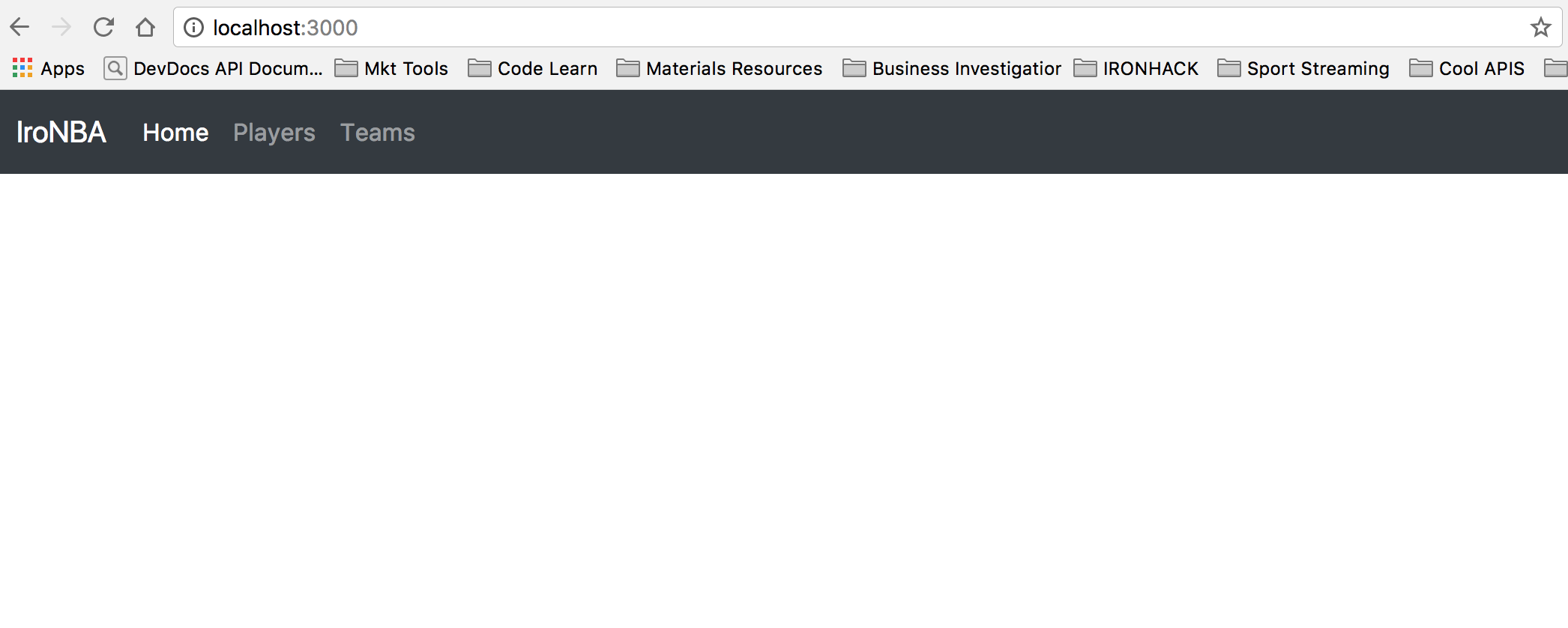
A navbar is a pretty usual component we have on every page, so let's add a **Bootstrap** nav to our `layout.hbs`.
```html
<!-- views/layout.hbs -->
<!DOCTYPE html>
<html lang="en">
<head>
<meta charset="utf-8">
<title>IroNBA</title>
<!-- 👇 -->
<link rel="stylesheet" href="https://stackpath.bootstrapcdn.com/bootstrap/4.3.1/css/bootstrap.min.css" integrity="sha384-ggOyR0iXCbMQv3Xipma34MD+dH/1fQ784/j6cY/iJTQUOhcWr7x9JvoRxT2MZw1T" crossorigin="anonymous">
<!-- 👆 -->
<link rel="stylesheet" href="/stylesheets/styles.css">
</head>
<body>
<!-- 👇 -->
<nav class="navbar navbar-expand-lg navbar-dark bg-dark">
<a class="navbar-brand" href="#">IroNBA</a>
<button class="navbar-toggler" type="button" data-toggle="collapse" data-target="#navbarNavAltMarkup" aria-controls="navbarNavAltMarkup"
aria-expanded="false" aria-label="Toggle navigation">
<span class="navbar-toggler-icon"></span>
</button>
<div class="collapse navbar-collapse" id="navbarNavAltMarkup">
<div class="navbar-nav">
<a class="nav-item nav-link active" href="/">Home
<span class="sr-only">(current)</span>
</a>
<a class="nav-item nav-link" href="/players">Players</a>
<a class="nav-item nav-link" href="/">Teams</a>
</div>
</div>
</nav>
<!-- 👆 -->
{{{ body }}}
</body>
</html>
```
:::info
Remember to add Bootstrap CDN to the `layout.hbs`.
```htmlmixed
<link rel="stylesheet" href="https://stackpath.bootstrapcdn.com/bootstrap/4.3.1/css/bootstrap.min.css" integrity="sha384-ggOyR0iXCbMQv3Xipma34MD+dH/1fQ784/j6cY/iJTQUOhcWr7x9JvoRxT2MZw1T" crossorigin="anonymous">
```
:::
We should have something like this:
## Views using layouts
Ok, so we just save a LOT of code lines adding our `layout.hbs`, but we want to add content to each of our templates. Let's add the following to the `index.hbs`:
:::info lecture
Notre `layout.hbs` en place, nous pouvons retirer le code répété (toute la structure HTML) dans chacune de nos pages et n'inclure que le code HTML spécifique à la page :
:::
```htmlmixed
<!-- views/index.hbs -->
<div class="cards-container">
<div class="card" style="width: 18rem;">
<img class="card-img-top" src="http://kenikin.com/w/nba-players-Wallpaper-Full-HD-number-yM1.jpg" alt="Card image cap">
<div class="card-body">
<h5 class="card-title">Players</h5>
<p class="card-text">Check the top NBA players, according to Ironhack Curriculum staff.</p>
<a href="/players" class="btn btn-primary">See Players</a>
</div>
</div>
<div class="card" style="width: 18rem;">
<img class="card-img-top" src="https://encrypted-tbn0.gstatic.com/images?q=tbn:ANd9GcS_OERZ8iocfWup4uRUhjxY_zncbKN02QawHJMqp9qa2RjC6PaI"
alt="Card image cap">
<div class="card-body">
<h5 class="card-title">Teams</h5>
<p class="card-text">Here we can check all NBA Teams</p>
<a href="/teams" class="btn btn-primary">See Teams</a>
</div>
</div>
</div>
```
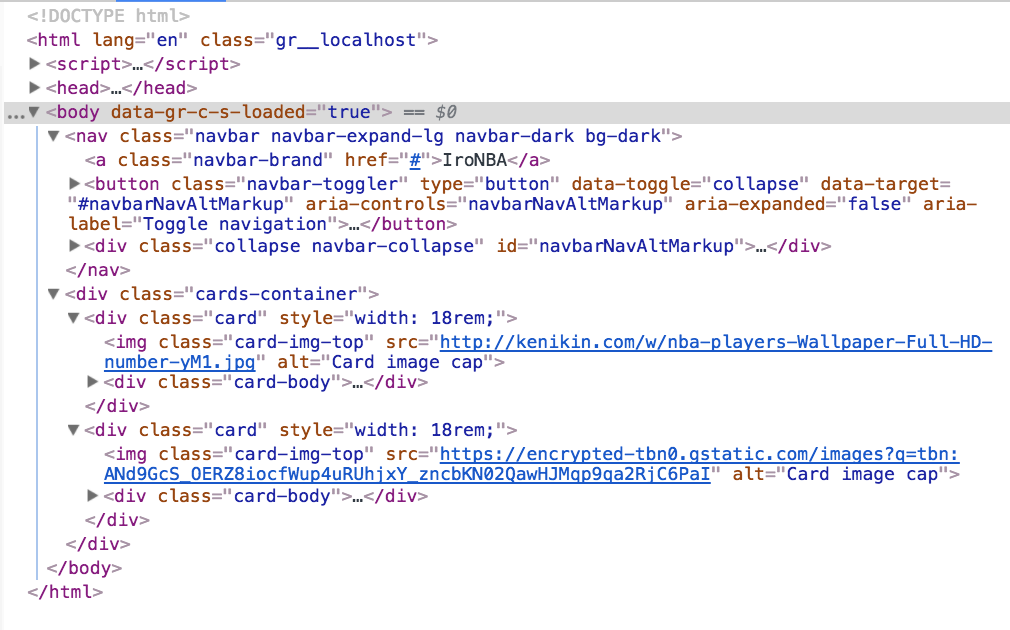
Notice we add the code for the cards without adding the `<html>` or `<body>` tags. That is because the `layout.hbs` file already has them. If we **inspect** the page on Chrome, we will see we have both, `layout.hbs` and `index.hbs` layouts.
:::info lecture
Remarquons que notre page a bien été "décorée" de notre layout :
:::
:::info
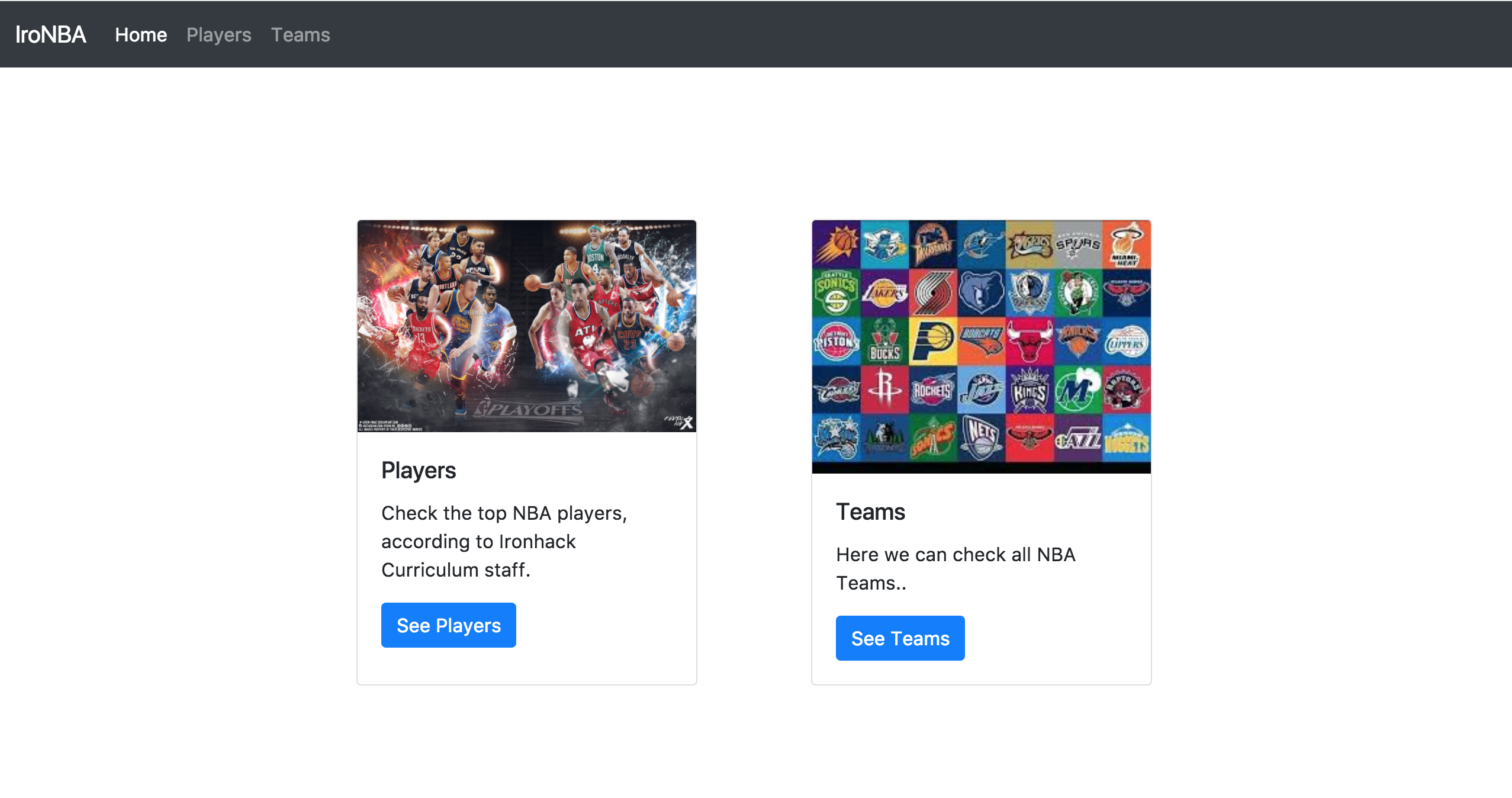
We should add to our `styles.css` files the following code:
:::
:::info lecture
Tout le style vient jusque là de Bootstrap. Ajoutons le notre pour centre les cards :
:::
```css
/* stylesheets/styles.css */
.cards-container {
display: flex; flex-wrap:wrap;
padding: 10% 20%;
justify-content: space-around;
}
.cards-container img {
object-fit: cover;
object-position: center;
height: 100px;
}
```
Now, we should see something like this:
### Skipping layouts
Sometimes we do not want to print the layout. Using `hbs` is pretty simple, we just need to set to **false** the `layout` property inside the `data` object we send on the `res.render` method.
For example, if we do not want to add the layout to the `teams.hbs` template when we render it on the `/teams` route, we should do the following:
:::info lecture
On peut également désactiver la décoration pour une page donnée : L7
:::
```javascript=
// app.js
...
app.get('/teams', (req, res, next) => {
let data = {
layout: false
}
res.render('teams', data);
});
```
:::info lecture
Ou même en définir un différent, par ex `views/layout2.hbs` :
```javascript=
// app.js
...
app.get('/teams', (req, res, next) => {
let data = {
layout: 'layout2'
}
res.render('teams', data);
});
```
:::
## What are partials?
:::info lecture
Un partial est un bout de code HTML réutilisable entre différentes pages.
:::
Partials are `templates` we can create and reuse calling them from different parts of our application.
The same way we use layouts to avoid repeating code we need on different pages, `partials` allow us to reuse template on specific parts of our apps.
## Partials Set-up
The `hbs` package, allows us to add partials into our code in a super simple way. First, we need to **register the partials**. We need to call the `registerPartials` method of the `hbs` package and send as a parameter where we will locate our partials. `registerPartials` provides a quick way to load all partials from a specific directory.
We will continue our `iron-nba-project`, so go ahead and add the following code on our `app.js` file, after the **views** declaration:
:::info lecture
Nous devons déclarer où nous rangerons nos partials :
:::
```javascript=
// app.js
...
app.set('view engine', 'hbs');
app.set('views', path.join(__dirname, 'views'));
// 👇
hbs.registerPartials(__dirname + '/views/partials');
```
Let's create a `partials` folder inside `views`, here we will store our **partials**.
### Create a Partial
Let's create our first partial! Inside the `partials` folder, create a `playerCard.hbs` file, and copy/paste the following code:
:::info lecture
Notre 1er partial, une `card` de joueur :
:::
```html
<!-- views/partials/playerCard.hbs -->
<div class="card" style="width: 33.333%;">
<img class="card-img-top" src="https://clutchpoints.com/wp-content/uploads/2017/10/Kobe-Bryant-e1508564618882.jpg" alt="">
<div class="card-body">
<h5 class="card-title">Kobe Bryant</h5>
<p class="card-text">LAK</p>
</div>
</div>
```
:::danger
You <b>can't use a dash for your filename</b> (ex: `player-card.hbs`).
:::
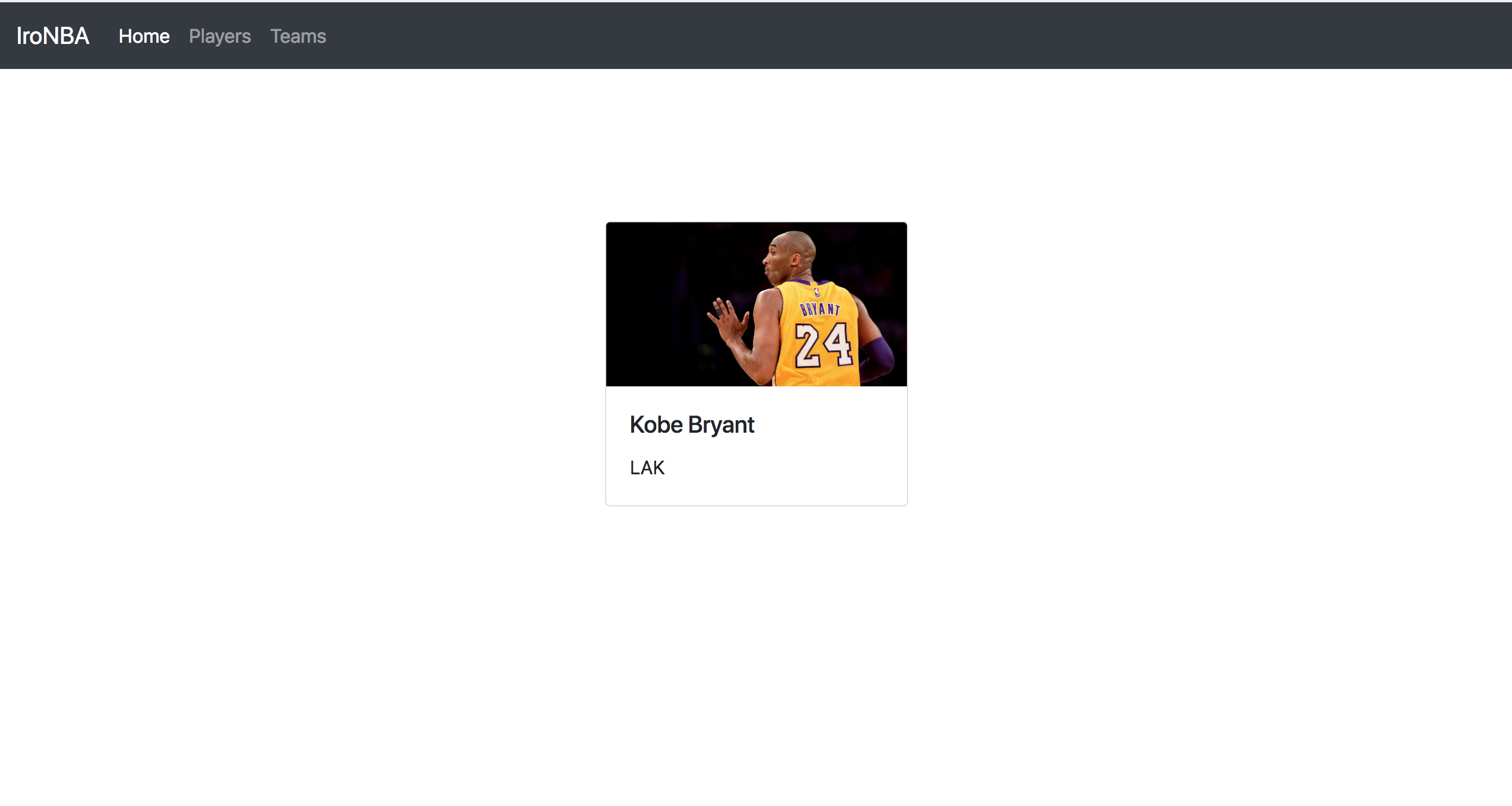
Here we are displaying a card for render Kobe Bryant's info. Pretty simple for now! Let's create a `/players` route on our `app.js` file. We also need a `players.hbs` file inside our `views` folder. Inside the `/players` route, render the `players.hbs` view.
:::info lecture
Créons maintenant notre route `/players` :
:::
```javascript
// app.js
...
app.get('/players', (req, res, next) => {
res.render('players');
});
```
### Call a Partial from a View
We have our `playerCard` partial and the `players` view, so inside this view will call our partial. Calling the partial is done through the partial call syntax:
:::info lecture
Voici la syntax pour inclure un partial dans une page :
:::
```html
{{> myPartial }}
```
In our case we need to add the following code on the `players.hbs` file:
:::info lecture
Créons notre template `players.hbs` et utilisons notre partial `playerCard`
:::
```html
<!-- views/players.hbs -->
<div class="cards-container">
{{> playerCard}}
</div>
```
If everything goes right, we should see the following:
## Passing Parameters to Partials
Our partial is pretty boring, huh? We are only printing a card with static info. Let's add some sugar! We can pass parameters, so our partials to display dynamic content.
Instead of printing just one player, we will send to our `players.hbs` file an array of player. Replace the code of the `/players` route:
:::info lecture
Créons un tableau de joueurs `players`, et passons-le en data de notre template :
:::
```javascript
// app.js
...
app.get('/players', (req, res, next) => {
// 👇
const players = [
{
'name': 'Rusell',
'lastName': 'Westbrook',
'team': 'OKC',
'photo': 'https://thunderousintentions.com/wp-content/uploads/getty-images/2017/12/891998404-oklahoma-city-thunder-v-indiana-pacers.jpg.jpg'
},
{
'name': 'Kevin',
'lastName': 'Durant',
'team': 'GSW',
'photo': 'https://img.bleacherreport.net/img/images/photos/003/670/482/hi-res-3c2473cd8600df96c4b94c93808562c8_crop_north.jpg?h=533&w=800&q=70&crop_x=center&crop_y=top'
},
{
'name': 'Lebron',
'lastName': 'James',
'team': 'CLE',
'photo': 'https://usatftw.files.wordpress.com/2018/01/ap_cavaliers_timberwolves_basketball.jpg?w=1000&h=600&crop=1'
},
{
'name': 'Emanuel',
'lastName': 'Ginóbilli',
'team': 'SAS',
'photo': 'https://cdn.vox-cdn.com/thumbor/Z9kR0HDJrzOzxOdwGe7Jwyxxvjk=/0x0:2802x4203/1200x800/filters:focal(1329x1158:1777x1606)/cdn.vox-cdn.com/uploads/chorus_image/image/57733525/usa_today_10429631.0.jpg'
},
{
'name': 'Kyrie',
'lastName': 'Irving',
'team': 'BOS',
'photo': 'https://cdn-s3.si.com/s3fs-public/styles/marquee_large_2x/public/2017/11/11/kyrie-irving-mvp-case.jpg?itok=PWYqUSGf'
},
{
'name': 'Kobe',
'lastName': 'Bryant',
'team': 'LAK',
'photo': 'https://clutchpoints.com/wp-content/uploads/2017/10/Kobe-Bryant-e1508564618882.jpg'
},
];
// ☝️
res.render('players', { players });
});
```
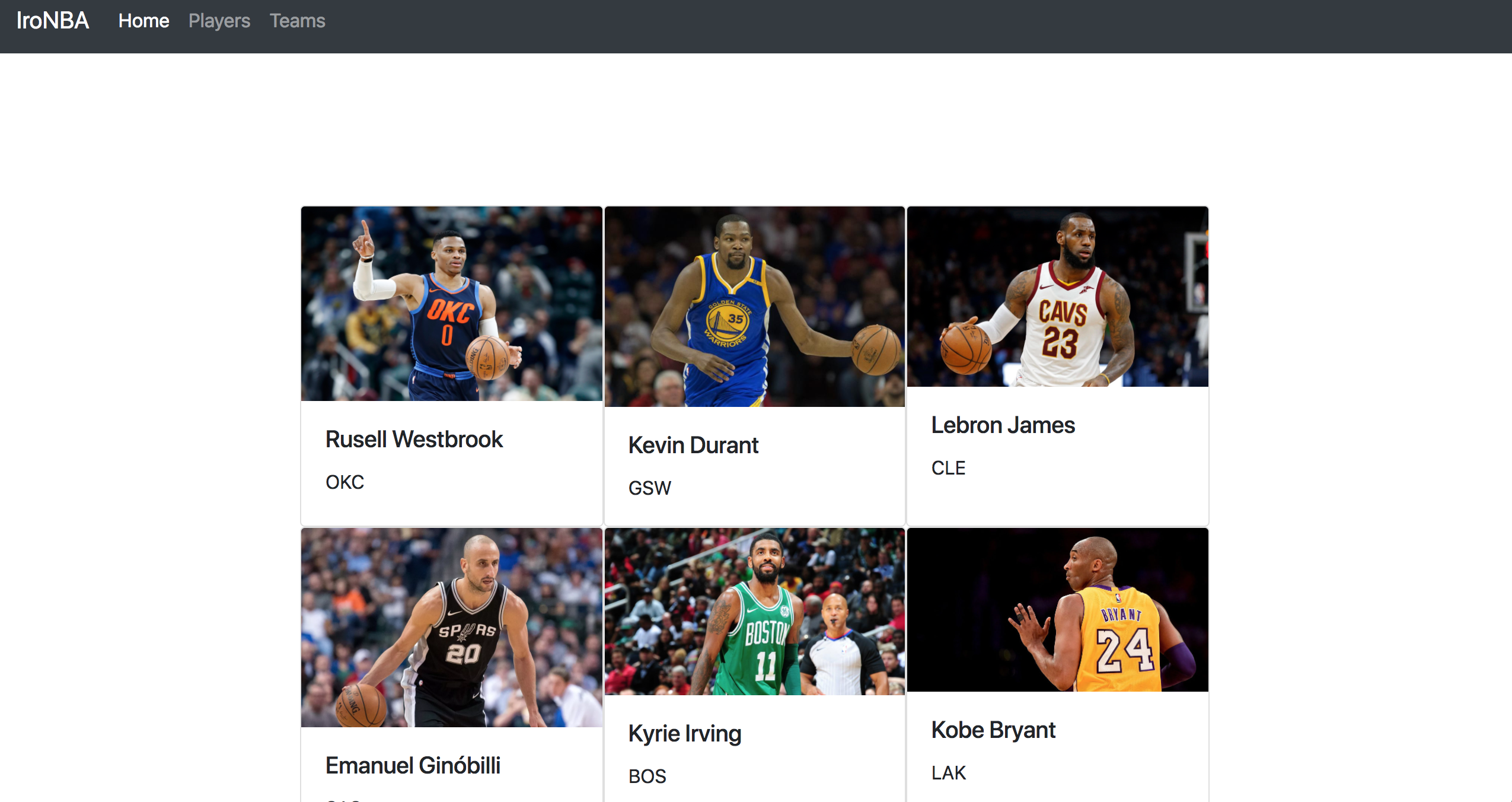
On our `players` view, how can we iterate over an array? Yes! We can use the **`each`** helper. Let's do it! Let iterate over the array using the helper and call our `partial` every on each iteration.
:::info lecture
Utilisons le helper `{{#each}}` pour afficher la `card` de chacun de nos joueurs :
:::
```html
<!-- views/players.hbs -->
<div class="cards-container">
{{#each players}}
{{> playerCard }}
{{/each}}
</div>
```
But now we have one `Kobe Bryant` for each element of the array! And that's not what we want right? We need to pass the info about each element of the array every time we call our **partial**. Just add as a second parameter, after the partial name, the data you want to send. In our case, we can use the `this` helper.
:::info lecture
Même si cela est déjà fait par le `{{#each}}`, on peut **passer en paramètre du partial**, le player `this` :
:::
```html
<div class="cards-container">
{{#each players}}
{{> playerCard this}}
{{/each}}
</div>
```
Awesome! Now we just need to modify what info we are printing on our `playerCard.hbs` partial. Go ahead and put the following code:
:::info lecture
Ne nous reste plus alors qu'à **dynamiser** les valeurs dans notre partial :
:::
```html
<!-- playerCard.hbs -->
<div class="card" style="width: 33.333%;">
<img class="card-img-top" src="{{photo}}" alt="Card image cap">
<div class="card-body">
<h5 class="card-title">{{name}} {{this.lastName}}</h5>
<p class="card-text">{{team}}</p>
</div>
</div>
```
Now our app is ready!
## Summary
Layouts and partials are essential for keeping our application clean and easy to read, avoiding code repetition. When developing our projects is critical to structure everything before start coding, this way we can take advantage of layout and partials reusing templates and writing less code.
## Extra Resources
- [HBS Partials](http://handlebarsjs.com/partials.html)
 Sign in via Google
 Sign in via Facebook
 Sign in via X(Twitter)
 Sign in via GitHub
 Sign in via Dropbox
 Sign in with Wallet
Connect another wallet
Sign in with Wallet
Connect another wallet