### INSTAGRAM GRAPH API ACCESS TOKEN
#### Before You Start
You will need :
- Facebook Developer Account
- Instagram account with medias / feeds (minimum 6 items).
#### Step 1 — Register Application
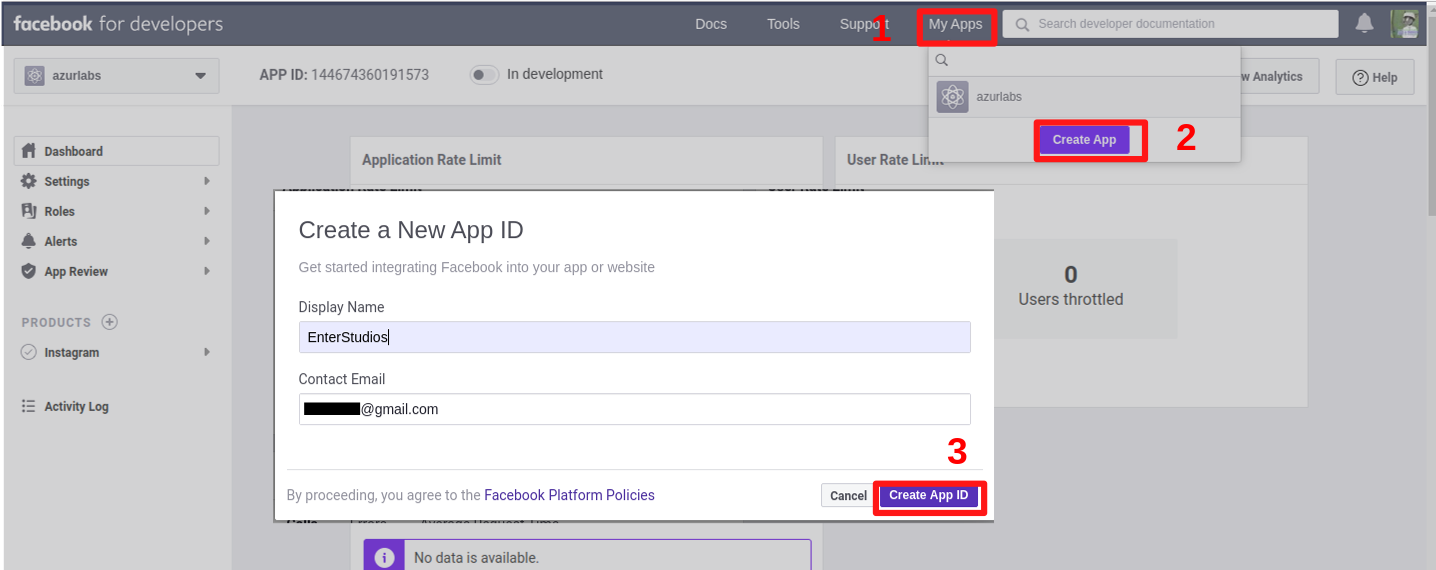
Go to developers.facebook.com, click My Apps, and create a new app.
---
#### Step 2 — Configure Instagram Basic Display
Click Products, locate the Instagram product, and click Set Up to add it to your app.
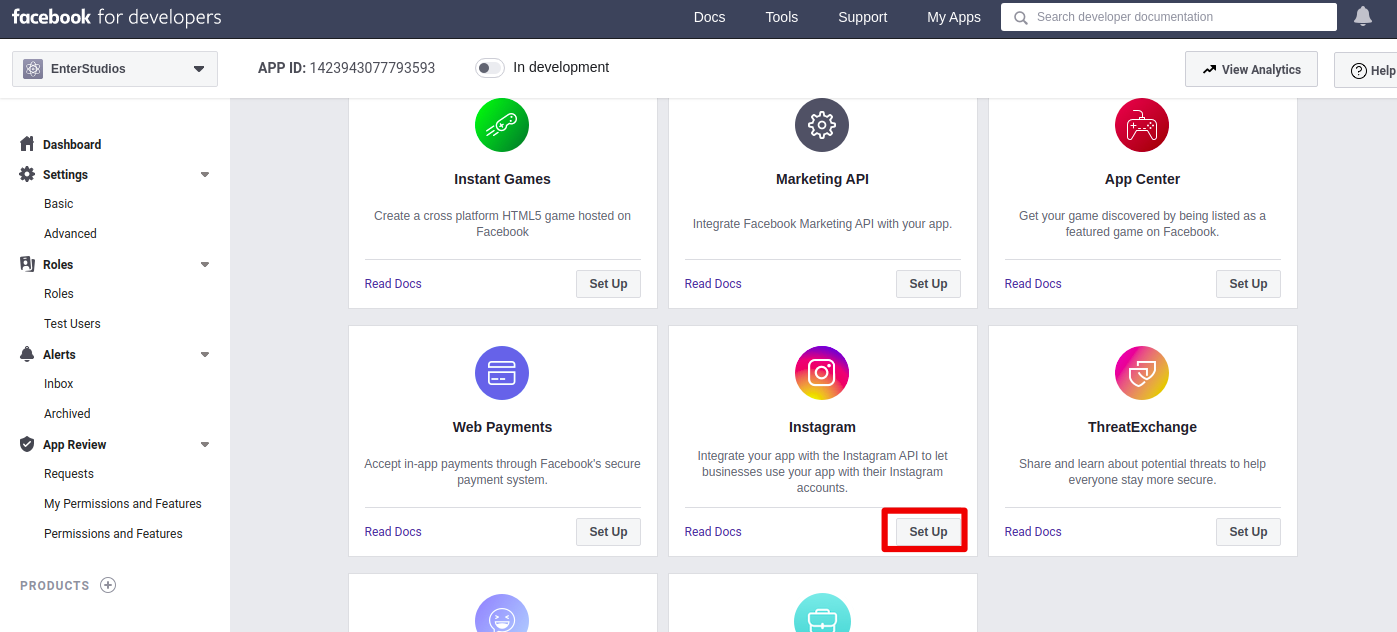
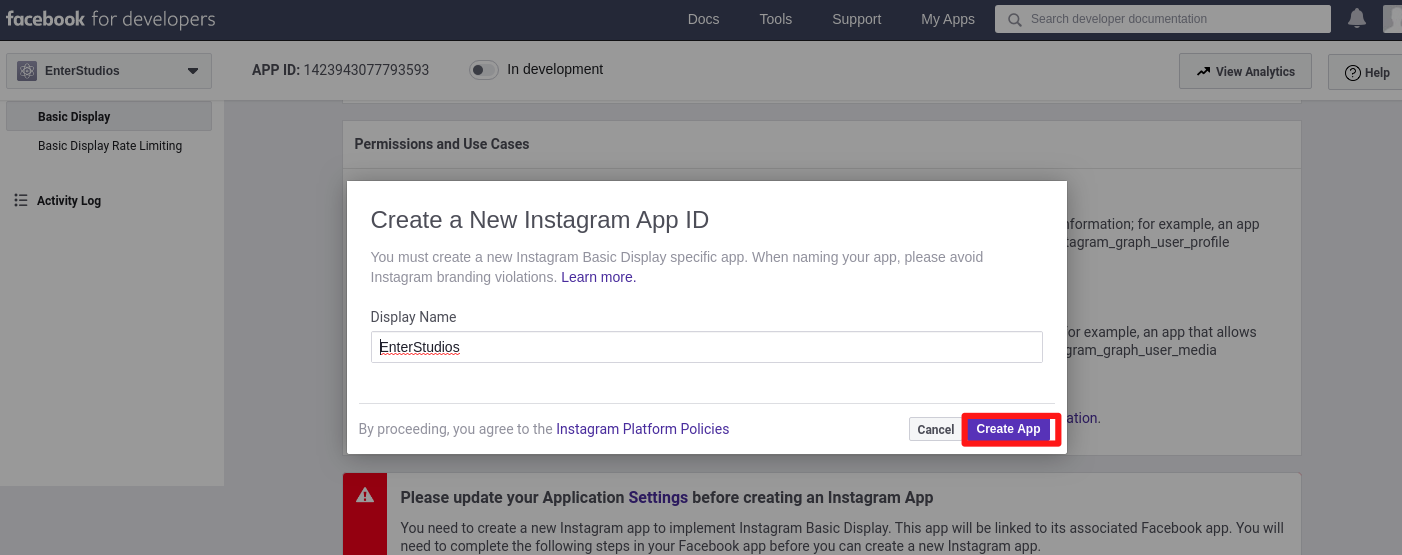
Click Basic Display, scroll to the bottom of the page, then click Create New App.
In the form that appears, complete each section using the guidelines below.
---
#### Step 3 — Add an Instagram Test User
Navigate to Roles > Roles and scroll down to the Instagram Testers section. Click Add Instagram Testers and enter your Instagram account’s username and send the invitation.
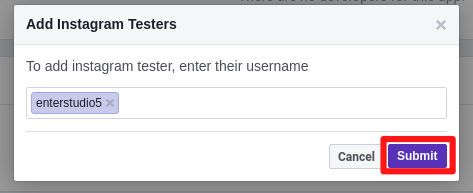
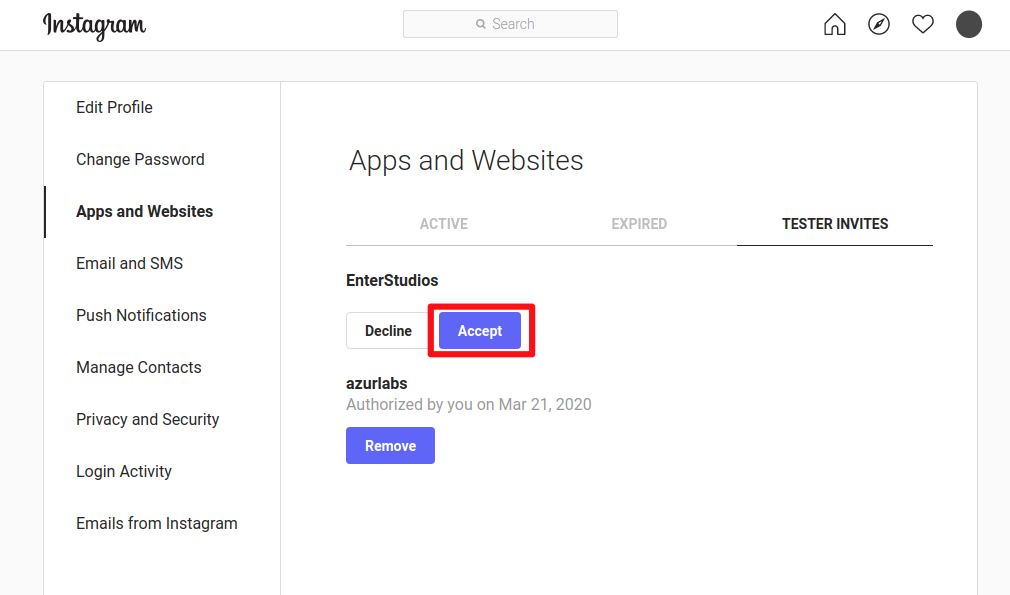
Open a new web browser and go to Instagram and sign into your Instagram account that you just invited. Navigate to (Profile Icon) > Edit Profile > Apps and Websites > Tester Invites and accept the invitation.
---
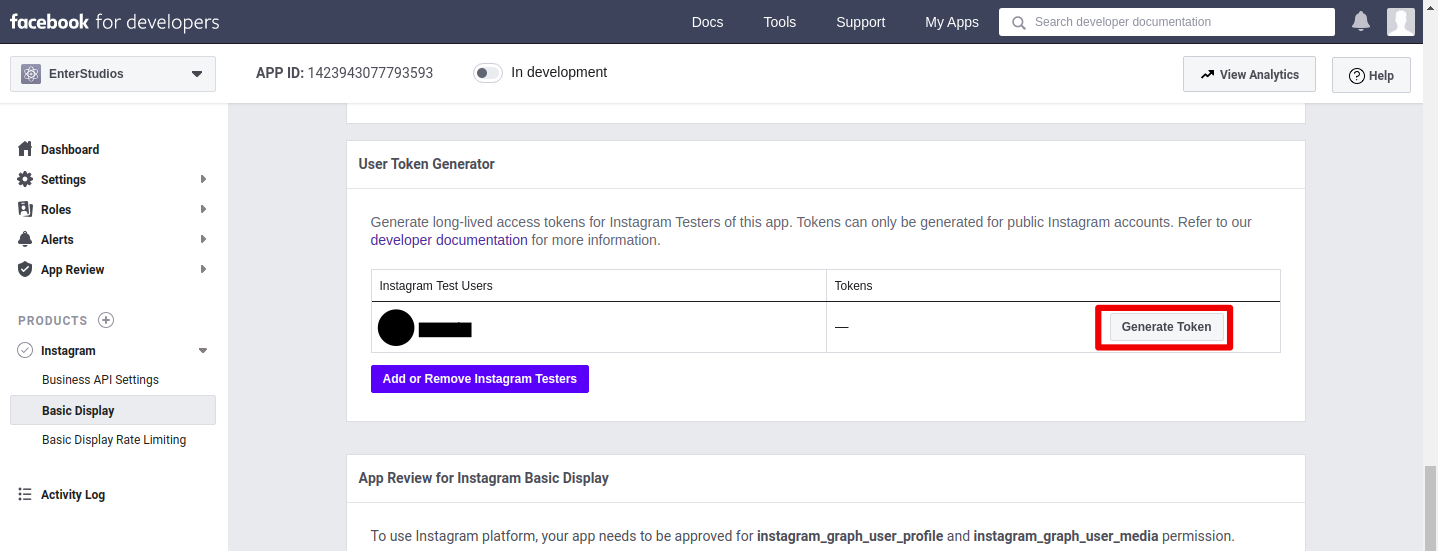
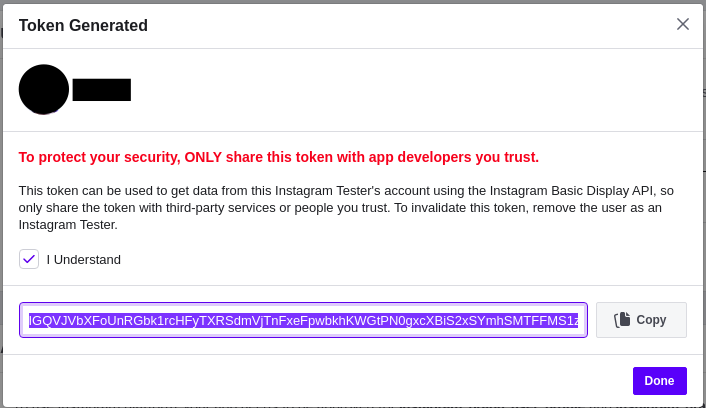
#### Step 4 — Generate Access Token
---
*Tolong minta bantu di buatkan ya untuk akses token instagramnya dan sekalian di list untuk link media social (facebook, twitter, instagram, linkedin, youtube dan tiktok), thank you :beers:*
 Sign in with Wallet
Connect another wallet
Sign in with Wallet
Connect another wallet