# Customer.io
[Customer.io](https://customer.io) is an automated cloud messaging platform for marketing automation that allows crafting and sending data-driven emails, push notifications, and SMS messages. Skyvia uses Customer.io App API.
**Data integration**: Skyvia supports importing data to and from Customer.io, exporting Customer.io data to CSV files, replicating Customer.io data to relational databases, and synchronizing Customer.io data with other cloud apps and relational databases.
**Backup**: Skyvia Backup *does not support* Customer.io backup.
**Query**: Skyvia Query supports Customer.io.
## Establishing Connection
To establish a connection, you need to select your account region and specify your app API key.
### Getting Credentials
You can manage your API keys in your [Customer.io account settings](https://fly.customer.io/settings/api_credentials?keyType=app). See [Customer.io documentation](https://customer.io/docs/api/#tag/appAuth) for more information.
### Creating Connection
You need to specify the following parameters while [creating a Customer.io connection](https://docs.skyvia.com/connections/#creating-connection):
1. Select the **Account Region** if you use a non-US region.
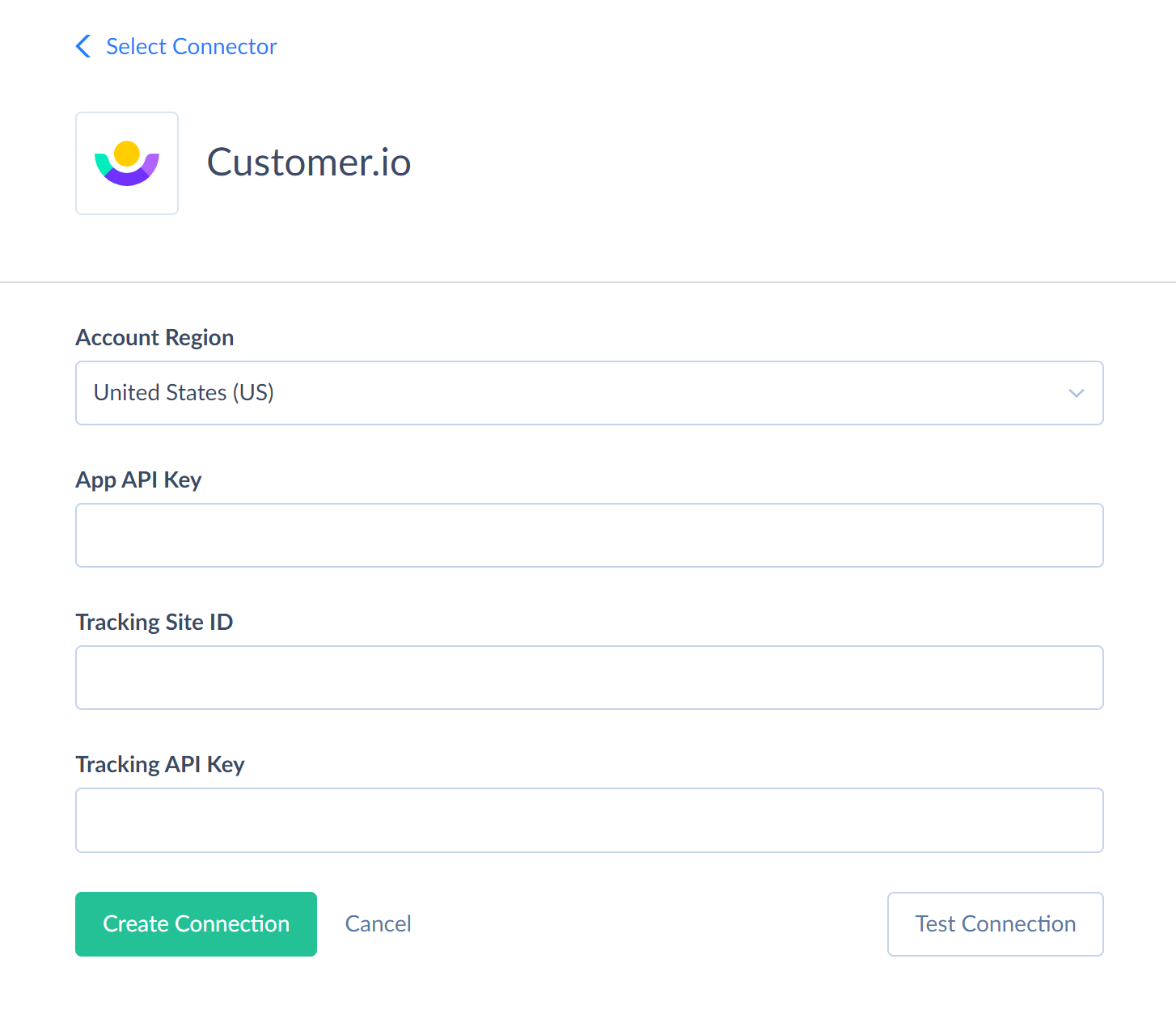
3. Enter your **App API Key**.
## Connector Specifics
### Synchronization and Replication Limitations
Skyvia supports Replication with [Incremental Updates](https://docs.skyvia.com/data-integration/replication/#keeping-database-up-to-date) for the following objects: BroadcastActions, BroadcastMessages, Broadcasts, BroadcastTriggers, CampaignActions, Campaigns, Collections, CustomerMessages, Customers, Exports, Messages, NewsletterMessages, Newsletters, Snippets, TransactionalMessageDeliveries, TransactionalMessages.
Besides, the following objects have only the CreateDate field, and thus, replication with incremental updates detects only the new records, but not updates to existing records: BroadcastMessages, BroadcastTriggers, CustomerMessages, Customers, Messages, NewsletterMessages, TransactionalMessageDeliveries.
### DML Operations Support
Skyvia supports the following DML operations for Customer.io objects:
| Operations | Objects |
| ---------- | ------- |
| **INSERT, UPDATE, DELETE** | Collections, ReportingWebhooks |
| **UPDATE, DELETE** | Snippets |
| **INSERT, DELETE** | Segments |
| **UPDATE** | NewsletterVariants, CampaignActions |
### Object Peculiarities
Custom attributes of the _Customers_ object are available via the _CustomersAttributes_ object.
Besides, some Customer.io objects can be accessed only via their parent objects. For example, to query _CustomerSegments_, _CustomerMessages_, or _CustomerActivities_, Shopify API requires the ID of the corresponding Customer (Skyvia uses the _CioId_ field).
Skyvia does not require the ID of the parent object from the user. If you don’t specify the IDs of the parent objects (for example, in a filter), Skyvia queries all the parent object records first, takes their IDs, and then queries child object records for each parent object record. This allows querying child objects without knowing their parents, but this method takes much time and consumes many API calls. It uses at least one API call for every parent object record. Thus, working with child records can be slow.
Because of this, it is recommended to use filters on the parent object fields when querying data from such child objects. This reduces the number of parent object records, for which child object data must be queried.
### Stored Procedures
Skyvia implements sending emails in Customer.io via stored procedures. Use the corresponding stored procedure to send emails with a template or without a template:
```call SendTransactionalEmailWithTemplate(:TransactionalMessageId, :To, :Identifiers_Email, :Body, :Subject, :From, :MessageData, :SendAt, :Bcc, :FakeBcc, :ReplyTo, :Preheader, :PlaintextBody, :Attachments, :Headers, :DisableMessageRetention, :SendToUnsubscribed, :Tracked, :QueueDraft, :DisableCssPreprocessing);```
```call SendTransactionalEmailWithoutTemplate(:Body, :Subject, :From, :To, :Identifiers_Email, :MessageData, :SendAt, :Bcc, :FakeBcc, :ReplyTo, :Preheader, :PlaintextBody, :Attachments, :Headers, :DisableMessageRetention, :SendToUnsubscribed, :Tracked, :QueueDraft, :DisableCssPreprocessing);```
You can use a call to the stored procedure, for example as a text of the command in the ExecuteCommand action in a Target component of a Data Flow.
Here is the list of parameters:
* _TransactionalMessageId_ - the id of the transactional message that you want to use as the template.
* _To_ - recipients' email addresses, separated by commas. Can contain up to 15 recipients.
* _Identifiers_Email_ - Identifies the person represented by your transactional message by email.
* _Body_ - The body of the email message to send. For the SendTransactionalEmailWithTemplate procedure, it overrides the template body.
* _Subject_ - The subject of the email message to send. For the SendTransactionalEmailWithTemplate procedure, it overrides the template subject.
* _From_ - The address that your email is from. This address must be verified by Customer.io. You can include a display-friendly name in the format `Person <person@example.com>`. For the SendTransactionalEmailWithTemplate procedure, it overrides the template from address.
* _MessageData_ - An object containing the key-value pairs referenced using liquid in your message.
* _SendAt_ - a timestamp to send the email message at, in unix timestamp format.
* _Bcc_ - Blind copy message recipients. Supports multiple email addresses separated by commas. Can contain up to 15 email addresses.
* _FakeBcc_ - If true, instead of sending true copies to BCC addresses, Customer.io sends a copy of the message with the subject line containing the recipient address(es).
* _ReplyTo_ - The address that recipients can reply to if it needs to be different from the From address.
* _Preheader_ - The block of preview text that users see next to, or underneath, the subject line in their inbox.
* _PlaintextBody_ - You can use this parameter to override the automatically generated plaintext version of your message body.
* _Attachments_ - A JSON dictionary of attachments with filenames as keys and base64-encoded file contents as values. The total size of all attachments must not exceed 2 MB. Some filetype extensions are restricted.
* _Headers_ - An array of header JSON objects. Headers must be strings and cannot contain any non-ASCII characters or empty spaces. Some headers are reserved and cannot be overwritten.
* _DisableMessageRetention_ - If true, the message body is not retained in the delivery history. For the SendTransactionalEmailWithTemplate procedure, this parameter overrides the corresponding template setting. The default value is _false_.
* _SendToUnsubscribed_ - If true, the message is sent to unsubscribed recipients. For the SendTransactionalEmailWithTemplate procedure, this parameter overrides the corresponding template setting. The default value is _true_.
* _Tracked_ - Enables tracking of email message opens and link clicks. The default value is _false_.
* _QueueDraft_ - If true, the email message is held as a draft in Customer.io and is not sent directly to recipients. To send your message, go to the Deliveries and Drafts page.
* _DisableCssPreprocessing_ - Disables CSS preprocessing. For the SendTransactionalEmailWithTemplate procedure, this parameter overrides the corresponding template setting. The default value is _false_.
## Supported Actions and Actions Specifics
Skyvia supports all the [common actions](https://docs.skyvia.com/data-integration/actions.html#common-actions), available for most of the connectors, for HubSpot.
 Sign in with Wallet
Connect another wallet
Sign in with Wallet
Connect another wallet