###### tags: `Tools` `Windows` `Open Source`
# PowerToys - 提高 Windows 生產力和效率的免費工具軟體
PowerToys 是一個由微軟開發的免費工具軟件,旨在幫助用戶提高 Windows 操作系統的生產力和效率。PowerToys 提供了多種實用工具,讓用戶能夠快速完成各種任務,如截圖、窗口管理、鍵盤快捷鍵設置等等。
## 主要功能
以下是 PowerToys 提供的主要功能介紹:
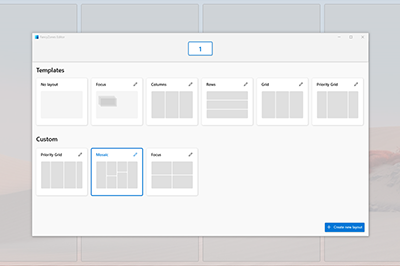
### 1. FancyZones
FancyZones 是一個窗口管理工具,可以幫助用戶快速地將多個窗口分配到屏幕上的不同區域,提高多任務處理的效率。用戶可以自定義區域的大小和位置,也可以根據需要添加自己的模板。
### 2. PowerRename
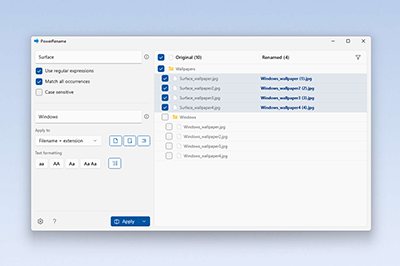
PowerRename 是一個文件重命名工具,可以幫助用戶快速批量地對文件進行重命名。用戶可以使用各種規則和篩選器,對文件名進行精確的修改。
### 3. PowerToys Run
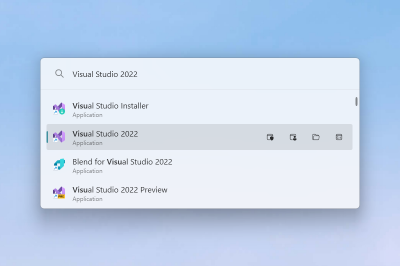
PowerToys Run 是一個快速啟動應用程序的工具,可以幫助用戶快速地啟動各種應用程序、設置、文件等等。用戶可以使用快捷鍵打開 PowerToys Run,也可以在搜索欄中輸入關鍵字來快速搜索所需的應用程序。
:::danger
:warning: 如果使用了 [WOX](https://github.com/Wox-launcher/Wox) 或 [Flow Launcher](https://github.com/Flow-Launcher/Flow.Launcher) 則需要注意快捷鍵(Hotkey) 可能會發生衝突,建議不要混著使用。
Note: PowerToys Run 本身即是 WOX 內核。
:::
### 4. Shortcut Guide
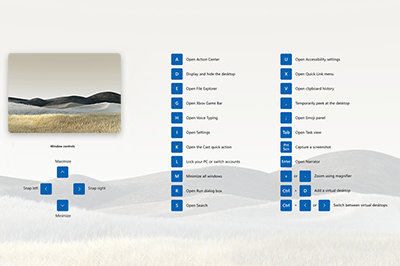
Shortcut Guide 是一個鍵盤快捷鍵指南工具,可以幫助用戶更好地利用 Windows 操作系統的快捷鍵功能。當用戶按下 Windows 鍵時,Shortcut Guide 會顯示出當前應用程序的可用快捷鍵,方便用戶快速掌握快捷鍵使用方法。
### 5. File Explorer Preview
File Explorer Preview 是一個文件預覽工具,可以讓用戶在不打開文件的情況下,快速地預覽各種文件格式,如圖片、PDF、文檔等等。用戶可以使用滑鼠右鍵點擊文件,打開文件預覽視窗,方便快捷。

### 更多功能請參考底下的[參考資料](#參考資料)
## 專案來源
PowerToys 是一個開源項目,源代碼存放在 GitHub 上。您可以通過以下連結訪問 PowerToys 開源項目:
* GitHub: https://github.com/microsoft/PowerToys


## 參考資料
1. [PowerToys - GitHub](https://github.com/microsoft/PowerToys)
1. [Microsoft PowerToys - MSDN](https://learn.microsoft.com/zh-tw/windows/powertoys/)
2. [PowerToys微軟免費工具組合包一次看完,超完整教學讓你玩出神級生產力 - T客邦](https://www.techbang.com/posts/86579-powertoys-run-enhanced-search-box-macos-search-feature)
 Sign in via Google
 Sign in via Facebook
 Sign in via X(Twitter)
 Sign in via GitHub
 Sign in via Dropbox
 Sign in with Wallet
Connect another wallet
Sign in with Wallet
Connect another wallet