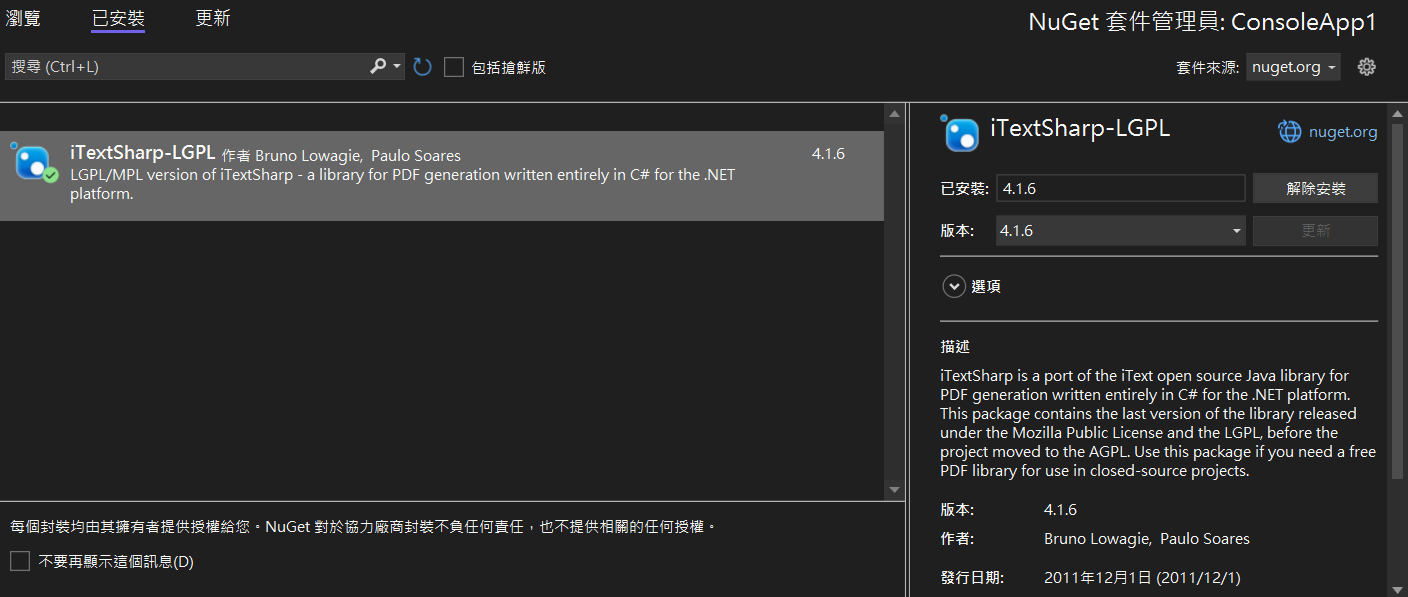
## 環境安裝
到NuGet抓取4.1.6版
後面的版本要權限控管比較嚴格
## 目標
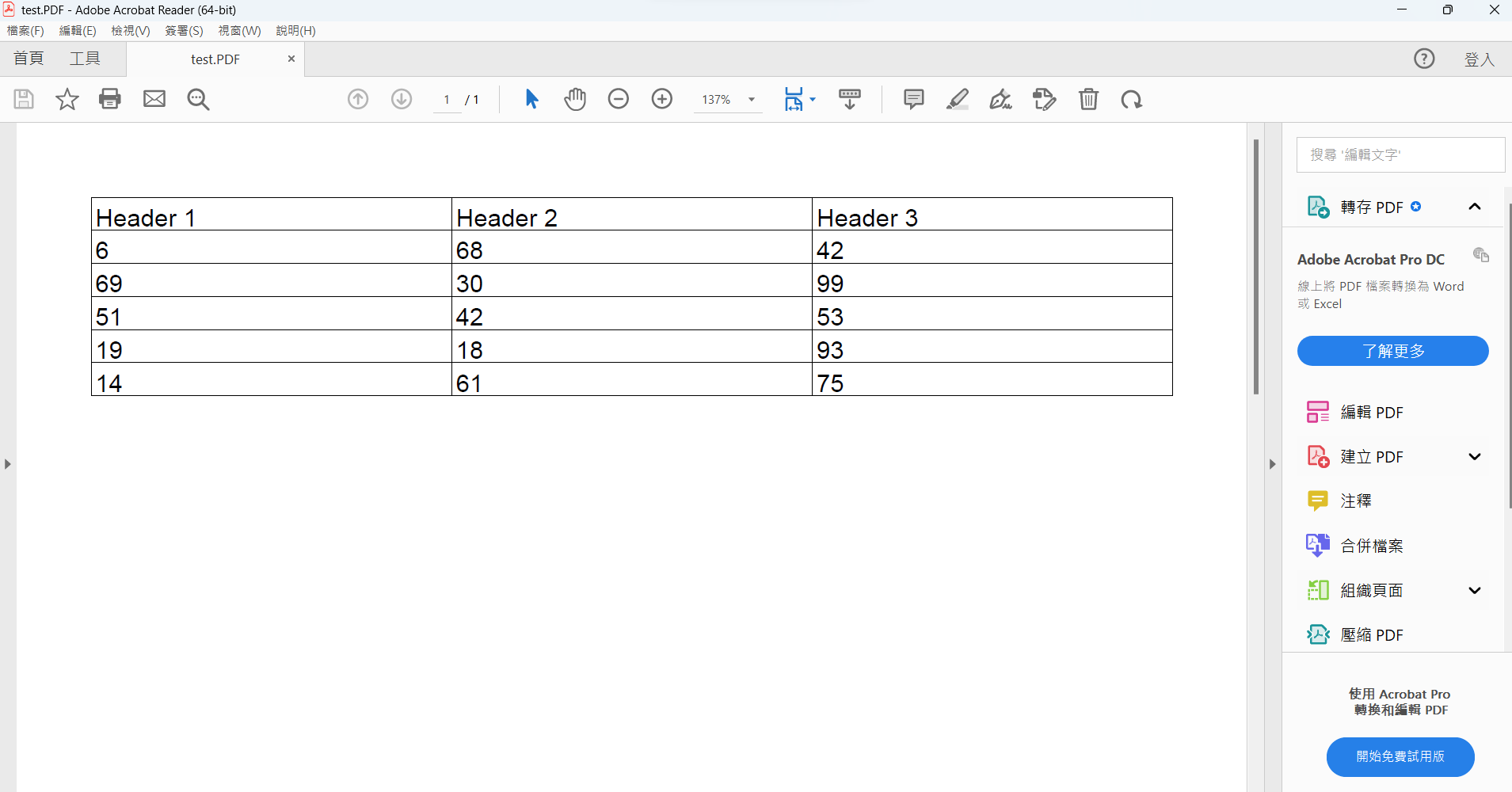
產生PDF表格有標題跟row
## 程式
```
using System;
using System.Collections.Generic;
using System.IO;
using iTextSharp.text;
using iTextSharp.text.pdf;
internal class Program
{
private static void Main(string[] args)
{
// 建立測試用的資料
List<Row> rows = new List<Row>();
List<Cell> cells = new List<Cell>();
// 假設要產生 5 列 3 欄的表格
int rowCount = 5;
int columnCount = 3;
// 產生亂數資料填充到 cells 陣列中
Random random = new Random();
for (int i = 0; i < rowCount * columnCount; i++)
{
cells.Add(new Cell(random.Next(100).ToString())); // 以亂數填充儲存格的值
}
// 根據 rows 和 cells 陣列建立資料表
CreateTable(rows, cells, rowCount, columnCount);
// 建立 PDF 文件
string outputPath = "D://txt//test.PDF";
Document document = new Document();
PdfWriter writer = PdfWriter.GetInstance(document, new FileStream(outputPath, FileMode.Create));
document.Open();
// 建立字型
BaseFont baseFont = BaseFont.CreateFont(BaseFont.HELVETICA, BaseFont.CP1252, BaseFont.NOT_EMBEDDED);
Font font = new Font(baseFont, 12, Font.NORMAL);
// 建立 PDF 表格
PdfPTable table = new PdfPTable(columnCount);
table.WidthPercentage = 100;
// 加入表頭
foreach (Cell cell in rows[0].Cells)
{
PdfPCell headerCell = new PdfPCell(new Phrase(cell.Value, font));
table.AddCell(headerCell);
}
// 加入資料
for (int i = 1; i < rows.Count; i++)
{
foreach (Cell cell in rows[i].Cells)
{
PdfPCell dataCell = new PdfPCell(new Phrase(cell.Value, font));
table.AddCell(dataCell);
}
}
// 將表格加入 PDF 文件
document.Add(table);
// 關閉文件
document.Close();
writer.Close();
Console.WriteLine("PDF 文件已建立完成。");
}
public static void CreateTable(List<Row> rows, List<Cell> cells, int rowCount, int columnCount)
{
// 建立表頭
Row headerRow = new Row();
for (int i = 0; i < columnCount; i++)
{
headerRow.Cells.Add(new Cell($"Header {i + 1}"));
}
rows.Add(headerRow);
// 建立資料列
for (int i = 0; i < rowCount; i++)
{
Row dataRow = new Row();
for (int j = 0; j < columnCount; j++)
{
int index = i * columnCount + j;
if (index < cells.Count)
{
dataRow.Cells.Add(cells[index]);
}
}
rows.Add(dataRow);
}
}
public class Row
{
public List<Cell> Cells { get; set; }
public Row()
{
Cells = new List<Cell>();
}
}
public class Cell
{
public string Value { get; set; }
public Cell(string value)
{
Value = value;
}
}
}
```
 Sign in with Wallet
Connect another wallet
Sign in with Wallet
Connect another wallet