# Turtle
---
## Python

<!-- I think it's better like this -->
<!-- ok you try it then me see see -->
<!-- I realy can't write chinesewith my computer now -->
<!-- what's wrong with your laptop -->
<!-- I am using ubuntu -->
<!-- it has no chinese typing method? -->
<!-- I haveto do some researchs -->
<!-- you can use my translator to type -->
<!-- https://gallen881.github.io/bopomofo2hanzi -->
<!-- I have to reboot -->
<!-- see u then -->
<!-- K -->
<!-- Im back -->
<!-- why turtle called turtle -->
<!-- u sure? -->
<!-- cause python is {extremly} slow -->
<!-- 耶 -->
---
## 安裝 Python
到[官網](https://www.python.org/downloads/)下載

<!-- 應該不會獎 python 基礎語法吧? -->
<!-- 1 -->
<!-- K -->
----
## 使用 Miniconda 
[官網](https://docs.conda.io/projects/miniconda/en/latest/)下載

<!-- 為什麼要 conda? -->
<!-- 好用 -->
<!-- 這之後單獨介紹吧? -->
<!-- 我覺得我們重點在 turtle -->
<!-- 這很快阿 -->
<!-- 但還是離題吧? -->
<!-- 我覺得 python 部分簡單帶舊好 -->
<!-- 如果要環境就先用 venv? -->
<!-- 這樣很怪欸 -->
<!-- conda 會佔有點多 -->
<!-- 不要!!! -->
<!-- 沒吧 -->
<!-- 這一下下而已 -->
<!-- 哪有 -->
<!-- 而且裝個套件應該不用到環境? -->
<!-- 如果他們以後要做其他的會用到 -->
<!-- 所以之後單獨講? -->
<!-- 這就不到兩三分鐘沒差吧 -->
<!-- ok you try it out then me see see -->
<!-- 我們要把這些對話刪掉媽 -->
<!-- 我覺得沒差 -->
<!-- 他們會看到嗎? -->
<!-- 不會 -->
<!-- 應該還好吧 -->
<!-- 1 -->
----
```bash
$ conda create --name <env name> python=3.9
```
```bash
$ conda activate <env name>
```
---
## Turtle 是什麼 ~~pyscratch~~

----
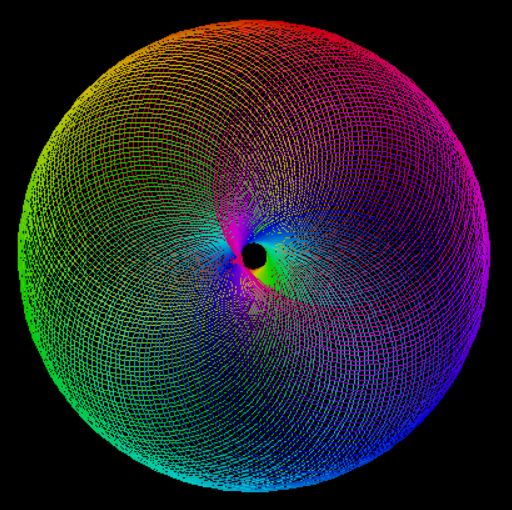
Turtle 是 python 的一個套件,可實現幾何的繪圖功能

<!-- 原來這樣也可 -->
<!-- 我要怎用 HTML 縮小圖片? -->
<!-- finish introducing python then this? -->
<!-- 透過 turtle 來帶出 python 吧 -->
<!-- Noo -->
----
----

----
為什麼這個套件叫做 turtle 呢?
~~因為 python 非常的慢~~
---
## 使用 Turtle 畫圖
----
e.g.
```python
import turtle
turtle.forward(100) # 向前 100
turtle.done() # 保持畫面停留
```

----
e.g.
```python
import turtle
turtle.forward(100) # 向前 100
turtle.left(120) # 左轉 120 度
turtle.forward(100) # 向前 100
turtle.left(120) # 左轉 120 度
turtle.forward(100) # 向前 100
turtle.done()# 保持畫面停留
```

----
e.g. 可以搭配迴圈執行
```python
import turtle
for steps in range(100):
for c in ('blue', 'red', 'green'):
turtle.color(c)
turtle.forward(steps)
turtle.right(30)
turtle.done()
```
----
### 設定畫筆狀態
```python
turtle.pensize() # 線條的寬度
turtle.pencolor() # 線條的顏色
turtle.shape() # 筆尖的形狀,有"arrow"、 "turtle"、"circle"、"square",都很醜,建議隱藏筆尖形狀
turtle.hideturtle() # 隱藏筆尖形狀,除非覺得烏龜形狀很萌
turtle.speed(3) # 畫筆的移動速度,範圍是0-10,數字越大越快。
turtle.penup() # 下筆(開始畫圖)
turtle.pendown() # 放下筆(結束畫圖)
```
----
### 設定畫筆移動
```python
turtle.goto(-10, 22) # 將畫筆移動到(-10, 22)座標處
turtle.forward(40) # 向畫筆現在的方向移動40像素長
turtle.backward(40) # 向畫筆現在的相反方向移動40像素長
turtle.right(90) # 順時針右轉 90°
turtle.left(90) # 逆時針左轉 90°
```
----
### 多邊形與填滿
```python
turtle.circle(radius, extent, steps) # 畫半徑為radius的圓,extent是弧度範圍,邊數為steps
turtle.dot(size, color) # 畫直徑為size的點
fillcolor() # 要填滿的顏色
begin_fill() # 開始填充
end_fill() # 結束填充
```
---
## 文檔探究
https://docs.python.org/zh-tw/3/library/turtle.html#module-turtle
{"title":"Turtle","description":"Turtle","contributors":"[{\"id\":\"e0c7dab8-be31-4e15-a8e7-22968131e3e1\",\"add\":1120,\"del\":2},{\"id\":\"72f7b1f6-2c8a-469b-861c-ccdf924fe159\",\"add\":3129,\"del\":609}]"}