# Lesson 3
## nav與flex / float / position
---
### Rundown
- 工程師日常
- 作業Review
- 切版作業
- JS作業
- CSS flex/float/position
- Navigation Demo
- 作業
---
## 工程師日常
---
上週補充:所謂**不要自創**是指
- 有前人的code先參考前人的
- 好處1:風格統一
- 好處2:不會問已經有答案的問題
- 以**讓別人看得懂**為榮
---
雖然L1說人人都可以學會語言...
**卡住**也是大有人在
---
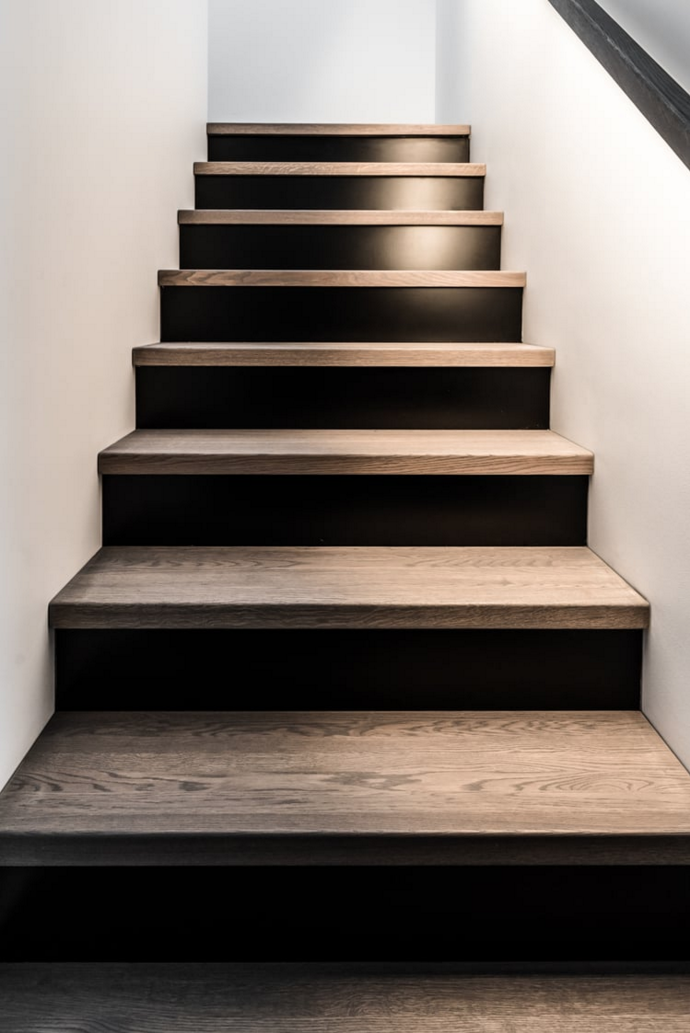
## 可以走到哪裡?
---
半年/ 切版
原因:
- code:別人幫忙寫
- 文件不會看
- 散漫
---
HTML+CSS切版 -> 基礎JS ->
-> 資料填入 -> 資料改寫 ->
-> 模組溝通 -> API介接 ->
-> 多模組溝通 -> 環境建置 -> 創新專案模式
---
## CS世界很大

---
<img src="https://miro.medium.com/max/2000/1*i9f6G2HWjKgROqQu-Ub8aA.jpeg" width="450px">
<img src="https://www.geek10.com/wp-content/uploads/2016/10/10-Early-Thoughts-On-Westworld.jpg" width="450px">
---
## JS作業Review: 3 & 4
---
## 3. Function
- Function名字
- 宣告fn
- **一個fn做一件事**
```
function sayThanks(name) {
console.log(`${name} 說你好~`);
}
sayThanks("Iris")
// Iris 說你好~
```
```
function sayThanks(name = "某個人") {
console.log(`${name} 說你好~`);
}
sayThanks()
// 某個人 說你好~
```
---
## Function 簡化表示法
- 匿名函式
```
const plantNeedsWater = function(day) {
if (day === 'Wednesday') {
return true;
} else {
return false;
}
};
```
----
### 改為箭頭函式
```
const plantNeedsWater = (day)=> {
if (day === 'Wednesday') {
return true;
} else {
return false;
}
};
```
----
### 僅傳一個變數時()可省略
```
const plantNeedsWater = day => {
if (day === 'Wednesday') {
return true;
} else {
return false;
}
};
```
----
### 簡化的簡化
- 一個變數時()可省略
- 直接return時, return可省略
```
const squareNum = num => num * num;
```
---
## 4. Scope 範疇or視野
---
### 誰是誰的變數?
```
function foo(a) {
var b = a * 2;
function bar(c) {
console.log(a, b, c);
}
bar(b * 3);
}
foo( 2 ); // 2 4 12
```
---
- 全域變數(global variable)
- 遮蔽(shadowing){}
<img src="https://i.insider.com/5e00cf21e94e8625110f5574?width=2500&format=jpeg&auto=webp" width="500px"/>
---
```
function foo(a) {
var b = a * 2;
function bar(c) {
console.log(a, b, c);
}
bar(b * 3);
}
foo( 2 ); // 2 4 12
```

[參考資料](https://cythilya.github.io/2018/10/18/lexical-scope/)
---
## 切版作業Review
---
| HW | Revised |
| -------- | -------- |
| [Sandy](https://codepen.io/sandy942559/pen/NWGoWjZ) | [V](https://codepen.io/yichen-ho/pen/BaobKrw) |
| [Rojo](https://codepen.io/rojorojo1027/pen/OJydLPg) | [V](https://codepen.io/yichen-ho/pen/bGVzXqV)|
| [Mavis](https://codepen.io/Maviskao/pen/rNORWGP) | V |
| -------- | -------- |
| [Jess](https://codepen.io/grassgoplate/pen/eYpxNEa) | [V](https://codepen.io/yichen-ho/pen/gOaErmg) |
| [Doris](https://codepen.io/doris0827/pen/YzyRBWV) | [V](https://codepen.io/yichen-ho/pen/zYvbqVY) |
| -------- | -------- |
| [David](https://codepen.io/yintelan/pen/JjYxEBM) | [V](https://codepen.io/yichen-ho/pen/RwWdaRr) |
| [FF](https://codepen.io/a40400/pen/PoPVeRP) | [V](https://codepen.io/yichen-ho/pen/VwvRGbE?editors=1100) |
---
### 關於風格:
- 顏色:[coolors](https://coolors.co/cc8b86-f9eae1-7d4f50-d1be9c-aa998f)
- 圖片:[picjumbo](https://picjumbo.com/)
- 配置:[pinterest-UI design](https://www.pinterest.ca/pin/137993176070648447/)
- 範例:[pinterest- web design](https://www.pinterest.ca/search/pins/?rs=ac&len=2&q=web%20design&eq=web&etslf=9154&term_meta[]=web%7Cautocomplete%7C0&term_meta[]=design%7Cautocomplete%7C0)
---
### HOW TO 轉譯成自己的東西?
1. TA:未來老闆/自我形象
2. 包裝:隱惡揚善
3. 視覺化:善用圖片
---
# 中階CSS排列
### - 以Nav為例
---
複習CSS元素
### 傻傻分不清楚: display && position
---
### display
- display:block: `<div>` default
- display:inline: `<span> <p>` default
- display:none: 變不見常用
- `display:none`
- `visible:hidden`
- ~~display:inlien-block~~ 有4px margin
- ~~float:left / float:right~~ 要clear
- 推:flex or grid
----
### Reset CSS
> 把border一起計算進去
> box-sizing: border-box;
Reset CSS
- https://codepen.io/yichen-ho/pen/LYpaJRm
---
### position定義位置
常用:
- position: fixed
- position: relative + position: absolute
relative決定是誰家的absolute
```
父:
position: relative;
```
```
子:
position: absolute;
top: 0 ;
left: 0;
```
---
## Nav
| 兩種排列 | 兩種父層關係 | 兩種做法|
| -------- | -------- | -------- |
| 直的 | 靠左|ul-li |
| 橫的 |靠右| div-div |
---
## 小結:CSS的三種可能
### 1. 一下 就反應
<iframe height="256" style="width: 100%;" scrolling="no" title="abvPapR" src="https://codepen.io/yichen-ho/embed/abvPapR?height=265&theme-id=dark&default-tab=result" frameborder="no" allowtransparency="true" allowfullscreen="true">
See the Pen <a href='https://codepen.io/yichen-ho/pen/abvPapR'>abvPapR</a> by YIchen Ho
(<a href='https://codepen.io/yichen-ho'>@yichen-ho</a>) on <a href='https://codepen.io'>CodePen</a>.
</iframe>
---
### 2. 左右搭配一起記
- 上週
```
{
display:flex;
justify-content: center;
align-items: center;
}
```
- position與定位
```
{
position:absolute;
top: 0;
left: 0;
}
```
---
### 3. 上下搭配才反應
- 上週
- 父層container
```
{
display:flex;
}
```
- 子層
```
{
order: 1 ;
flex: 1 ;
}
```
^^^^
---
---
## 本週作業
- 完成期中作業的Nav及網頁大綱(風格, UI)
- [flex青蛙遊戲](https://flexboxfroggy.com/#zh-tw)
- 繼續看js課程,試試在F12呼叫fn
---
- (選擇)position混合flex標題練習

---
### Q&A
---
### Thank You
---
---
# reference
https://www.pinterest.ca/
關鍵字: Web layout design
Web design
UI
https://www.pinterest.ca/pin/137993176070648447/
手機UI
https://www.pinterest.ca/pin/672373419350335309/
---
文字斷行筆記
https://blog.camel2243.com/2016/10/02/css-word-break%E3%80%81word-wrapoverflow-wrap-%E5%8F%8A-white-space-%E7%9A%84%E5%B7%AE%E5%88%A5%E8%88%87%E7%94%A8%E6%B3%95/
float 需要clear
https://www.w3schools.com/css/css_float_clear.asp
Difference between outline and border
https://stackoverflow.com/questions/1158515/difference-between-outline-and-border
---
# Nav實作
### 左右搭配一起記 && 上下搭配才反應
---

<img src="https://i.imgur.com/YimDOOs.png" width="200px">
---
```
使用float(需要clear)
使用inline-block (會多4px margin)
=> 有興趣了解的自己看:
https://zh-tw.learnlayout.com/inline-block.html
```
使用flex=> Demo
---
<iframe height="265" style="width: 100%;" scrolling="no" title="flex li nav" src="https://codepen.io/yichen-ho/embed/wvKNojj?height=265&theme-id=dark&default-tab=result" frameborder="no" allowtransparency="true" allowfullscreen="true">
See the Pen <a href='https://codepen.io/yichen-ho/pen/wvKNojj'>flex li nav</a> by YIchen Ho
(<a href='https://codepen.io/yichen-ho'>@yichen-ho</a>) on <a href='https://codepen.io'>CodePen</a>.
</iframe>
---
<iframe height="265" style="width: 100%;" scrolling="no" title="wvKNgKR" src="https://codepen.io/yichen-ho/embed/wvKNgKR?height=265&theme-id=dark&default-tab=result" frameborder="no" allowtransparency="true" allowfullscreen="true">
See the Pen <a href='https://codepen.io/yichen-ho/pen/wvKNgKR'>wvKNgKR</a> by YIchen Ho
(<a href='https://codepen.io/yichen-ho'>@yichen-ho</a>) on <a href='https://codepen.io'>CodePen</a>.
</iframe>
---
### position
<iframe height="400" style="width: 100%;" scrolling="no" title="oNjJPEK" src="https://codepen.io/yichen-ho/embed/oNjJPEK?height=265&theme-id=dark&default-tab=result" frameborder="no" allowtransparency="true" allowfullscreen="true">
See the Pen <a href='https://codepen.io/yichen-ho/pen/oNjJPEK'>oNjJPEK</a> by YIchen Ho
(<a href='https://codepen.io/yichen-ho'>@yichen-ho</a>) on <a href='https://codepen.io'>CodePen</a>.
</iframe>
{"metaMigratedAt":"2023-06-15T08:29:16.602Z","metaMigratedFrom":"YAML","title":"Lesson 3","breaks":true,"slideOptions":"{\"theme\":\"white\"}","contributors":"[{\"id\":\"75570e91-2c90-4c97-8261-0a2434a026a2\",\"add\":13575,\"del\":5877}]"}