<style>
h1 {
color: brown;
}
th, td {
margin: 0 auto !important;
border: 3px solid black !important;
table-layout: fixed !important;
width: 25% !important;
}
.info {
color: #CC4444;
}
.dangerous {
color: red;
}
.yellow {
background-color: yellow;
}
.blue {
background-color: lightblue;
}
.pink {
background-color: pink;
}
.image {
margin: 0 auto;
display: flex !important;
}
.text-center {
text-align: center !important;
display: flex !important;
align-items: center !important;
justify-content: center !important;
}
.subtitle {
font-size: 16pt;
text-align: center !important;
display: flex !important;
align-items: center !important;
justify-content: center !important;
color: #ff6b87;
background-color: lightblue;
}
.text-bold {
font-weight: bold;
}
.text-classic {
background-color: #848484;
color: gold;
}
.text-show {
background-color: green;
color: white;
font-size: 17pt;
}
.text-show2 {
background-color: red;
color: white;
font-size: 17pt;
}
</style>
# 日本將棋下棋平台介紹—Shogi Wars
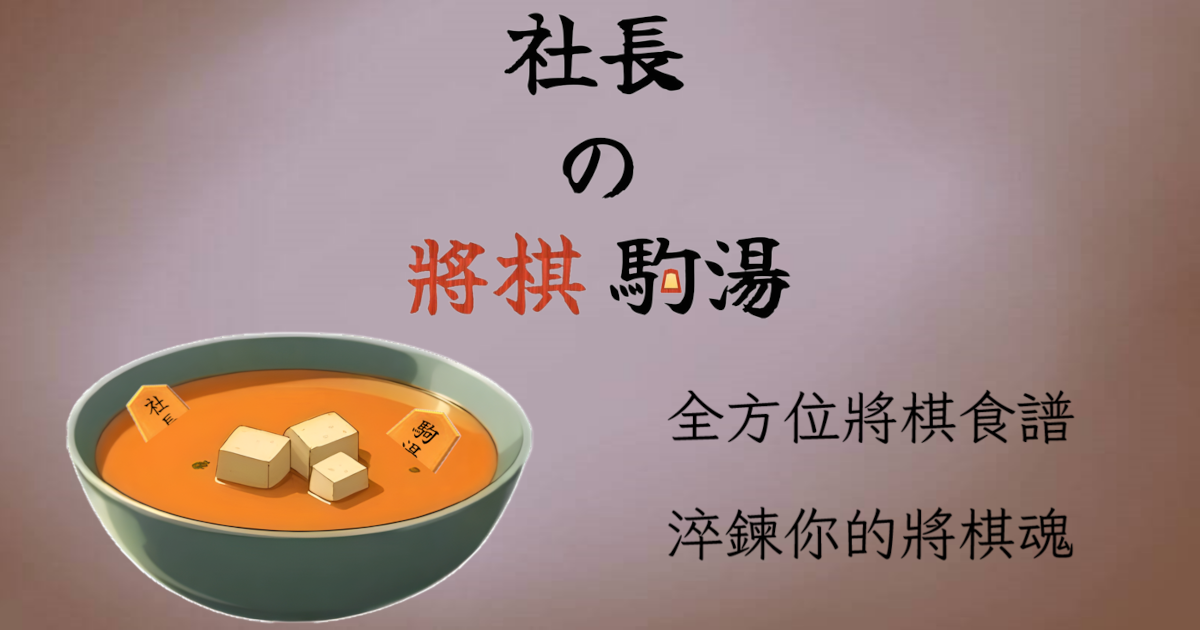
<center>最新將棋教學已轉移至<a href="https://komasoup.asobigoma.com/" target="_blank">社長の將棋駒湯</a>,HackMD 的將棋筆記不會再更新</center>
<br/>
<br/>
<br/>
<br/>
歡迎大家來到第八篇。
本篇旨在:介紹日本將棋對局平台,讓大家快速的從實戰中提升棋力
## Shogi wars
<img src="https://raw.githubusercontent.com/Crossing-Void/Shogi-notes/main/8.shogi-wars-app/elements/icon.png" class="image">
**Shogi wars** (日文:**将棋ウォーズ**)是一個日本將棋平台的大宗,可以在很多實況主、各式將棋網站等看到它的蹤影
由**HEROZ株式會社**運營,在各式作業系統都有支援,如Android、macOS、iOS等
就連我們的教學筆記都是用将棋ウォーズ的圖片呢!
Shogi wars 不只有將棋的對局,還有很多好玩的功能,例如**棋神Quiz**、**好看的戰法圍玉特效**、**直感力練習**等等,Shogi wars 完全是一款將棋手遊,可以讓您在將棋的路上更加開心!
有**網頁版**與**App**版可以使用,差異不大,只是網頁版多一個初始頁面而已
## 網頁版
我們可以從[主頁面](https://shogiwars.heroz.jp/?locale=ja)進去,裡面會有一些關於Shogi wars的最新訊息、公告。按下圖中藍色方塊即可進去遊玩網頁
<img src="https://raw.githubusercontent.com/Crossing-Void/Shogi-notes/main/8.shogi-wars-app/others/browser-main-page.png"><span class="text-center">*主畫面*</span>
也可以直接進去[遊玩畫面](https://shogiwars.heroz.jp/web_app/standard/),與上面從主頁面進去一致
<img src="https://raw.githubusercontent.com/Crossing-Void/Shogi-notes/main/8.shogi-wars-app/others/browser-play-page.png"><span class="text-center">*遊玩畫面*</span>
接下來的步驟與下載完App之後的註冊帳號一致,可以從下面找對應的步驟
:::success
:warning: 小注意
唯一我發現不同的是,對局時點擊對方的頭像,不會顯示出詳細資訊
<img src="https://raw.githubusercontent.com/Crossing-Void/Shogi-notes/main/8.shogi-wars-app/others/browser-avatar.png">
App版會跳出詳細資訊
<img src="https://raw.githubusercontent.com/Crossing-Void/Shogi-notes/main/8.shogi-wars-app/setting/4.png" height="300">
:::
## 下載App與創建帳號
打開App store 或 google play store,這邊使用google play store 介紹
1. 在搜尋欄輸入shogi wars,點選安裝,等待完成
<br>
<img src="https://raw.githubusercontent.com/Crossing-Void/Shogi-notes/main/8.shogi-wars-app/introduction/1.png" height="400" > <img src="https://raw.githubusercontent.com/Crossing-Void/Shogi-notes/main/8.shogi-wars-app/introduction/2.png" height="400" > <img src="https://raw.githubusercontent.com/Crossing-Void/Shogi-notes/main/8.shogi-wars-app/introduction/3.png" height="400">
2. 打開App,出現歡迎畫面,點擊黃色按鈕登入或註冊
<img src="https://raw.githubusercontent.com/Crossing-Void/Shogi-notes/main/8.shogi-wars-app/introduction/4.png" height="400">
3. 滑到註冊畫面,註冊你的第一個帳號(上面是登入既有的帳號,下面的才是註冊)
<img src="https://raw.githubusercontent.com/Crossing-Void/Shogi-notes/main/8.shogi-wars-app/introduction/5.png" height="400"> <img src="https://raw.githubusercontent.com/Crossing-Void/Shogi-notes/main/8.shogi-wars-app/introduction/6.png" height="400">
<span class="subtitle">註冊方式說明</span>
<img src="https://raw.githubusercontent.com/Crossing-Void/Shogi-notes/main/8.shogi-wars-app/introduction/instruction.png" class="image" height="500">
第一個格子是遊戲名稱,<span class="dangerous">只能含有**0到9**,**a到z**,**A到Z**與<span class="text-bold">底線_</span>且長度為3到15,不得由<span class="text-bold">底線_</span>開頭</span><br>(用正規表達式的話:`^[0-9a-zA-Z][0-9a-zA-Z_]{2,14}$`或者`^[^\W_]\w{2,14}$`)<br>可以用旁邊的**check按鈕**確認名字符不符合
<img src="https://raw.githubusercontent.com/Crossing-Void/Shogi-notes/main/8.shogi-wars-app/introduction/7.png" height="360"> <img src="https://raw.githubusercontent.com/Crossing-Void/Shogi-notes/main/8.shogi-wars-app/introduction/8.png" height="360" > <img src="https://raw.githubusercontent.com/Crossing-Void/Shogi-notes/main/8.shogi-wars-app/introduction/9.png" height="360" >
<span class="text-center">*上面從左邊開始分別是**名字沒問題**、**名字有人取過了**、**名字不符合規定***</span>
再來兩格是輸入密碼與再次輸入密碼,幫您的帳號創造密碼
:::warning
:warning: 小提醒
請記得您的密碼,也不要將密碼給不信任的人,以防帳號外流,以後登入時需要輸入密碼確認身分才能登入
:::
兩格密碼輸入完後,再下面一格是輸入您的電子郵件,請輸入正確的電子郵件,因為會寄發驗證碼,需要打開電子郵件去接收,確認電子郵件正確無誤後,按下旁邊的receive a code 按鈕,shogi wars 就會寄發驗證碼到剛才填入的信箱
<img src="https://raw.githubusercontent.com/Crossing-Void/Shogi-notes/main/8.shogi-wars-app/introduction/10.png" height="300" class="image"><span class="text-center">*按下receive a code 按鈕,步驟沒錯的話會出現這個畫面*</span>
打開電子郵件,找到由shogi wars寄發的郵件
<img src="https://raw.githubusercontent.com/Crossing-Void/Shogi-notes/main/8.shogi-wars-app/introduction/verify-code.png" height="400">
再來是將剛剛的驗證碼輸入到倒數第二個格子<br>最後是一格是邀請碼,如果願意的話希望可以幫我輸入==我的邀請碼q9oh61t🙏🙏==,這格不輸入也沒有關係,只是給介紹您的人一些小獎勵
最後有一個勾選格,如果想要一些新手提示,可以打勾
4. 註冊完成
註冊完成後,會跳回去主畫面,再按一次下面的登入按鈕登入即可!
<img src="https://raw.githubusercontent.com/Crossing-Void/Shogi-notes/main/8.shogi-wars-app/introduction/12.png" height="400">
登入畫面
<img src="https://raw.githubusercontent.com/Crossing-Void/Shogi-notes/main/8.shogi-wars-app/introduction/13.png" height="400">
5. My page
成功登入後畫先跳到my page畫面類似這樣
<img src="https://raw.githubusercontent.com/Crossing-Void/Shogi-notes/main/8.shogi-wars-app/my-page/1.png" height="400">
my page 裡各項功能請看下面介紹
## 主畫面介紹
恭喜你到這邊,順利辦完帳號了,如果您出現的畫面不是剛剛上面的圖片,歡迎留言讓我們知道,會盡快幫您解決問題的
==以下使用日文版本介紹,是因為作者們看日文速度比英文快,如果想要調成日文的話可以看下面的設定部分。使用英文也沒關係,按鈕位置都是一樣的,對照參考即可==
來看看主畫面
<img src="https://raw.githubusercontent.com/Crossing-Void/Shogi-notes/main/8.shogi-wars-app/main-page/1.png" height="400">
- 対局: 進入對局選單
<img src="https://raw.githubusercontent.com/Crossing-Void/Shogi-notes/main/8.shogi-wars-app/main-page/2.png" height="400">
最上面選擇模式,分別是
<img src="https://raw.githubusercontent.com/Crossing-Void/Shogi-notes/main/8.shogi-wars-app/elements/normal.png" class="image">
<span class="text-center">*通常(一般對局,與其他玩家進行對局,會算成績)*</span>
<img src="https://raw.githubusercontent.com/Crossing-Void/Shogi-notes/main/8.shogi-wars-app/elements/friend.png" class="image">
<span class="text-center">*友達(與朋友對局,不會算成績)*</span>
<img src="https://raw.githubusercontent.com/Crossing-Void/Shogi-notes/main/8.shogi-wars-app/elements/coach.png" class="image">
<span class="text-center">*指導(與女流或職業棋士對局,需要課金)*</span>
<br>
再從下面的選項選擇時間模式,分別是
<img src="https://raw.githubusercontent.com/Crossing-Void/Shogi-notes/main/8.shogi-wars-app/elements/10min.png" class="image"><span class="text-center">*10分(10-0 一局總共10分鐘,用完為止,沒有讀秒)*</span>
<img src="https://raw.githubusercontent.com/Crossing-Void/Shogi-notes/main/8.shogi-wars-app/elements/3min.png" class="image"><span class="text-center">*3分弾丸[^noun1](3-0 一局總共3分鐘,用完為止,沒有讀秒)*</span>
<img src="https://raw.githubusercontent.com/Crossing-Void/Shogi-notes/main/8.shogi-wars-app/elements/10sec.png" class="image"><span class="text-center">*10秒(0-10 每一手需在10秒內下出)*</span>
按下**対局開始**就可以開始,**戻る**則回去主畫面
:::success
:information_source: 計時表示法
在將棋中,常見的計時模式分別有3種:
1. **切れ負け**(時間到即輸掉),沒有讀秒,用完思考時間就輸掉。
例如上面的10分切れ負け、3分切れ負け
所以看到對方雖然大優勢但快沒時間時,可以使用故意沒意義王手浪費對方時 間的陰招
2. **秒読み**(時間到換成讀秒),用完思考時間時不會輸掉,而是變成每一手要在一定的秒數內下出。
3. **フィッシャーモード**(加秒模式),剛開始有一定的思考時間,每下出一手可以加多少秒思考時間的規則
<hr>
在表示時間時用 `思考時間(分)-讀秒秒數(秒)` 來表示,例如
10-0 :arrow_right: 思考時間10分鐘,用完輸掉 (shogi wars10分切れ負け)
540-60 :arrow_right: 思考時間9小時,用完一手60秒 (名人戰)
而フィッシャーモード(加秒模式)不常出現,不太會用表示法說明
:::
- 練習: 與電腦cpu進行練習賽
<img src="https://raw.githubusercontent.com/Crossing-Void/Shogi-notes/main/8.shogi-wars-app/main-page/3.png" height="400">
不會列入成績,即使沒有連線也能練習,只有在App版本提供,網頁版則無
有簡單(8級)、普通(6級)、困難(4級)可以選擇,適合在剛開始鍛鍊棋力
- 観戦: 觀看高段者之間的對局
<img src="https://raw.githubusercontent.com/Crossing-Void/Shogi-notes/main/8.shogi-wars-app/main-page/4.png" height="400">
- 棋譜: 查看自己的對局紀錄
<img src="https://raw.githubusercontent.com/Crossing-Void/Shogi-notes/main/8.shogi-wars-app/main-page/5.png" height="400">
:::warning
:warning: 小注意
沒有課金時,最多只能回溯至一個月的棋譜
:::
- 棋神クイズ: 次一手[^noun2]問題
<img src="https://raw.githubusercontent.com/Crossing-Void/Shogi-notes/main/8.shogi-wars-app/main-page/6.png" height="400">
會從自己的對局中,出成次一手問題,然後用AI告訴的評價值讓我們了解當時最善手是甚麼,例如:
<img src="https://raw.githubusercontent.com/Crossing-Void/Shogi-notes/main/8.shogi-wars-app/main-page/7.png" height="400">
:::info
:information_source: 小訣竅
因為這個Quiz的目的是告訴你哪邊有更好的一手且又是自己的棋譜,所以只要選擇不是當時下的棋步就會正確😁
不過還是請好好思考,才會提升棋力喔!
:::
- 大会: 可以看到現在有甚麼大會是正在舉辦的
<img src="https://raw.githubusercontent.com/Crossing-Void/Shogi-notes/main/8.shogi-wars-app/main-page/8.png" height="400">
:::info
:information_source: 小補充
在每個大會都會有不同的競賽標準,獎賞也不同,可以在詳細按鈕中查看
一般來說獎品大概是**頭像**、**棋神**還有**解析券**,可以在shogi wars獲得更好地遊玩體驗
- 頭像
可以從my page的頭像點入,更換頭像,請看下面my page介紹
- 棋神
可以在對戰中召喚棋神,每次召喚會幫您**自動下五手**
花一枚可以召喚普通棋神,三枚可以召喚<span class="text-classic">Gold棋神</span>,<span class="text-classic">Gold棋神</span>比普通棋神強
:::warning
:warning: 棋神注意事項
1. 棋神在您劣勢到不行的時候,可能會跳出「情況太糟糕,棋神回家了」的訊息,不讓您~~有怪罪的機會~~浪費棋神<br>==有時可以用這招來判斷自己是不是沒救了😂==
2. 棋神雖然會自動幫您下五手,但每手會需要2秒鐘,所以在剩很少時間時,不要指望棋神會幫助您
3. 棋神可以疊加狂開,在棋神還沒消失之前,狂點棋神即可
:::
- 解析券
可以用AI的力量幫助您覆盤,分別有1、2、4枚的使用功效
:::success
:information_source: 解析券功能
- 1枚:一手解析,會依據現在局面給出AI的最善手,同時附上評價值,與後面的手順[^noun3] <br><img src="https://raw.githubusercontent.com/Crossing-Void/Shogi-notes/main/8.shogi-wars-app/others/analysis-one.png" height="400">
- 2枚:グラフ,就是整局走勢,可以看到整局的評價值,讓您知道哪邊是敗筆。在評價值突然下滑很多的地方可以再仔細思考,真的想不出來,再用1枚解析券看看AI的最善手 <br><img src="https://raw.githubusercontent.com/Crossing-Void/Shogi-notes/main/8.shogi-wars-app/others/analysis-two.png">
- 4枚:精密解析,會用**Shogi wars的AI**幫您判斷**整局的棋力**、**每個部份的能力**,同時包含**整局的好手、惡手**還有附上**一句評語** <br><img src="https://raw.githubusercontent.com/Crossing-Void/Shogi-notes/main/8.shogi-wars-app/others/analysis-four.png" height="400">
:::danger
:information_source: 小撇步
基本上我們不會使用解析券1枚、2枚的功能,因為這是ShogiGUI等一般AI都可以做到的功能(ShogiGUI等AI使用方式請看這裡)<br>我們通常只會花在4枚的精密解析上,因為真的是非常精密的解析每個人的能力,除了可以推定棋力,還可以知道哪邊是你的強項與弱項,是其他AI做不到的
:::
:::
- クイズラッシュ: 類似次一手問題
<img src="https://raw.githubusercontent.com/Crossing-Void/Shogi-notes/main/8.shogi-wars-app/main-page/9.png" height="400"> <img src="https://raw.githubusercontent.com/Crossing-Void/Shogi-notes/main/8.shogi-wars-app/main-page/10.png" height="400">
主要就是會有初始局面,然後會下出一手,要判斷這手是不是好手
自己點進去玩幾次就知道啦
- マイページ: 就是my page,見下方
## my page 介紹
<img src="https://raw.githubusercontent.com/Crossing-Void/Shogi-notes/main/8.shogi-wars-app/my-page/1.png" height="400" class="image"><span class="text-center">*My page主頁*</span>
在my page 有很多關於自己**成績、棋譜、朋友**等資訊,我們來一一介紹
- 頭像選取: 可以更換代表的頭像,上面有不同種類的分類,任何帳號都會有7個預設頭像可以切換,剛開始沒有切換的話,預設是~~兇手~~黑子,圖片中圈起來的是預設的
<img src="https://raw.githubusercontent.com/Crossing-Void/Shogi-notes/main/8.shogi-wars-app/my-page/2.png" height="400">
<img src="https://raw.githubusercontent.com/Crossing-Void/Shogi-notes/main/8.shogi-wars-app/elements/kuroko.png" height="100" class="image"><span class="text-center">*誰是兇手啊*</span>
每個頭像點進去就可以看到詳細說明與設定按鈕
一般來說,背景色是藍色的是Shogi wars原創腳色、粉紅色是女流棋士、黃色是職業棋士
<img src="https://raw.githubusercontent.com/Crossing-Void/Shogi-notes/main/8.shogi-wars-app/elements/original.png" height="200" class="image"><span class="text-center blue" >*夏步*</span>
<img src="https://raw.githubusercontent.com/Crossing-Void/Shogi-notes/main/8.shogi-wars-app/elements/jyoryu.png" height="200" class="image"><span class="text-center pink">*香川愛生女流四段*</span>
<img src="https://raw.githubusercontent.com/Crossing-Void/Shogi-notes/main/8.shogi-wars-app/elements/puro.png" height="200" class="image"><span class="text-center yellow">*藤森哲也五段*</span>
- 挨拶[^noun4]: 選擇與其他玩家對戰時,玩家資訊的問候語
<img src="https://raw.githubusercontent.com/Crossing-Void/Shogi-notes/main/8.shogi-wars-app/my-page/3.png" height="400">
六個問候語的中文分別是
- 請多多指教
- 請多多指教(含表情符號)
- 請手下留情~~
- 真劍勝負(來認真比一場吧!)
- 我不會輸的~!
- 對局好開心!
- 成績表:10分、3分、10秒的段位與達成率
:::info
:information_source: 小知識
- 段位的制度
想知道shogi wars的段位與實際的段位換算嗎,請看<a>這裡</a>
- 達成率是啥?
達成率是Shogi wars**特有的升級機制**,簡單來說就是<span class="dangerous">100%可以升到下一級(段)的20%</span>,而0%後一直輸棋就會降級(段)
所以2級97%,贏了一局假設+4%,就會升至1級的21%
而每場輸贏皆會依照特定公式計算出達成率增減,一般來說贏強的人比 贏輸的人加的多;輸弱的人比輸強的人扣的多
:::
- 騎士團: 類似公會,最多可以有七人,可以參加騎士團的大會,贏得騎士團的稱號
<img src="https://raw.githubusercontent.com/Crossing-Void/Shogi-notes/main/8.shogi-wars-app/my-page/4.png" height="400">
- 得意囲い、得意戦法: 您最擅長的圍玉及戰法(只有Shogi wars承認的才會算,即<span class="dangerous">跑出特效</span>)
- トレンド戦法: 趨勢戰法,顯示出最近一個月最常出現的戰法
- 戦歴: 詳細成績,可以看先後手勝敗、連勝紀錄
- 段位認定:因為Shogi wars是有被日本將棋聯盟承認的,所以在Shogi wars的段級位是可以申請證書的,不過很貴還要加運費,所以我聽過的朋友基本都是認定沒有三段以上不用申請(~~跟全民英檢初級一樣~~)
價格表:
<img src="https://raw.githubusercontent.com/Crossing-Void/Shogi-notes/main/8.shogi-wars-app/others/fee.png" height="400">
- 棋力レーダーチャート:可以檢查自己哪邊是弱項、強項
- コレクション:在Shogi wars中觸發特定的戰型、圍玉、手筋就會跑出特效
跑出過的特效就會被放在這裡
彩色表示跑出特效且贏了該對局;黑白則表示跑出特效但輸了對局
<img src="https://raw.githubusercontent.com/Crossing-Void/Shogi-notes/main/8.shogi-wars-app/elements/diamond.png" height="330"> <img src="https://raw.githubusercontent.com/Crossing-Void/Shogi-notes/main/8.shogi-wars-app/elements/diamond-mono.png" height="330">
- 一些雜項: 其餘的都很好懂,例如今天還可以下幾局、持有棋神與解析券的數量
:::info
:information_source: 小提示
在Shogi wars中沒有買月票的玩家,一天只能進行<span class="dangerous">3場對局</span>,不過朋友對局則無上限<br>每天場數重新計算是日本時間(+9:00)凌晨3點,即台灣時間(+8:00)<span class="dangerous">凌晨2點</span>,所以有人會在大概1點半開始下3局,等到2點又可以再下3局,一次花完兩天份:smile:
剛開始想要一直下棋、又不想花錢的人,也可以用其他對局軟體81道場、24俱樂部等
不過shogi wars的月票不會很貴有500円(日幣)、960円(日幣)兩種月票,都支援指し放題(下到飽),960円還支援選擇**聲音種類**等,詳細優惠可以自行確認!
:::
:::success
:information_source: 小撇步
在Shogi wars中很多地方都有音效,沒有買super premium的帳號只能選擇**預設語音**
而買super premium的帳號除了預設語音還可以選擇<span class="dangerous">7種不同棋士</span>的聲音
這邊給大家試聽版本,讓大家決定要不要買super premium(super premium 還有其他優惠,不僅限於選擇聲音)
==注意以下音樂僅限於試聽,不得作為商業利用,喜歡的朋友,可以購買shogi wars的super premium享受完整的體驗==
<hr>
1. [預設聲音](https://drive.google.com/file/d/113nm64g7wrA0J9TZOEWQOoLlJe0bSuMo/view?usp=sharing)
<img src="https://raw.githubusercontent.com/Crossing-Void/Shogi-notes/main/8.shogi-wars-app/photo/1.png" width="200">
*不知道放甚麼,只好放棋神降臨*
2. [香川愛生](https://drive.google.com/file/d/1oiwy_AsMbm4SfGYhfXgl82O3zGZ3qeJr/view?usp=sharing)
<img src="https://raw.githubusercontent.com/Crossing-Void/Shogi-notes/main/8.shogi-wars-app/photo/2.png" width="200">
*來源:twitter*
3. [室谷由紀](https://drive.google.com/file/d/13ijtKCmtXHWmTavC-IX7JxgjttWjnkHV/view?usp=sharing)
<img src="https://raw.githubusercontent.com/Crossing-Void/Shogi-notes/main/8.shogi-wars-app/photo/3.png" width="200">
*來源:twitter*
4. [塚田恵梨花](https://drive.google.com/file/d/1EsN_mSDsHNu4bIICLrSYwpo5H47cLKf-/view?usp=sharing)
<img src="https://raw.githubusercontent.com/Crossing-Void/Shogi-notes/main/8.shogi-wars-app/photo/4.png" width="200">
*來源:twitter*
5. [山口恵梨子](https://drive.google.com/file/d/10F7fKr4Fxi0nMYT5EEbkpgQ8qU70dUvt/view?usp=sharing)
<img src="https://raw.githubusercontent.com/Crossing-Void/Shogi-notes/main/8.shogi-wars-app/photo/5.png" width="200">
*來源:youtube*
6. [加藤一二三](https://drive.google.com/file/d/1NGAHAwGP34tbH5OTH9c8BbKQSN06STO8/view?usp=sharing)
<img src="https://raw.githubusercontent.com/Crossing-Void/Shogi-notes/main/8.shogi-wars-app/photo/6.jpg" width="200">
*來源:日本将棋聯盟網站*
7. [武富礼衣](https://drive.google.com/file/d/1FueuRLjEHA777gMIvAN8efafJbcYMgTm/view?usp=sharing)
<img src="https://raw.githubusercontent.com/Crossing-Void/Shogi-notes/main/8.shogi-wars-app/photo/7.png" width="200">
*來源:twitter*
8. [鈴木環那](https://drive.google.com/file/d/1cqm0kK6a5PPvQJlSfZYIxMdjIfw010tE/view?usp=sharing)
<img src="https://raw.githubusercontent.com/Crossing-Void/Shogi-notes/main/8.shogi-wars-app/photo/8.jpg" width="200">
*來源:日本将棋聯盟網站*
9. [藤森哲也](https://drive.google.com/file/d/1-KD1pk6WjQU7cjDg86qVT5xAl0w2UI15/view?usp=sharing)
<img src="https://raw.githubusercontent.com/Crossing-Void/Shogi-notes/main/8.shogi-wars-app/photo/9.png" width="200">
*來源:twitter*
<span class="text-center">==2023 7月新增藤森哲也的語音!==</span>
:::
## 設定
在設定裡有一些重要的選項,這邊來進行介紹
<img src="https://raw.githubusercontent.com/Crossing-Void/Shogi-notes/main/8.shogi-wars-app/setting/1.png" height="400" class="image">
- 落棋聲音:下棋時會發出的聲音
- 背景音樂:就是背景音樂
- 背景音樂種類:總共有兩種,預設是隨機
- 語音:即上面小撇步的語音
- 語音選項:選擇語音種類,<span class="dangerous">沒有買super premium 只能選初期聲音</span>
- 棋駒種類:可以選要一字駒、二字駒或國際板
- 滑動落棋:見下面小注意
- 是否與電腦對戰:預設是おまかせ(無所謂),即在通常對局時有可能會出現Shogi wars的cpu對手,不想要遇到cpu對手,調成対戦しない即可
- 對手的強度:有**かなり強め**(非常強)、**少し強め**(有點強)、**おまかせ**(正常)、**少し弱め**(有點弱)、**かなり弱め**(非常弱)5種
==有人會覺得那調非常弱不是很好嗎?因為上面說過贏比自己弱的對手,應該是理所當然,達成率就不會加很多,相對的,輸了就會降很多==
- 隱藏對手名字:在對戰時,不會顯示對手的名字。這個在很多實況主的影片會調成ON,用以保護對手的隱私、資訊
:::success
:information_source: 小注意
1. 滑動(スワイプ)落棋:
當滑動ON時,可以直接點擊棋駒,不放開的移動到終點位置,再放開;
<img src="https://raw.githubusercontent.com/Crossing-Void/Shogi-notes/main/8.shogi-wars-app/setting/8.png" height="300"> <img src="https://raw.githubusercontent.com/Crossing-Void/Shogi-notes/main/8.shogi-wars-app/setting/10.png" height="300">
當滑動OFF時,則必須要點及棋駒,放開,再點擊終點位置。
<img src="https://raw.githubusercontent.com/Crossing-Void/Shogi-notes/main/8.shogi-wars-app/setting/9.png" height="300"> <img src="https://raw.githubusercontent.com/Crossing-Void/Shogi-notes/main/8.shogi-wars-app/setting/10.png" height="300">
2. 隱藏對手名字是發生在開戰時一瞬間而已
<img src="https://raw.githubusercontent.com/Crossing-Void/Shogi-notes/main/8.shogi-wars-app/setting/2.png" height="300"> <img src="https://raw.githubusercontent.com/Crossing-Void/Shogi-notes/main/8.shogi-wars-app/setting/3.png" height="300" >
如果點擊對方的頭像,一樣會顯示出對手的名字
<img src="https://raw.githubusercontent.com/Crossing-Void/Shogi-notes/main/8.shogi-wars-app/setting/4.png" height="300">
:::
以上設定完成後要按下設定保存才會更動,若直接跳出,設定會維持原狀
<img src="https://raw.githubusercontent.com/Crossing-Void/Shogi-notes/main/8.shogi-wars-app/setting/5.png" height="300">
登出按鈕
<img src="https://raw.githubusercontent.com/Crossing-Void/Shogi-notes/main/8.shogi-wars-app/setting/6.png" height="300">
語言設定(一樣記得按保存)
<img src="https://raw.githubusercontent.com/Crossing-Void/Shogi-notes/main/8.shogi-wars-app/setting/7.png" height="300">
## 友達
Shogi wars當然可以加朋友,而朋友基本上只差在**朋友對局**而已,不然朋友沒啥用
點開友達一覽
<img src="https://raw.githubusercontent.com/Crossing-Void/Shogi-notes/main/8.shogi-wars-app/friend/1.png" height="300">
會看到有左右兩個選項
左邊(友達登録している)代表由**我方傳送給對方交友申請**,對方有沒有互相加好友要看右邊的按鈕
<img src="https://raw.githubusercontent.com/Crossing-Void/Shogi-notes/main/8.shogi-wars-app/friend/2.png" height="300" class="image"><span class="text-center">圖片中由我方傳送的交友申請有16個</span>
右邊(友達登録されている)代表被對方加為好友,按下<span class="dangerous">友達登録</span>即互相成為好友(沒有友達登録代表您已經是好友了)<img src="https://raw.githubusercontent.com/Crossing-Void/Shogi-notes/main/8.shogi-wars-app/friend/3.png" height="300" class="image"><span class="text-center">圖片中由對方傳送來的交友申請有10個,有2個還沒有被我方同意</span>
總結
| | 我方 | 對方 |
| -------- | -------- | -------- |
| 我要加別人為好友 | 找到對方,按下友達登録<span class="text-show2">先</span> | 對方從右邊按鈕找到你,按下友達登録<span class="text-show">後</span>|
| 對方加你為好友 | 去右邊找到對方,按下友達登録<span class="text-show">後</span> | 找到你,按下友達登録<span class="text-show2">先</span> |
<span class="subtitle">進行友達對局</span>
要進行朋友的對戰,需要兩邊都互相加入朋友後,兩邊都要點開対局,調成友達模式,時間模式兩邊也需要一致,就可以了,例如:
<img src="https://raw.githubusercontent.com/Crossing-Void/Shogi-notes/main/8.shogi-wars-app/friend/7.png" height="300"> <img src="https://raw.githubusercontent.com/Crossing-Void/Shogi-notes/main/8.shogi-wars-app/friend/8.png" width="500">
:::success
:information_source: 傳送申請給別人
要如何傳送交友申請給別人呢?有很多方式,以下介紹兩種主要的
1. 在剛剛的友達一覽區域下面使用搜索功能
<img src="https://raw.githubusercontent.com/Crossing-Void/Shogi-notes/main/8.shogi-wars-app/friend/4.png" height="300"> <img src="https://raw.githubusercontent.com/Crossing-Void/Shogi-notes/main/8.shogi-wars-app/friend/5.png" height="300">
2. 點擊別人的my page往下滑,找到友達登録
<img src="https://raw.githubusercontent.com/Crossing-Void/Shogi-notes/main/8.shogi-wars-app/friend/6.png" height="300">
:::
[^noun1]: 弾丸:弾丸(だんがん),有子彈、彈珠等意思,後來也可以用在很短的事情上,例如弹丸旅行就是指時間很短的旅行,即快閃旅行
[^noun2]: 次一手:次の一手(つぎのいって),在將棋裡聽到次一手問題,就是指要依據現在的盤面思考出最好的一手,也就是最善手
[^noun3]: 手順:手順(てじゅん),有程序、步驟的意思,在將棋裡是接下來的變化、棋步的意思。
[^noun4]: 挨拶:挨拶(あいさつ),日文問候的意思,
 Sign in via Google
 Sign in via Facebook
 Sign in via X(Twitter)
 Sign in via GitHub
 Sign in via Dropbox
 Sign in with Wallet
Connect another wallet
Sign in with Wallet
Connect another wallet