# CI/CD
---
* Intorduction to CI/CD
* History and Evolution
* Continous Integration
* Continous Deployment
* Do it on your own
---
## Intorduction to CI/CD
---
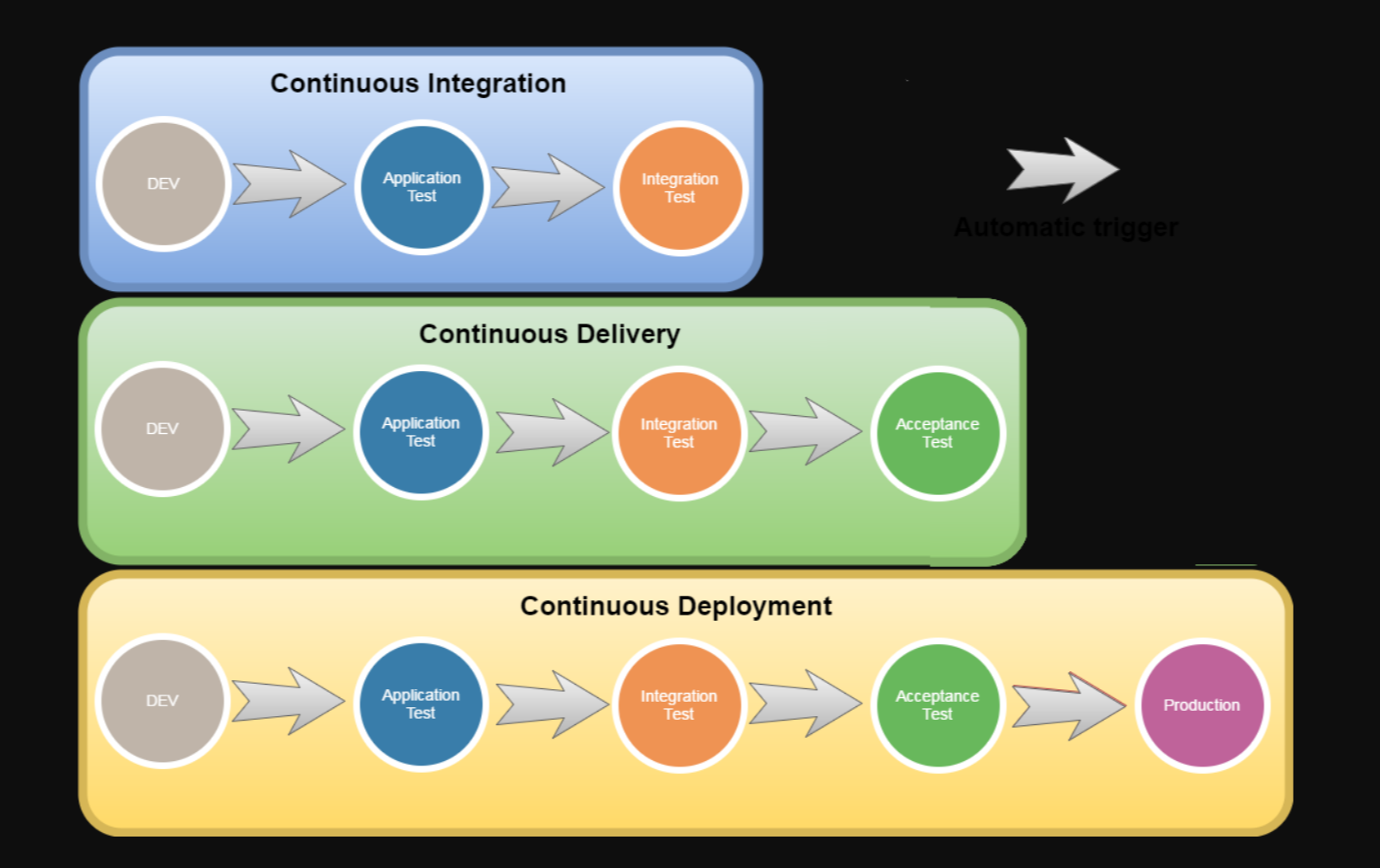
* **Continuous Integration (CI):** This is the practice of merging all developers' working copies to a shared mainline several times a day. The main goal is to prevent integration problems, commonly known as *"integration hell."*
* **Continuous Deployment (CD):** Once all code changes are tested, they are deployed directly to the production environment. It emphasizes a fully automated release process.
---
### Advantages:
* Abstracts away deployment logic
* Accelerates the development process
* Enhances code quality
* Reduces time to market
---
### Disadvantages:
* Initial configuration overhead
* Mainting costs
---
## History
---
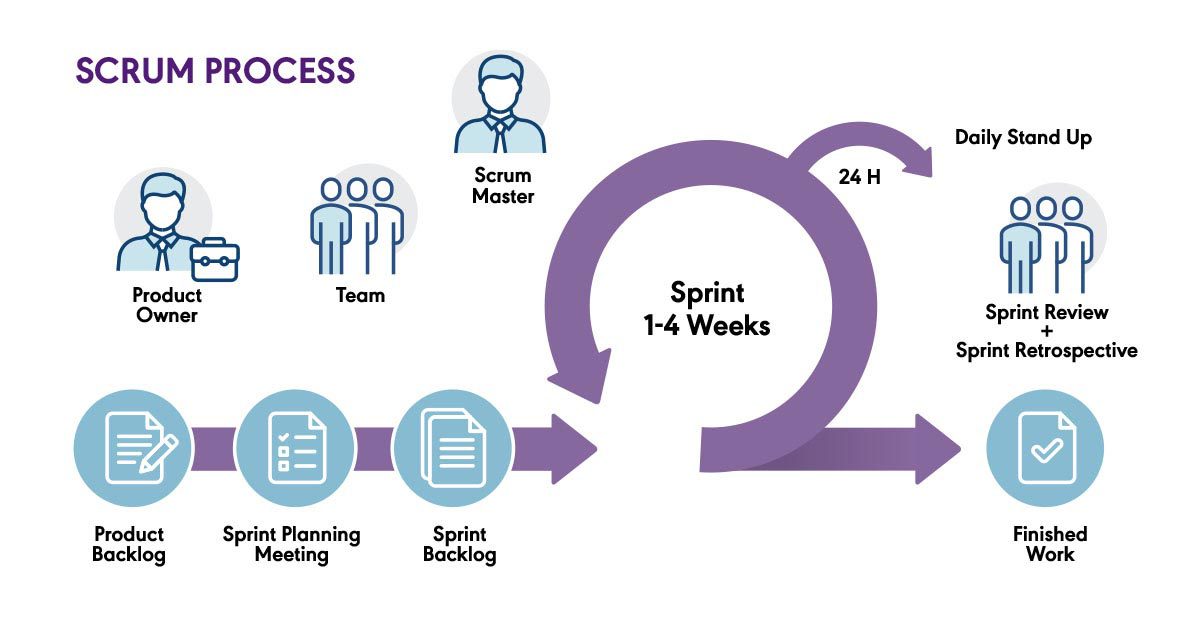
### Scrum
---
### Cloud Native
* Virtual computing
* Cloud provider
* Docker
* Microservices
---
## Continous Integration
---
-3.png?width=650&name=Continuous%20Integration%20Tools%20(V4)-3.png)
---
* **Build:** Make sure that you build it on same platform than deployment
* **Test:** Unit Tests, Integration Tests, but also Linting
* **Report:** Code metrics, Performance metrics
---
### Build
* Can be a Software Package like with Hitachi
* Can be a Docker container
* Can be only code optimization like for Javascript
---
### Azure Devops & Bitbucket, etc
* Can all be configured on their platform
* If we work with Azure Cloud Platform there exist already some easier integration with the Azure Cloud
* Can also be done manually, althrough requires a lot of overhead
---
## Continous Deployment
---
* Everything in tha cloud plzzzz (except if you can't)
* Advantages like: Blue-green deployments, canary releases, feature toggles.
* Monitoring
* Rollbacks
---
---
# Now you implement it on your own!
- https://dev.azure.com/originate-training/ci-cd-training/_build
- https://portal.azure.com/#@originate.ch/resource/subscriptions/50495108-be87-45dd-a897-faae33b46d7d/resourceGroups/ci-cd-training/overview
- https://bitbucket.org/originategmbh/workspace/projects/IN
{"slideOptions":"{\"transition\":\"slide\"}","title":"Untitled","description":"Choose <i class=\"fa fa-tv\"></i> Slide Mode in the top right sharing <i class=\"fa fa-share-alt fa-18\"></i> menu and hit “Preview” to see your slide.","contributors":"[{\"id\":\"e4695c40-8542-48a2-901b-75fef8fc9e64\",\"add\":2540,\"del\":63}]"}