# How Does it work?
## CAPTCHA
**[CAPTCHA](https://www.cloudflare.com/learning/bots/how-captchas-work/)** stands for the Completely Automated Public Turing test to tell Computers and Humans Apart. **CAPTCHAs** are tools you can use to **differentiate between real users and automated users, such as bots**. CAPTCHAs provide challenges that are difficult for computers to perform but relatively easy for humans. For example, identifying stretched letters, or clicking on specific items.
**reCAPTCHA** is a CAPTCHA system owned by [Google](https://www.google.com/recaptcha/about/). It has two major versions:
* **V2 (2014)** issues an interactive challenge to verify if the user interaction is legitimate.
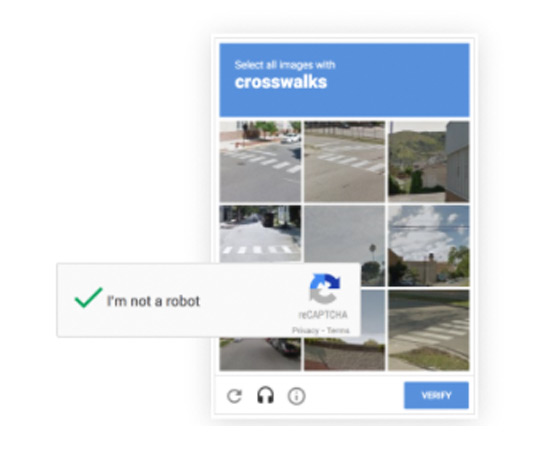
* **V3 (2018)** does not have an interactive challenge. It is invisible and verifies requests with a score between 0 (bot) and 1 (human) depending on how likely the user is to be a bot. The website developer can determine what action should be taken based on the score. Google says you can use a default threshold score of 0.5.
➨ Ways of determining bots include user behavior tracking, Google account cookies, etc.
| | Pros | Cons |
| -- | ------------------ | ------------------ |
| V2 | Fairly good at blocking bots. | Bad user experience. Users will waste time solving challenges. |
| V3 | Better user experience. | Might resolve in false postives (humans that were incorrectly blocked), especially in Incognito mode or using browsers other than Chrome.
There are still chances of false negatives (bots that were incorrectly determined to be humans) for both V2 and V3 though.
## Cloudflare Turnstile
[Cloudflare Turnstile](https://www.cloudflare.com/products/turnstile/) is a free tool to replace CAPTCHAs. It was publicly released in September 2023.

In **managed mode** (we will talk about different modes later in the implementation section):
* First, [Cloudflare will check user browser information and user behavior](https://blog.cloudflare.com/turnstile-ga/) to determine if it's likely to be a bot.
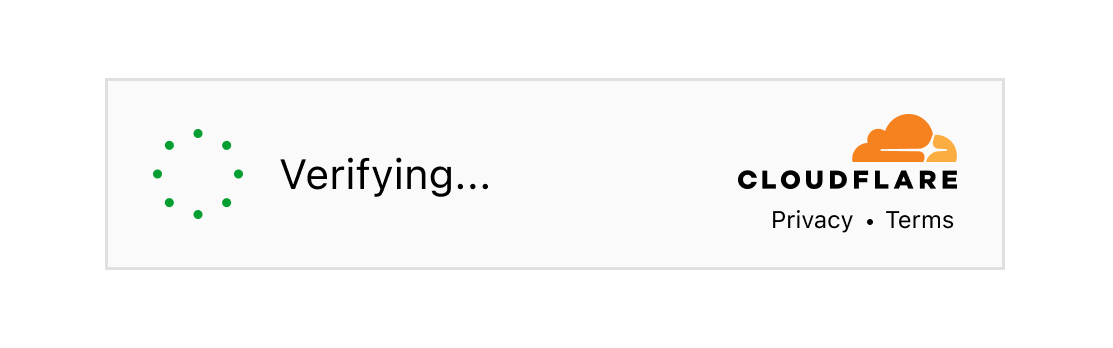
* If Cloudflare is confident that the user is **likely human**, then a checkmark will appear and **no further action needs to be taken**.

* If Cloudflare **suspects the user to be a bot**, a **visual challenge** is issued where the user has to check a checkmark. During the process, Cloudflare will analyze the behavior to check if it's likely to be a bot.

* If it's **likely to be a bot**, then the challenge will **fail**. Otherwise the challenge will pass.

# How to Implement
## Intro
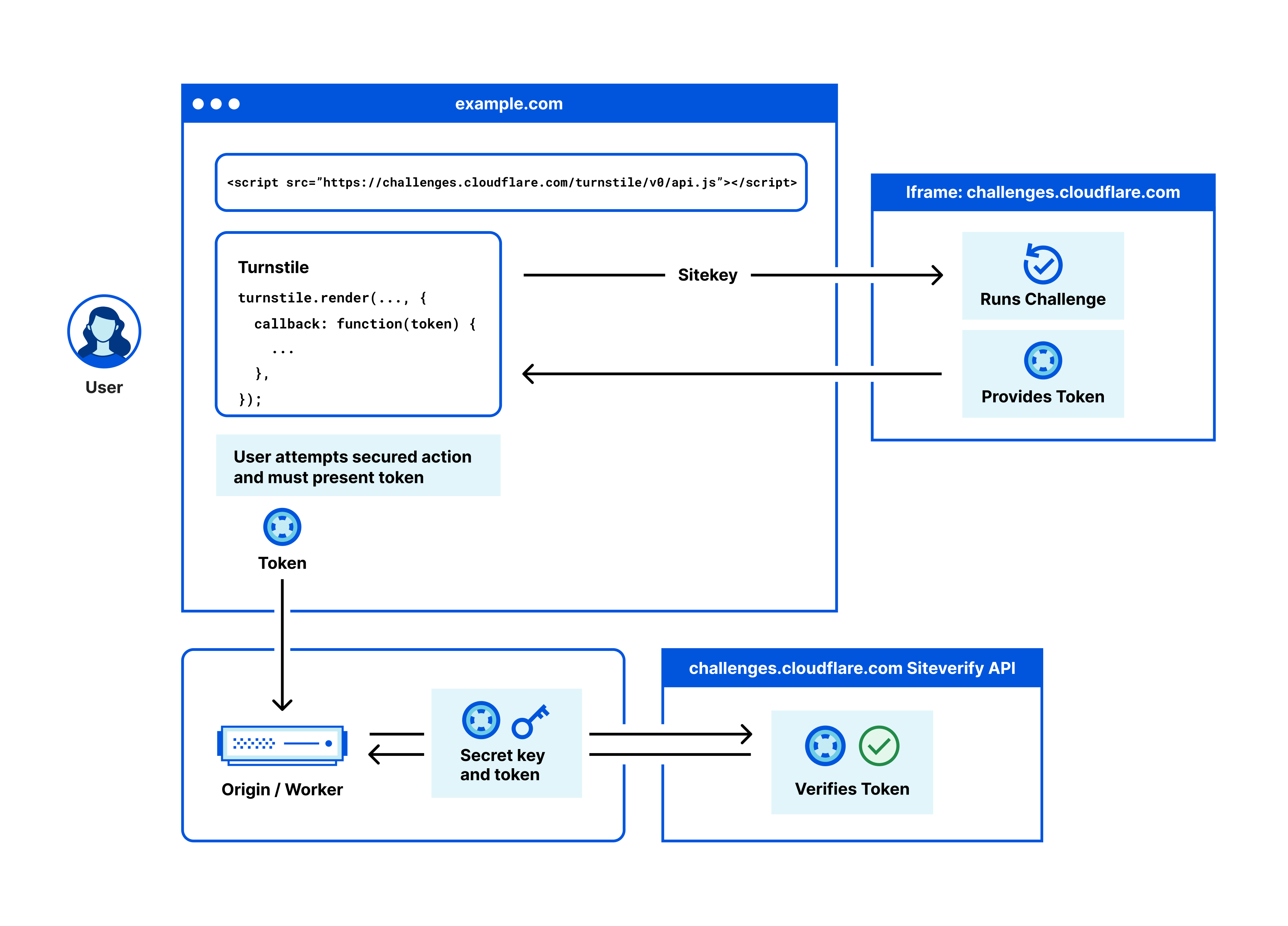
The [official docs](https://developers.cloudflare.com/turnstile/get-started/) are quite good so let's take a look there.
## Widget Types
There are [three widget types](https://developers.cloudflare.com/turnstile/reference/widget-types/): **Managed**, **Non-Interactive**, and **Invisible**.
The Widget type can be set in your Cloudflare Turnstile Settings.
## Example
In our example, we are using Cloudflare's recommended **Managed Mode**.
Ours demos are located in our `iBuypower.NextJS` project, branch `Cloudflare-Turnstile-Demo`.
Cloudflare has [Dummy Keys](https://developers.cloudflare.com/turnstile/reference/testing/) that can be used for local testing.
### Client Side Code
#### Custom Hook
I've created a custom hook in `hooks\useCloudflareTurnstile.ts`:
```typescript
import { useEffect, useState } from 'react';
declare const turnstile: any;
// *** DUMMY SITE KEYS ***
// -- Always passes
const SITEKEY = '1x00000000000000000000AA';
// -- Always blocks
// const SITEKEY = "2x00000000000000000000AB";
// -- Forces an interactive challenge
// const SITEKEY = "3x00000000000000000000FF";
export enum Execution {
Render = 'render',
Execute = 'execute',
}
function printColoredMsg(msg: string, color: string) {
console.log(`%c${msg}`, `color: ${color};`);
}
export default function useCloudflareTurnstile(
action: string, containerId: string, execution: Execution) {
const [turnstileToken, setTurnstileToken] = useState('');
const [turnstileWidgetId, setTurnstileWidgetId] = useState('');
function prepareTurnstileWidget() {
const widgetId = turnstile.render(`#${containerId}`, {
sitekey: SITEKEY,
language: 'en',
action,
execution,
callback: function (token: string) {
printColoredMsg(`${widgetId}: Challenge Success ${token}`, 'mediumseagreen');
setTurnstileToken(token);
},
'expired-callback': function () {
printColoredMsg('Expired Callback', 'orangered');
// refresh token
setTurnstileToken('');
turnstile.reset(`#${containerId}`);
turnstile.execute(`#${containerId}`);
},
});
setTurnstileWidgetId(widgetId);
printColoredMsg(`--- prepareTurnstileWidget #${containerId} ---`, 'steelblue');
printColoredMsg(`new widgetId #${widgetId} ---`, 'steelblue');
}
// Remove Cloudflare Turnstile widget when component unmounts
useEffect(() => {
return () => {
printColoredMsg('--- cleanup Turnstile ---', 'salmon');
if (turnstileWidgetId) {
printColoredMsg(`Removed Turnstile widget: ${turnstileWidgetId}`, 'salmon');
turnstile.remove(turnstileWidgetId);
}
};
}, [turnstileWidgetId]);
return {
turnstileToken,
setTurnstileToken,
turnstileWidgetId,
setTurnstileWidgetId,
prepareTurnstileWidget,
};
}
```
---
#### Index Page
In `pages\temp\index.tsx`, we have a simple page that has links which will take us to the **implcit render** and **explicit render** demo.
```typescript
import Link from 'next/link';
export default function Temp() {
return (
<div className="mt-5 text-center">
<h1 className="mb-2 text-2xl">Cloudflare Turnstile Demo</h1>
<Link className="mr-5 text-blue-600" href="/temp/implicit-render">
Implicit Render
</Link>
<Link className="text-blue-600" href="/temp/explicit-render">
Explicit Render
</Link>
</div>
);
}
```
---
#### Implicit Render
In `pages\temp\implicit-render.tsx`:
```typescript
import useCloudflareTurnstile, { Execution } from '@/hooks/useCloudflareTurnstile';
import axios from 'axios';
import { useRouter } from 'next/router';
import Script from 'next/script';
import { useState } from 'react';
export default function ImplicitRender() {
const router = useRouter();
const [email, setEmail] = useState('');
const [password, setPassword] = useState('');
// for Cloudflare Turnstile
const { turnstileToken, prepareTurnstileWidget } = useCloudflareTurnstile(
'implicit-demo',
'implicit-container',
Execution.Render
);
const submitForm = async (e: React.FormEvent<HTMLFormElement>) => {
e.preventDefault();
if (turnstileToken === '') {
return;
}
const resp = await axios.post(
'/api/member/temp-cloudflare-turnstile', { email, password, turnstileToken }
);
console.log('resp.data', resp.data);
if (resp.data.success) {
alert('Login success');
router.push('/temp');
} else if (resp.data.message) {
alert(resp.data.message);
} else {
alert('Login failed');
}
};
return (
<>
<Script
src="https://challenges.cloudflare.com/turnstile/v0/api.js"
defer
onReady={prepareTurnstileWidget}
></Script>
<div className="mt-5 w-full">
<div className="mx-auto w-fit">
<h1 className="mb-4 text-3xl">Cloudflare Turnstile - Implicit Render</h1>
<form className="flex flex-col" action="POST" onSubmit={submitForm}>
<input
className="mb-2 p-1"
type="email"
placeholder="email"
required={true}
value={email}
onChange={(e) => setEmail(e.target.value)}
/>
<input
className="mb-2 p-1"
type="password"
placeholder="password"
required={true}
value={password}
onChange={(e) => setPassword(e.target.value)}
/>
<button
className={`mt-4 rounded p-3 ${
turnstileToken === ''
? 'cursor-not-allowed bg-gray-400'
: 'bg-yellow-400'
}`}
>
Submit
</button>
{/* The Turnstile widget will be injected in the following div */}
<div className="mt-5" id="implicit-container"></div>
</form>
</div>
</div>
</>
);
}
```
---
#### Explicit Render
In `pages\temp\explicit-render.tsx`:
```typescript
import useCloudflareTurnstile, { Execution } from '@/hooks/useCloudflareTurnstile';
import axios from 'axios';
import { useRouter } from 'next/router';
import Script from 'next/script';
import { useState } from 'react';
// for Cloudflare Turnstile
declare const turnstile: any;
export default function ExplicitRender() {
const router = useRouter();
const [showForm, setShowForm] = useState(false);
const [email, setEmail] = useState('');
const [password, setPassword] = useState('');
// for Cloudflare Turnstile
const { turnstileToken, prepareTurnstileWidget } = useCloudflareTurnstile(
'explicit-demo',
'explicit-container',
Execution.Execute
);
const submitForm = async (e: React.FormEvent<HTMLFormElement>) => {
e.preventDefault();
if (turnstileToken === '') {
return;
}
const resp = await axios.post(
'/api/member/temp-cloudflare-turnstile', { email, password, turnstileToken }
);
console.log('resp.data', resp.data);
if (resp.data.success) {
alert('Login success');
router.push('/temp');
} else if (resp.data.message) {
alert(resp.data.message);
} else {
alert('Login failed');
}
};
return (
<>
<Script
src="https://challenges.cloudflare.com/turnstile/v0/api.js"
defer
onReady={prepareTurnstileWidget}
></Script>
<div className="mt-5 w-full">
<div className="mx-auto w-fit">
<h1 className="mb-4 text-3xl">Cloudflare Turnstile - Explicit Render</h1>
{!showForm ? (
<button
className="mx-auto mt-4 rounded bg-blue-400 p-3"
onClick={() => {
setShowForm(true);
turnstile.execute('#explicit-container');
}}
>
Show form
</button>
) : (
<form className="flex flex-col" action="POST" onSubmit={submitForm}>
<input
className="mb-2 p-1"
type="email"
placeholder="email"
required={true}
value={email}
onChange={(e) => setEmail(e.target.value)}
/>
<input
className="mb-2 p-1"
type="password"
placeholder="password"
required={true}
value={password}
onChange={(e) => setPassword(e.target.value)}
/>
<button
className={`mt-4 rounded p-3 ${
turnstileToken === ''
? 'cursor-not-allowed bg-gray-400'
: 'bg-yellow-400'
}`}
>
Click
</button>
</form>
)}
{/* The Turnstile widget will be injected in the following div */}
{/* NOTE: The injected div must always be here and cannot be conditionally rendered, or else the widget fill fail to be injected */}
<div className="mt-5" id="explicit-container"></div>
</div>
</div>
</>
);
}
```
---
### Server Side Code
In `pages\api\member\temp-cloudflare-turnstile.ts`;
```typescript
import withSession from '@/lib/session';
import axios from 'axios';
export default withSession(async (req, resp) => {
// Always passes
const SECRET_KEY = '1x0000000000000000000000000000000AA';
// Always fails
// const SECRET_KEY = '2x0000000000000000000000000000000AA';
// check email & password
const { email, password } = req.body;
if (email !== 'a@b.com' || password !== '1234') {
resp.status(200).json({ success: false, message: 'Invalid email or password' });
}
const url = 'https://challenges.cloudflare.com/turnstile/v0/siteverify';
const external = await axios.post(url, {
secret: SECRET_KEY,
response: req.body.turnstileToken,
});
console.log('**************************');
console.log(req.body);
console.log(external.data);
resp.status(200).json(external.data);
});
```
---
### Console Logs
We are going to run the project and show the demo in the browser.
This is what the normal process console logs will look like:

Since we are using a dummy Site Key, the widget will return a dummy token that never expires.
* However, **real tokens expire after 300 seconds**.
* This is what the console logs will look like with using a real Site Key and what happens when a token expires.

## Important Considerations
### Use the Next.js `<Script>` tag if using Next.js
- When using Next.js, it is important to use the Next.js `<Script>` tag to load the script. This is because when a user navigates to a new route wihtin our site, the **browser doesn't reload the page**.
- If we use a normal html `<script>` tag and navigate this way, the window `onloadTurnstileCallback` function will not be called (see Cloudflare Turnstile offical docs for plain html example).
### DO NOT conditionally render the `<div>` widget container
- The `<div>` widget container needs to already be there when the Turnstile script loads, or else the widget iframe will not be able to be injected correctly in the `<div>`.
### Make sure to handle expired tokens
- Turnstile tokens `expire after 300 seconds`, so make sure to handle that. The widget has a `expired-callback` that you can use to **refresh tokens**.
- Calling `turnstile.execute()` will only return the current token. If `turnstile.reset()` has not been called, it will return the current (and possibly expired) token. Thus, when refreshing a widget, make sure to call `reset()` first and then `execute()`.
### Remove Cloudflare Turnstile widget when component unmounts
- In React, this can be used in the cleanup function of useEffect
# References
**CAPTCHA Info**
* https://www.cloudflare.com/learning/bots/how-captchas-work/
* https://datadome.co/bot-management-protection/recaptchav2-recaptchav3-efficient-bot-protection/
**reCAPTCHA**
* https://developers.google.com/recaptcha/docs/display
* https://developers.google.com/recaptcha/docs/v3
**Cloudflare Turnstile**
* https://developers.cloudflare.com/turnstile/
 Sign in via Facebook
 Sign in via X(Twitter)
 Sign in via GitHub
 Sign in via Dropbox
 Sign in with Wallet
Connect another wallet
Sign in with Wallet
Connect another wallet