# Code Note
# Html
## element ui
[element ui 模板](https://github.com/JasonBai007/vue-seed)
[element ui menu RWD](https://github.com/jeffminsungkim/vueMenu-template)
[ element-ui更换主题和按需引入组件](https://segmentfault.com/a/1190000014510062)
# CSS
[(2)寫CSS前的準備工作](http://tzrae.logdown.com/posts/238318-2-before-writing-the-css-preparation)
[Scss reset ](https://gist.github.com/hcatlin/1027867)
[css3 翻轉效果](https://www.jianshu.com/p/99aeb911f547)
## Sass
Sass 是個可以提高寫Css效率的程式語言!! 可以以便數的方式命名 css 減少重複修改的時間!

主要功能如下 :
1. 變數(Variable)
2. 繼承 (Extend)
3. 混用 (Mixin)
4. 函式 (Function)
### 變數(Variable)
將 Css 用成變數了方式,方便在需要做全站改動的時候,可以更快入更迅速!僅一次,就可以作到全站更動的效果!
使用方法,在先宣告變數前打上『$』+變數名稱,當有需要使用變數時,只須寫上變數名稱即可!!
```sass
$font_style:Microsoft JhengHei;
$body_color: #E1E1E1
body {
font-family: $font_style;
color: $body_color;
}
.header a{
font-family: $font_style;
color: $body_color;
}
.footer a {
color: $body_color;
}
```
### 繼承 (Extend)
---
https://twitter.com/alexjoverm/status/1008655575259992064/photo/1?fbclid=IwAR1sWIUftxNAMEW3iLJiBpUsHZIsjfL7r2Z0IWb3JKPfTkwKgZ3sNMTzElE
---
# git
[保哥的 30 天精通 Git 版本控管
](https://github.com/doggy8088/Learn-Git-in-30-days)
[github and Source tree
](https://hackmd.io/s/Bymbf3y2)
git blame *****(檔案) 可以看每個檔案的每行是誰寫的
# bitbucket
[Bitbucket + SourceTree 基礎教學](http://tw-hkt.blogspot.com/2014/02/bitbucket-sourcetree.html)
# Js
# Vscode
## 外掛套件
### html
#### Class autocomplete for HTML

[Class autocomplete for HTML 外掛](https://marketplace.visualstudio.com/items?itemName=AESSoft.aessoft-class-autocomplete)
---
#### HTML Snippets

[HTML Snippets 外掛](https://marketplace.visualstudio.com/items?itemName=abusaidm.html-snippets
)
---
### css
#### css-auto-prefix
提供css 因應不同瀏覽器,所需要的css 前綴自動顯示!
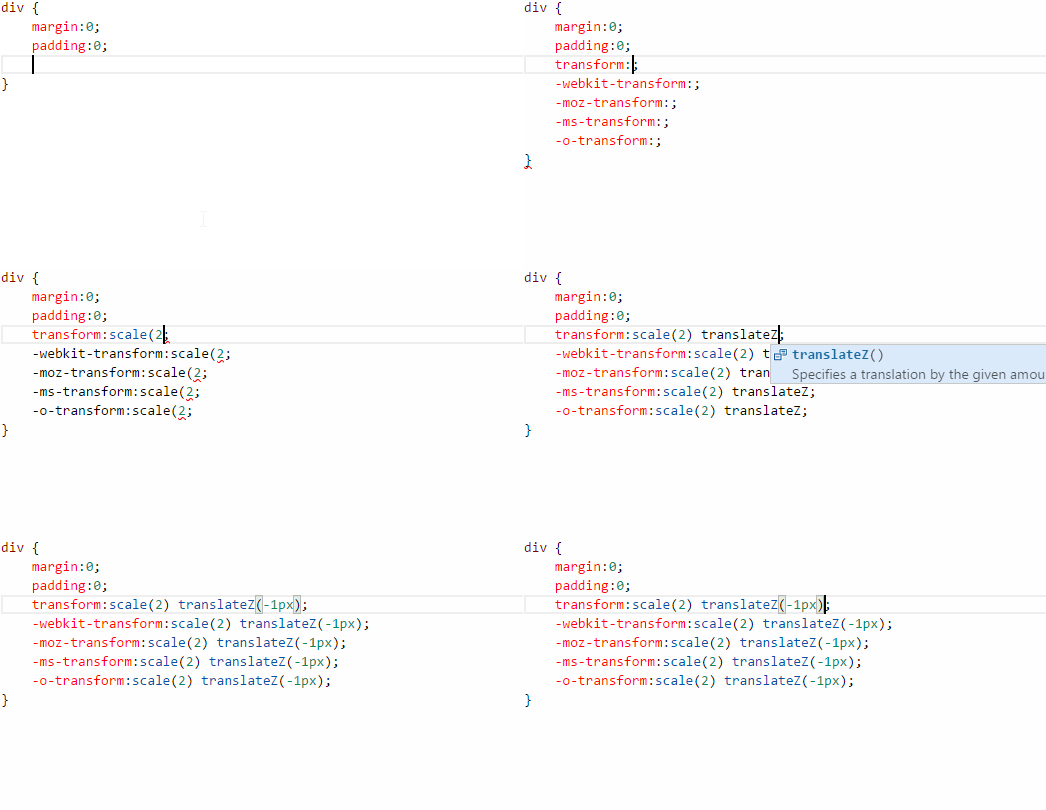
[css-auto-prefix
外掛](https://marketplace.visualstudio.com/items?itemName=sporiley.css-auto-prefix
)
[css-auto-prefix 延伸介紹 1](https://blog.gtwang.org/web-development/autoprefixer-css-vender-prefixes/)
---
### 前端網頁框架
#### Bootstrap 3 Snippets
可以快速編輯Bootstrap 3 的HTML
[Bootstrap 3 Snippets 外掛](https://marketplace.visualstudio.com/items?itemName=wcwhitehead.bootstrap-3-snippets)
---
#### Bootstrap 4, Font awesome 4, Font Awesome 5 Free & Pro snippets

[Project Manager 外掛](https://marketplace.visualstudio.com/items?itemName=thekalinga.bootstrap4-vscode)
---
### Vue
#### Vue
Vue 專用的 開發環境工具

[Vue 外掛](https://marketplace.visualstudio.com/items?itemName=jcbuisson.vue)
[Vue 官方文件 延伸介紹 1](https://cn.vuejs.org/v2/guide/)
---
#### Vue 2 Snippets
提示vue code的外掛
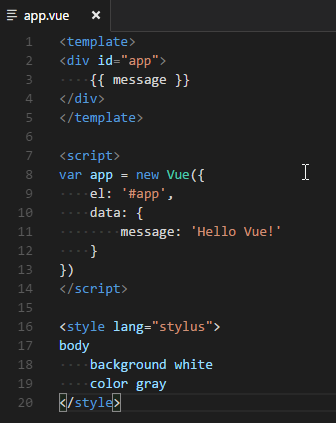
[Vue 2 Snippets外掛](https://marketplace.visualstudio.com/items?itemName=hollowtree.vue-snippets
)
[Vue 2 Snippets 延伸介紹 1](https://www.jianshu.com/p/00ccdd9c8667)
---
#### Vetur
Vue 專用的 開發工具
[Vetur 外掛](https://marketplace.visualstudio.com/items?itemName=octref.vetur
)
[Vetur 延伸介紹 1](https://www.jianshu.com/p/79d851951418)
---
### 環境開發
#### Live Server

[Live Server 外掛](https://marketplace.visualstudio.com/items?itemName=ritwickdey.LiveServer
)
---
#### Live Sass Compiler
可以將Sass自動 Live 轉出 Css 格式,也可以輸出到 dist 資料夾底下
[Live Sass Compiler 外掛](https://marketplace.visualstudio.com/items?itemName=ritwickdey.live-sass)
[Live Sass Compiler 延伸介紹 1](https://hk.saowen.com/a/238f13f3cde404f649c1a3f9cca792d162bca4b09350341f3b5b8b1a4f2b622f)
---
#### Project Manager

[Project Manager 外掛](https://marketplace.visualstudio.com/items?itemName=alefragnani.project-manager
)
[Project Manager 延伸介紹 1](https://medium.com/@aar0nTw/visual-studio-code-%E5%AF%A6%E7%94%A8%E5%B7%A5%E5%85%B7%E8%88%87%E6%8A%80%E5%B7%A7-2-how-to-editor-%E7%B7%A8%E8%BC%AF%E8%80%85-12-86de09245795)
---
#### Path Intellisense
vscode 的 explorer sidebar 其實可以直接複製workspace 下檔案的絕對路徑,但是其實寫程式比較常用的應該是相對路徑,那麼安裝 Path IntelliSense 就可以在輸入路徑時候,自動地幫你補完路徑.

[Path Intellisense 外掛](https://marketplace.visualstudio.com/items?itemName=christian-kohler.path-intellisense
)
---
#### Beautify
規定code 格式

[Beautify
外掛](https://marketplace.visualstudio.com/items?itemName=HookyQR.beautify
)
[VSCode - Beautify插件配置 *.vue 延伸介紹 1](https://www.jianshu.com/p/29b1096a0df9)
---
#### Prettify json-html-css
選中要格式化的內容 點擊右鍵 選擇 [格式化 JSON, 格式化 HTML, 格式化 CSS] 格式化相應內容
[Prettify json-html-css 外掛](https://marketplace.visualstudio.com/items?itemName=alefragnani.project-manager
)
---
#### vscode-icons
可以為你的 Visual Studio Code的文件類型提供相應的圖標。
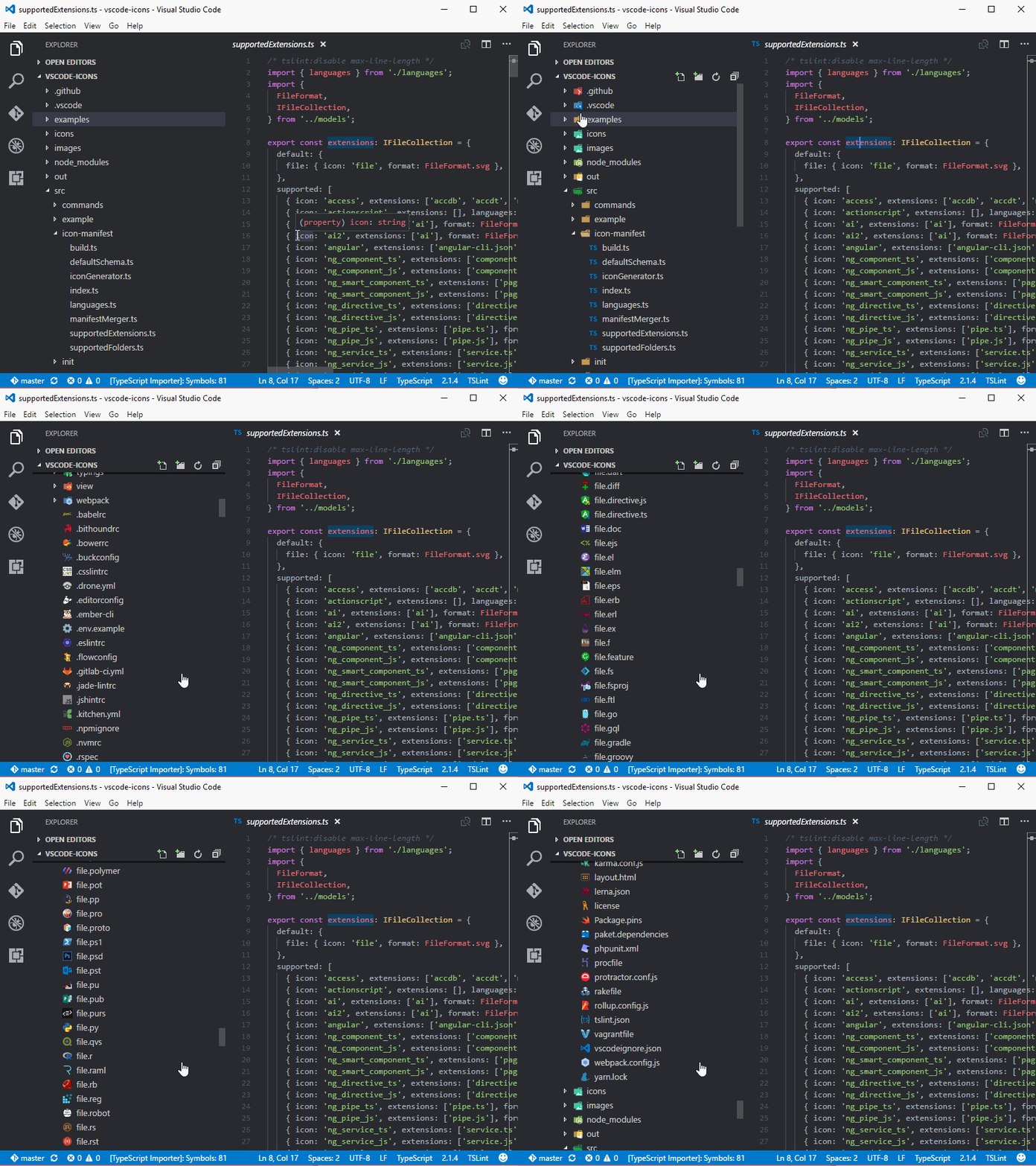
[vscode-icons 外掛](https://marketplace.visualstudio.com/items?itemName=robertohuertasm.vscode-icons
)
---
### vscode Icon
# Vue
[[那些關於 Vue 的小細節 ] 為什麼畫面沒有隨資料更新 - Vue 響應式原理(Reactivity)](https://pjchender.blogspot.com/2017/05/vue-vue-reactivity.html)
[Vue Menu template](https://vuejsexamples.com/tag/menu/)
[Vue-cli透過webpack來加載使用pug/scss及BootStrap4](https://guahsu.io/2017/12/vue-cli-webpack-pug-scss-bootstrap4/)
[Muse ui](https://muse-ui.org/#/zh-CN)
## Axios
## element_Ui
# Vue cli 3.x
3.X的版本 在 import 時候,檔案要加上附檔名 `.vue`
import HelloWorld from '@/components/HelloWorld.vue'
## 安裝
### 環境安裝
>Node 版本要求
>Vue CLI 需要 Node.js 8.9 或更高版本 (推荐 8.11.0+)。你可以使用 nvm 或 nvm-windows 在同一台电脑中管理多个 Node 版本。
>
`` There is a literal backtick (`) here.针对在代码区段内插入反引号的情况 ``
## 安裝
### cli 安裝
> npm install -g @vue/cli
Cli 建置
>vue init <template-name> <project-name>
範例:
> vue init webpack my-project
或
>vue create hello-world
## 資料夾結構說明
### public
資料夾底下都不會在經過編譯
### src
資料夾底下都得都會編一次
#### assets
搜尋
CopyWebpackPlugin
https://blog.csdn.net/xjlinme/article/details/74783887
https://stackoverflow.com/questions/45116796/how-to-import-and-use-image-in-a-vue-single-file-component
# Webpack
[與Webpack同行 PDF](https://docs.google.com/presentation/d/1SZe9LyKxekhsYxvgW5pmlVm1Fv83huWyV6eYeAFMsLo/edit#slide=id.p)
 Sign in with Wallet
Connect another wallet
Sign in with Wallet
Connect another wallet