---
tags:
---
# 期末作品409737250
https://openprocessing.org/sketch/1596783
宣告變數與設定Ball參數預設值
draw是畫出等下按下四會跑出的物件樣式
```javascript=
var capture
var count=0
var cacheGraphics
var bk,ay
var mode=1 //宣告變數
var colors = "ccd5ae-e9edc9-fefae0-faedcd-d4a373".split("-").map(a=>"#"+a)
const density = 'tku1234567890-=/.,mnbvcxz ';
class Ball{
constructor(args){ // 設定參數預設值,數字能力
this.r= args.r || 30 // r直徑(寬跟高)
this.p= args.p || {x:random(width),y:random(height)}
this.v=args.v || {x:random(-1,1),y:random(-1,1)}
this.a = args.a || {x:0,y:0.01}
this.color = args.color || random(colors)
}
draw(){ // 繪製函數,描述畫出物件的樣式
push()
translate(this.p.x, this.p.y)
fill(this.color)
ellipse(0, 0 , this.r);
//================畫半圓
fill(255)
arc(0,0,this.r/2,this.r/2,0,PI)
fill(0)
arc(0,0,this.r/3,this.r/3,0,PI)
pop()
}
}
```
---
設定顯示畫面大小,翻轉畫布讓影像左右翻轉
加入拉桿及聲音元素
```javascript=
var ball
var balls=[] //宣告一個陣列
function setup() {
createCanvas(windowWidth, windowHeight);
background(100);
capture = createCapture(VIDEO)//抓取video的指令
capture.size(640,480);//設定顯示畫面大小
cacheGraphics = createGraphics(640,480)
cacheGraphics.translate(640,0) // 先往右邊移動一倍的距離(移動寬度640)
cacheGraphics.scale(-1,1) // 翻轉畫布 影像左右翻轉
capture.hide();
sliderElement= createSlider(10,50,20,0.01)//初始值,最大值,預設值,間距//設定一個滑桿
sliderElement.position(980,180)
sliderElement.input(setGravity)
mic = new p5.AudioIn()
mic.start()
for(var i=0;i<10;i++){
}
}
function setGravity(){
ay = sliderElement.value()
}
```
---
---
---
設置背景顏色及文字框,使畫面顯示出按下鍵盤按鍵12345分別會產生什麼樣的畫面
```javascript=
function draw() {
background(0);
fill(255)
strokeWeight(3)
stroke(random(200,255),random(255),random(255))
textSize(40)
textStyle(BOLD)
text("409737250羅湯晴", 1250, 100);
textSize(20)
text("圖像大小",1250,180)
text("按1,數字",200,660)
text("按2,圓形",450,660)
text("按3,文字",680,660)
text("按4,元件,聲音大小聲會變化",900,660)
text("按5,原相機視窗",1350,660)
balls=[]
for(let ball of balls){
ball.draw() //繪製
ball.update() //動作(移動)
}
```
---
取出capture的值以及pixel的顏色
```javascript=
cacheGraphics.image(capture, 0,0)//取capture的值
noStroke();
if(mode<5){
var span=20+max(mouseX,0)/20 //mouseX負值造成當機,迴圈跑不出來
for(var x=0 ; x<cacheGraphics.width; x+=span){
for(var y=0;y<cacheGraphics.height; y+=span){
var pixel = cacheGraphics.get(x,y); //取(x,y)顏色(rgb)
bk = (pixel[0] + pixel[1] + pixel[2])/3 //RGB 的平均值,三個數字加起來除以3會變成灰階
```
---
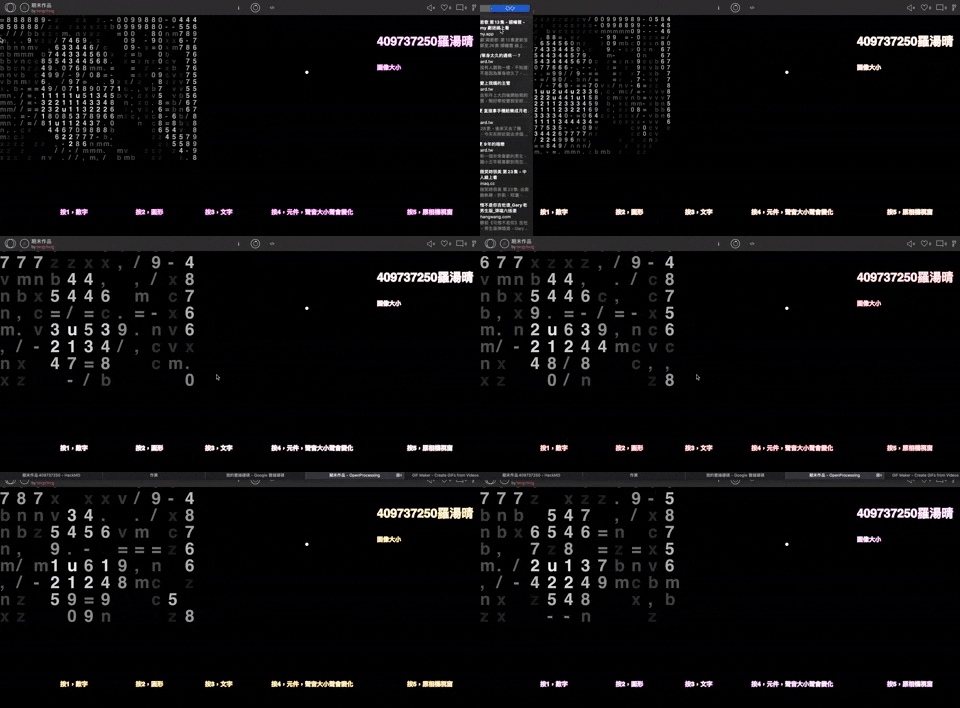
設定mode,使他跑出相對應的指令
按下1會在攝影機拍攝出 數字 影像作顯示
---

---
```javascript=
if(mode=="1"){
textSize(span)
bk=(pixel[0]+ pixel[1]+pixel[2])/3
fill(bk);
bkId = int(map(bk, 0, 255, 28, 0))
text(density[bkId],x,y)
}
```
---
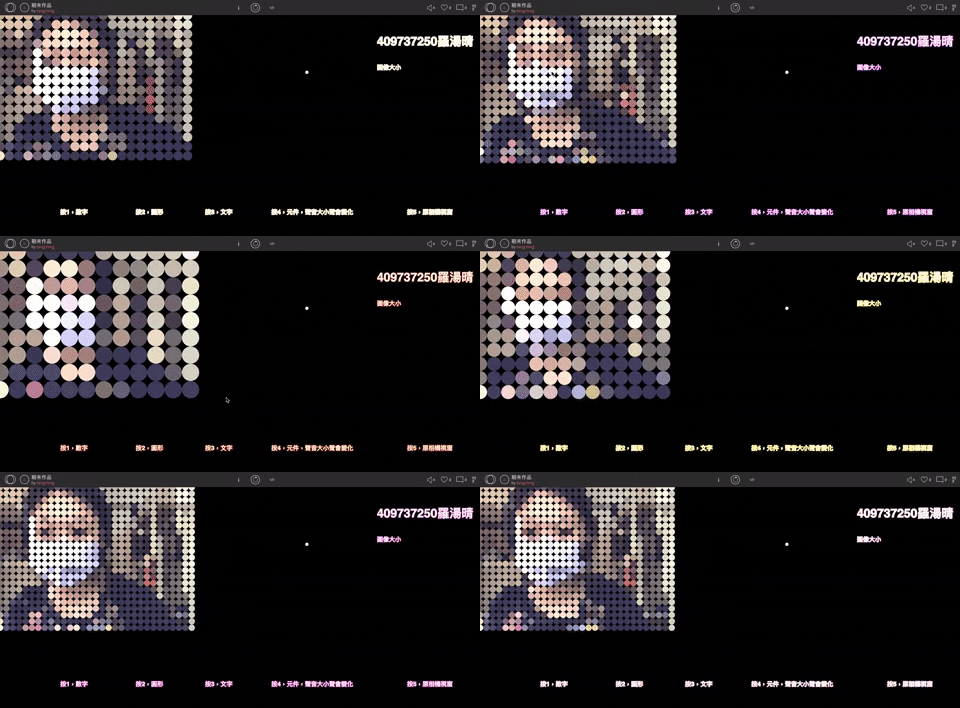
按下2是攝影機拍攝出 圓形 影像作顯示
---
---
```javascript=
if(mode=="2")
{
strokeWeight(3)
if(count%6<4){ //把count得值除以6求得的餘數,如果小於4就顯示圓形
fill(pixel[0]+50,pixel[1]+50,pixel[2]+80)//取的當前像素的亮度
ellipse(x,y,span);
}
}
```
---
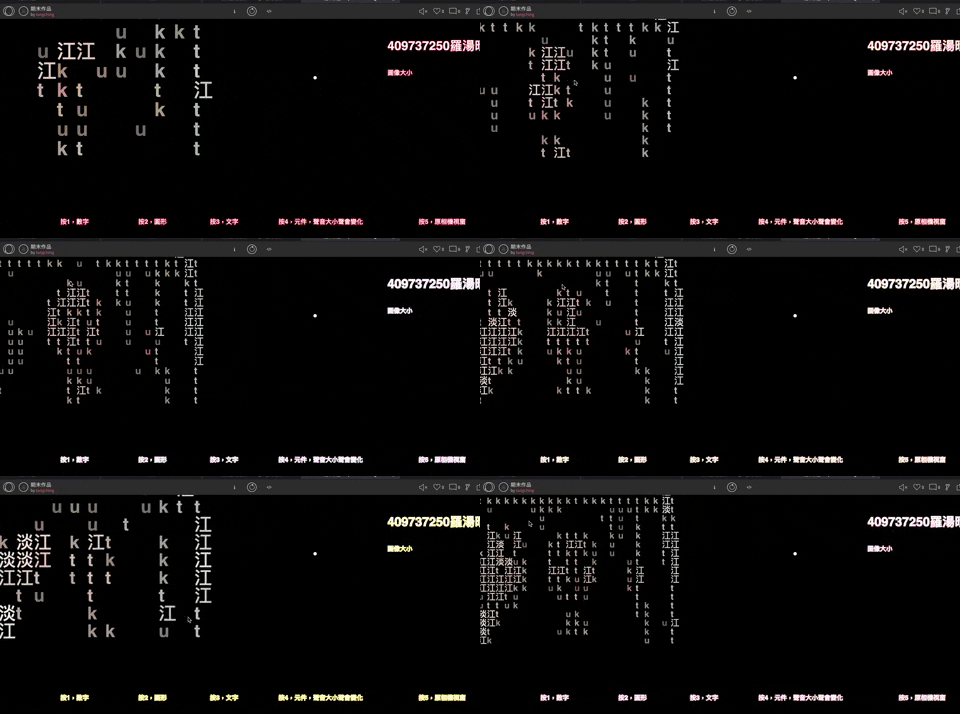
按下3是攝影機拍攝出 淡江tku 影像作顯示
---
---
```javascript=
if(mode=="3")
{
let txt = "淡江tku";
let bkId=int(map(bk,0,255,9,0))
fill(pixel)
textSize(span)
textStyle(BOLD)
text(txt[bkId],x,y)
}
```
---
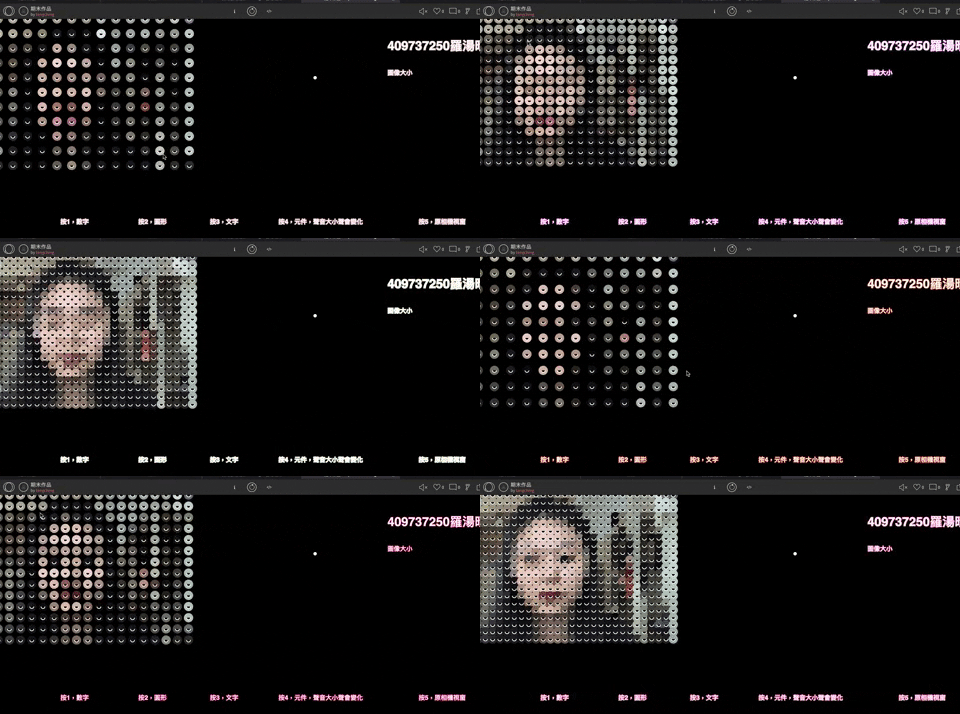
按下4是攝影機拍攝出 物件原型裡面有半圓眼睛 影像作顯示
---
---
```javascript=
if(mode=="4")
{
var micLevel=mic.getLevel();
if(micLevel>0.009){
ball = new Ball_1({p:{x:x,y:y},r:ay,color: color(pixel[0],pixel[1],pixel[2]) }) //產生一個新的物件
}
else
{
ball = new Ball({p:{x:x,y:y},r:ay,color: color(pixel[0],pixel[1],pixel[2]) }) //產生一個新的物件
}
balls.push(ball)
}
}
}
if(mode=="4")
{
for(let ball of balls){
ball.draw() //繪製
}
}
}
```
---
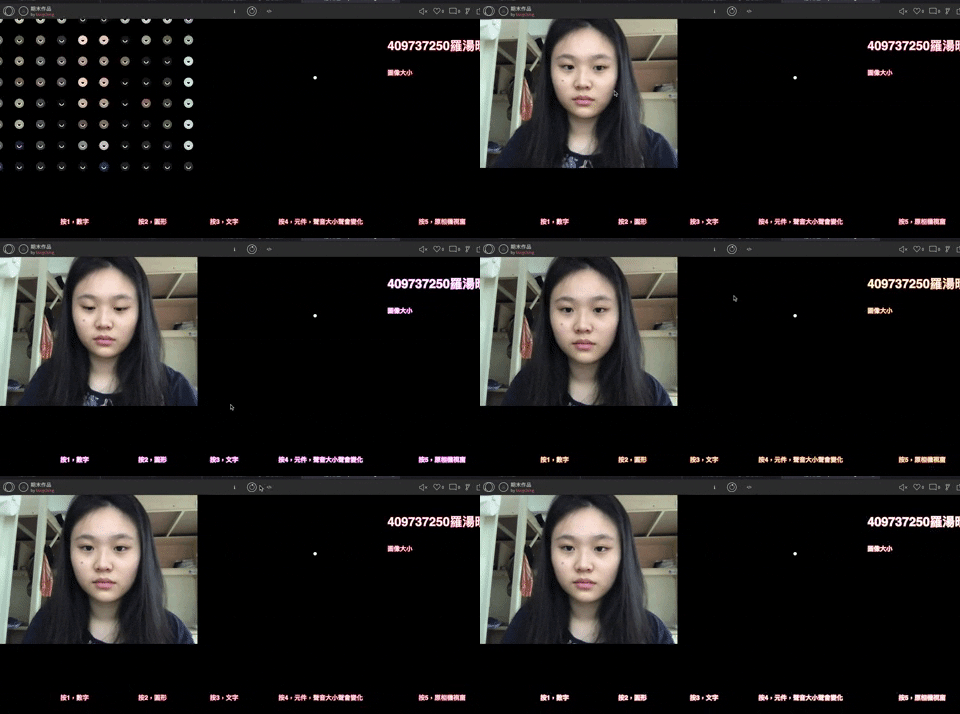
按下1234其他按鍵是顯示出原相機畫面
---
---
```javascript=
else
{
image(capture,0, 0)
}
}
```
---
當按下鍵盤12345,使他跑出上面所設定的mode
```javascript=
function keyPressed(){
if(key=="1"){
mode=1
}
else if(key=="2"){
mode=2
}
else if(key=="3"){
mode=3
}
else if(key=="4"){
mode=4
}
else {
mode=5
}
}
 Sign in with Wallet
Connect another wallet
Sign in with Wallet
Connect another wallet